Knowledge base
1000 FAQs, 500 tutorials and instructional videos. Here, there are only solutions!
Change your Infomaniak account recovery email
This guide explains how to change the email address used to recover access to your Infomaniak account.
Introduction
- If you forget your Infomaniak password, the procedure you can follow includes resetting your password via a link that will be sent to your secondary email address.
- You can specify or change this address in advance by following this guide.
Change your password recovery email address
To change your password recovery email address:
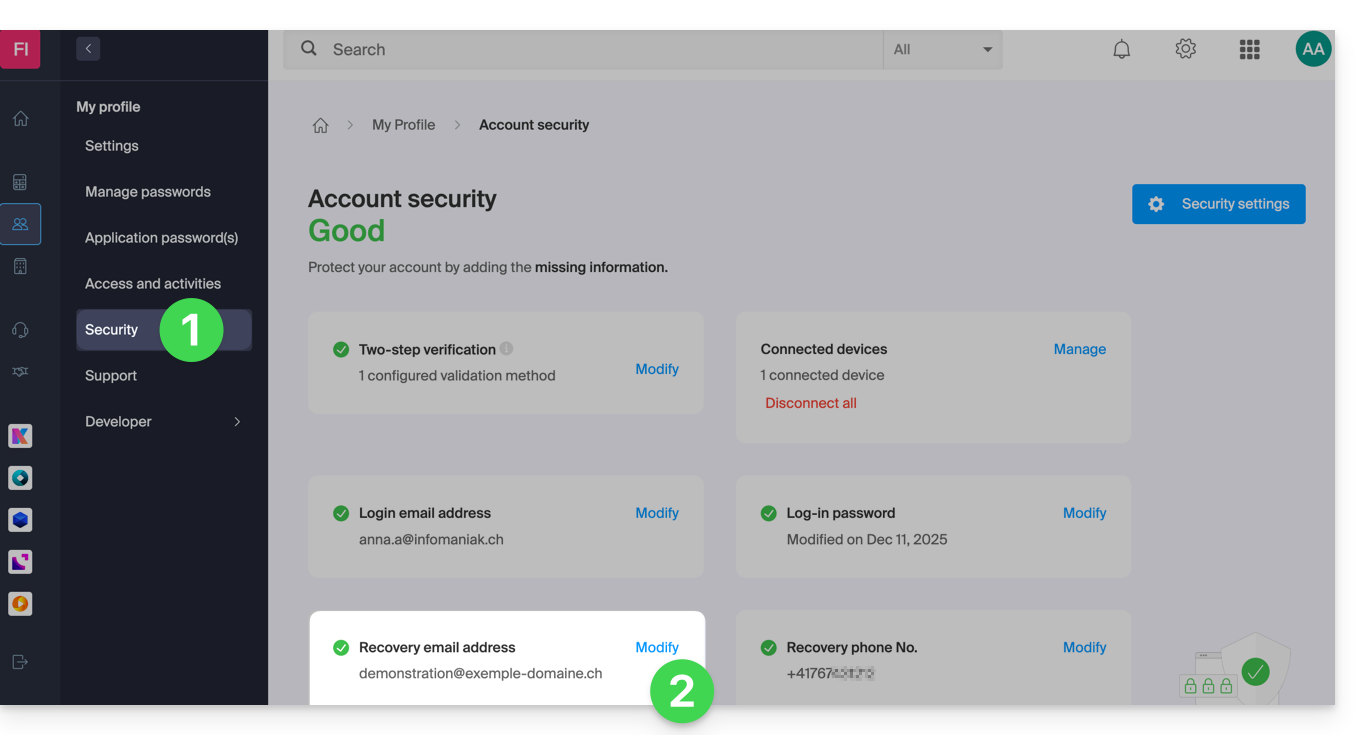
- Click here to access the management of your security information in the Infomaniak Manager.
- Click on Edit in the Recovery email box:
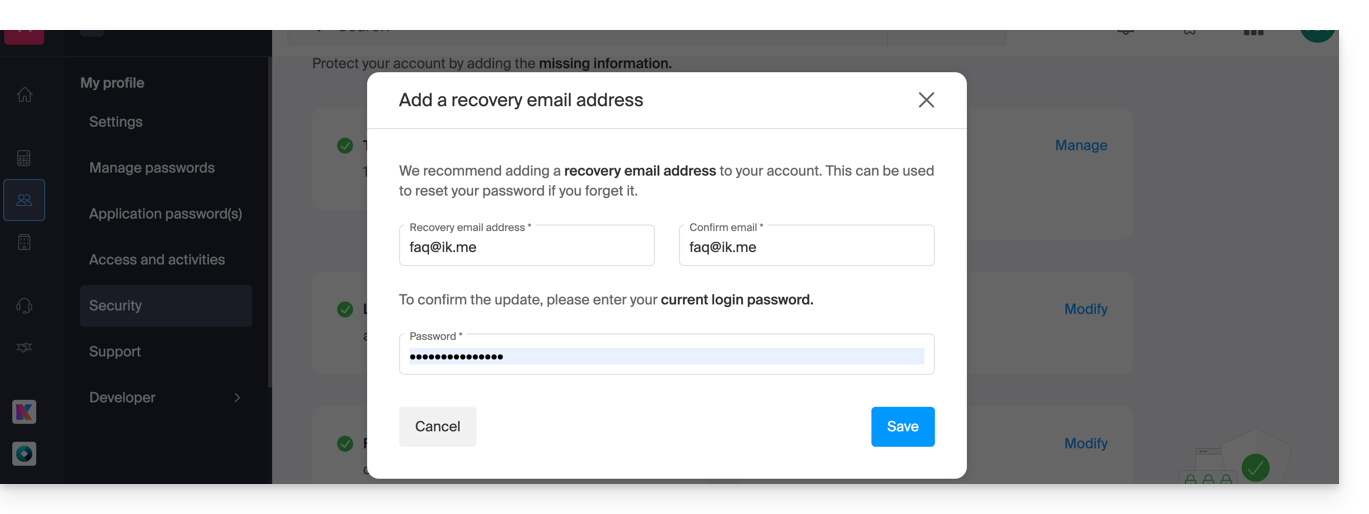
- Enter the new recovery email address, then click Save:
- You will then need to confirm the addition of the email address by clicking on the link received in the email following this action.
- You can resend the activation email, or delete the current request, from this window:
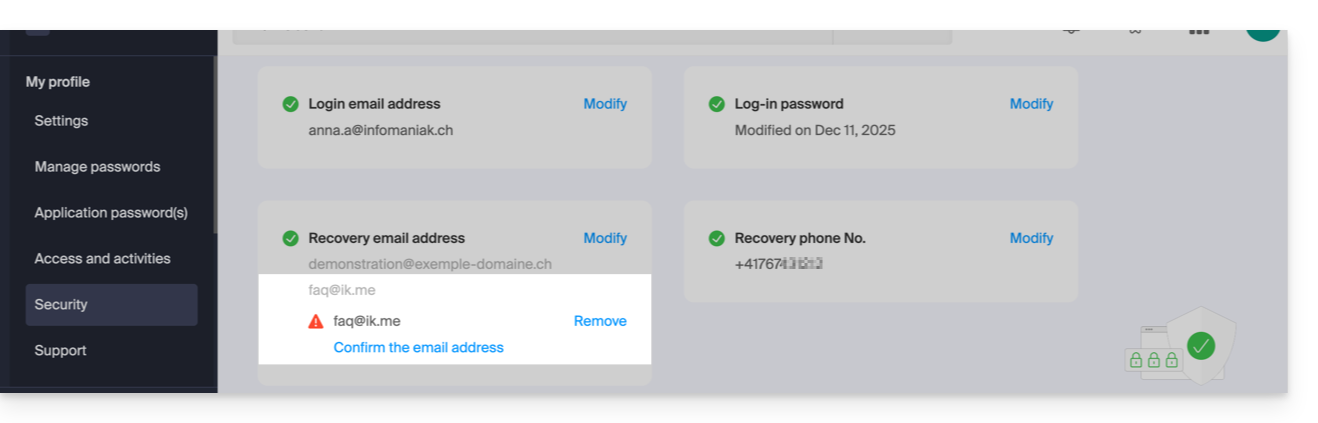
- You can resend the activation email, or delete the current request, from this window:
Link to this FAQ: https://faq.infomaniak.com/2146
Has this FAQ been helpful?