Knowledge base
1000 FAQs, 500 tutorials and instructional videos. Here, there are only solutions!
Change the language of the Manager / Mail
This guide explains how to modify certain language settings in the Manager and kSuite (Infomaniak Mail app, Calendar, Contacts, etc.).
Change the language of your Infomaniak account
To do this:
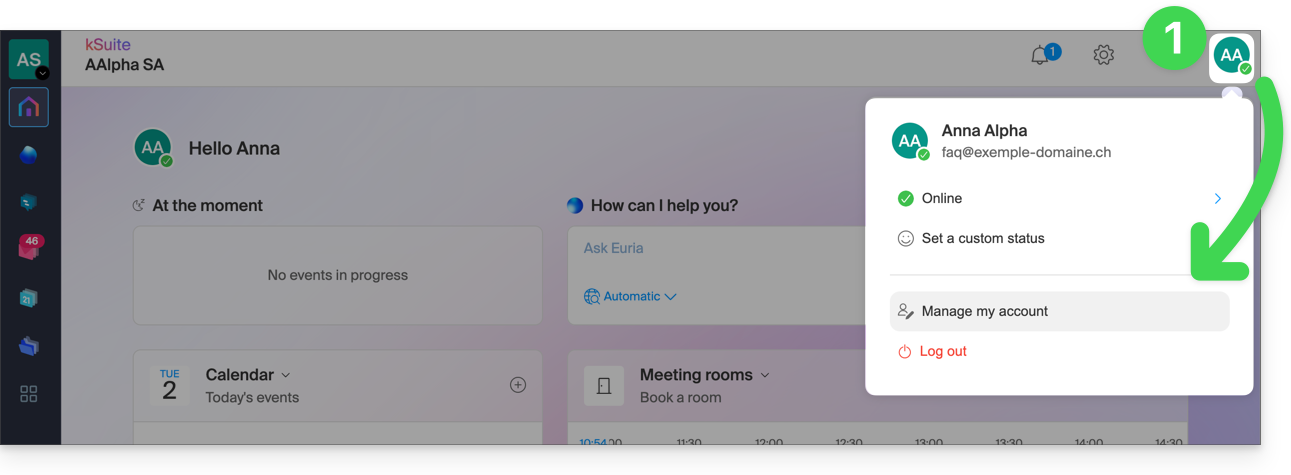
- Click here (or on the badge with your initials / avatar in the top right corner of the Infomaniak Manager) to "Manage my account":
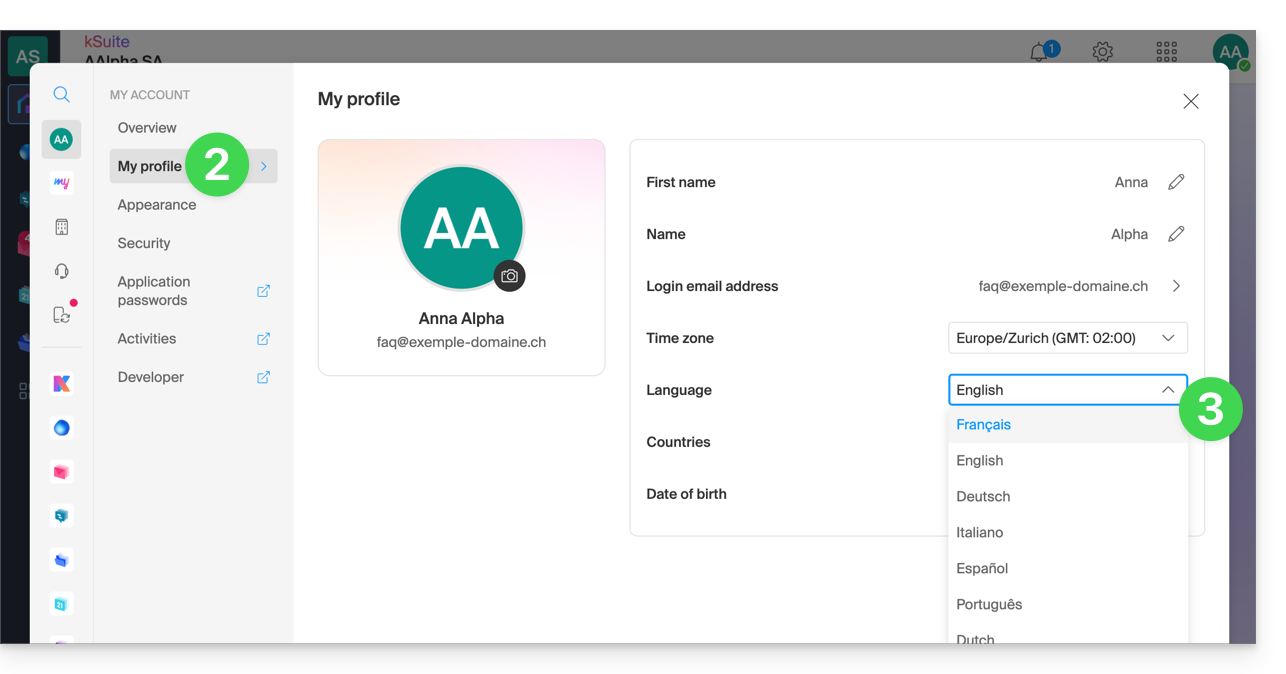
- Click on My profile in the left-hand menu.
- Click on the language dropdown menu to choose from French, English, German, Italian, Spanish, Portuguese, etc.:
Change the regional settings of your account
In the same place, you can set the time zone for your region / country: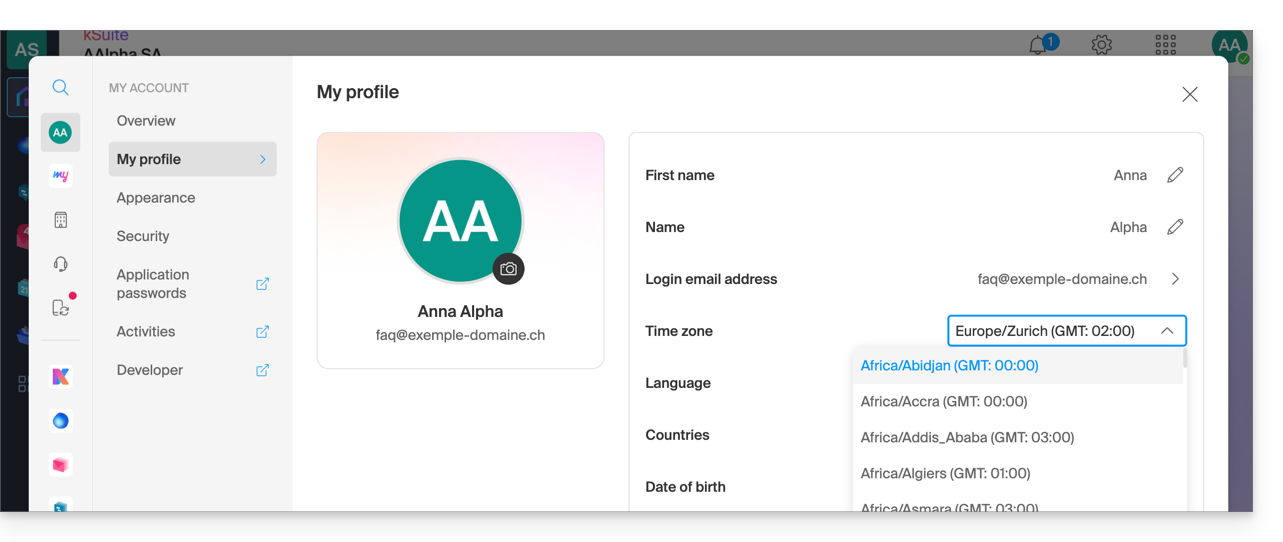
Link to this FAQ: https://faq.infomaniak.com/2144
Has this FAQ been helpful?