Knowledge base
1000 FAQs, 500 tutorials and instructional videos. Here, there are only solutions!
Show VOD/AOD statistics
This guide provides instructions on how to correctly display and interpret VOD/AOD statistics.
Introduction
- There may be a difference between the number of media views and the number of unique visitors:
- Users who watch a stream with an unstable Internet connection (Wifi, 3G, etc.) may generate a large number of disconnections and reconnections.
- In such a case, each reconnection is counted as a new visit, which may explain this difference.
Accessing VOD/AOD statistics
To view your media statistics:
- Click here to access your product management interface on the Infomaniak Manager (need help?).
- Click directly on the name assigned to the product in question:
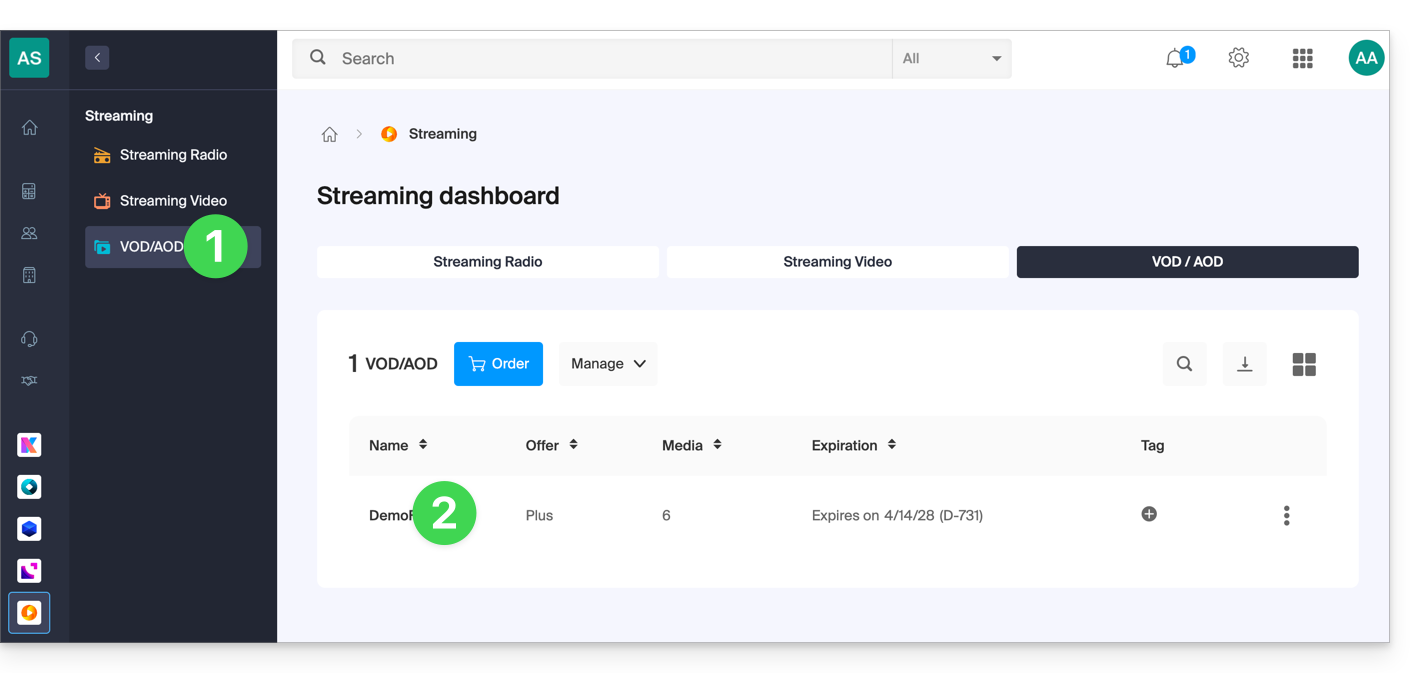
- Click on Statistics in the left-hand menu.
- Click on the desired items in the secondary sidebar menu to obtain an overview or detailed statistics on viewers, viewing time, consumption, media, geographic areas, and technologies:
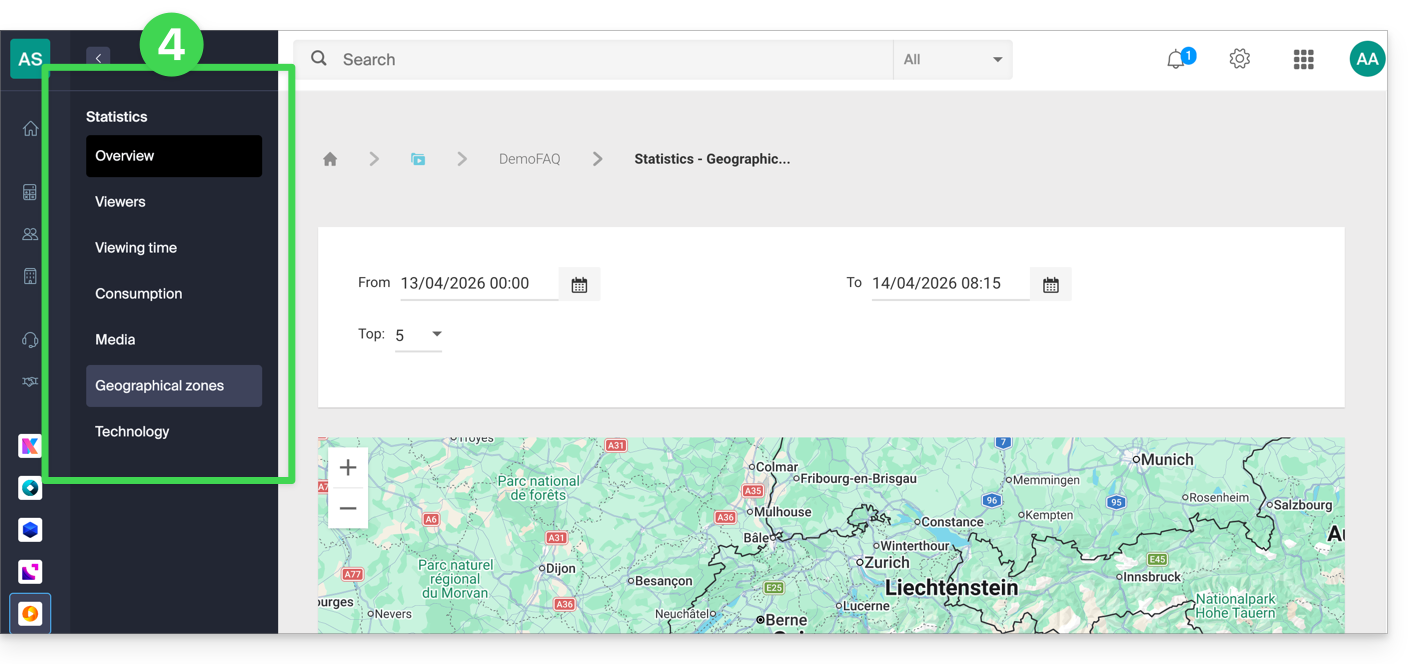
Label Definitions
- Media views: total number of views for all media
- Unique visitors: number of visitors with distinct IP addresses
Example: if two employees from the same company watch the same video, this will count as 1 unique visitor and 2 visits.
Link to this FAQ: https://faq.infomaniak.com/2132
Has this FAQ been helpful?