Knowledge base
1000 FAQs, 500 tutorials and instructional videos. Here, there are only solutions!
Install a free Let's Encrypt SSL certificate on a website
Update 10/13/2026
This guide explains how to install a free SSL certificate from Let's Encrypt on a website hosted by Infomaniak.
Introduction
- Once the certificate is installed, your website will be accessible via
httpandhttps…- If necessary, automatically redirect all your visitors to the secure https site (❓: help).
- If you want to include a domain name alias recently added to your site that already had a certificate, you need to update it (❓: help).
- For multiple subdomains, please refer to this other guide.
- Let's Encrypt limits the installation of certificates (❓: help) to:
- 100 subdomains
- 20 certificates for 7 days per registered domain
- 5 unsuccessful requests per account per hostname per hour
Install a free SSL certificate on a website
Prerequisites
- For the installation to be possible, the DNS records for the domain name must be correctly configured to point to the website in question (❓: help).
- If a change has just been made at this level, some operations may not be functional immediately.
To access the websites in order to install an SSL certificate:
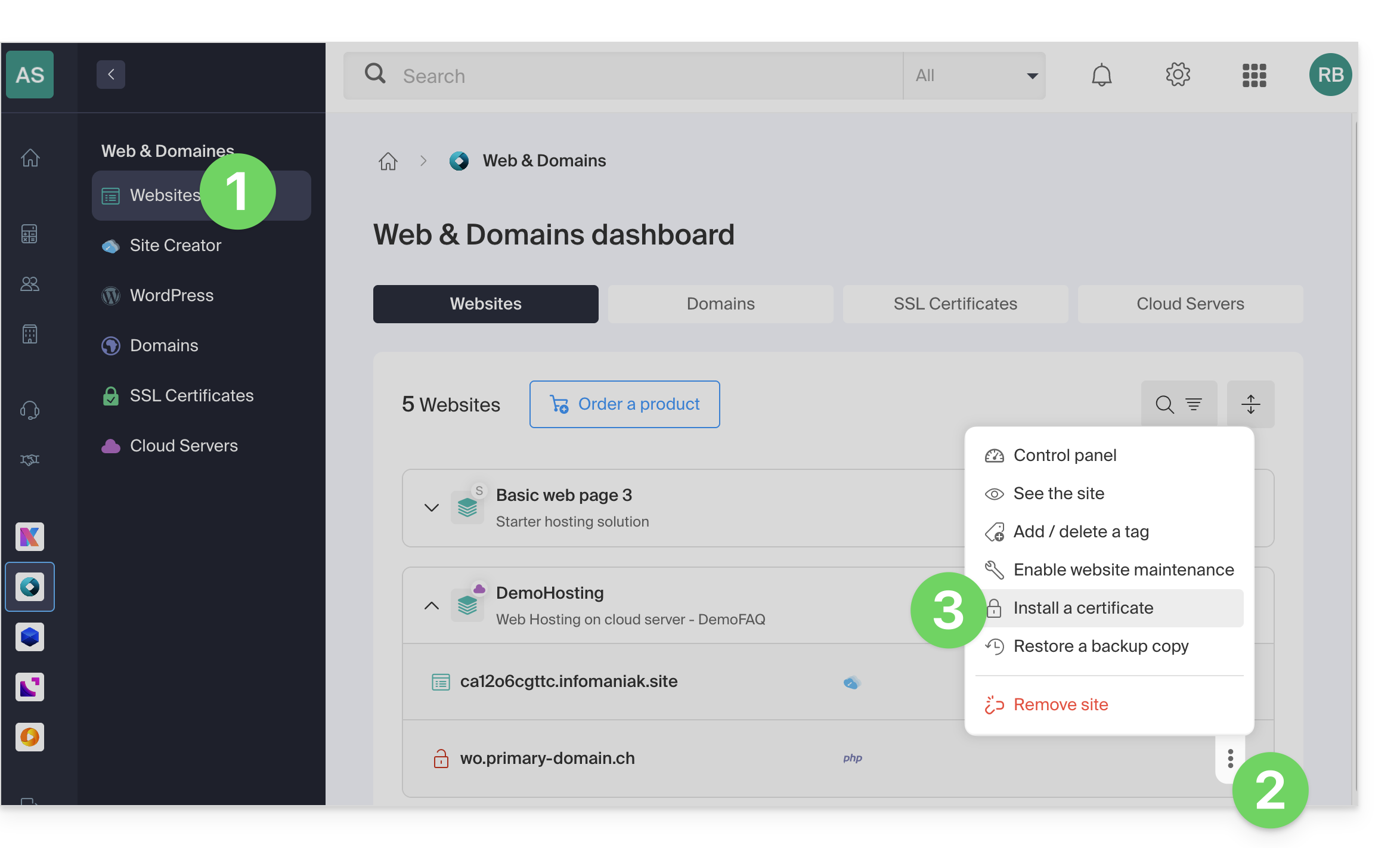
- Click here to access the hosting & website management section in your Infomaniak Manager (❓: help).
- Click on the action menu ⋮ located to the right of the website in question.
- Click on Install a certificate:
- Choose the free certificate:
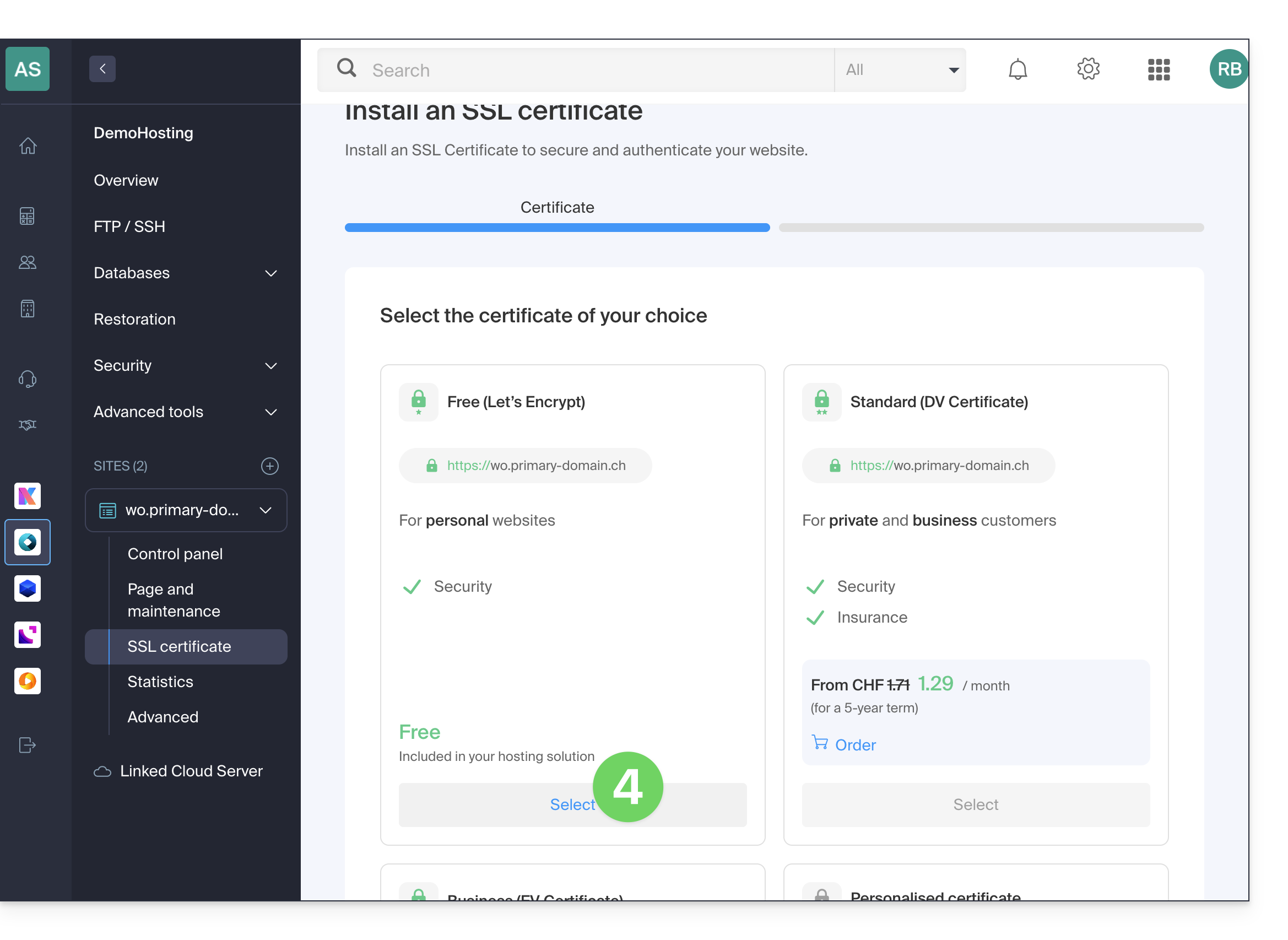
- Click on the Next button at the bottom of the page.
- Check or select the domains concerned.
- Click on the Install button:
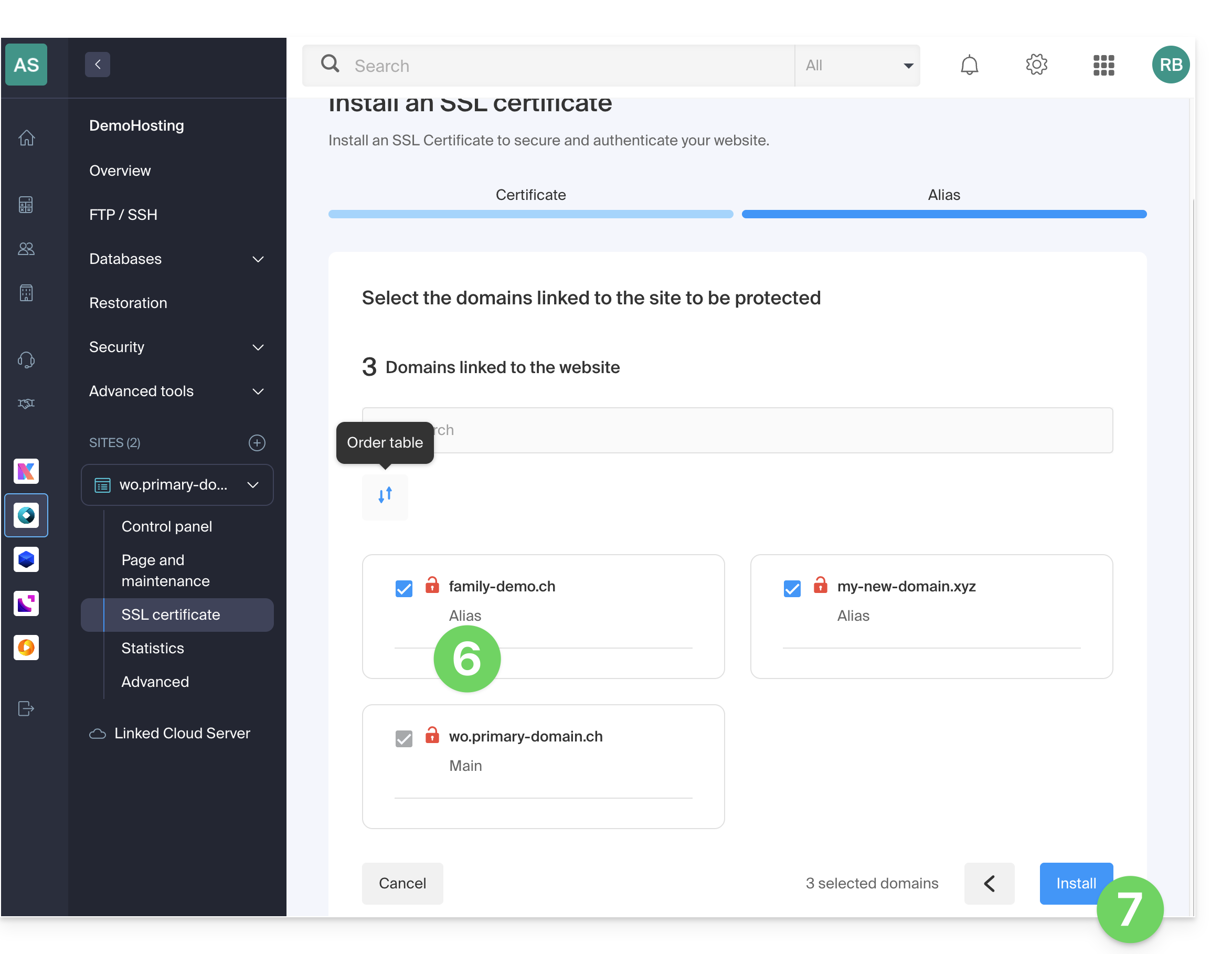
- Please wait a few minutes until the certificate is issued on the website.
Refer to this other guide if you encounter SSL errors and to this other guide specifically if you are using Cloudflare.
Link to this FAQ: https://faq.infomaniak.com/2130
Has this FAQ been helpful?