Knowledge base
1000 FAQs, 500 tutorials and instructional videos. Here, there are only solutions!
Display technical information (e.g., phpinfo)
Update 10/13/2026
This guide explains how to access a website's configuration in Infomaniak to display technical information such as the PHP version, the Apache version, or the enabled PHP extensions and modules.
View website technical information
To access the site management:
- Click here to access the hosting & site management section in your Infomaniak Manager (❓: help).
- Click on the name of the website in question.
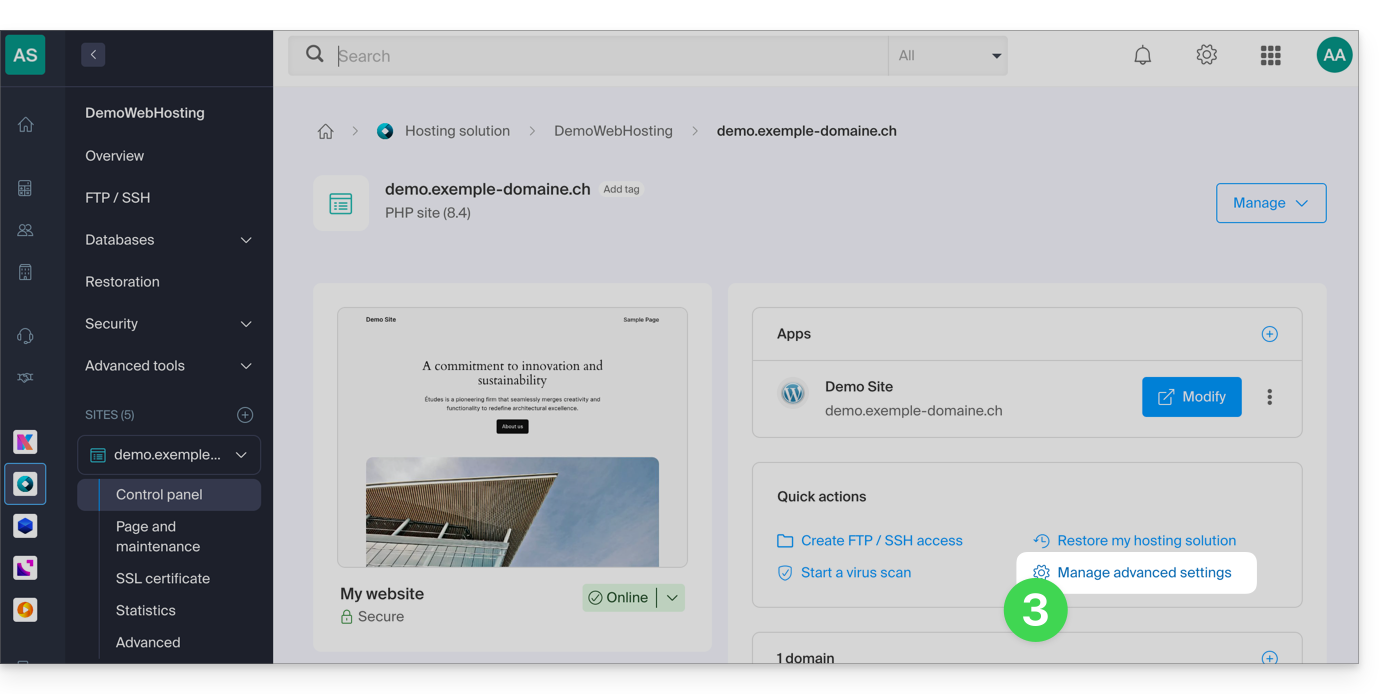
- Click on Manage advanced settings:
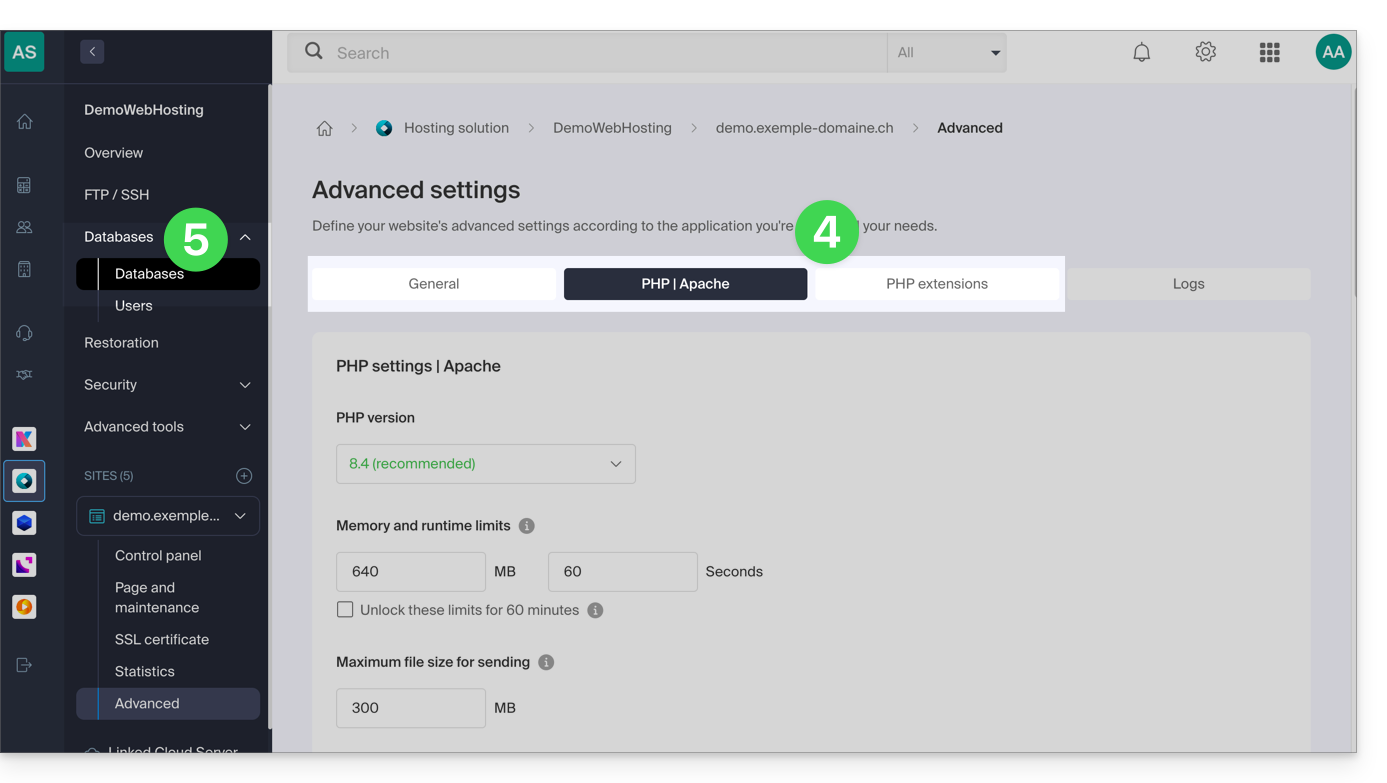
- Review the website information under the General, PHP / Apache, and PHP Extensions tabs.
- Click on Databases in the left-hand menu to view the MySQL version of the web hosting:
Link to this FAQ: https://faq.infomaniak.com/2116
Has this FAQ been helpful?