Knowledge base
1000 FAQs, 500 tutorials and instructional videos. Here, there are only solutions!
Display technical information (type phpinfo)
This guide explains how to access the configuration of an Infomaniak website to display technical information such as the PHP, Apache version, or the activated PHP extensions and modules.
View the website's technical information
To access the website management:
- Click here to access the management of your site on the Infomaniak Manager (need help?).
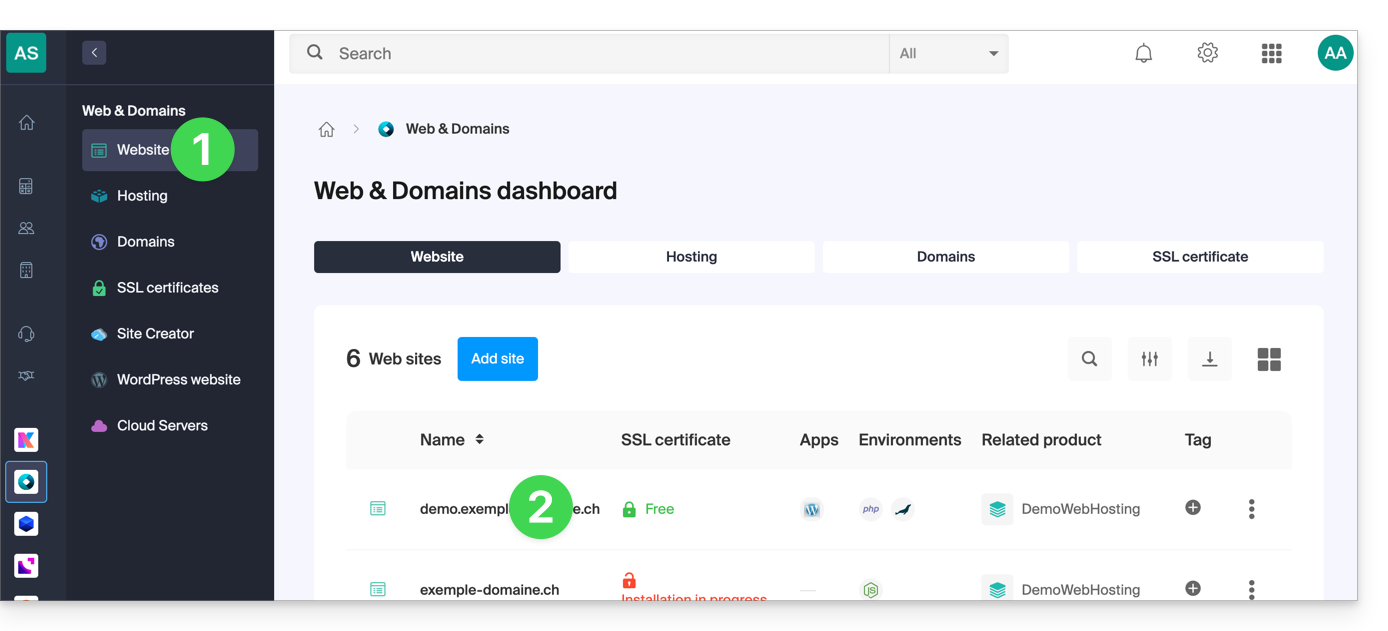
- Click directly on the name assigned to the site concerned:
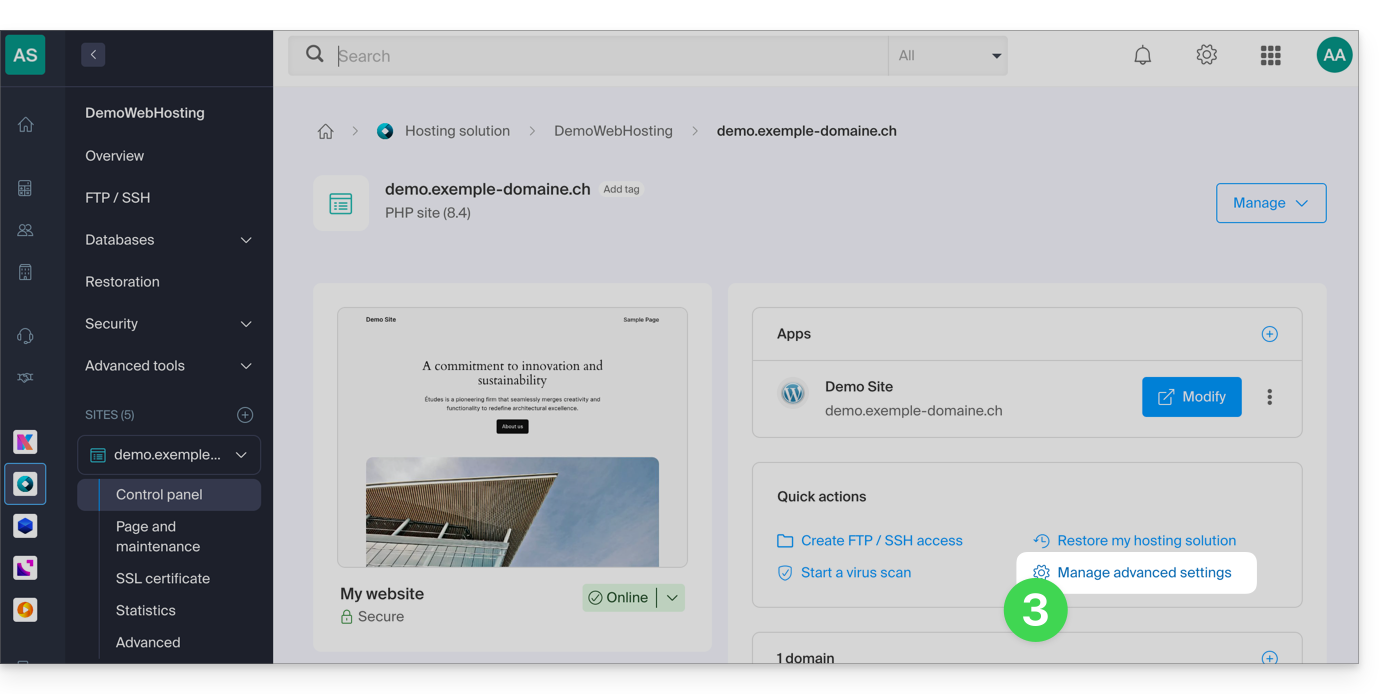
- Click on Manage advanced settings:
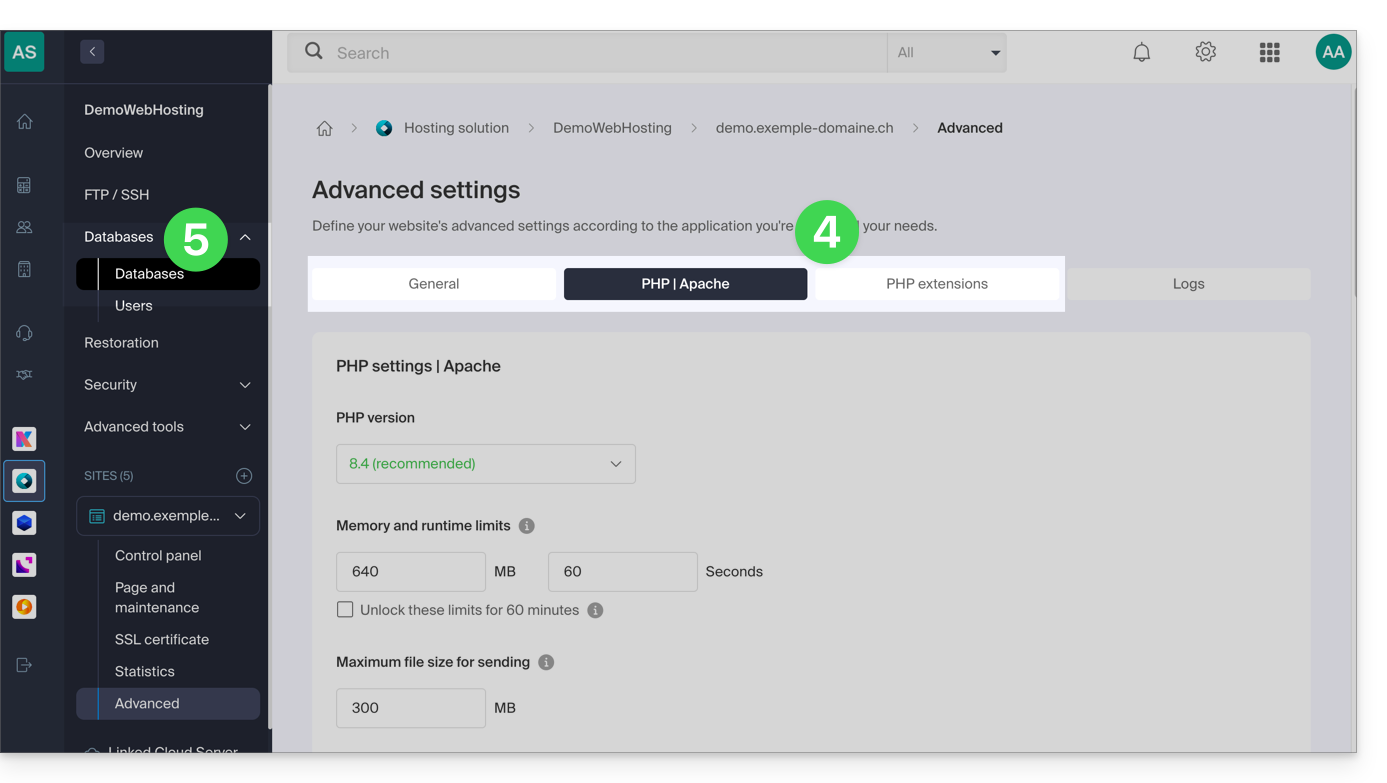
- Take note of the website information under the General, PHP / Apache and PHP Extensions tabs.
- Click on Databases in the left sidebar to get the MySQL version of the web hosting:
Link to this FAQ: https://faq.infomaniak.com/2116
Has this FAQ been helpful?