Knowledge base
1000 FAQs, 500 tutorials and instructional videos. Here, there are only solutions!
Manage the website welcome page
This guide explains how to create a homepage on your Infomaniak websiteusing the welcome page creation tool, a simplified tool for creating content quickly and easily. To create a more complete website, there is Site Creator.
Prerequisites
- Have a website hosted on Infomaniak, even a simple Starter plan, with a basic web page (❓: help).
Create a welcome page on an Infomaniak website
To access the simple creation tool:
- Click here to access the hosting & website management section in your Infomaniak Manager (❓: help).
- Click on the name of the product in question.
- Click on Page and Maintenance in the left-hand menu:
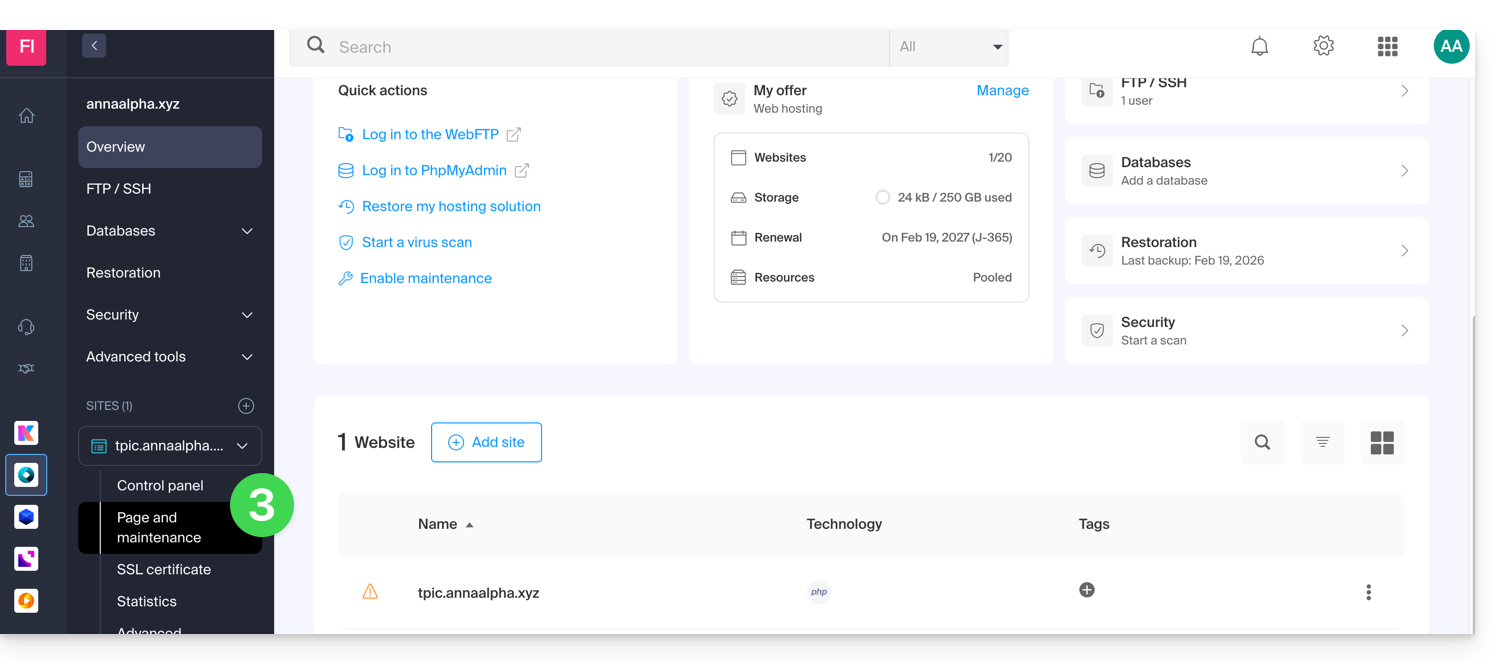
- Check or select the domain name of the website where you want to install the web page.
- Click on Create a homepage or Customize:
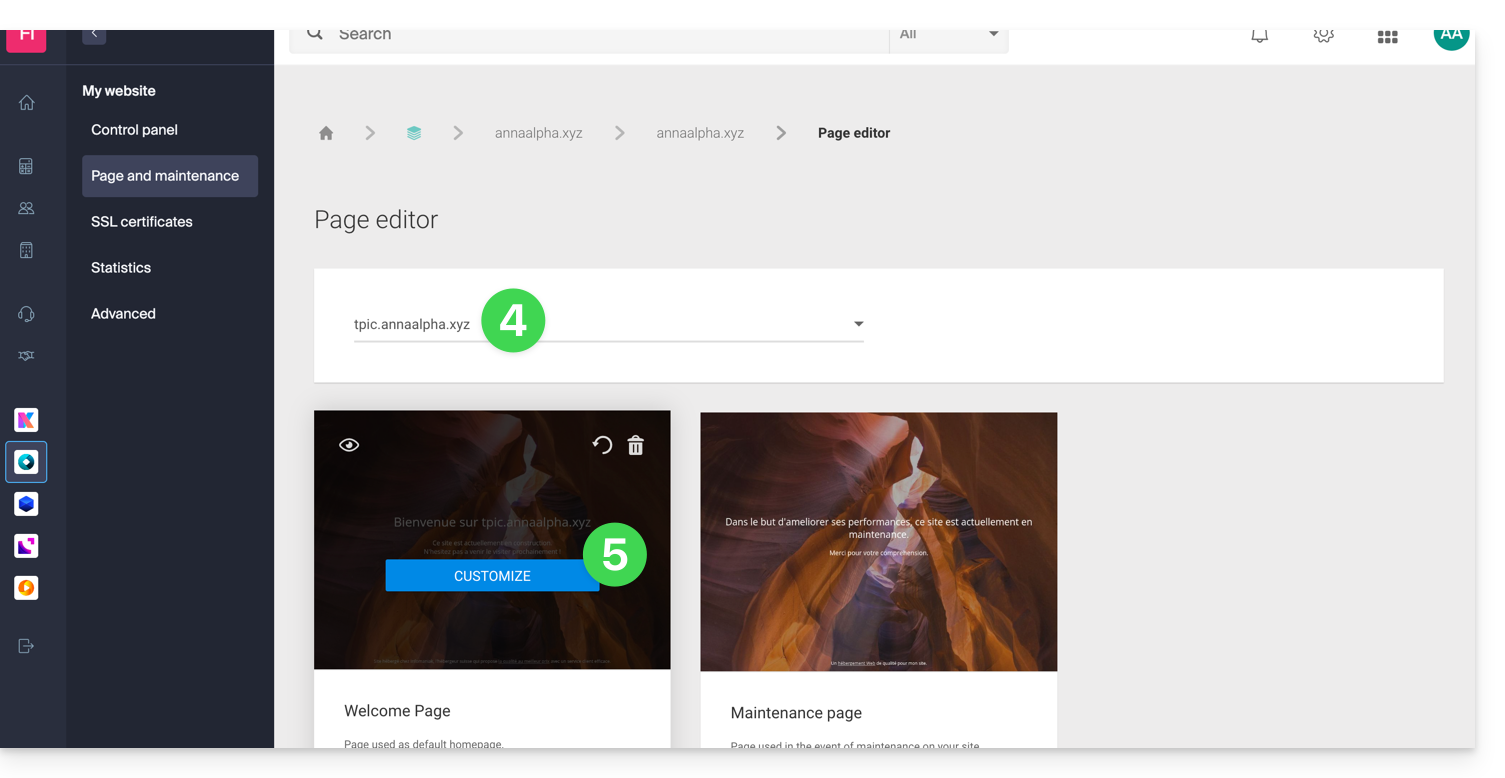
You can then choose a theme, define the text visible to your visitors, insert an image into the page body, manage the SEO content of your page, add a background image, specify social media usernames if necessary, etc., and all of this can be modified at any time.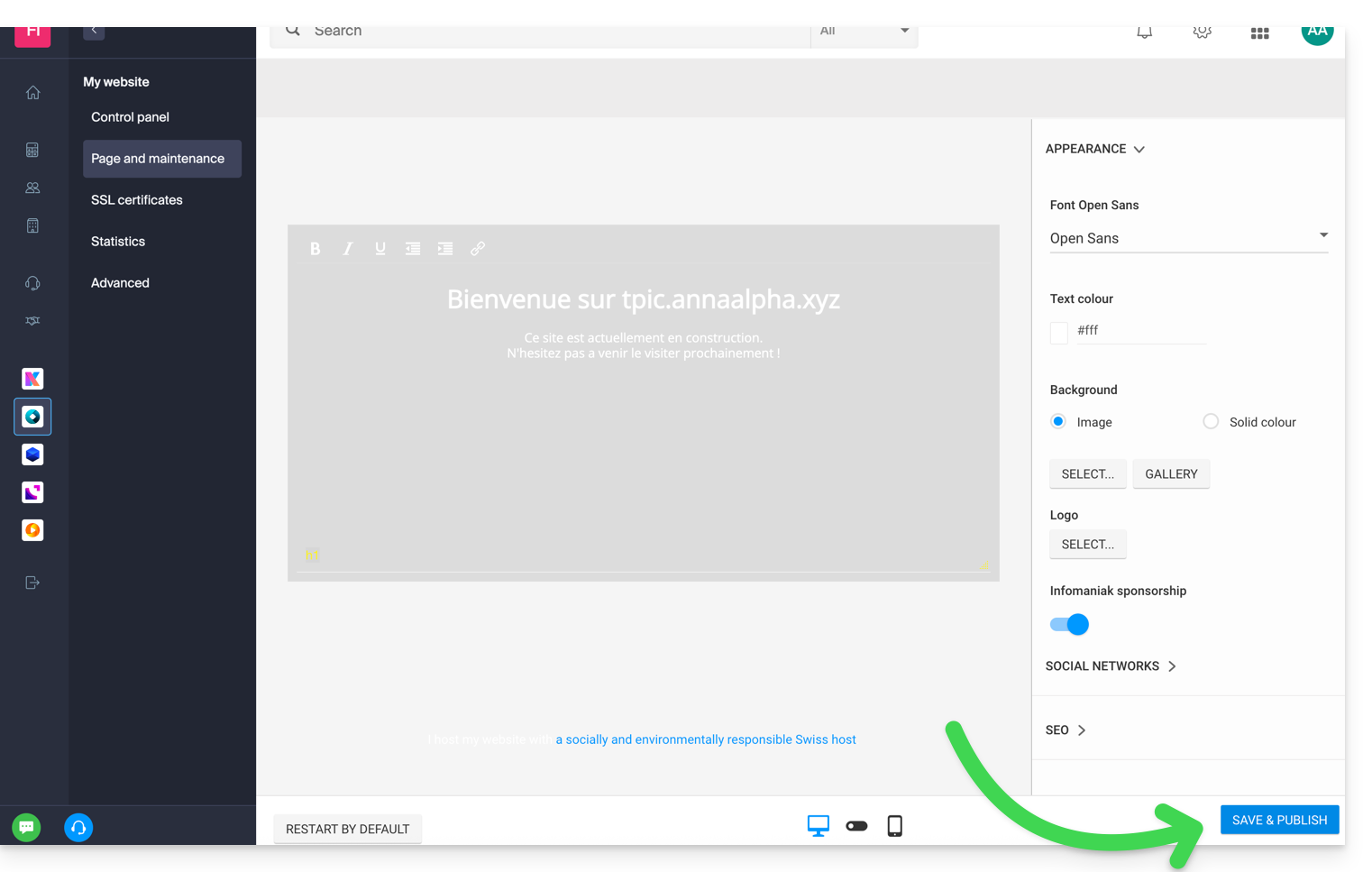
Click on the blue button at the bottom of the page to save and publish your changes.
Note that the tool can be used in conjunction with FTP management of your web hosting if necessary (❓: help).
Disable and delete the welcome page
To remove the home page that was automatically placed at the root of your website's file structure:
- Click here to access the hosting & website management section in your Infomaniak Manager (❓: help).
- Click on the name of the product in question.
- Click on Page and Maintenance in the left-hand menu.
You can delete the welcome page using the trash can icon.This will permanently delete the content of the welcome page!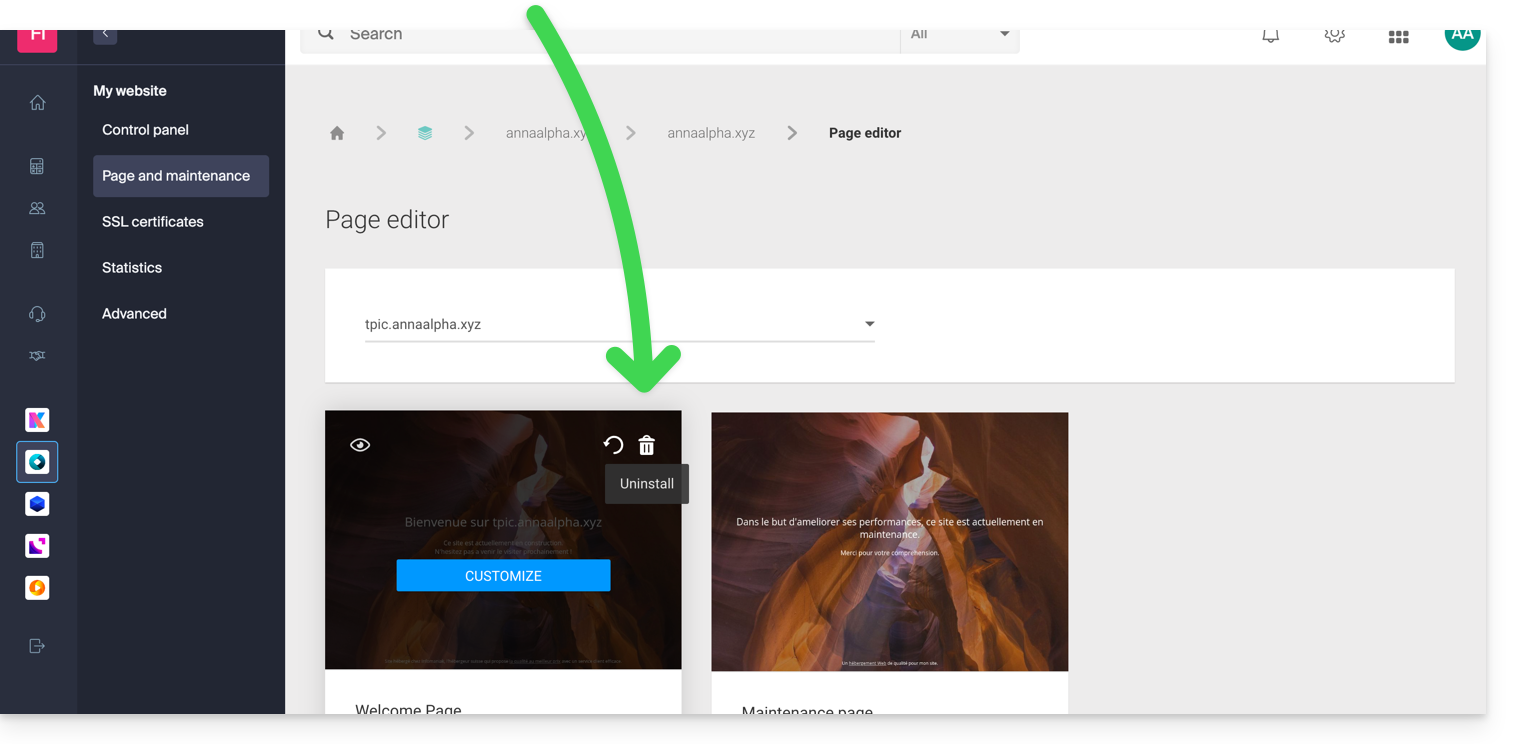
Link to this FAQ: https://faq.infomaniak.com/2115
Has this FAQ been helpful?