Knowledge base
1000 FAQs, 500 tutorials and instructional videos. Here, there are only solutions!
Modify an existing Starter plan (basic Mail service)
This guide explains how to convert a free Mail Starter plan to a more comprehensive and enhanced plan, such as kSuite Free or other kSuite Pro plans.
Introduction
- When you purchase a domain name from Infomaniak, you get1 free email address and 10 MB of basic web space: this is the Starter plan.
- With just a few clicks, you can upgrade these plans to remove the limits and enjoy an enhanced experience.
- To help you identify the Mail plan that best suits your needs, please refer to this other guide.
Upgrade the Starter plan - Free Mail service
To upgrade the Starter plan:
- Click here to access your product management in the Infomaniak Manager (need help?).
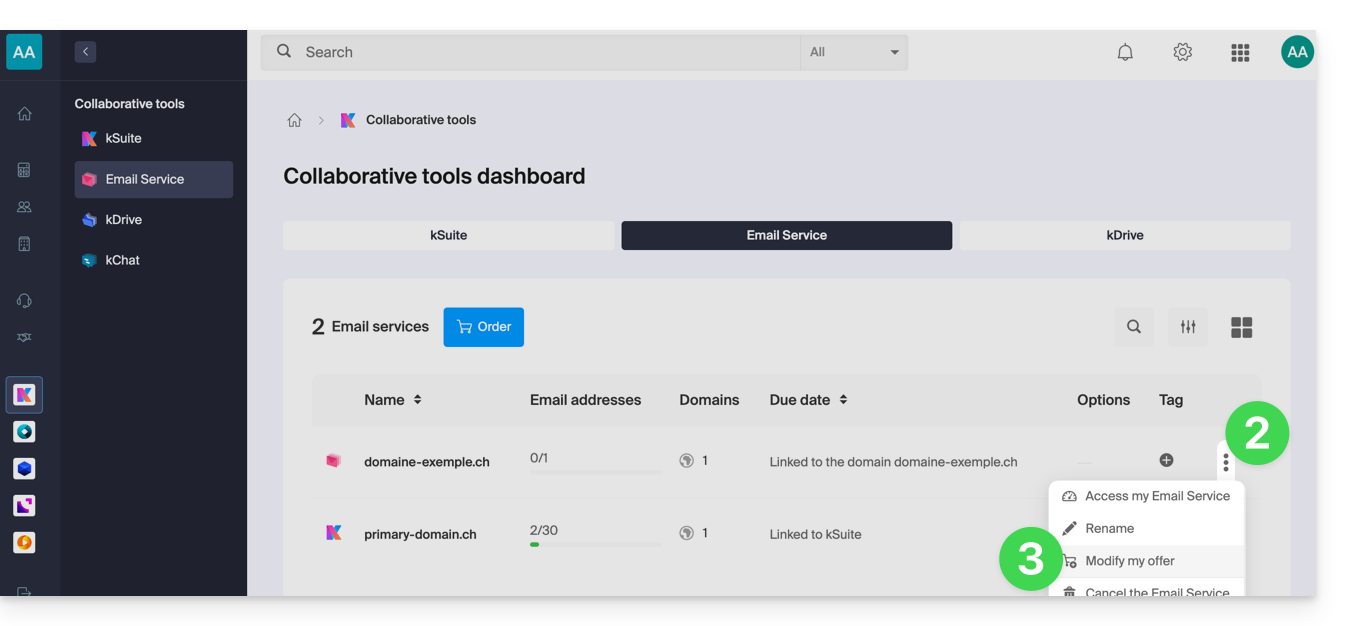
- Click on the action menu ⋮ located to the right of the item in question.
- Click on Modify offer:
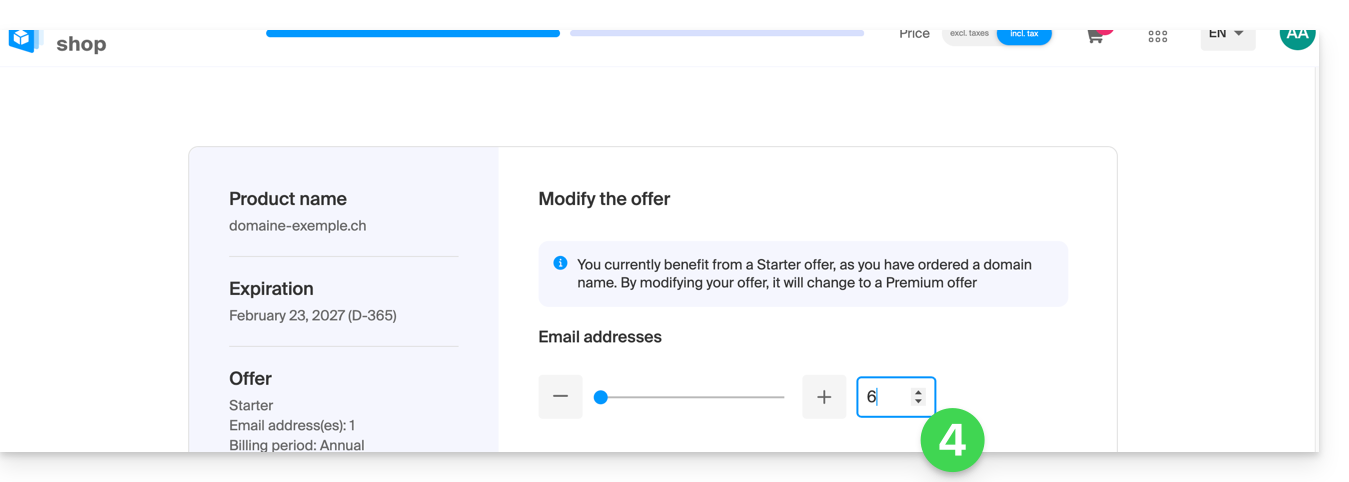
- Adjust if necessarythe number of email addresses to add to the Mail Serviceusing the order assistant, which will allow you to complete the upgrade until the end:
Link to this FAQ: https://faq.infomaniak.com/2112
Has this FAQ been helpful?