Knowledge base
1000 FAQs, 500 tutorials and instructional videos. Here, there are only solutions!
Modify the special IMAP folders of an email address
This guide explains how to change the location of certain folders that are automatically present in the structure of your Infomaniak email address.
Introduction
- The structure of a standard mailbox may contain certain special folders, such as the one that stores emails…
- … once they have been sent (= "Sent messages").
- … for a few days before they are permanently deleted (= "Trash").
- Everything is already configured so that, by default, synchronized across the various email interfaces around the world.
- If you wish to make adjustments for various reasons, sometimes linguistic ones, then please refer to the guide below to modify these special folders:
- drafts
- sent messages
- trash
- archives
- This allows you to customize the synchronization of these folders with IMAP clients such as Outlook, Mail iOS, Thunderbird, Spark, etc.
- Note that this does not change the retention period (❓: help)emails placed in some of these special folders.
Access from the Infomaniak Web Mail app
Prerequisites
- You must have a valid access to the Infomaniak Mail web app (online service ksuite.infomaniak.com/mail) to which the email address is linked.
- You may not have permission to edit special folders: it is possible that the Mail Service administrator has removed this right from their admin account (❓: help).retiré ce droit depuis son compte admin (❓: aide).
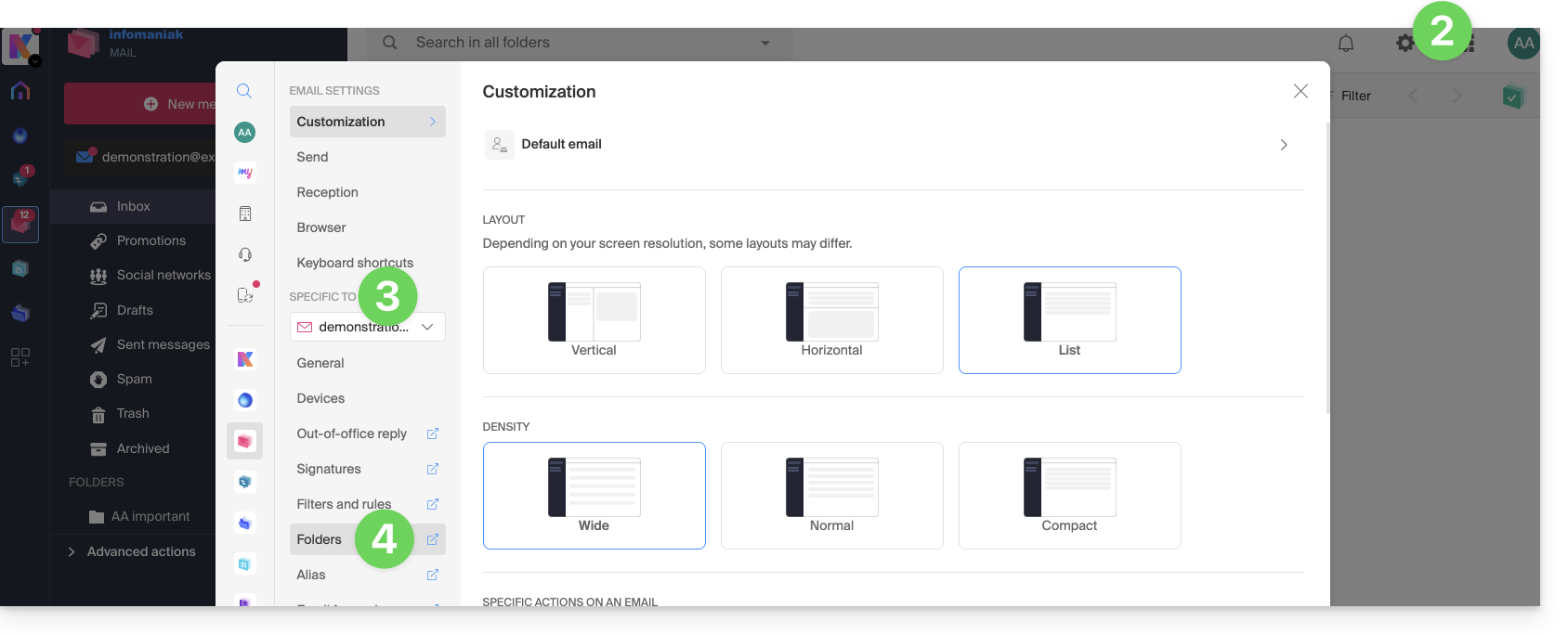
To modify these special folders:
- Click here to access your emails on your Infomaniak kSuite (❓: help).
- Click on Settings in the top right corner.
- Check or select the relevant email address from the drop-down menu in the left-hand menu.
- Click on Folders:
Access from the Mail Service
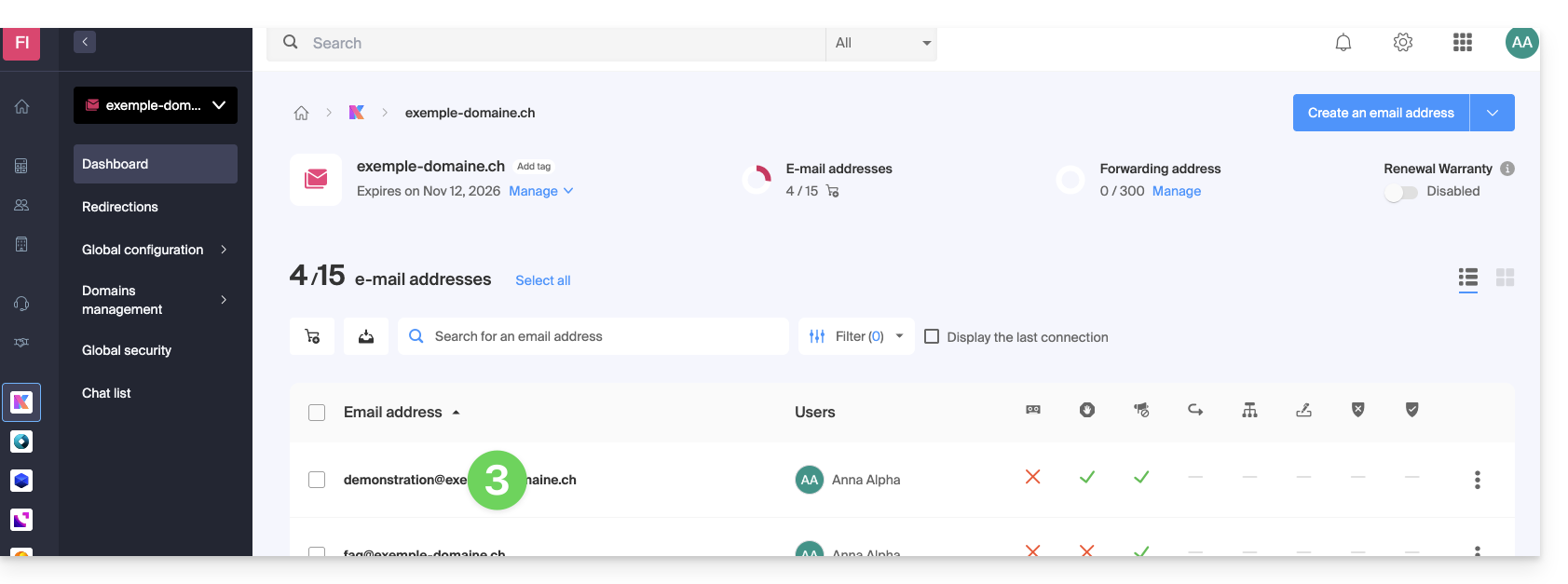
To access this option from a Mail Service:
- Click here to access the Mail Service management in your Infomaniak Manager (❓: help).
- Click on the name of the Mail Service in question.
- Click on the email address in question in the table that appears:
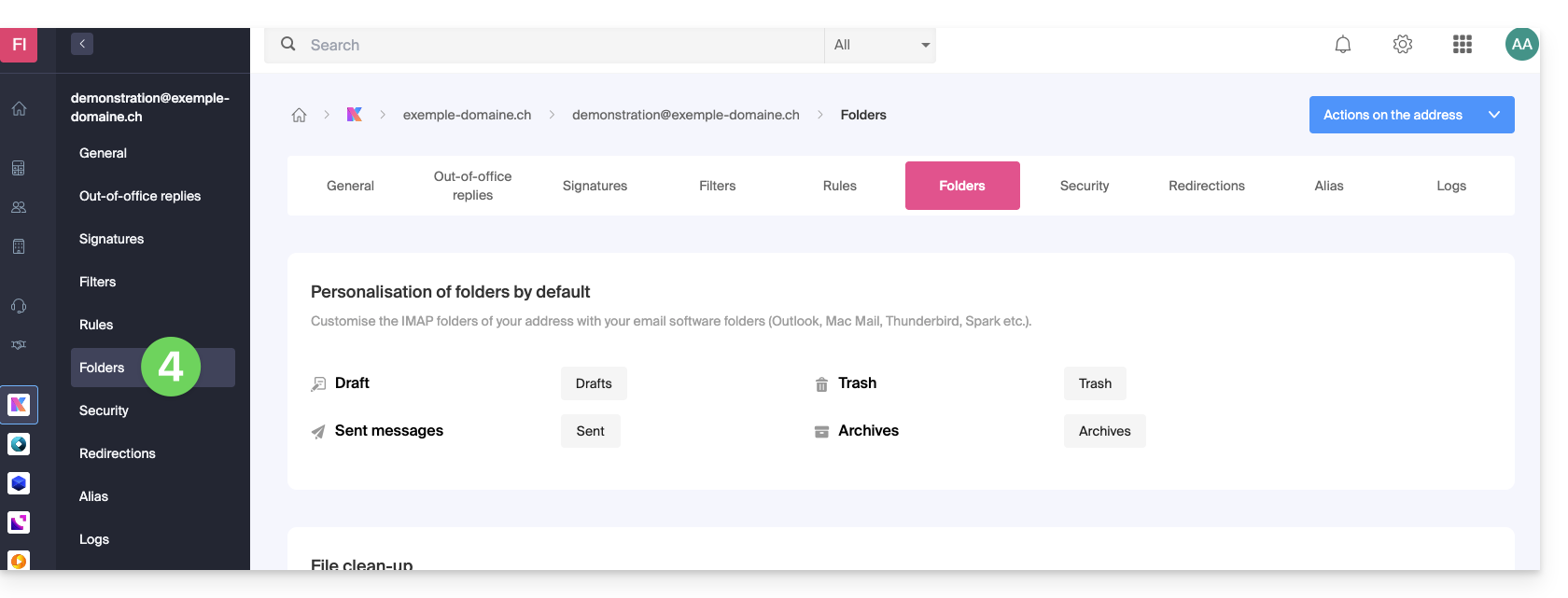
- Click on the Folders tab/menu:
Configure special folders
For security reasons, folder management is confidential and restricted to users added to the relevant email address.
Select the desired folders to store your drafts, archives, sent messages, and trash by default by clicking on the area to the right of each item: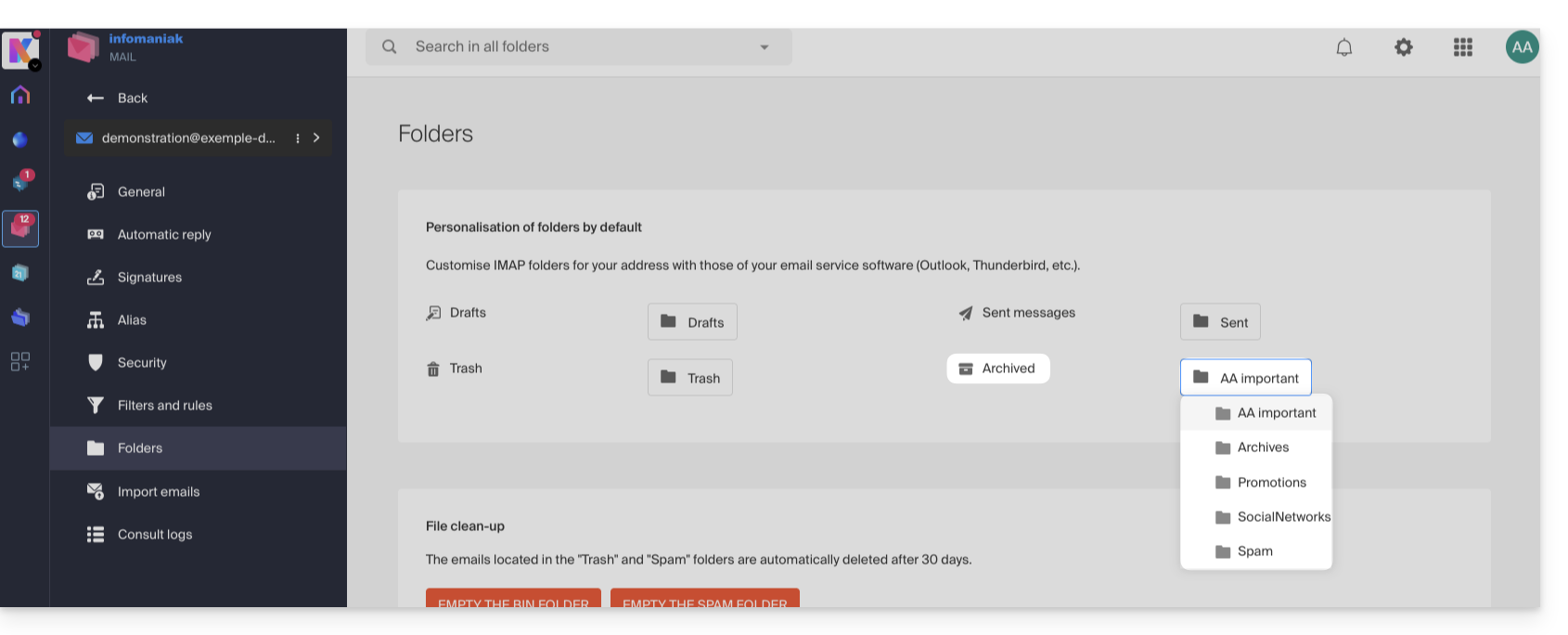
This will display the list of folders already present in your email's directory structure.
- If needed, create the desired folder beforehand from Mail or an IMAP software:
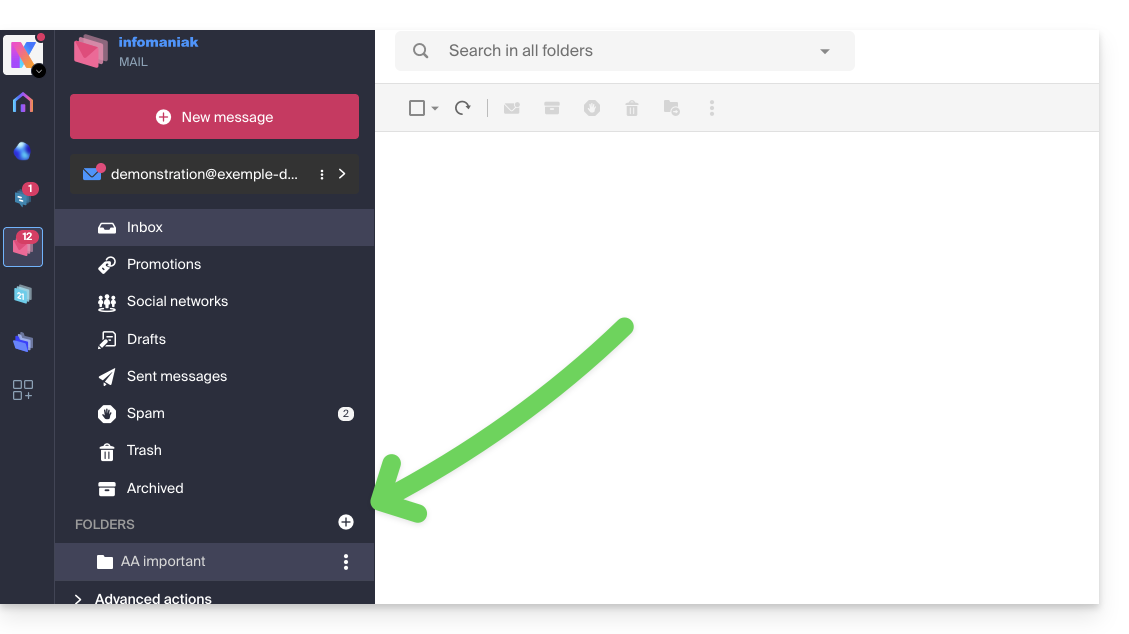
To modify the default folders that contain spam and advertising messages & social media notifications, you must do so directly from the Spam Filter (❓: help) and Advertising Filter (❓: help):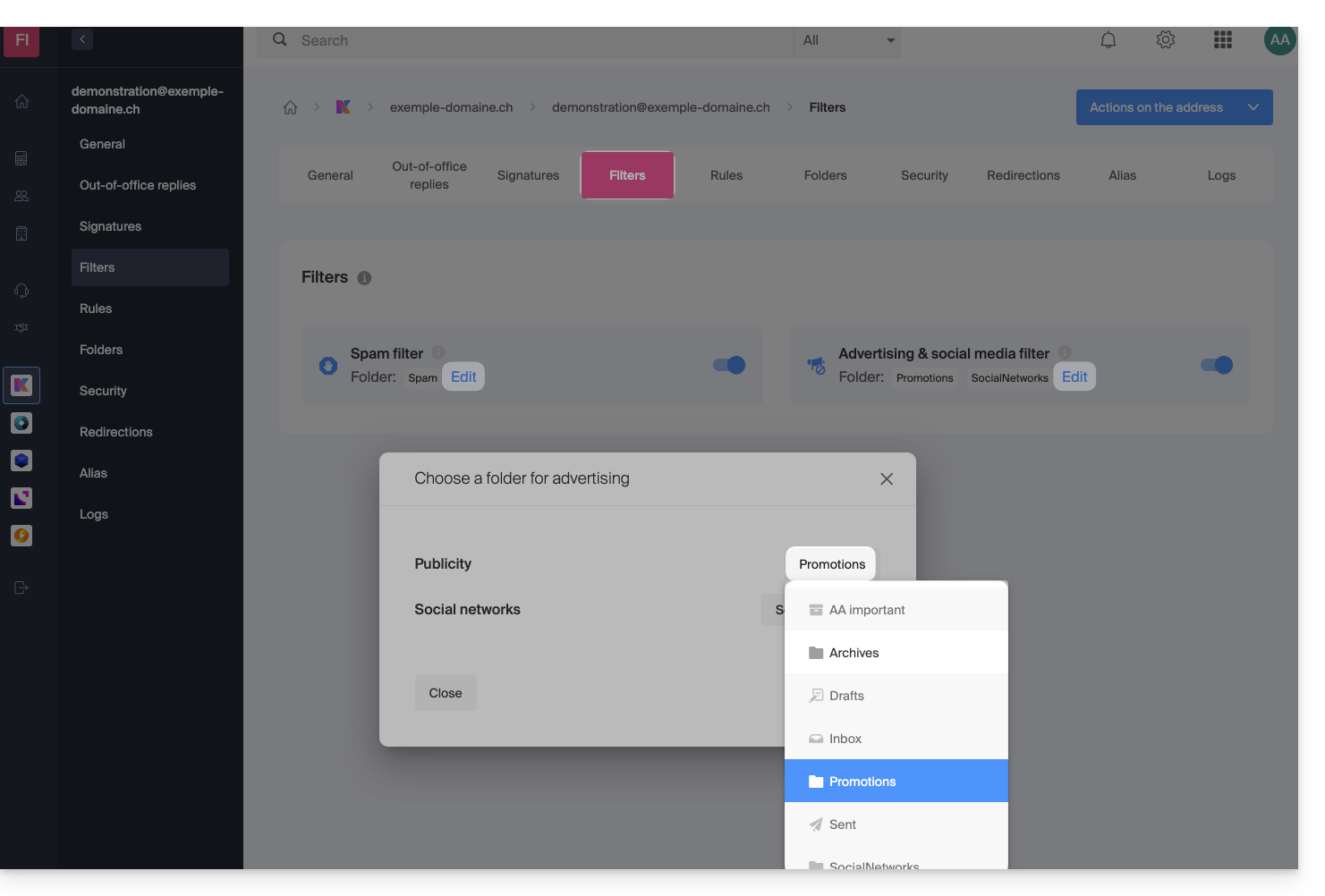
Alternative solutions for…
Some software/email clients also allow you to change the location of special folders. Consult the official documentation for your application if needed. The following links are provided for informational purposes:
… Mozilla Thunderbird
Refer to this other official guide if you are looking for information on assigning specific folders (such as the Trash, Drafts, and Sent Messages folders) to the IMAP account and synchronizing them with Infomaniak.
… Microsoft Outlook 2013
Refer to this other unofficial guide if you are looking for information on how using the IMAP protocol in the application can lead to a configuration where messages are stored only locally and not synchronized with the server, which contradicts the main objective of IMAP, which is to maintain consistency between devices.
… Microsoft Outlook 2021
Refer to this other unofficial guide if you are looking for information on how to save sent emails in the "Sent" folder instead of the "Sent Items" folder in the application.
… Apple iOS
Refer to this other unofficial guide if you are looking for information on how to configure the sent, drafts, and deleted messages folders on an iPhone so that they are synchronized with the mail server, by accessing the advanced settings of the Mail application and selecting the corresponding folders on the IMAP server.
Link to this FAQ: https://faq.infomaniak.com/2107
Has this FAQ been helpful?