Knowledge base
1000 FAQs, 500 tutorials and instructional videos. Here, there are only solutions!
Change the billing frequency
This guide provides 2 methods for changing the billing frequency of the services you have subscribed to with Infomaniak.
Change the invoice frequency
First method
The first method involves changing the frequency during a payment:
- Click here to access payment management in the Infomaniak Manager (need help?).
- Select the relevant product.
- Click on the dropdown menu to the right of the item in question to modify the period to which the payment should correspond:
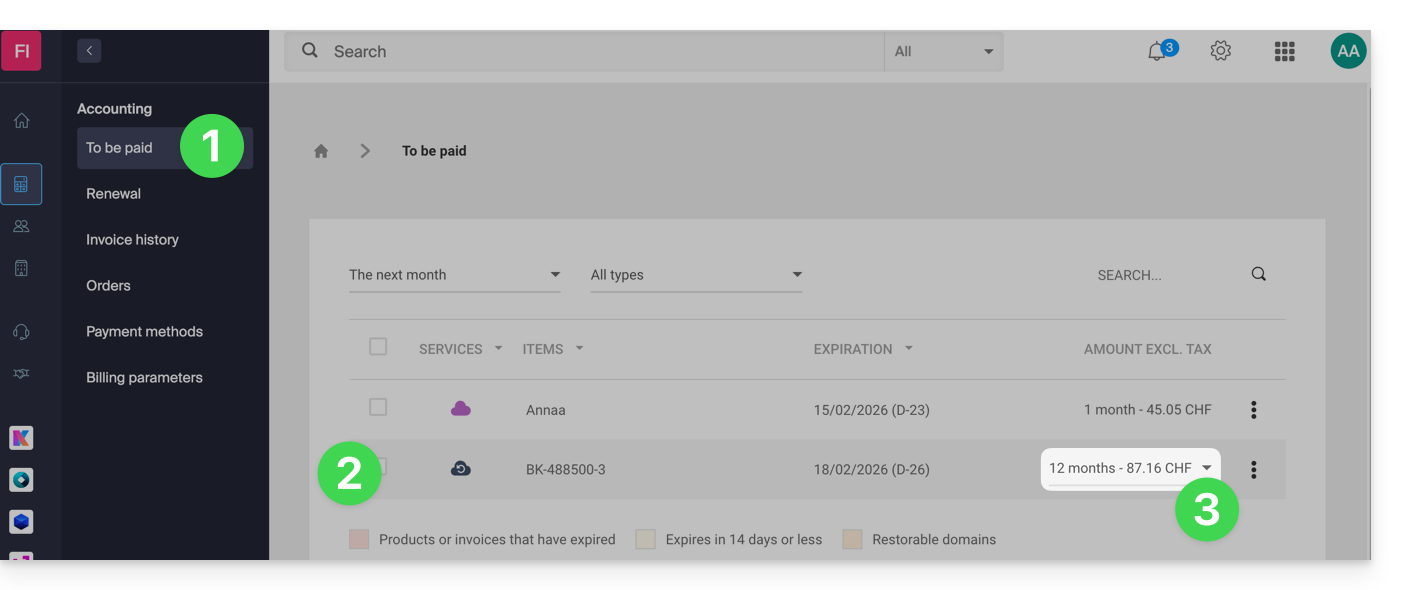
- Click on the blue button at the bottom of the page to pay for the selection and change the billing frequency of the selected product.
For the change to take effect, it is essential to change the frequency and pay the invoice including the product with the new frequency.
Second method
The second method is as follows:
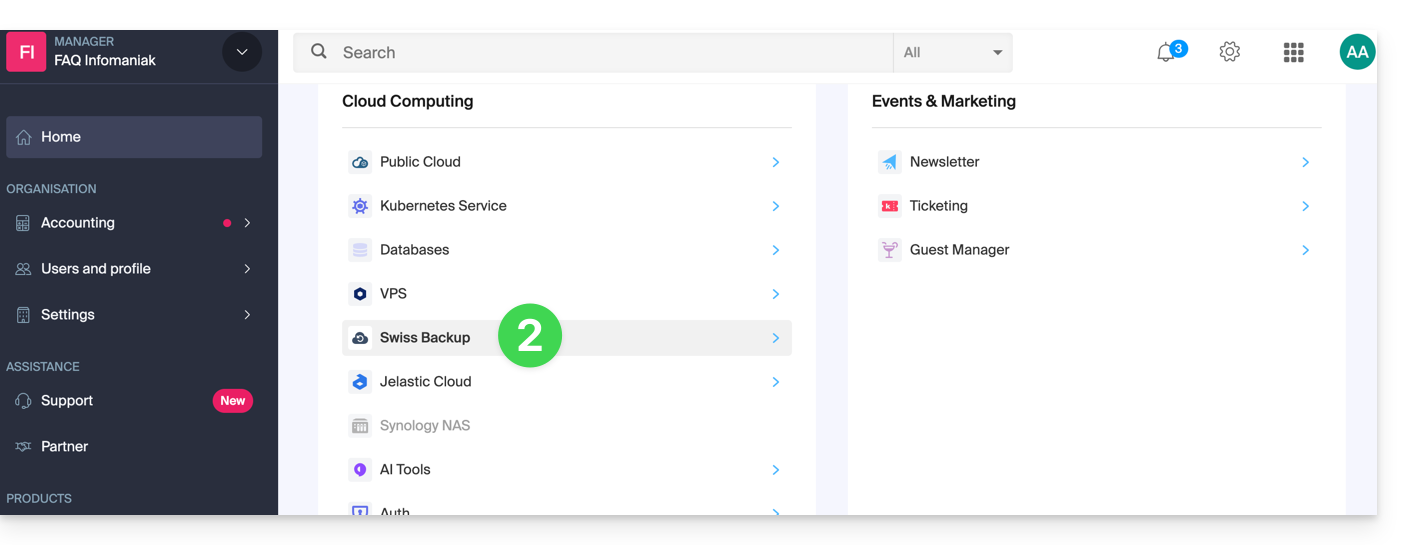
- Click here to access the management of your products on the Infomaniak Manager (need help?).
- Click on the type of product concerned (e.g. hosting, Cloud Server, etc.)
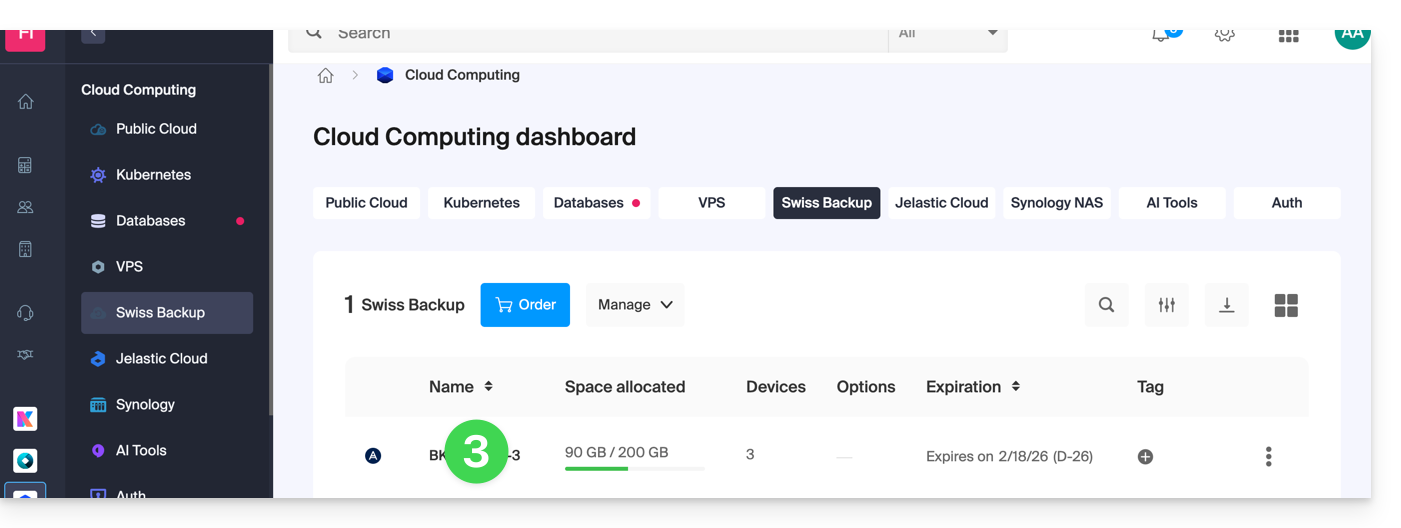
- Click on the name of the product concerned:
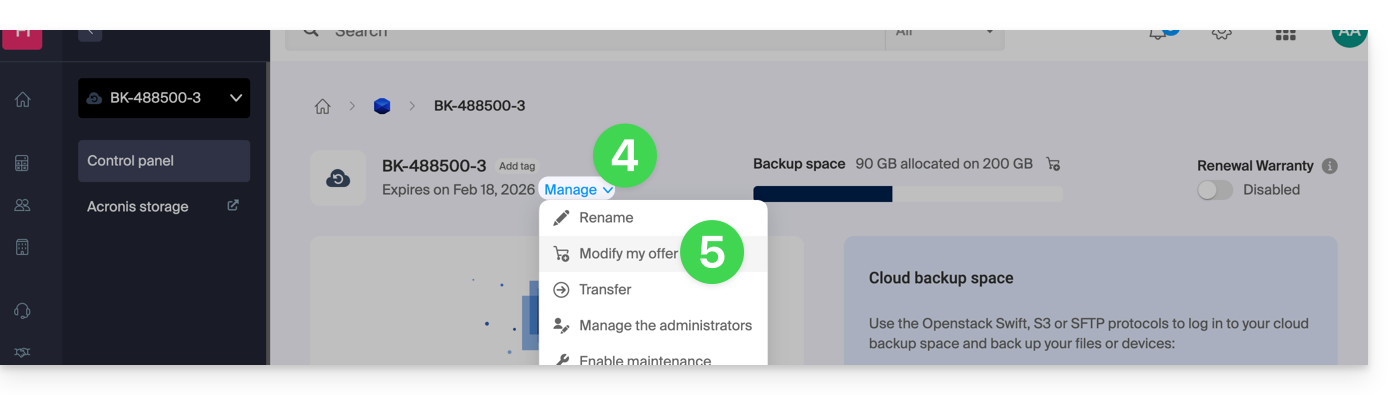
- Click on the Manage button.
- Click on Edit plan:
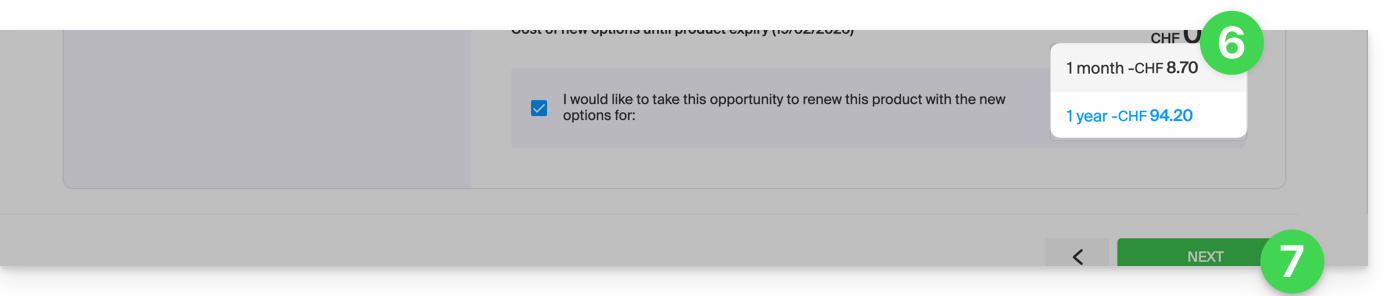
- Choose your preferred billing frequency.(only available from a certain amount).
- Confirm the change:
If you switch from annual billing to monthly or quarterly billing, you can only change the billing frequency during the month preceding the end of the current billing periodJanuary
Link to this FAQ: https://faq.infomaniak.com/2100
Has this FAQ been helpful?