Knowledge base
1000 FAQs, 500 tutorials and instructional videos. Here, there are only solutions!
Download/print an Infomaniak invoice
This guide provides instructions on how to obtain one or more Infomaniak invoices before and after payment, and how to view, download, and print all or part of the invoice history for your accounting purposes.
Introduction
- Final invoices can only be printed after they have been paid.
- If necessary, a custom message can be easily added to your billing documents (❓: help).
Accessing the Invoice History
Prerequisites
- You must have at least the right to manage accounting (❓: help):
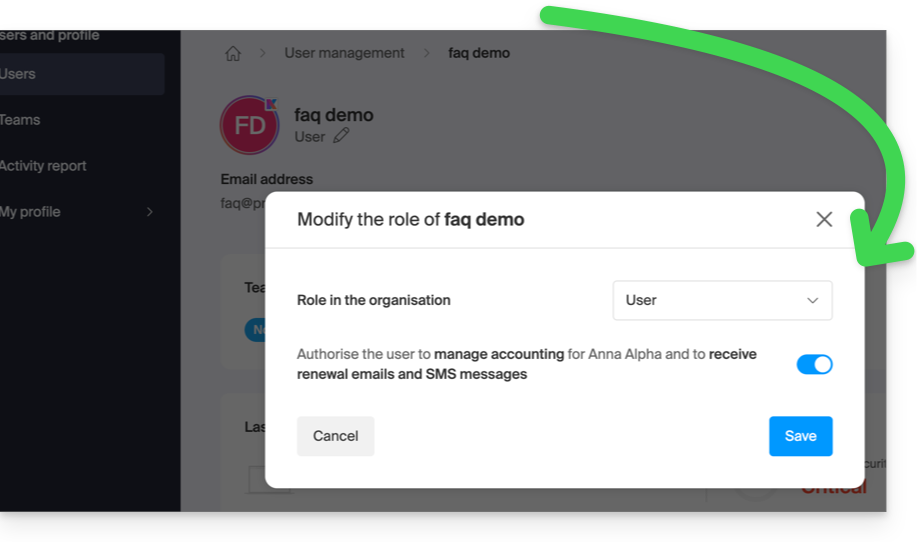
To go to the billing documents page:
- Click here to access the invoice management section in your Infomaniak Manager (❓: help):
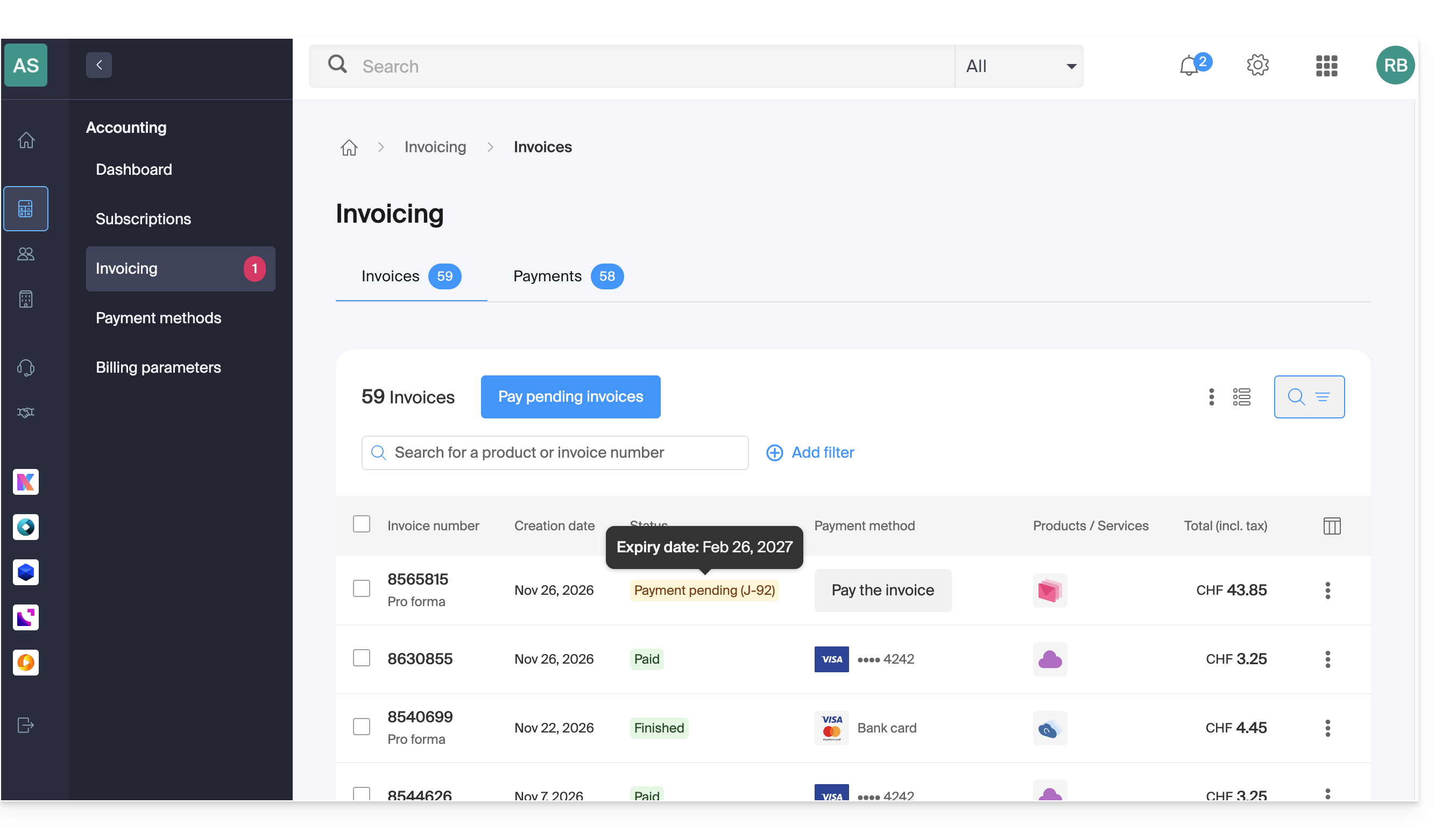
- The table automatically displays the most recent billing documents.
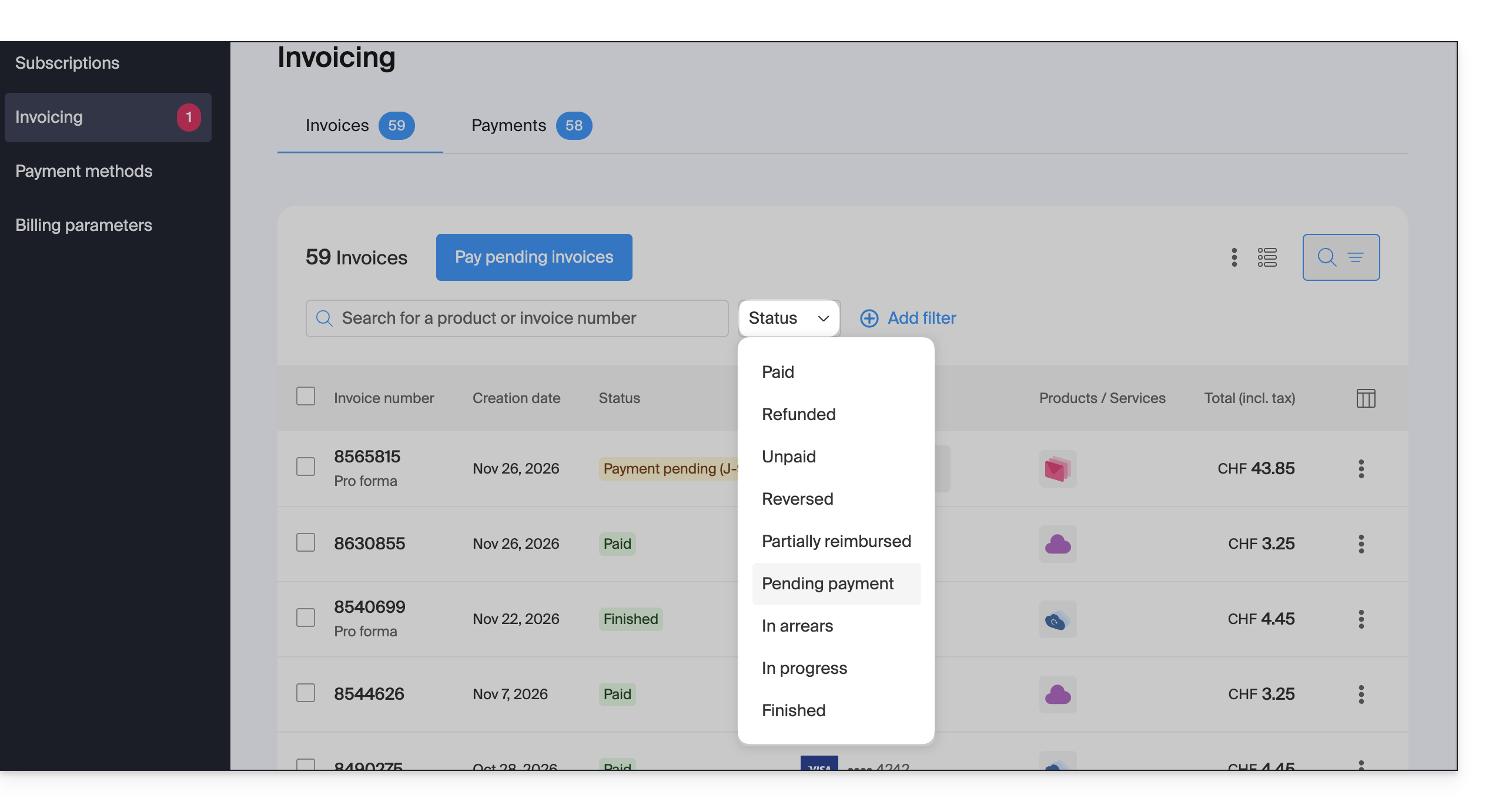
- The top section allows you to filter documents based on the status Paid, Reimbursed, etc.
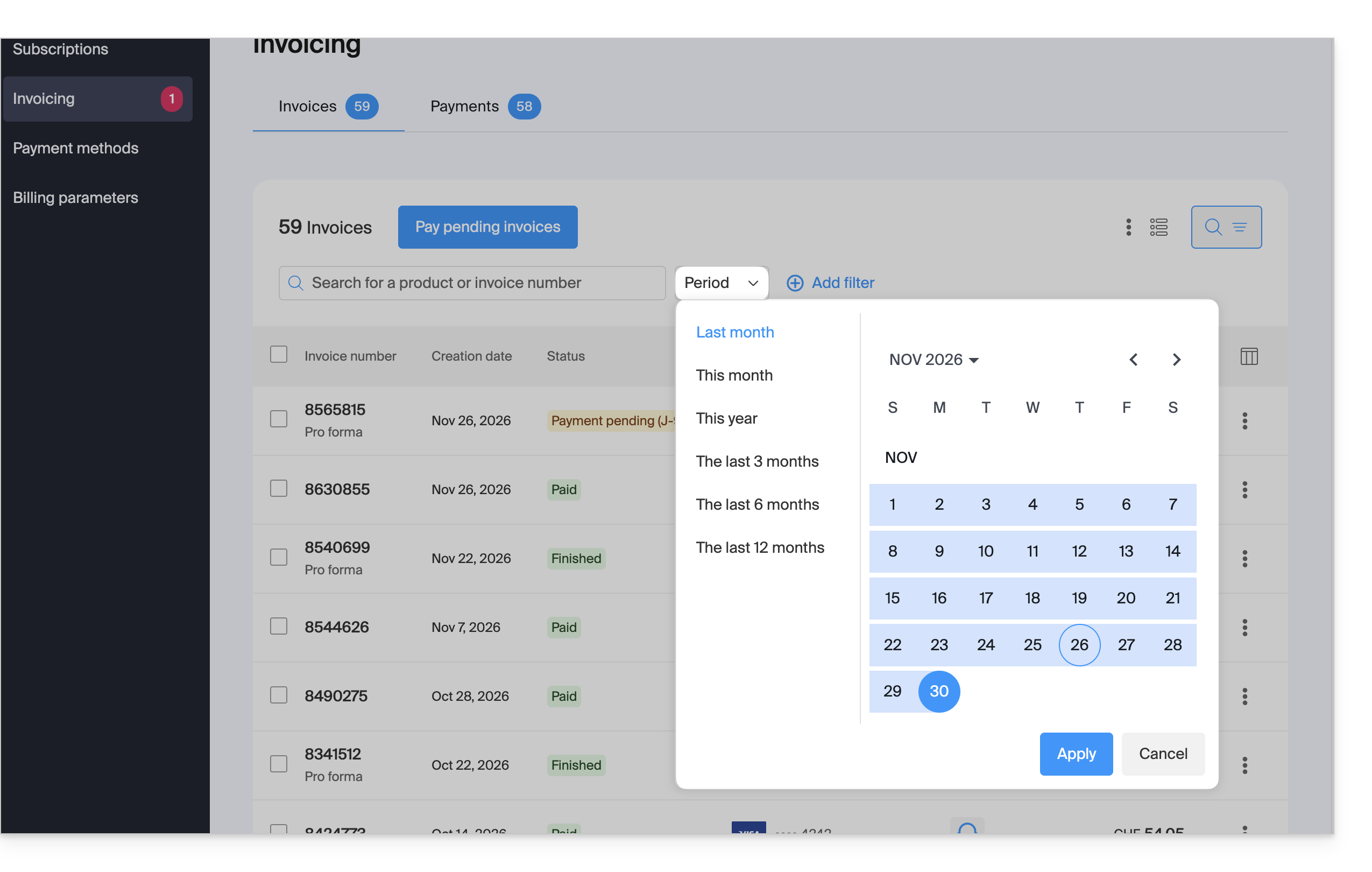
- and based on the desired period (start and end date calendar):
Print/export a billing document
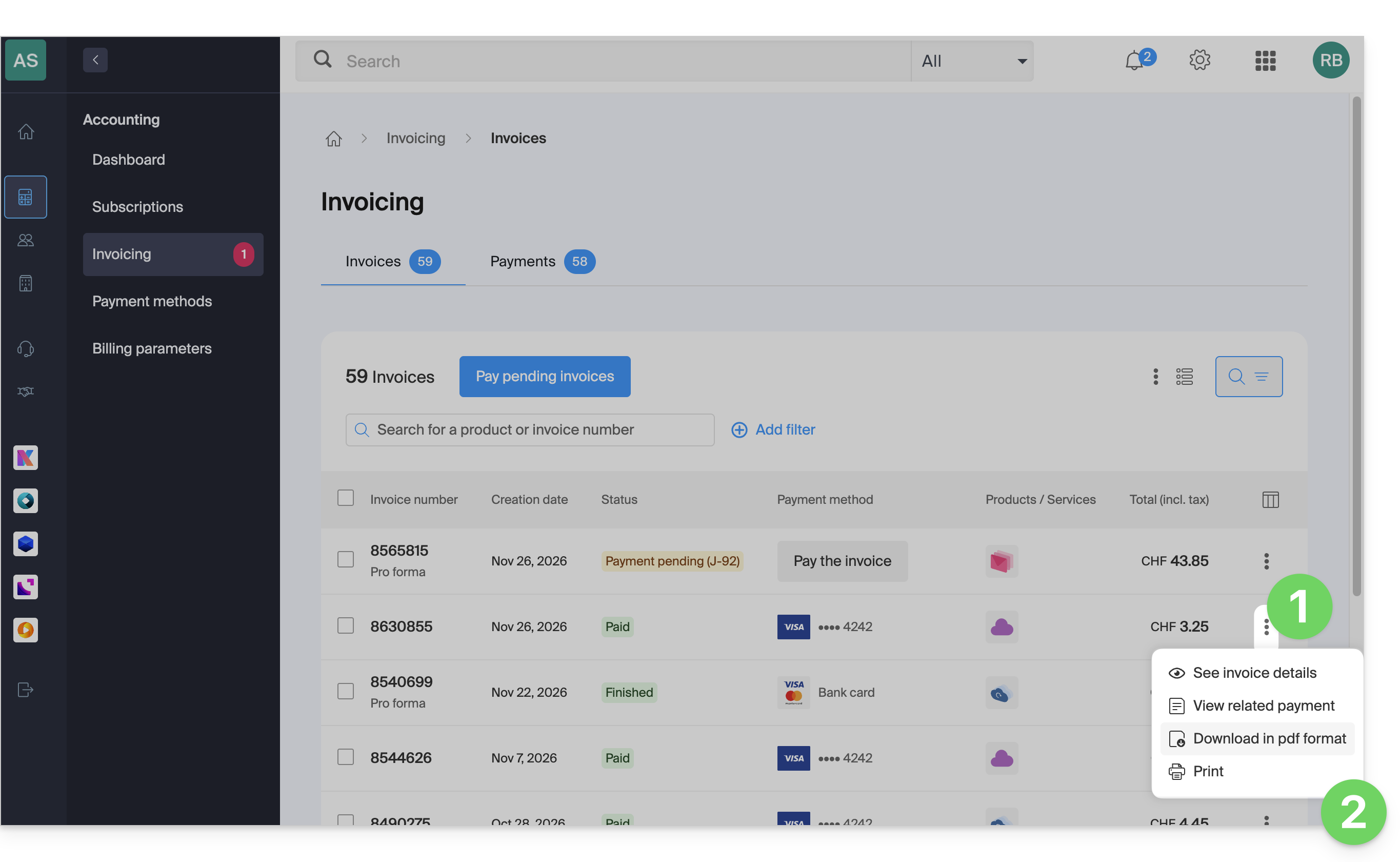
To view one of these documents in PDF format and then save it to your device or print it with your printer:
- On the same page, click the action menu ⋮ to the right of the invoice in question in the table that is displayed:
- Click on the Download as PDF button or on Print:
Export a set of billing documents
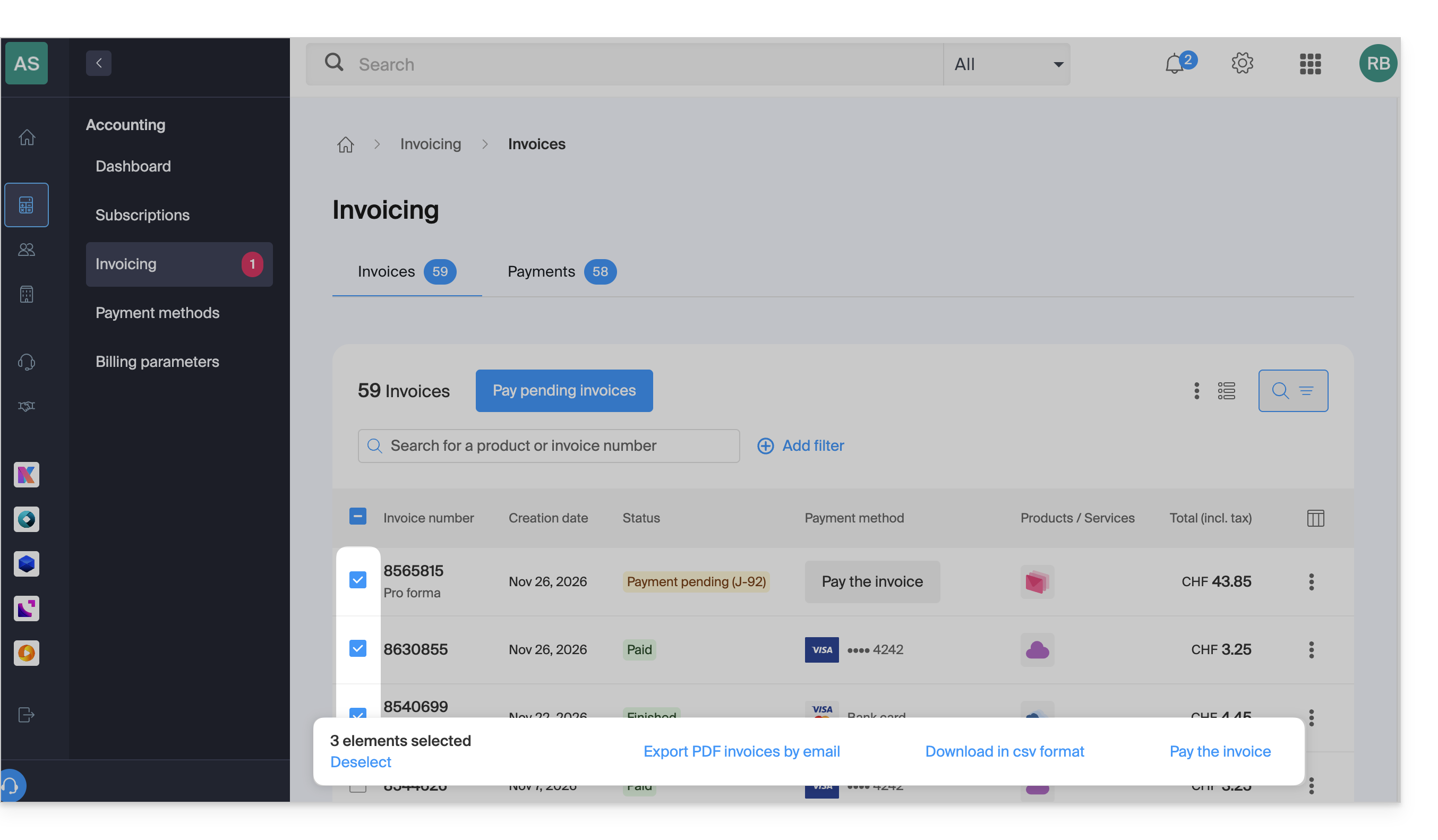
To download a set of documents in a CSV file in .csv format, or to receive them by email:
- On the same page, select the invoices you want.
- Below, select the desired export type (click on the action menu ⋮ in this bottom bar if necessary):
Receive the (next) PDF invoice by email
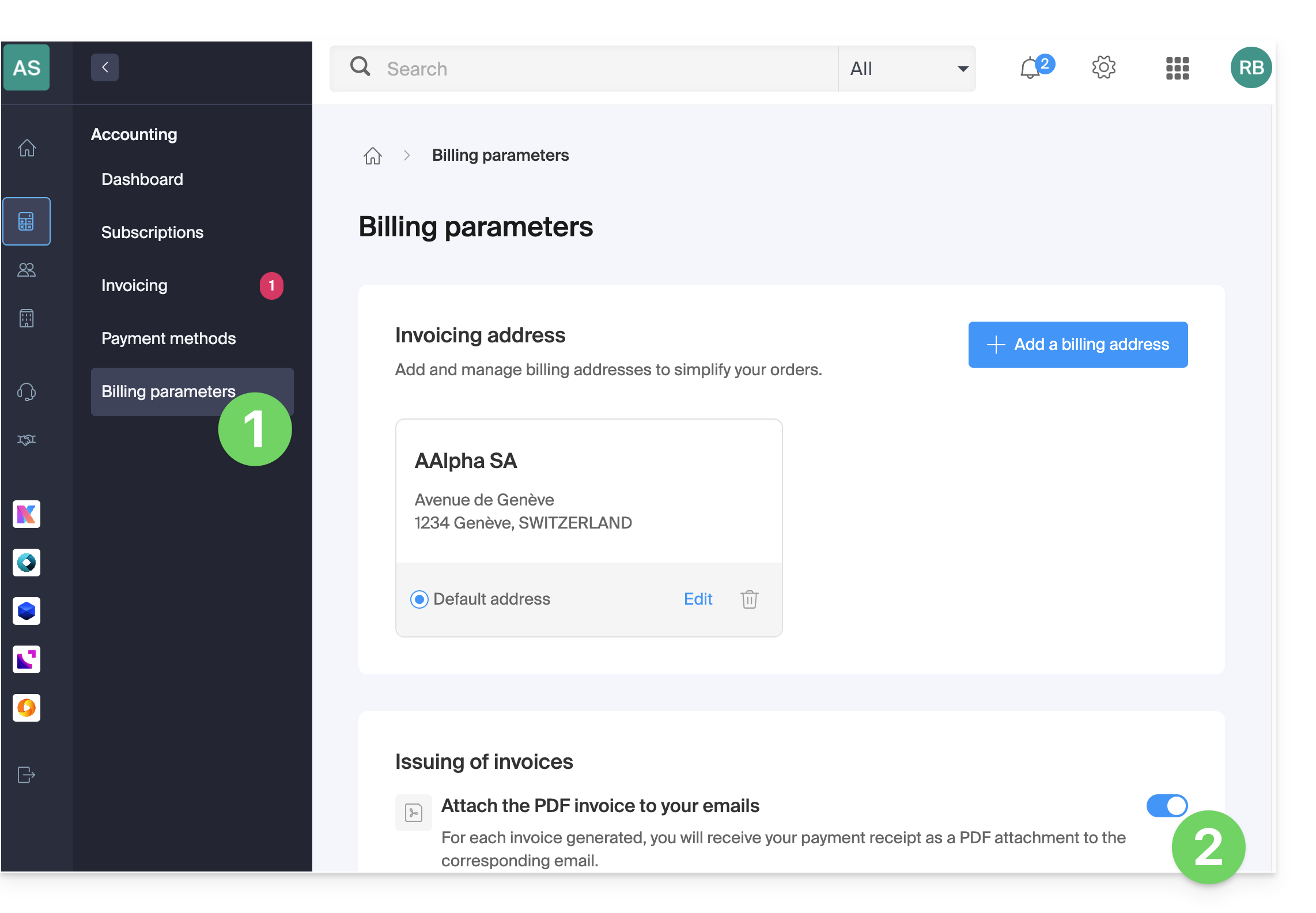
To ensure that the invoice is always attached in PDF format with each renewal email (❓: help):
- Click here to access the accounting management section in your Infomaniak Manager (❓: help).
- On this page, enable or disable the addition of PDF invoices by clicking on the toggle switch:
Your preferences are automatically saved as soon as a change is made to the page.
Print a Pro Forma Invoice
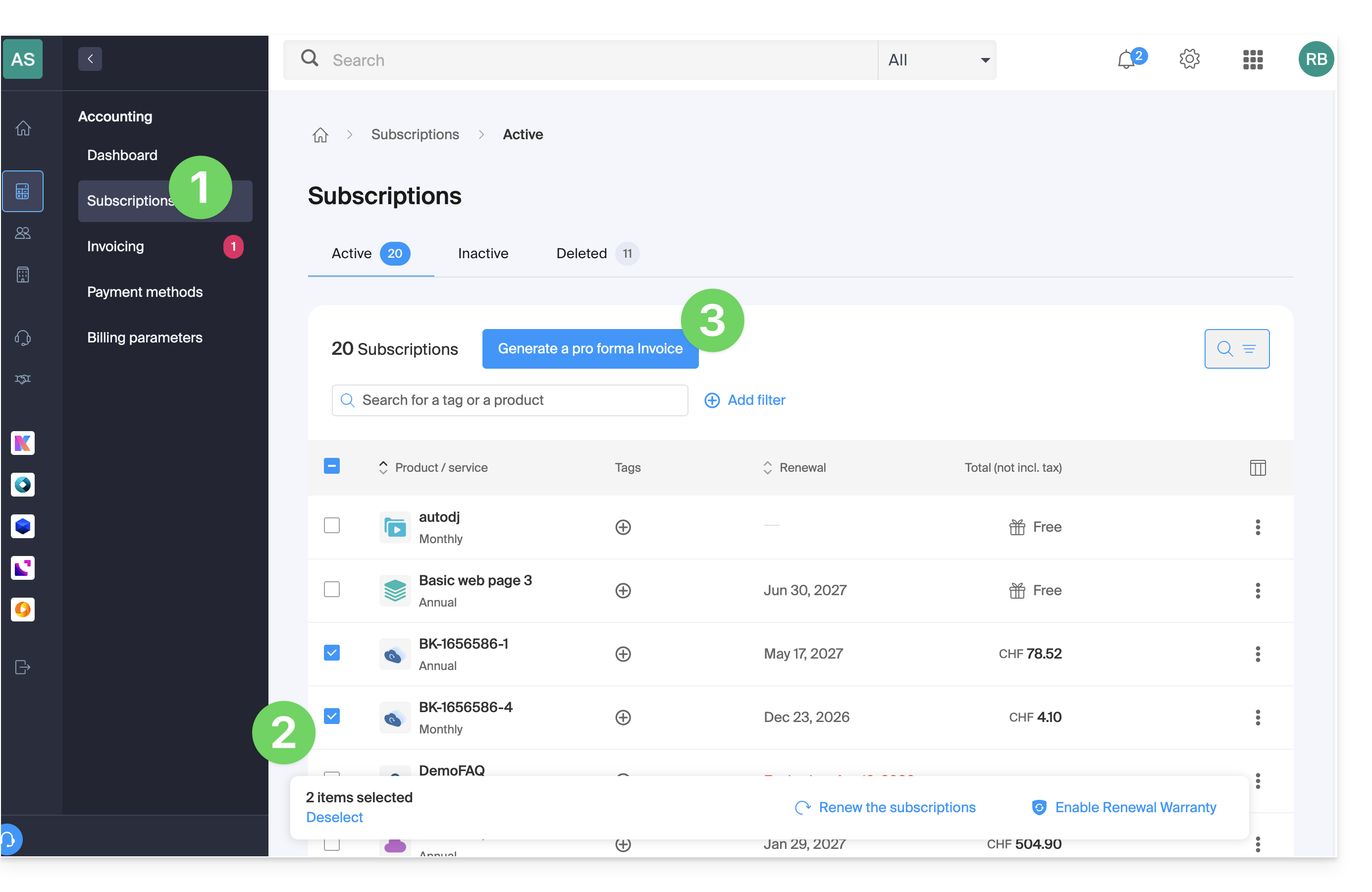
Pro Forma invoices do not have any legal, judicial, tax, or accounting value:
- Click here to access payment management in your Infomaniak Manager (❓: help).
- Select the relevant products.
- Click on Generate a Pro Forma Invoice at the bottom of the table
Link to this FAQ: https://faq.infomaniak.com/2091
Has this FAQ been helpful?