Knowledge base
1000 FAQs, 500 tutorials and instructional videos. Here, there are only solutions!
Use PHP environment variables
Update 10/22/2026
This guide explains how to use PHP environment variables with Web Hosting plans that run on php-fpm.
Introduction
- PHP environment variables are system variables used to store configuration information, connection parameters, or data related to HTTP requests.
- They allow you to separate sensitive or environment-specific configuration from the source code of your website.
- These variables can contain information such as execution modes, API keys, or other data essential for the proper functioning of your PHP scripts.
- There is no limit to the number of environment variables, but their values cannot contain quotation marks (single ' or double ").
- Unlike traditional
.envfiles where values are often enclosed in quotation marks (e.g.VAR="value"), the values entered here must not contain any quotation marks ("or'). - If a value includes them (such as some paths or keys of the type
MAIL_DKIM_PRIVATE_KEY_PATH), the save will be rejected with the error “The site has not been updated”. - Always enter the raw value directly.
- Unlike traditional
Using environment variables
To use PHP environment variables:
- Define the PHP environment variables in a
.htaccessfile:SetEnv EXAMPLEVARIABLE hello
- In your PHP file, call the variable using the dedicated function:
<?php echo getenv('EXAMPLEVARIABLE');
In this example, the result displayed on the page will be hello.
Learn more about environment variables
You can configure environment variables directly from the Manager for your entire site:
- Click here to access the hosting & site management section in your Infomaniak Manager (❓: help).
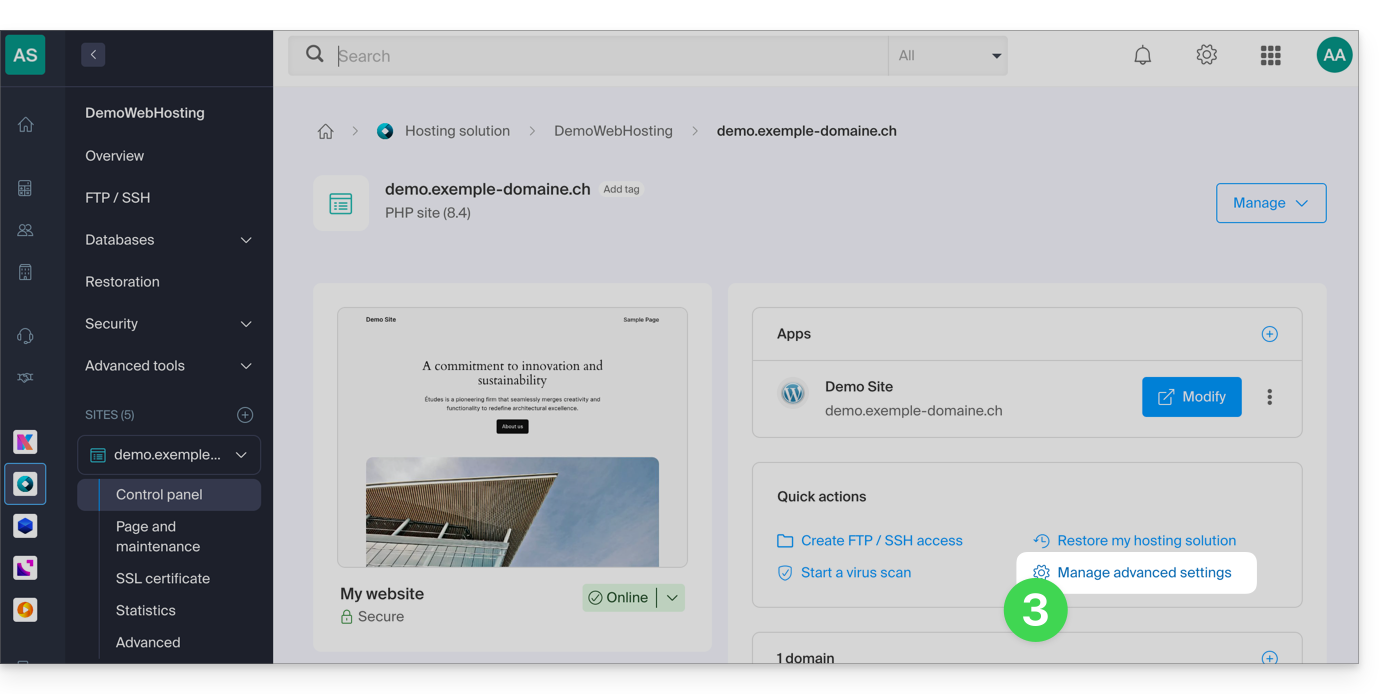
- Click on the name of the website in question.
- Click on Manage advanced settings:
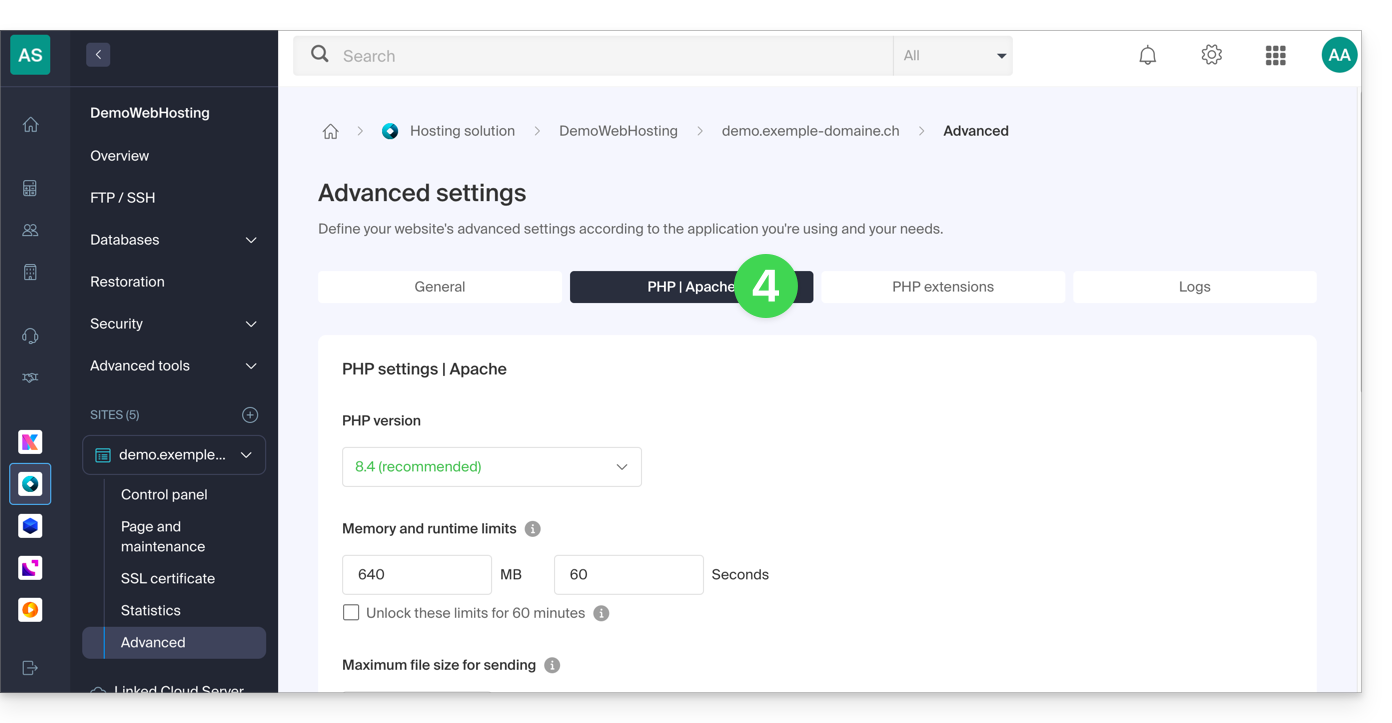
- Click on the PHP / Apache tab:
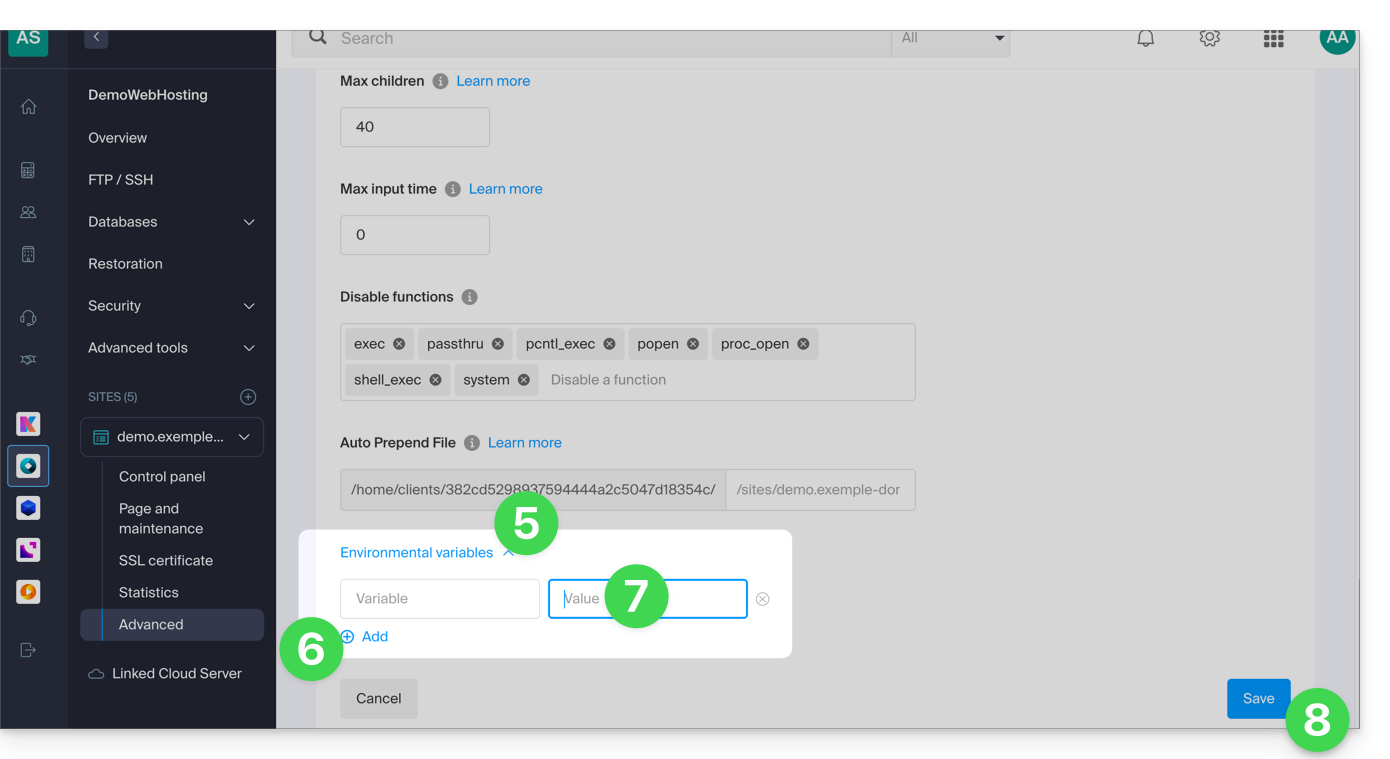
- Further down the page, click on the down arrow to expand the Environment Variables section.
- Click the Add icon.
- Enter the variable and its value.
- Click the button to save:
Link to this FAQ: https://faq.infomaniak.com/2087
Has this FAQ been helpful?