Knowledge base
1000 FAQs, 500 tutorials and instructional videos. Here, there are only solutions!
Change the domain name of a website
This guide explains how to replace the main domain name associated with a Website (excluding Starter hosting) hosted on Infomaniak in case you want to change the name of your activity or modify the spelling.
Preamble
- It is not possible to simply modify the spelling of the domain name in question.
- You must own the new domain name and install it in place of the current one by performing a reversal (see below).
- You can also rename your Web Hosting product in the Infomaniak Manager, but changing the name of a hosting has strictly no impact on the URLs of the sites.
- You need to act on the domain name and, if necessary, adapt the content of the site.
Change the domain name of the website
Prerequisites
- Prepare the new domain name (if necessary you need to buy it).
- Install a valid SSL certificate otherwise the reversal will not be offered.
- If the desired modification is rather of the type "subdomain" to "main domain" (
dev.domain.xyz→domain.xyzfor example) then refer to this other guide.
Then, to replace the domain name assigned to the site with another domain name:
- Click here to access the management of your product on the Infomaniak Manager (need help?).
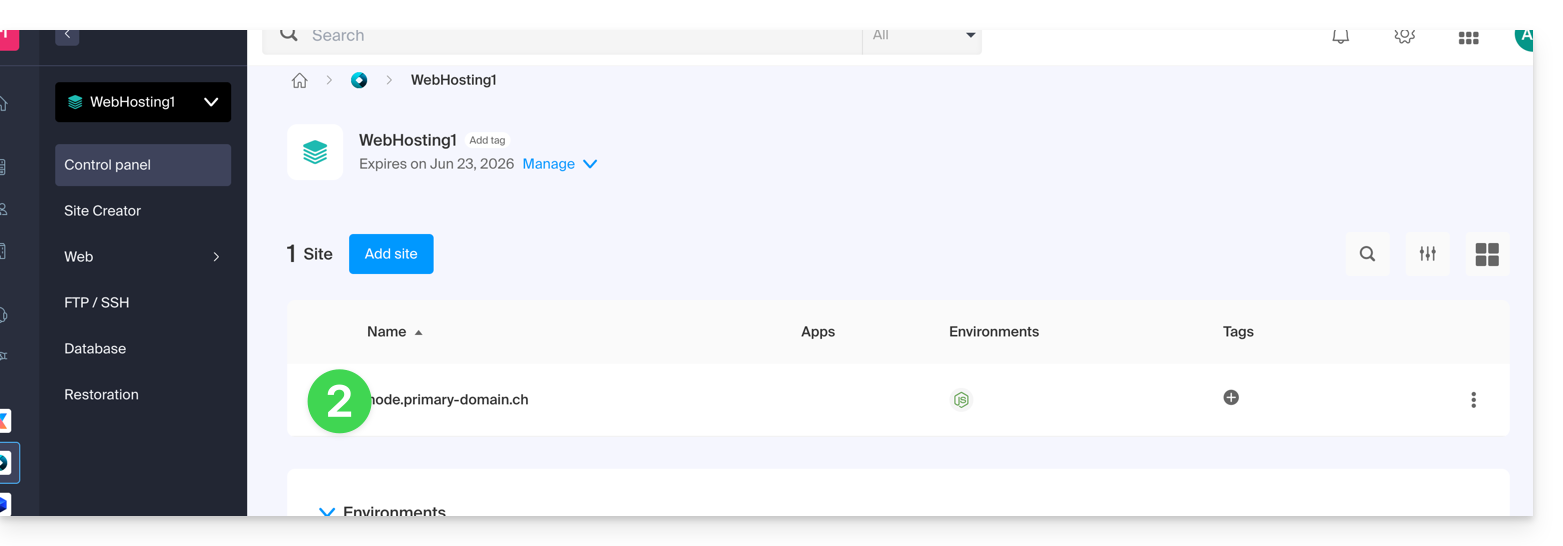
- Click directly on the name assigned to the product in question:
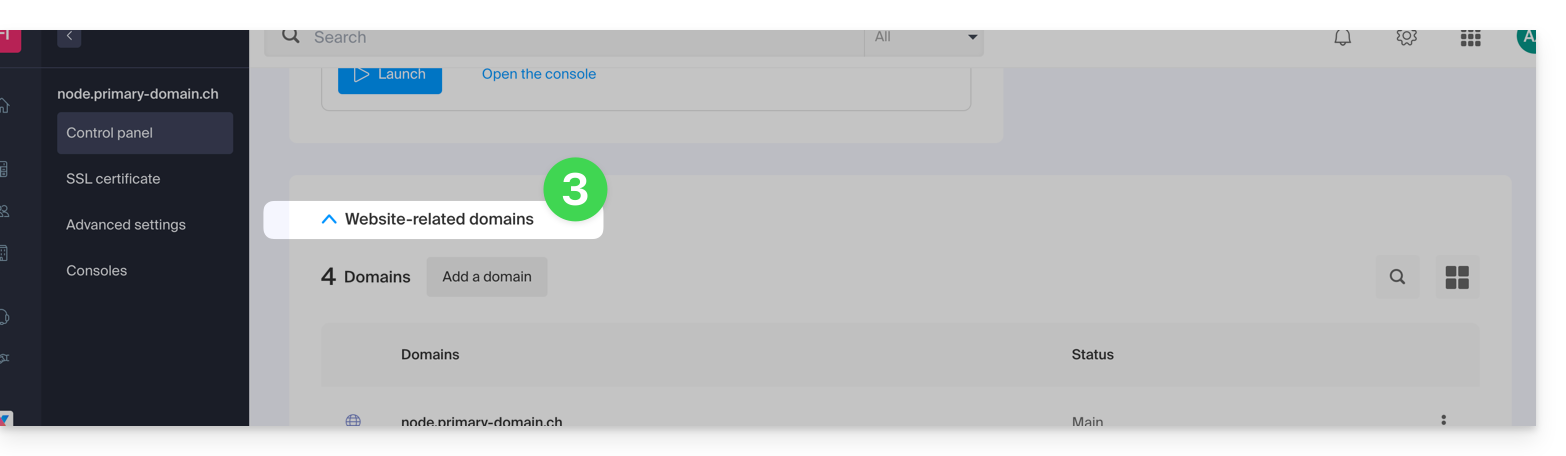
- Click on the chevron to expand the Domains section of this site:
- Refer to this other guide (particularly its Prerequisites) to link the new domain name to your site:
- It is this new linked domain that will replace the current main domain name after the reversal you will perform below.
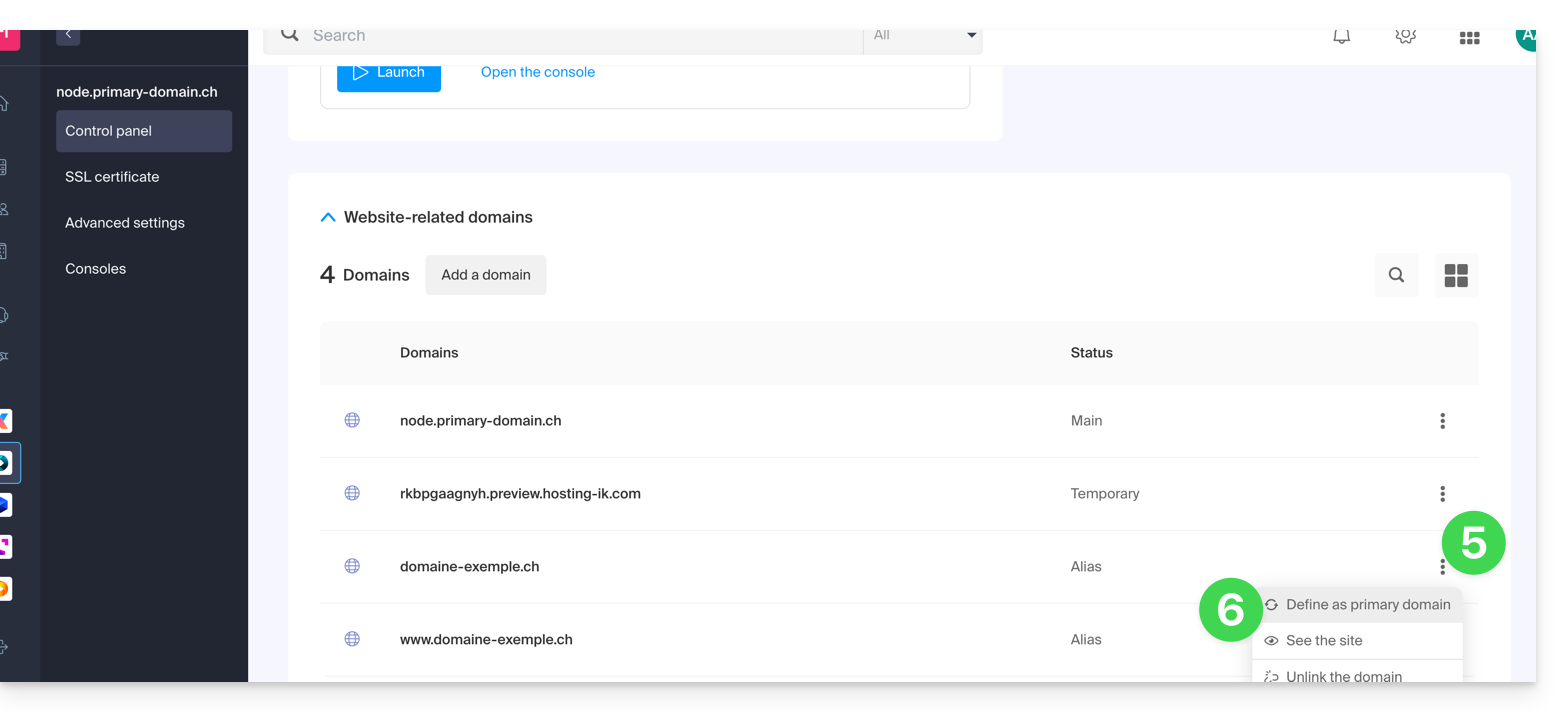
- Once the new domain name is linked to your site, click on the action menu ⋮ to the right of it.
- Choose Set as main domain:
- If necessary, delete the old domain name and its variants that have become alias domains alias (and not primary domains).
If you are using an SSL certificate, you will need to update it to include the added aliases.
If you are using the dedicated IP option, you need to uninstall it, and reinstall it after the reversal you are going to perform.
Adapt the site content to the new name
In some cases, the web application used for site development needs to be adjusted to work with the new domain name. Click on the link corresponding to the development of your site to adapt the content:
Link to this FAQ:
Has this FAQ been helpful?