Knowledge base
1000 FAQs, 500 tutorials and instructional videos. Here, there are only solutions!
Change the domain name of a website
This guide explains how toreplace the main domain name associated with a website(excluding Starter hosting) hosted on Infomaniak, in case you want to change the name of your business or modify the spelling.
Introduction
- It is not possible to simply change the spelling of the domain name in question.
- You must own the new domain name and install it in place of the current one by performing a swap (see below).
- After making changes to the domain name, it may be necessary to adapt the website content.
- You can also rename your Web Hosting product in the Infomaniak Manager, but changing the name of a hosting plan has absolutely no impact on the URLs of websites.
- During this operation, the statistics are reset.
Change the domain name of the website
Prerequisites
- Prepare the new domain name (if necessary, you need to purchase it).
- Install a valid SSL certificate, otherwise the redirection will not be offered.
- If the desired change is more of a "subdomain" to "main domain" type (e.g.,
dev.domain.xyz→domain.xyz), then please refer to this other guide.
Next, to replace the domain name assigned to the website with a different domain name:
- Click here to access the hosting & website management section in your Infomaniak Manager (❓: help).
- Click on the name of the website in question.
- Then, click on the downward-pointing chevron to expand the Domains section of that website:
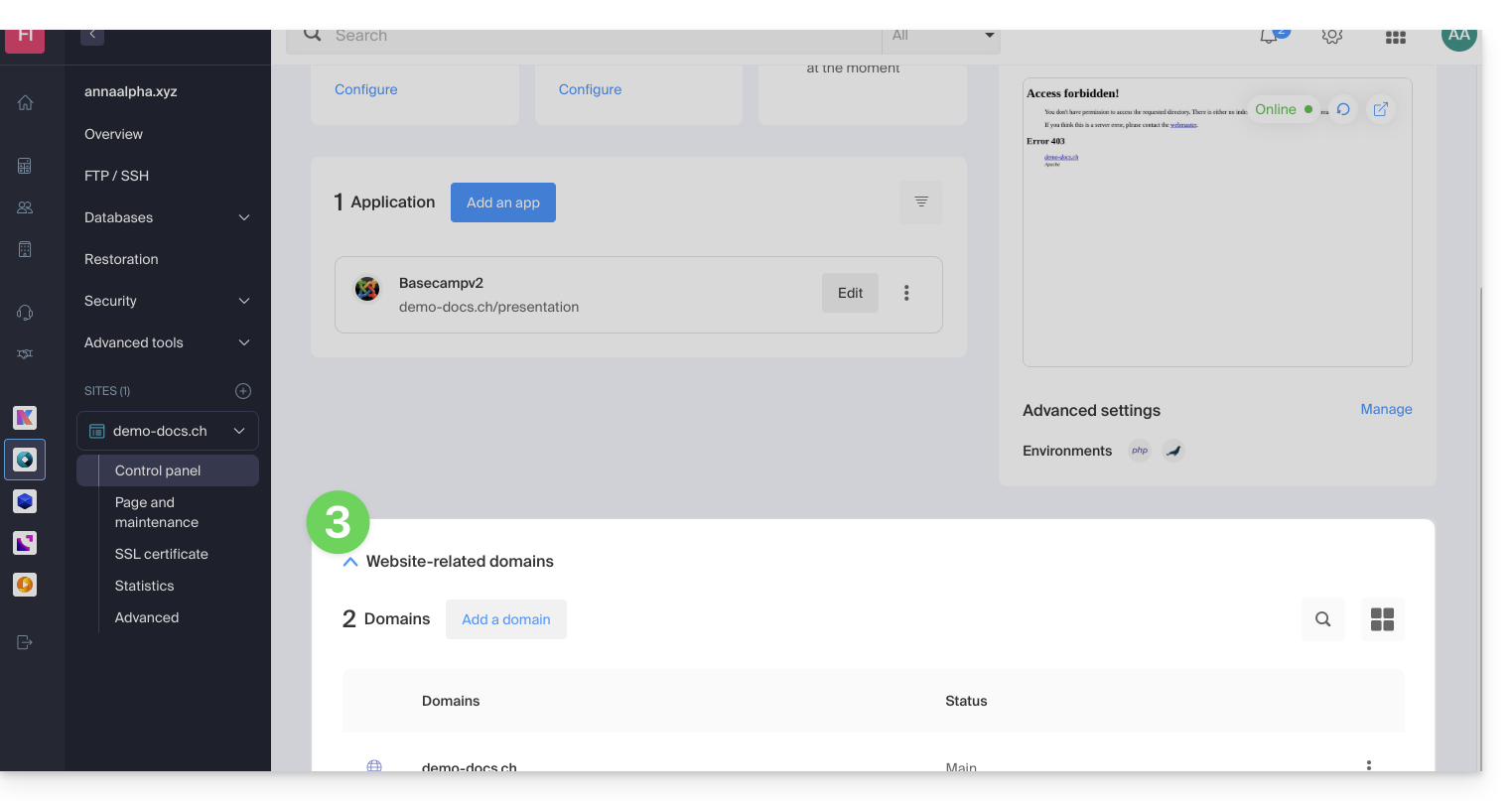
- Refer to this other guide (especially its Prerequisites) to link the new domain name to your site:
- This new domain linked will replace the current primary domain name after the switch you will perform below.
- Once the new domain name is linked to your site, click on the action menu ⋮ to the right of it.
- Choose Set as primary domain:
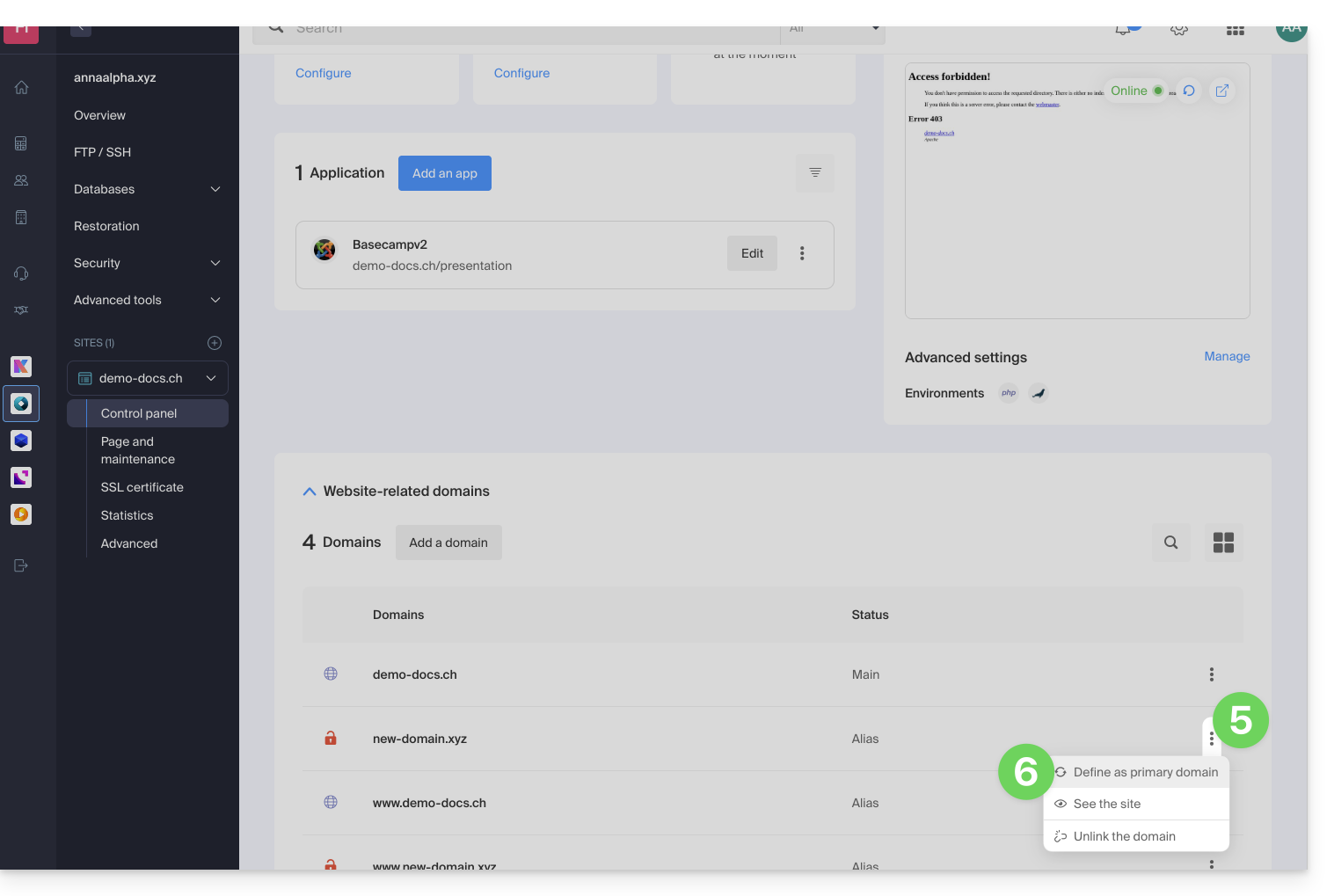
- If necessary, delete the old domain name and its variants that have become alias domains (and are no longer primary domains).
If you are using an SSL certificate, you will need to update it so that it includes the added aliases.
If you are using the dedicated IP option, you need to uninstall it and reinstall it after the switch you are going to perform.
Adapt the website content to the new name
In some cases,The web application used to develop the site needs to undergo some adjustmentsto function with the new domain name. Click on the link corresponding to your site's development to adapt the content:
Link to this FAQ: https://faq.infomaniak.com/2070
Has this FAQ been helpful?