Knowledge base
1000 FAQs, 500 tutorials and instructional videos. Here, there are only solutions!
Connect a domain name to Wix
Update 10/06/2026
This guide explains how to link a domain name managed by Infomaniak to a Wix hosting plan.
Introduction
- A website created on Wix cannot be exported so that its content can be hosted on third-party servers, such as those of Infomaniak.
- It is therefore recommended to create the website directly with Infomaniak using Site Creator or WordPress.
Connect your Wix site to your domain name with Infomaniak
Prerequisites
- Obtain the two DNS servers provided by Wix, in the format
ns0.wixdns.netandns1.wixdns.net, for example (❓: help).
To connect a website hosted on Wix with a domain name hosted on Infomaniak:
- Click here to access the domain management section in your Infomaniak Manager (❓: help).
- Click on the name of the domain in question.
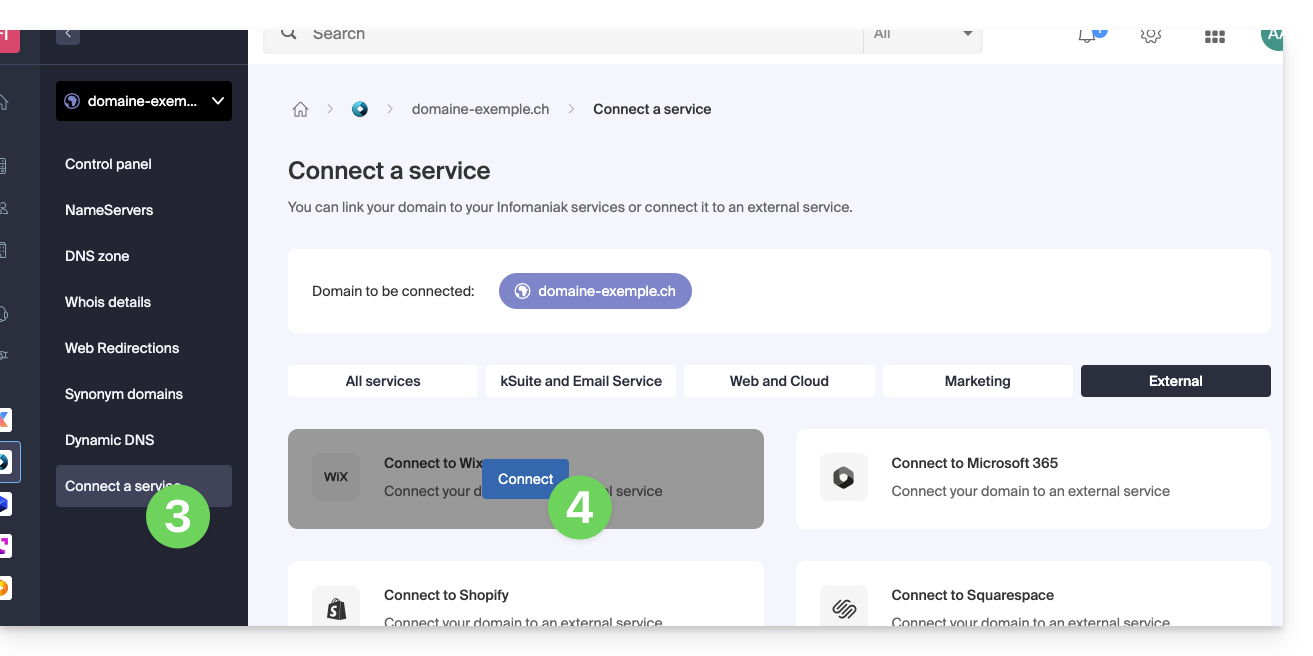
- Click on Connect a service in the left-hand menu.
- Click on the blue Connect button on the WIX tile:
- Enter the 2 Wix DNS servers (see the prerequisite above).
- Click the Next button:
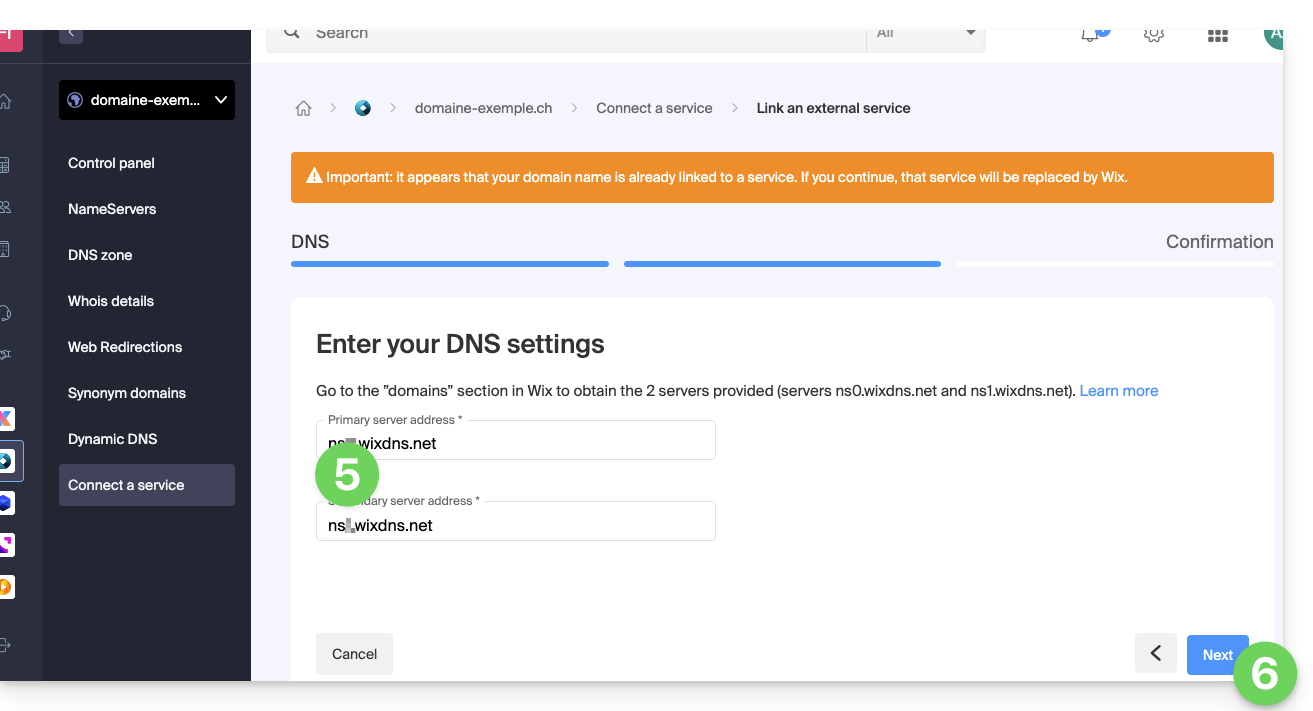
Your domain name will point to Wix servers within a few hours, and all web and email traffic will now be routed to Wix.
If necessary, you should inform Wix that the email service is managed by Infomaniak (please refer to this other guide for more information).
Link to this FAQ: https://faq.infomaniak.com/2067
Has this FAQ been helpful?