Knowledge base
1000 FAQs, 500 tutorials and instructional videos. Here, there are only solutions!
Preview a website, regardless of its domain name
This guide explains how to view a website hosted by Infomaniak, even if no domain name/URL is currently configured to direct visitors to the site.
Introduction
- Using your website's preview URL, you can view the current version of your content in a browser, even if the corresponding domain name has not yet been configured correctly.
- This website preview can be accessed using a preview URL and allows you, in particular, to test a website before pointing a domain name to it, even if that domain name is currently pointing elsewhere.
- This temporary URL provided by Infomaniak may change at any time and is only available with paid plans.
Get the preview URL for your site
To do this:
- Click here to access the hosting & website management section in your Infomaniak Manager (❓: help).
- Click on the name of the website in question.
- Click on Advanced.
- The preview address is displayed under Preview URL (e.g.:
XXX.preview.infomaniak.website):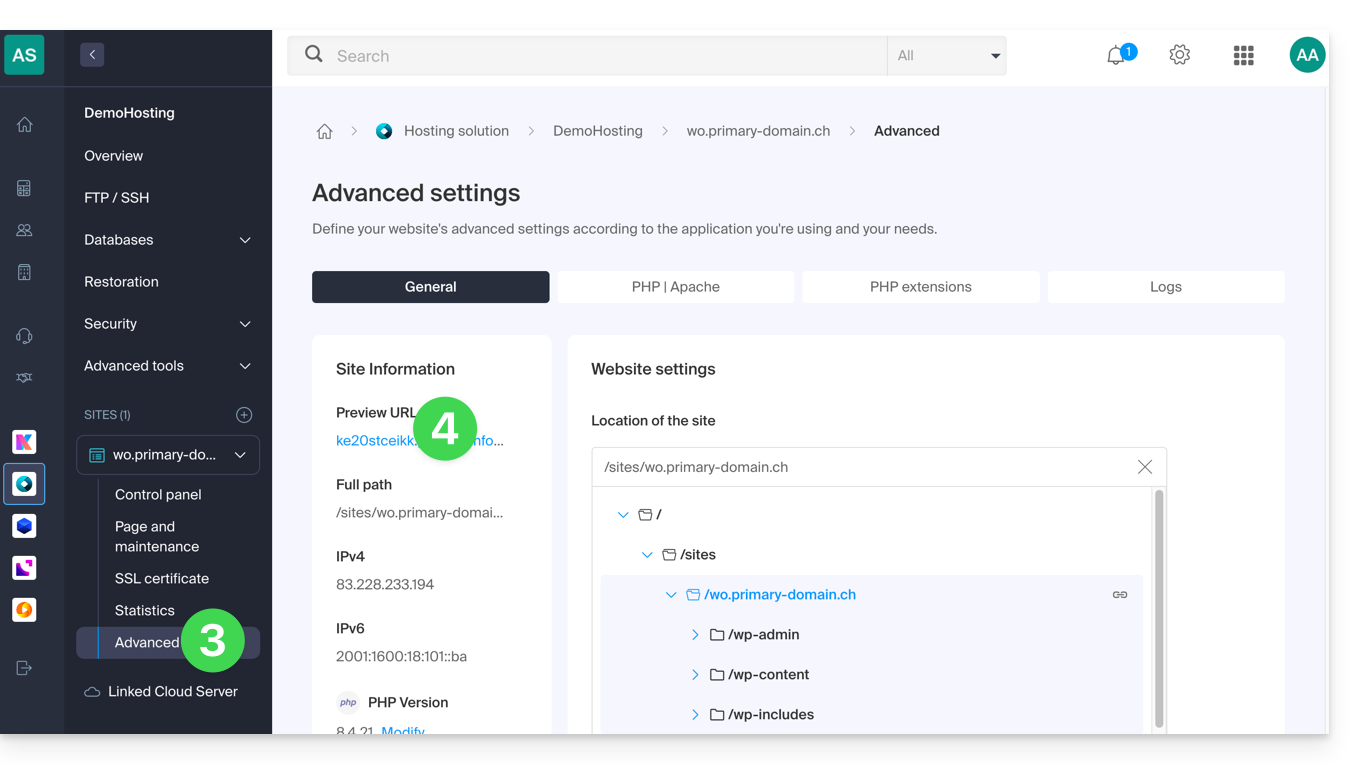
In case of a problem…
If, when visiting your preview address, the URL immediately changes to another, it may be due to an .htaccess file that you have modified to include rewrite rules. You should disable it and then test again.
… on WordPress
Ifthe preview URL is always displayed, even though you have taken the necessary steps regarding the domain name, you must assign it the definitive address as the primary address (❓: help) in your site's settings.
Alternatives for previewing your site
If you wish to proceed differently than using the preview address provided by Infomaniak (see above), you can modify the hosts file on your computer, or use browser extensions (❓: help)… For this, you will need the IP address of your website (❓: help).
Once your tests are complete or the DNS records for your domain name have been updated,Remember to clear any changes you may have made; otherwise, it will be impossible to display your site if the server's IP address is changed or if the site is migrated to another web hosting.
Link to this FAQ: https://faq.infomaniak.com/2060
Has this FAQ been helpful?