Knowledge base
1000 FAQs, 500 tutorials and instructional videos. Here, there are only solutions!
Unlink an address from the Infomaniak account's Mail app
This guide explains how to remove an email address from the Infomaniak Mail web app (online service ksuite.infomaniak.com/mail) that is currently being used by your Infomaniak account.
Any operation (adding or removing an email address) performed in the Infomaniak Mail web app will be immediately reflected in the Infomaniak Mail mobile app (this does not affect email clients such as Outlook).
Detach an email address
To remove an email address that is currently being viewed:
- Click here to access your emails on your Infomaniak kSuite (❓: help).
- If necessary, click on the chevron to the right of the email address currently visible in the Infomaniak Mail web app.
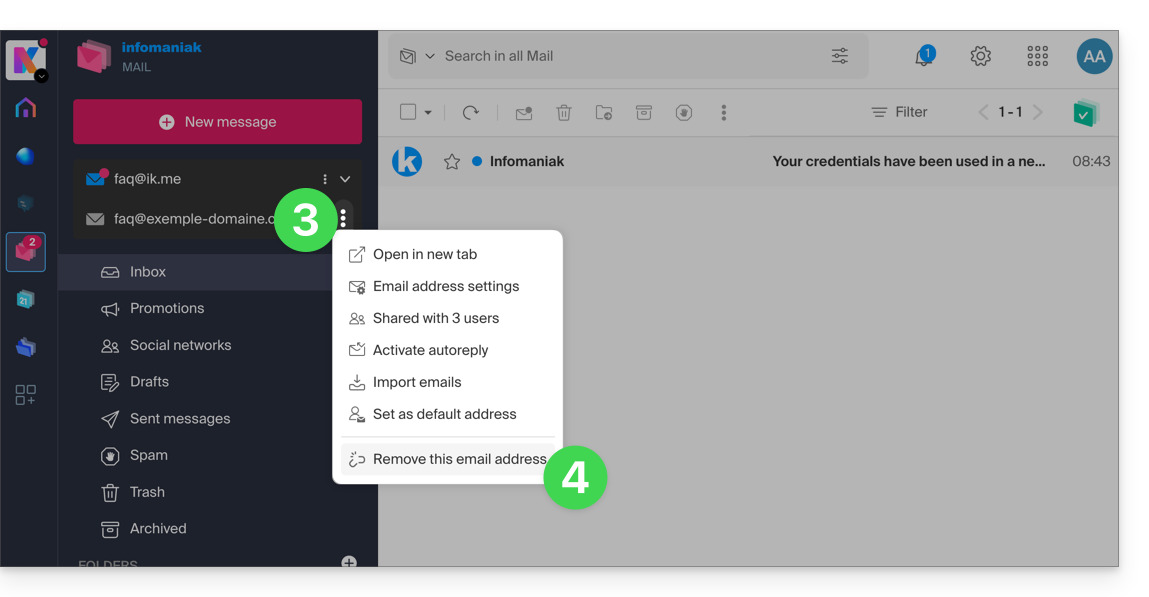
- Click on the action menu ⋮ to the right of the email address you wish to unlink.
- Click on Unlink this email address:
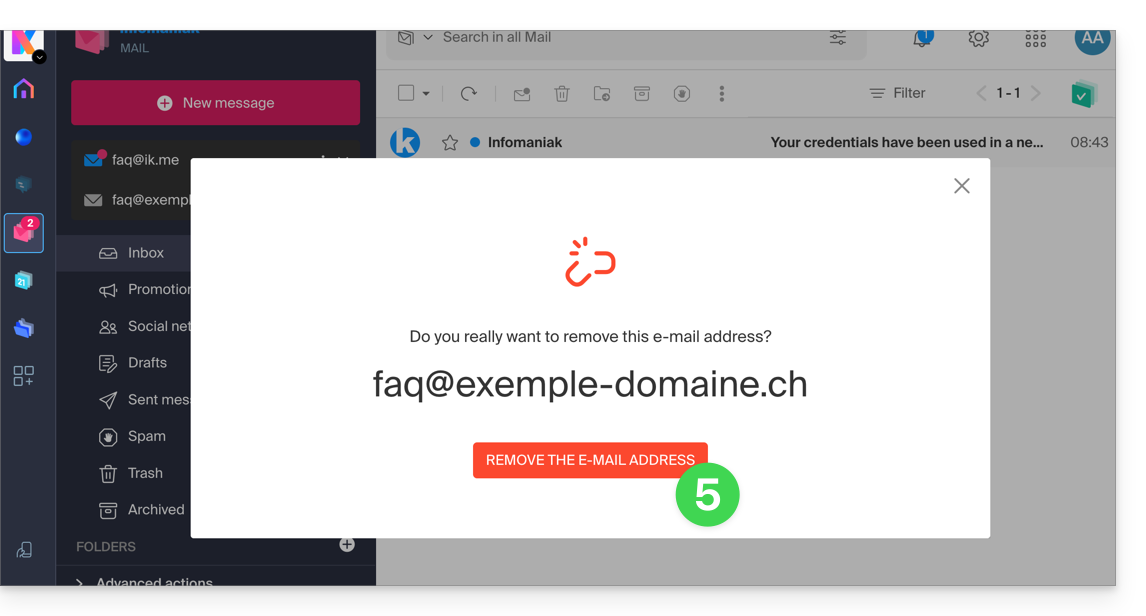
- Click the red button to confirm the removal:
Detach an incorrect address
To remove a mail address that is currently linked and displays a warning sign ⚠️:
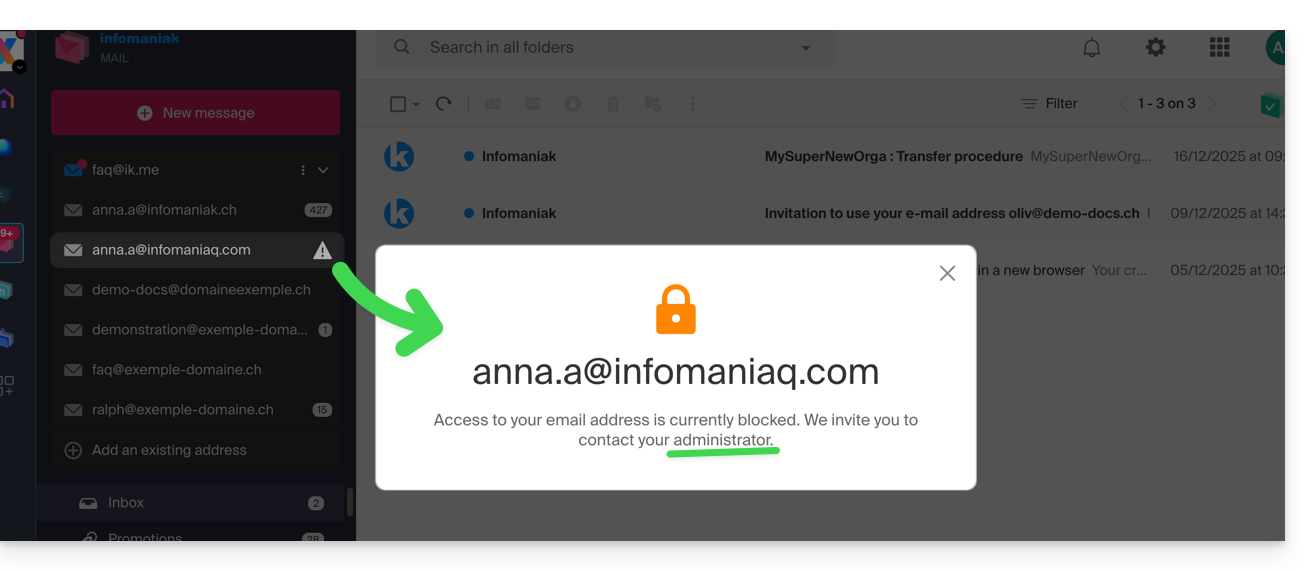
Refer to this other guide if you are looking for information on permanently deleting an email address and its content, and to this other guide to link and view an additional email address.
Link to this FAQ: https://faq.infomaniak.com/2055
Has this FAQ been helpful?