Knowledge base
1000 FAQs, 500 tutorials and instructional videos. Here, there are only solutions!
Change the PHP version for a website
Update 10/22/2026
This guide explains how to change the PHP version available for the websites on your Infomaniak Web Hosting.
Introduction
- It is possible to upgrade from an older, potentially vulnerable PHP version to a newer version, but you will no longer be able to revert to that vulnerable versionfor security reasons.
- The change takes effect immediately and permanently.
- On October 21, 2026, the PHP team released new versions that fix two critical vulnerabilities (❓: help):
- The security patches provided by the PHP teams have been successfully deployed across the entire shared infrastructure and Cloud Servers, for PHP versions 8.5, 8.4, 8.3, 8.2, 8.1, 8.0, and 7.4.
- The PHP version numbers remain unchanged, but the security patches have been applied to all affected services.
- Refer to this other guide if you are looking for information on configuring the PHP version used in SSH.
You may need to update your hosting beforehand (❓: help) to access the latest PHP versions offered by Infomaniak.
Change the PHP version used for a website
You can easily change the PHP version used for an entire website:
- Click here to access the hosting & website management section in your Infomaniak Manager (❓: help).
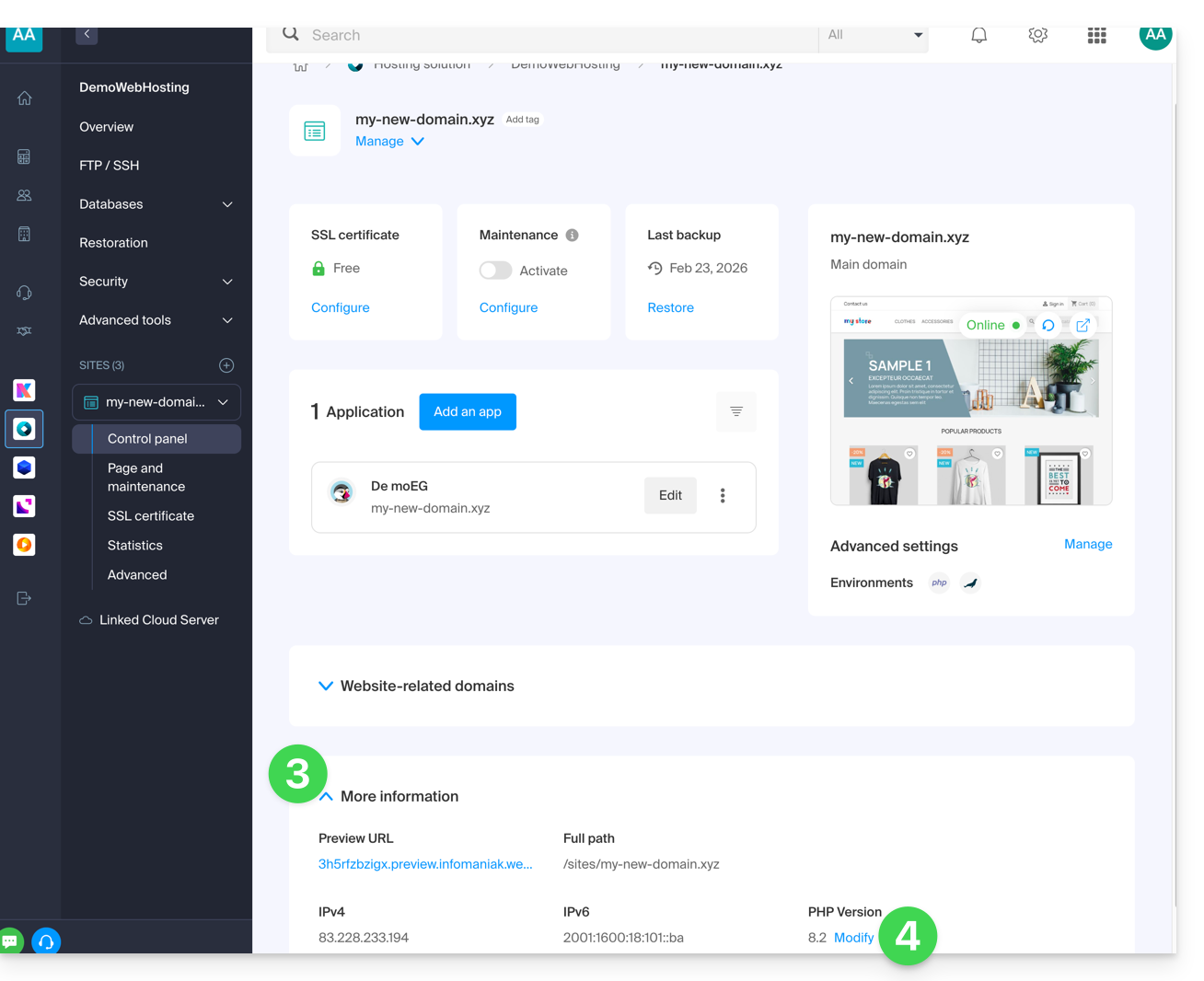
- Click on the name of the product in question.
- Click on More information.
- Click on Edit:
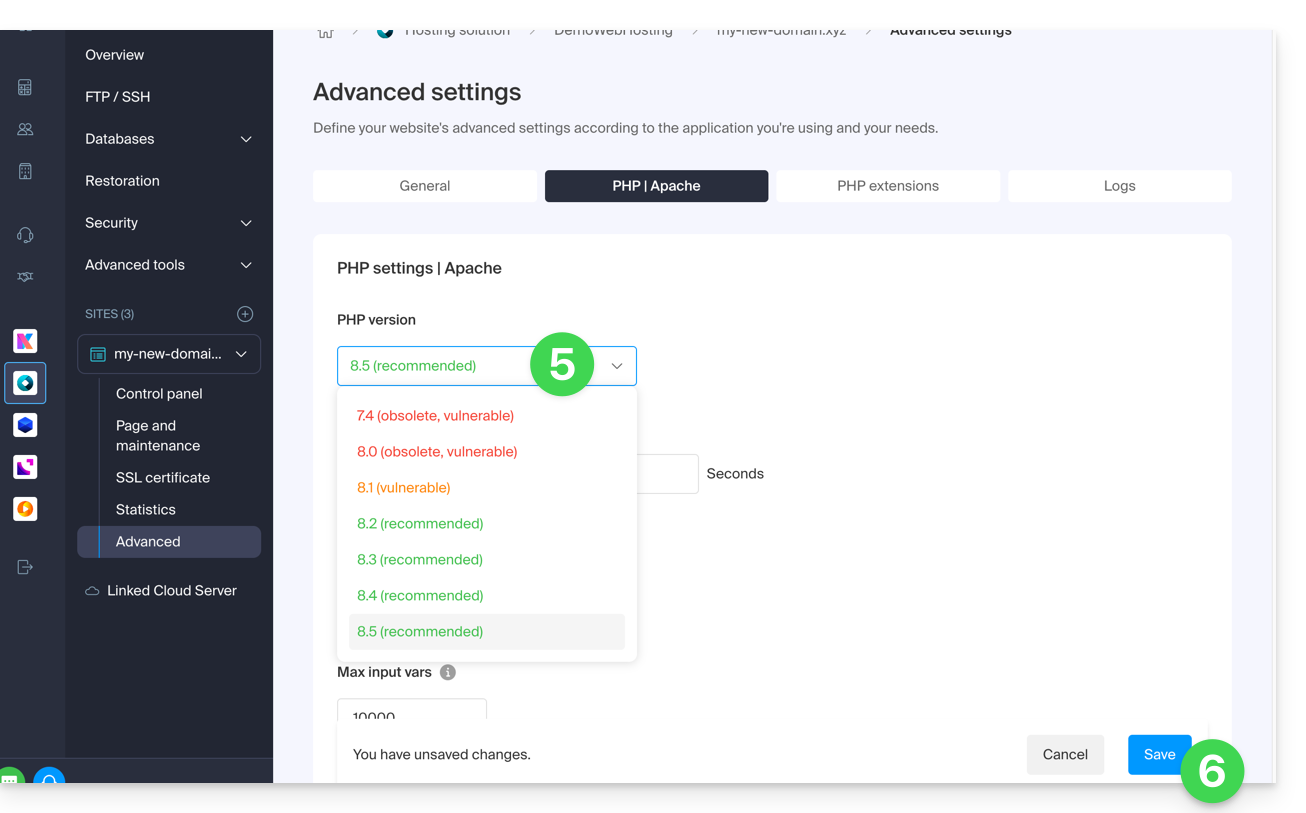
- Choose the desired PHP version.
- Click on Save at the bottom of the page to save the change:
Link to this FAQ: https://faq.infomaniak.com/2053
Has this FAQ been helpful?