Knowledge base
1000 FAQs, 500 tutorials and instructional videos. Here, there are only solutions!
Change the PHP version for a website
This guide explains how to change the PHP version available for the websites on your Infomaniak Web Hosting.
Introduction
- It is possible to upgrade from an older, potentially vulnerable PHP version to a more recent version, but you will no longer be able to revert to that vulnerable versionfor security reasons.
- The change is effective immediately and permanently.
- Refer to this other guide if you are looking for information on configuring the PHP version used in SSH.
- You may need to update your hosting beforehand to access the latest PHP versions offered by Infomaniak.
Change the PHP version used for a website
You can easily change the PHP version used for an entire website:
- Click here to access your website management in the Infomaniak Manager (need help?).
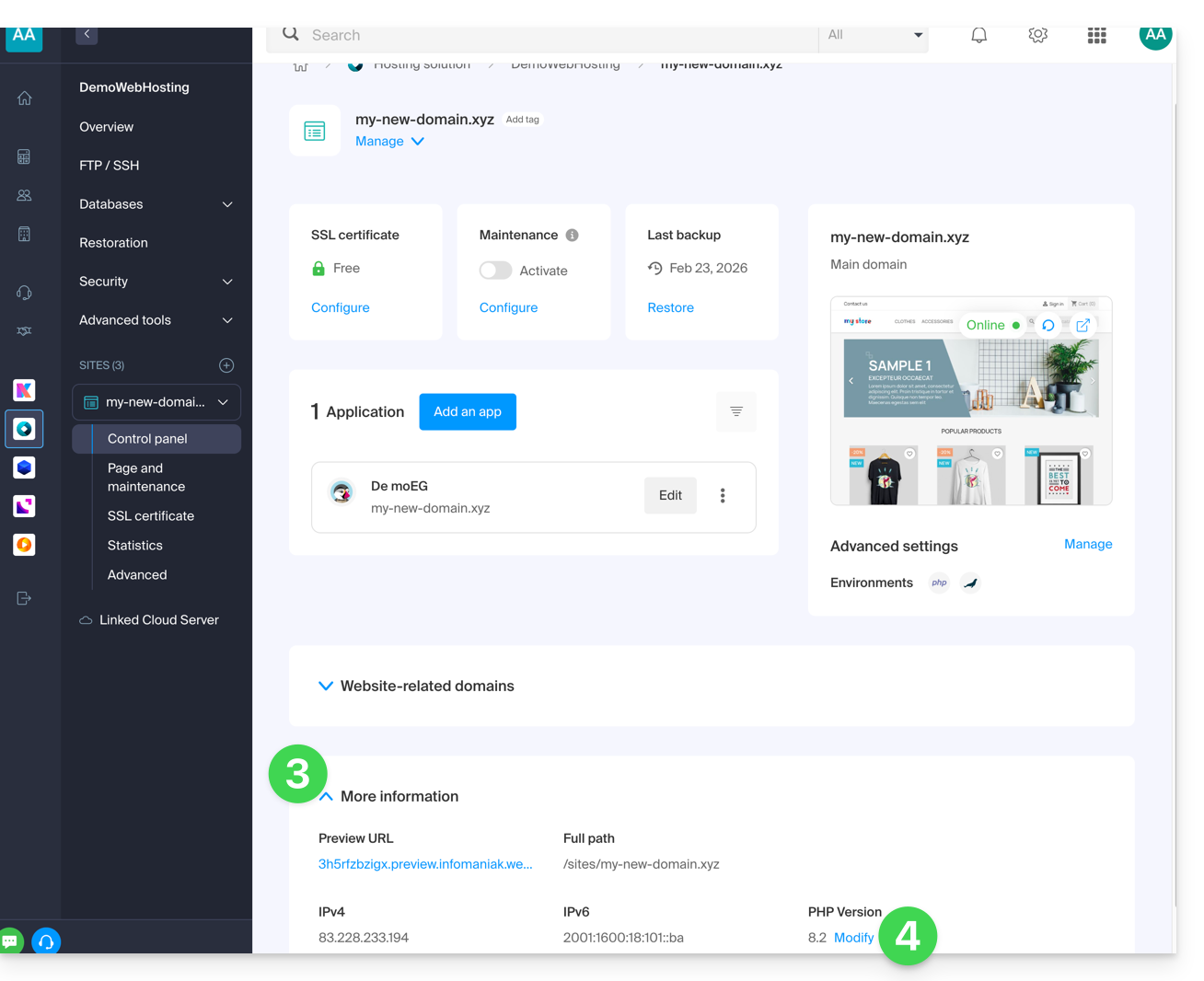
- Click directly on the name assigned to the website in question.
- Click on More information.
- Click on Edit:
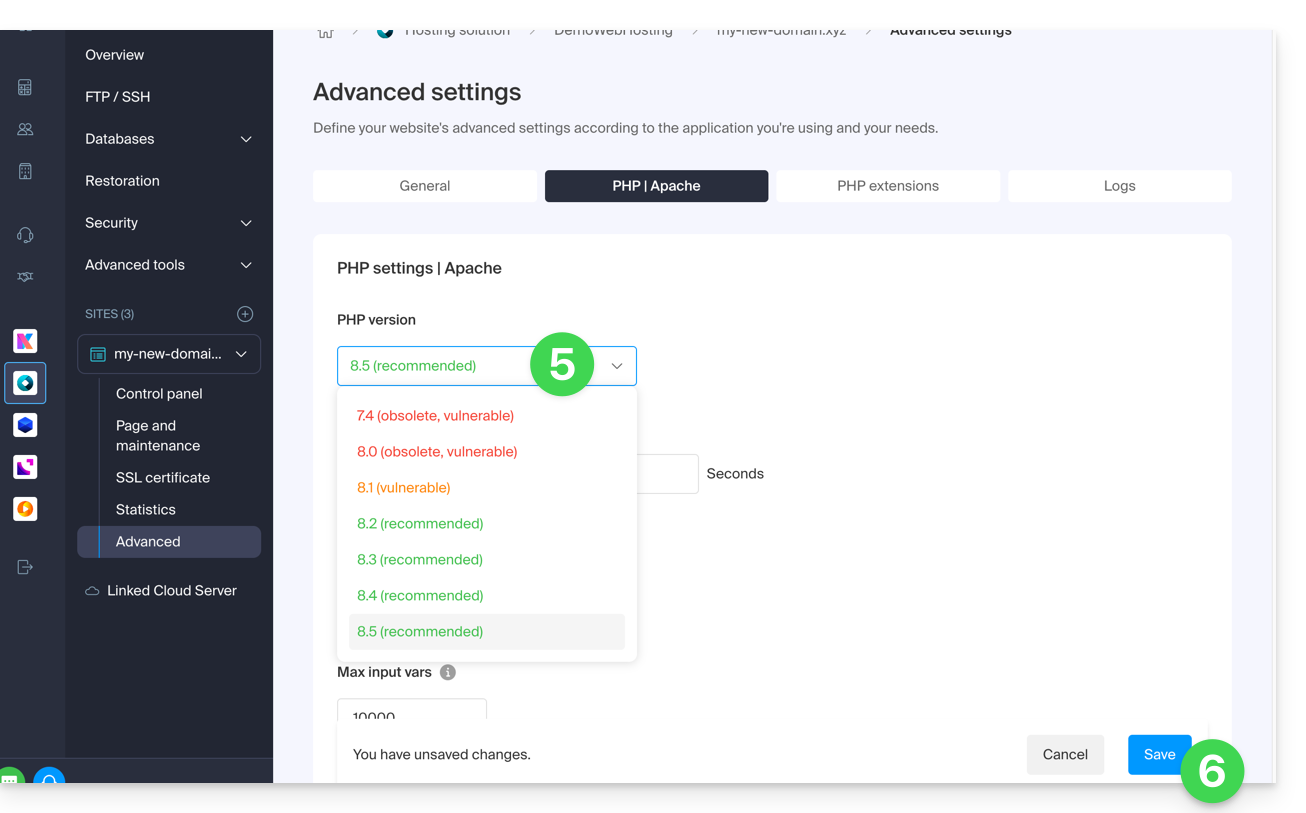
- Choose the desired PHP version.
- Click on Save at the bottom of the page to save the changes:
Link to this FAQ: https://faq.infomaniak.com/2053
Has this FAQ been helpful?