Knowledge base
1000 FAQs, 500 tutorials and instructional videos. Here, there are only solutions!
Change the mobile phone number linked to the Infomaniak account
This guide explains how to change the mobile phone number (used in case of forgetting the password to access your Manager) of your Infomaniak account (= user account).
Preamble
- To manage the details of your Infomaniak account instead, refer to this other guide.
- To modify the login identifier, refer to this other guide.
- To manage the details of the Organization to which you belong, refer to this other guide.
Change the mobile phone number
To change the phone number associated with your Infomaniak account:
- Click here to access the security information management on the Infomaniak Manager.
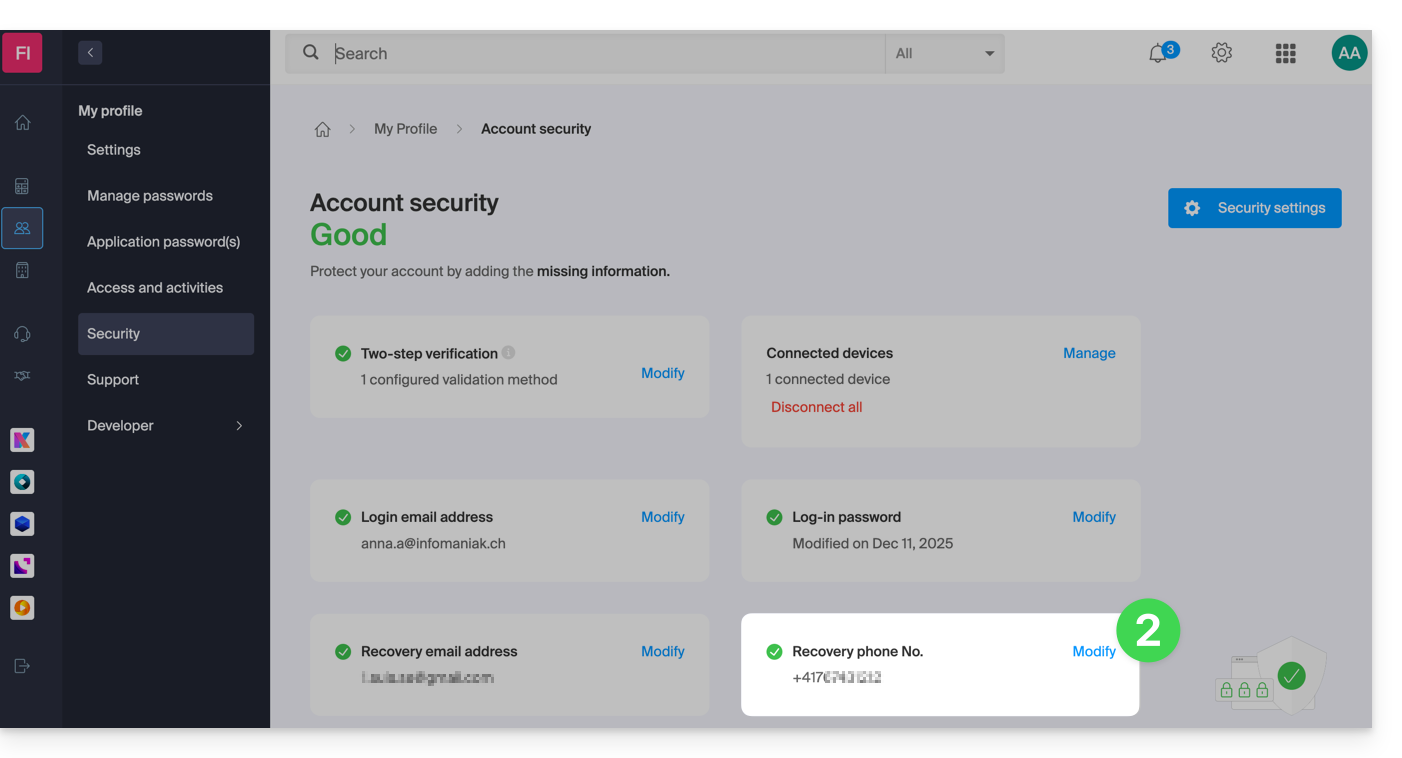
- Click on Modify in the Recovery Phone box:
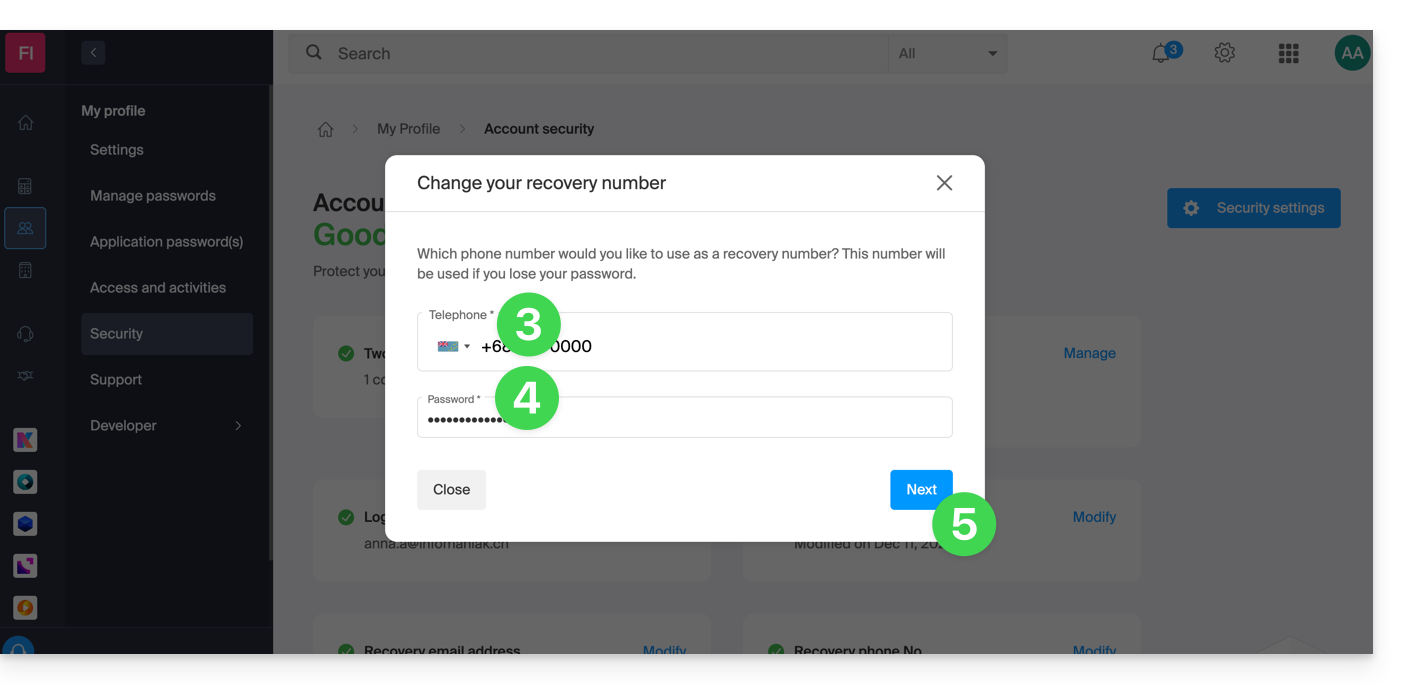
- Enter the country code corresponding to your country and the new mobile phone number.
- Enter your Manager login password.
- Click the Next button to save:
Note: it is possible for an administrator within the Organization to block users from requesting a password reset by SMS: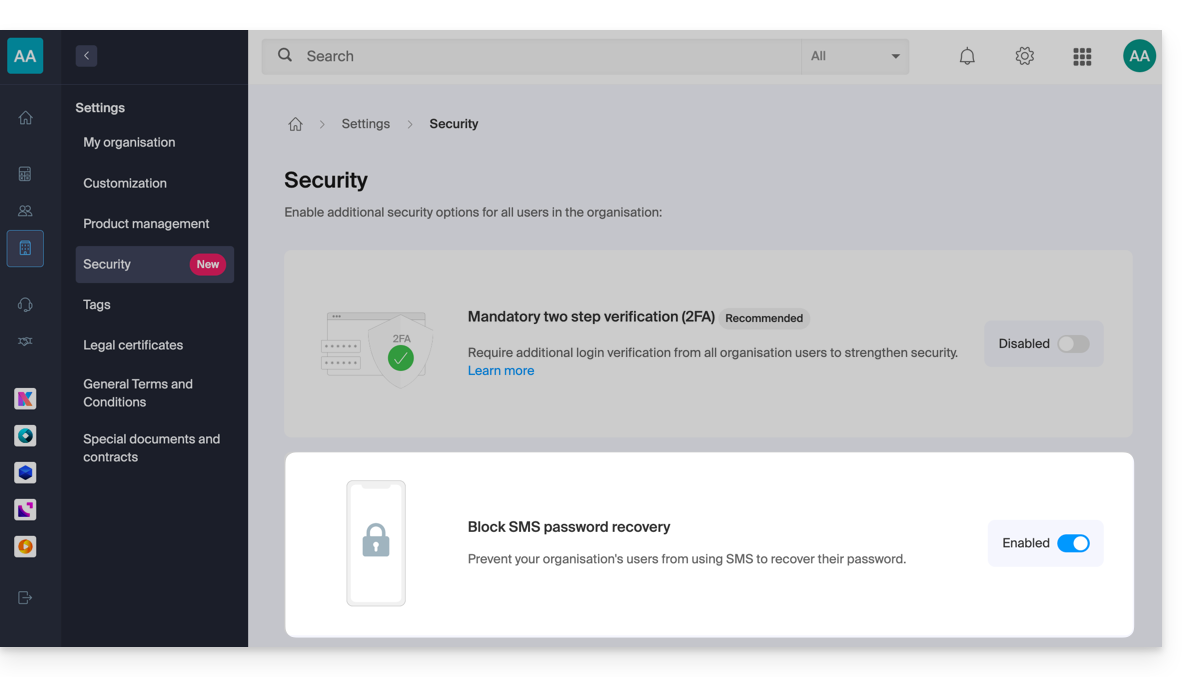
In this case, it is the recovery email that will be used and no longer the phone number specified above.
Link to this FAQ: https://faq.infomaniak.com/2017
Has this FAQ been helpful?