Knowledge base
1000 FAQs, 500 tutorials and instructional videos. Here, there are only solutions!
Manage Gzip / Brotli compression
Update 08/31/2026
This guide explains how to enable compression for your resources (CSS, HTML, JSON, JS) to speed up the loading of your Web Hosting.
Introduction
- By compressing your files, you reduce their size by up to 70%, which decreases the transfer time to your visitors' browsers.
- Fast loading speed is a major criterion for search engines like Google.
- The Infomaniak Manager handles modifying your
.htaccessand.user.inifiles.- A backup copy is created automatically for security purposes.
- The modification may take up to 5 minutes to propagate across the entire infrastructure.
Enable Gzip / Brotli compression
The procedure via the Manager activates the most efficient compression algorithms supported by your browser (Gzip or Brotli):
- Click here to access the management of your website on the Infomaniak Manager (need help?).
- Click directly on the name assigned to the website in question.
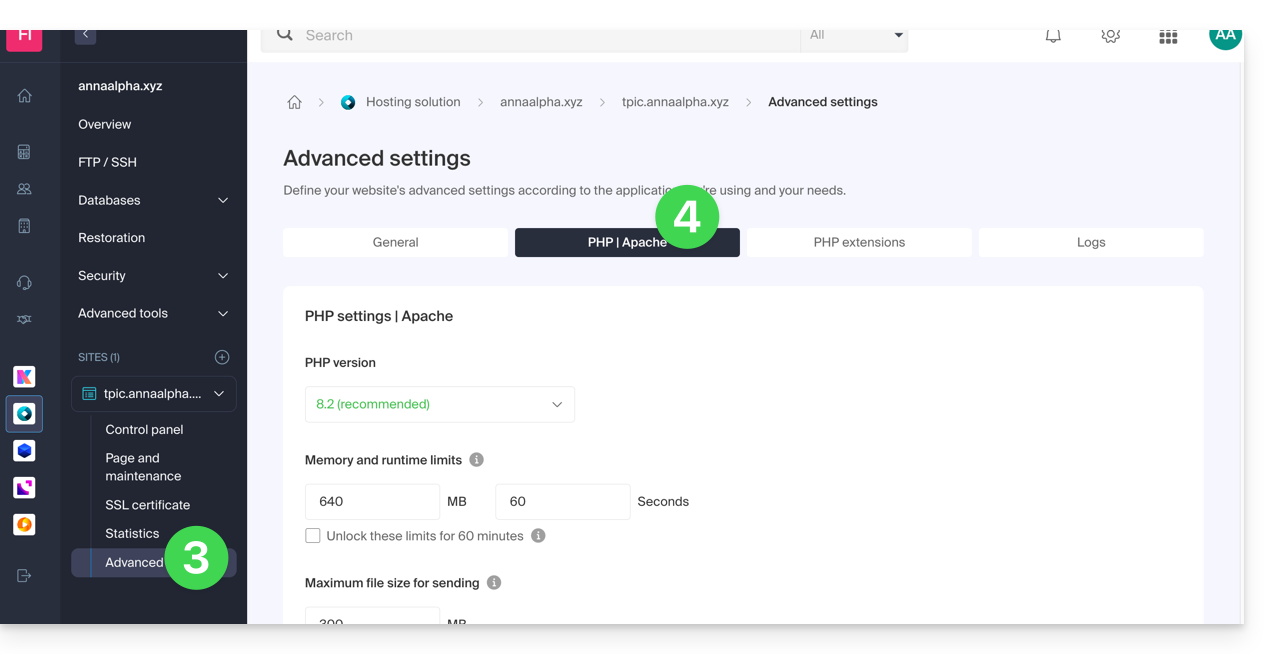
- Click on Advanced in the left-hand menu.
- Click on the Apache tab:
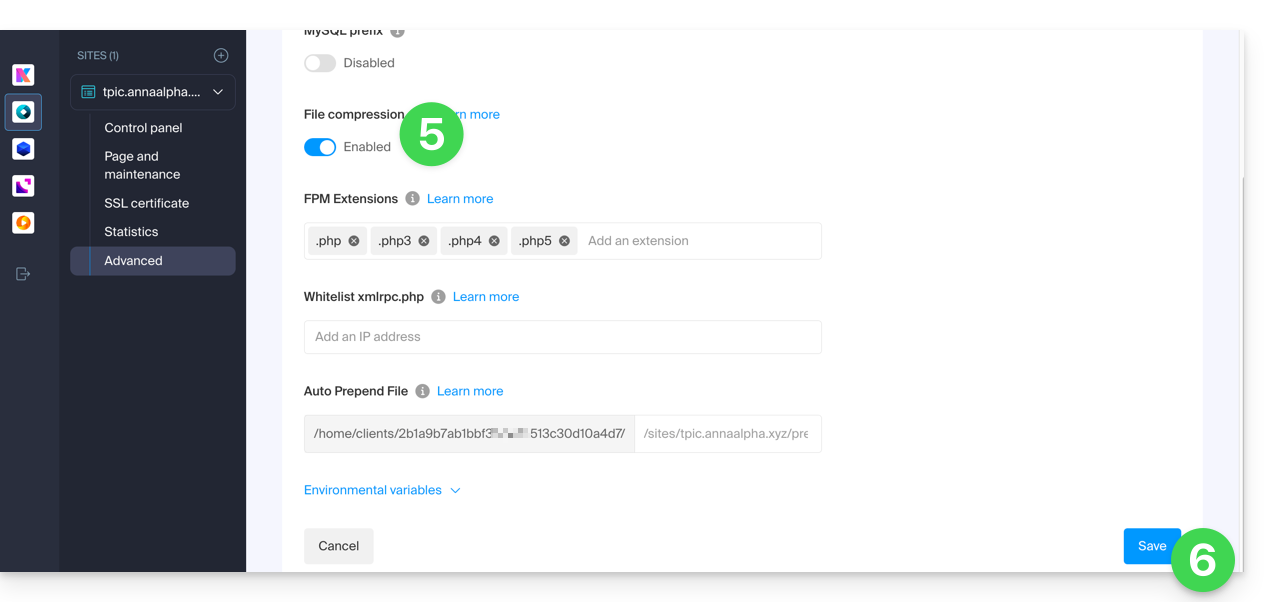
- Enable the File Compression option.
- Click on Save at the bottom of the page:
Check if the compression header is active
Once activated, your server will send an HTTP header Content-Encoding: gzip (or br for Brotli). You can test your site with these tools:
- Google PageSpeed Insights (recommended for a comprehensive analysis).
- GiftOfSpeed Gzip/Brotli Test (modern and fast tool).
- Browser Inspector: press
F12> Network tab > Click on your page > Check the response headers.
Link to this FAQ: https://faq.infomaniak.com/2013
Has this FAQ been helpful?