Knowledge base
1000 FAQs, 500 tutorials and instructional videos. Here, there are only solutions!
Modify the DNS zone (simple mode) of a domain managed by Infomaniak
This guide explains how to add, modify, or delete specific entries (records of type A & AAAA, MX, TXT, etc.) within the DNS zone of a domain name registered with Infomaniak.
Prerequisites
- Have a domain name with Infomaniak or at least a DNS zone.
- Understand:
- the operation of a domain and a DNS zone before modifying the latter.
- that the DNS zone presented here is valid and used only if the server names are those of Infomaniak.
- that any DNS addition/modification can take up to 48 hours to propagate.
Add a record (simple mode)
To configure the services associated with the domain and allow the appropriate resolution of domain names to the corresponding resources (such as external websites, third-party mail servers, etc.):
- Click here to access the management of your domain on the Infomaniak Manager (need help?).
- Click directly on the name assigned to the domain concerned.
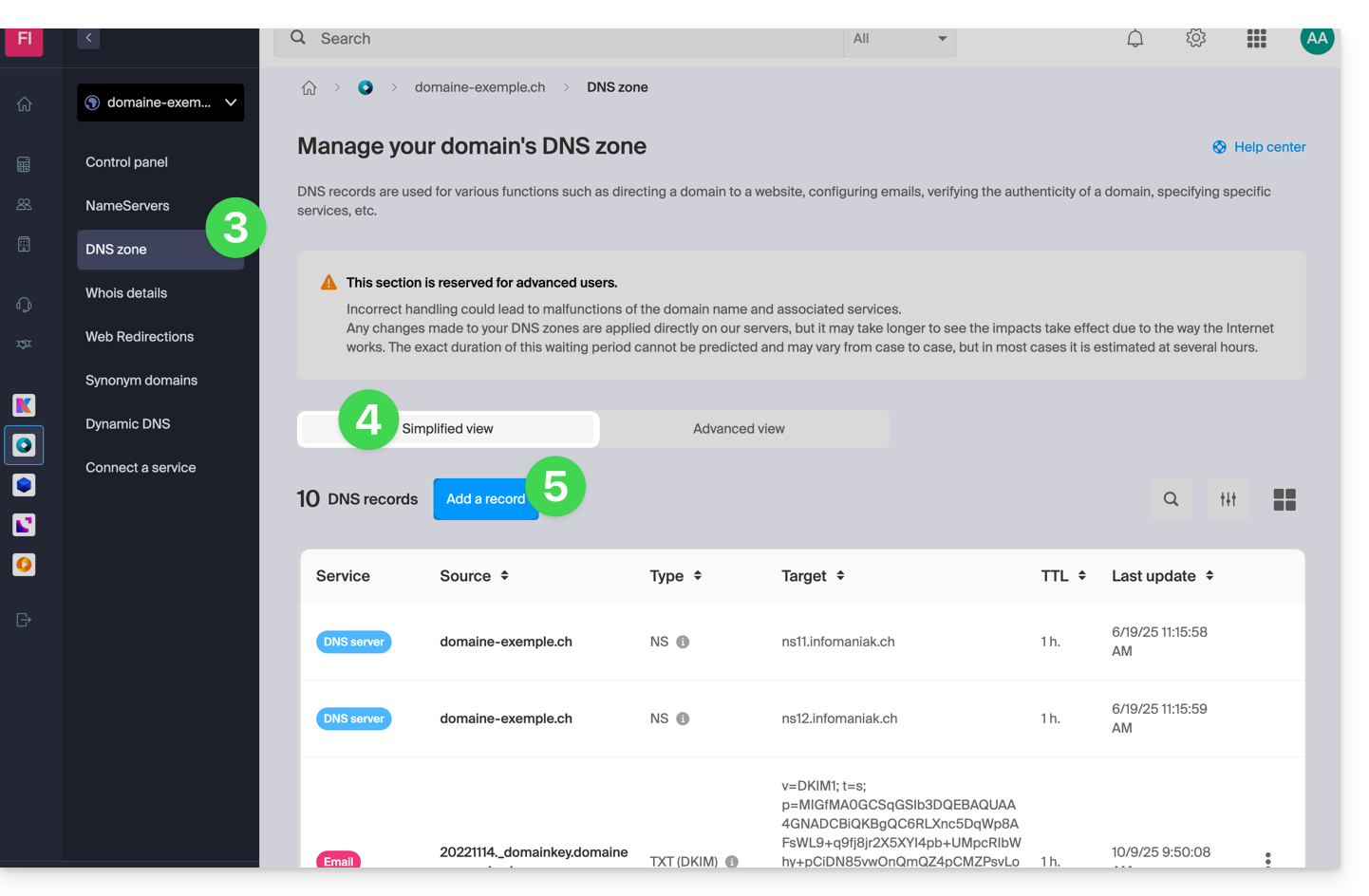
- Click on DNS Zone in the left sidebar.
- The entries currently in place are listed in the Simple Mode table.
- Click the blue Add an entry button:
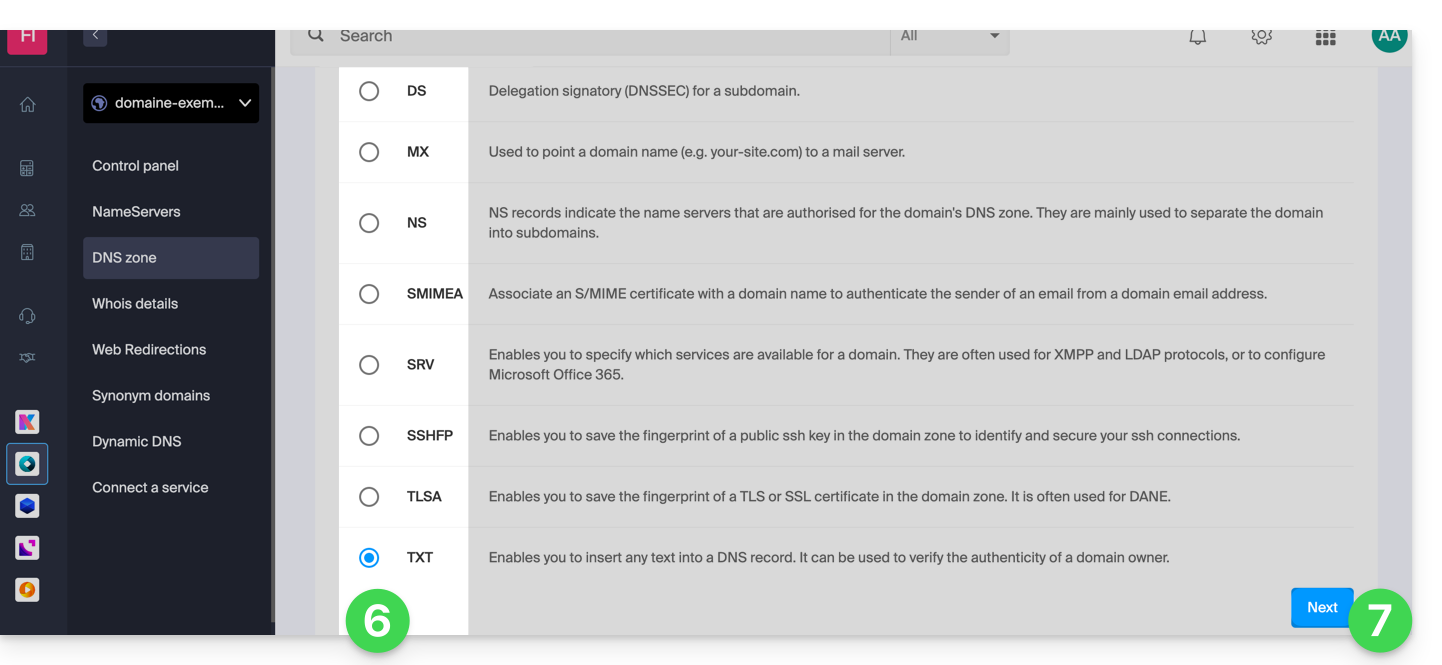
- Choose the desired record type (records of type A & AAAA, MX, TXT, etc.)
- Click on Next:
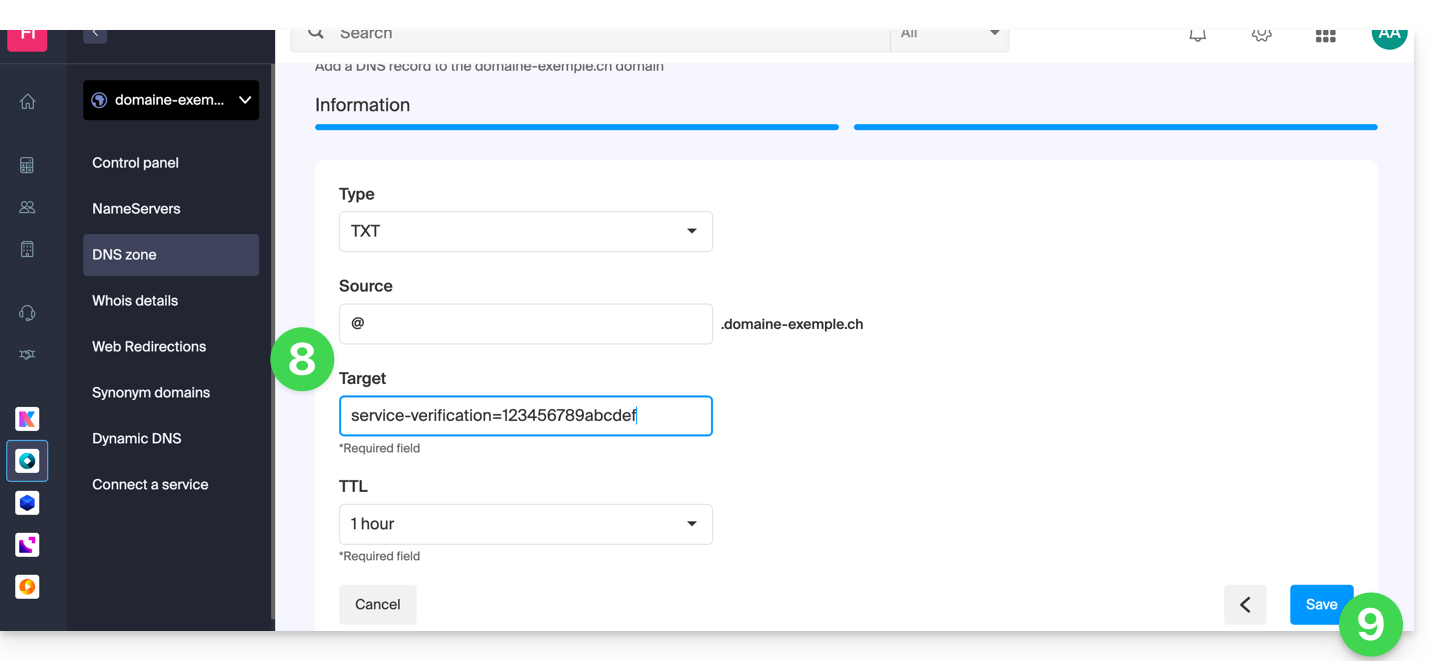
- Complete the different fields according to your information:
- Under Source leave blank or enter any subdomain concerned.
- Under Target enter the information obtained from your external provider or any other useful indication.
- Leave the TTL indicated.
- Save the addition made:
Modify an existing record
To modify an existing DNS record:
- Follow points 1 to 4 above.
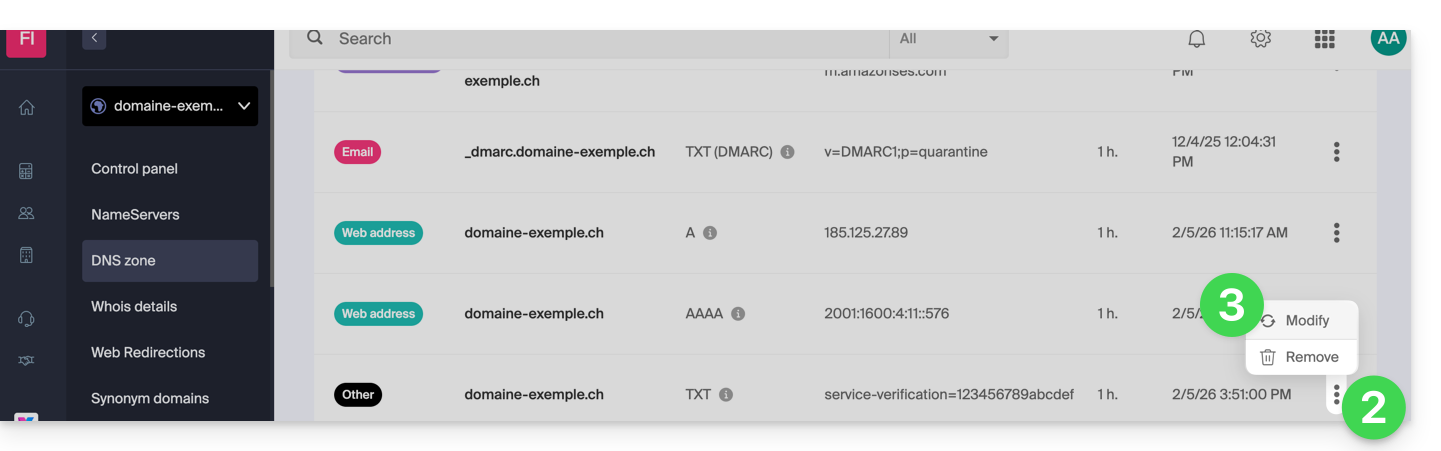
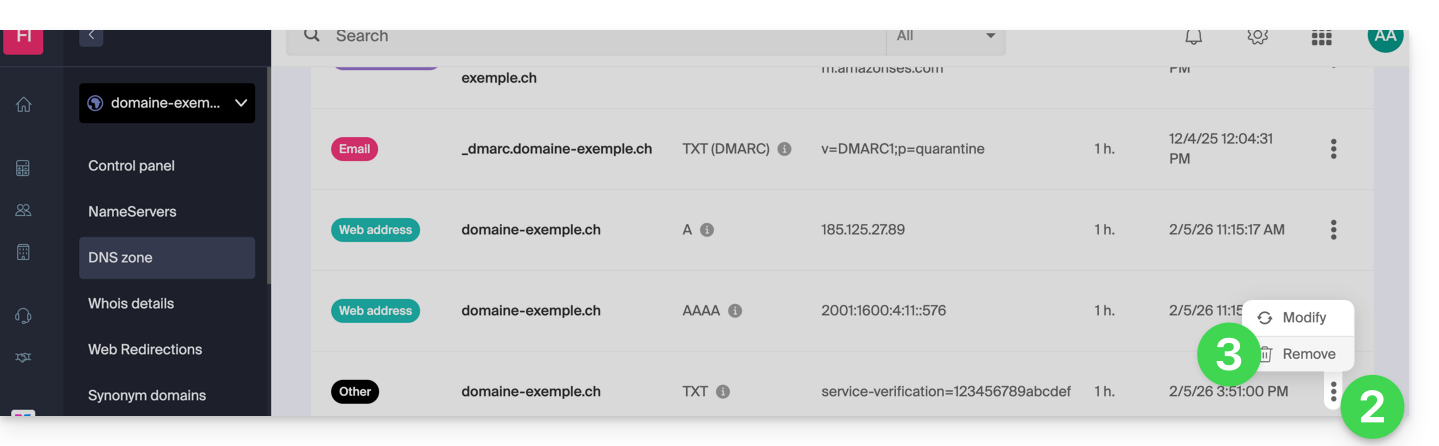
- Click on the action menu ⋮ to the right of the record to be modified.
- Click on Modify to access the edit page:
- Proceed with the editing of the desired information and then save your changes.
Delete an existing record
To delete an existing DNS record:
- Follow points 1 to 4 above.
- Click on the action menu ⋮ to the right of the record to be modified.
- Click on Delete and confirm the deletion:
DNS diagnostic
A tool available on your Manager allows you to easily correct certain problematic records. You can also use a free external service like the one mentioned at the bottom of this other guide.
Expert mode
To edit the DNS zone in advanced (expert) mode, which allows you to restore a previous version of the different records, refer to this other guide.
Link to this FAQ: https://faq.infomaniak.com/2000
Has this FAQ been helpful?