Knowledge base
1000 FAQs, 500 tutorials and instructional videos. Here, there are only solutions!
Unlinking a domain is the same as unlinking a domain name
This guide explains how to dissociate a synonymous domain from an Infomaniak domain name.
Remove the synonymous domain
To remove the synonym domain from the main domain dashboard:
- Click here to access the domain management section in your Infomaniak Manager (❓: help).
- Click on the name of the main domain in question.
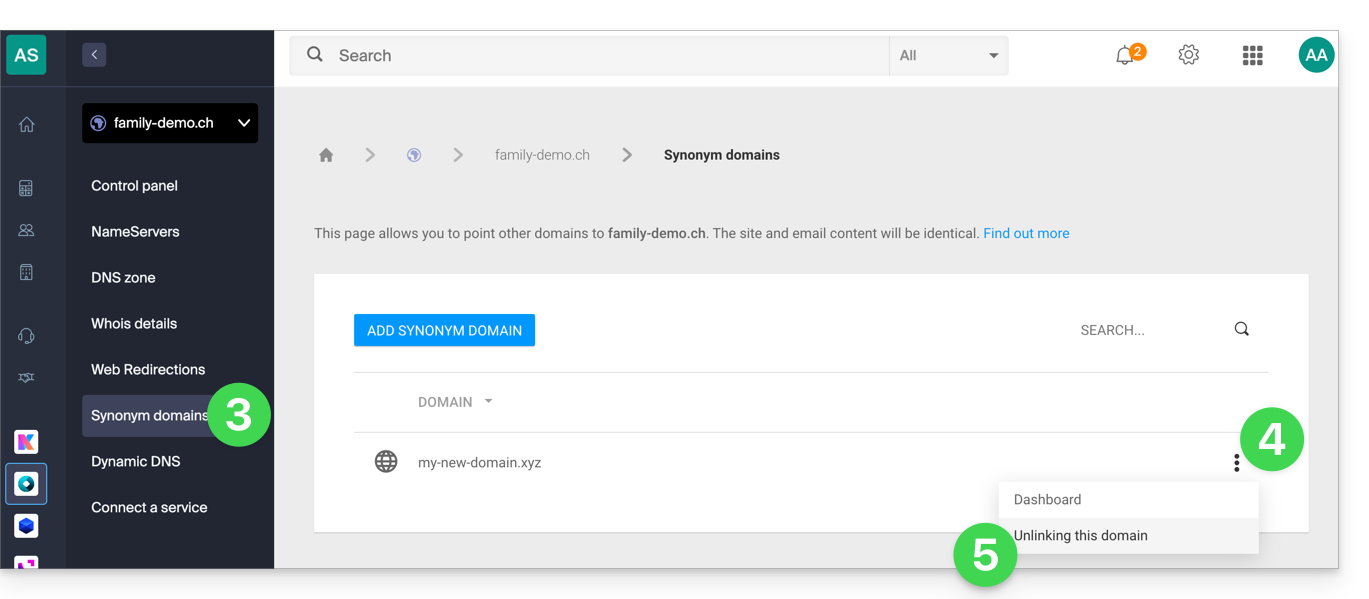
- Click on Synonymous domains in the left-hand menu.
- Click on the action menu ⋮ to the right of the alias domain in the table that appears.
- Click on Unlink this domain:
You can also proceed in the opposite direction, by going to the dashboard of the domain alias:
- Click here to access the domain management section in your Infomaniak Manager (❓: help).
- Click on the name of the relevant synonym domain.
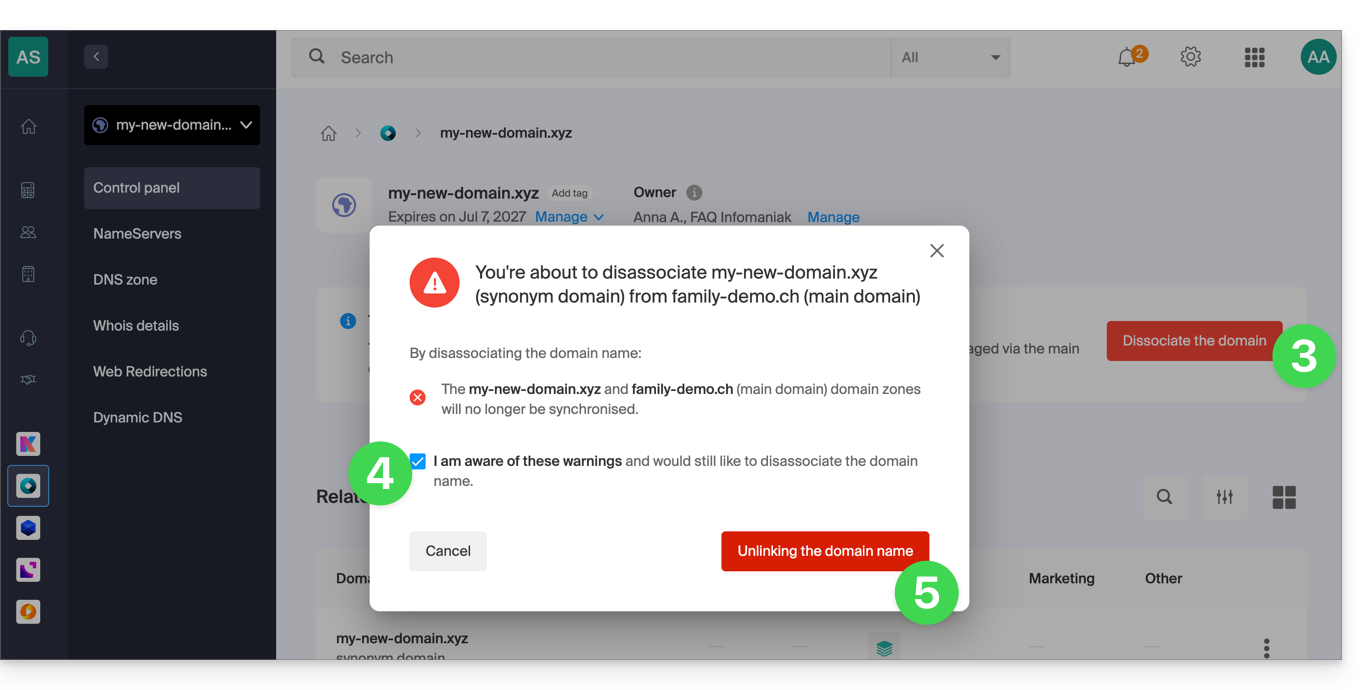
- Click on Disconnect in the top bar.
- Check the box to confirm that you want to manually desynchronize these 2 domains.
- Click the red button to Disconnect the domain name:
At this stage, you may still need to dissociate the alias domain from your Web and/or Mail hosting if necessary:
- Refer to this other guide to dissociate an alias domain from a Mail Service.
- Consult this other guide to dissociate an alias domain name from a web hosting service.
Link to this FAQ: https://faq.infomaniak.com/1998
Has this FAQ been helpful?