Knowledge base
1000 FAQs, 500 tutorials and instructional videos. Here, there are only solutions!
Unlink a domain name linked to the website
Update 10/13/2026
This guide explains how to remove an alias domain from an Infomaniak web hosting account. The main domain name of the website will then no longer be linked to any other domain name.
This allows you to subsequently create a new web hosting or separate site for the detached domain name.
Prerequisites
- If previously associated, unlink the synonym domain from the main domain.
Remove the alias domain
To remove an alias domain name from your website:
- Click here to access the hosting & website management section in your Infomaniak Manager (❓: help).
- Click on the name of the site in question.
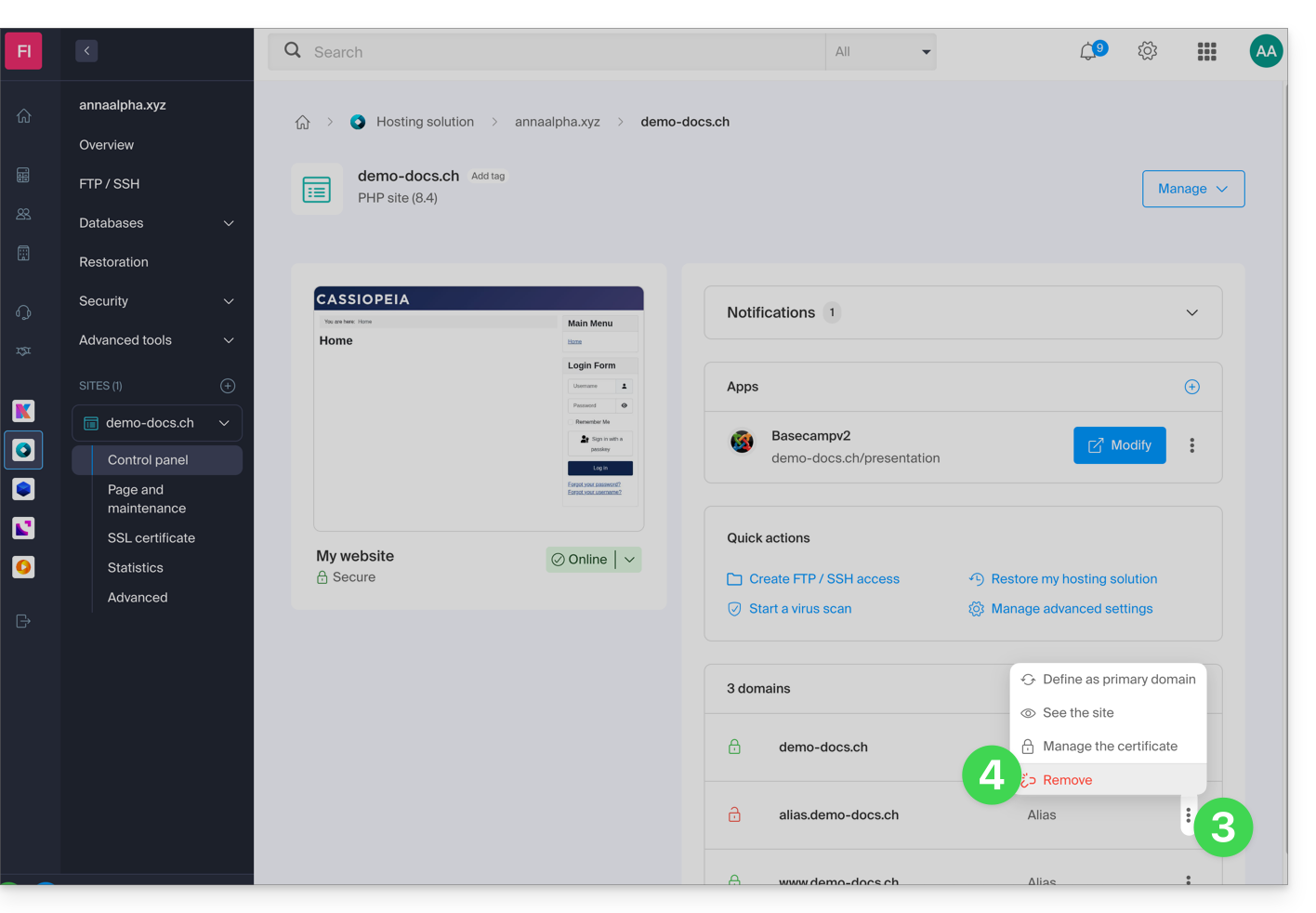
- Click on the action menu ⋮ to the right of the domain to be removed.
- Choose Unlink:
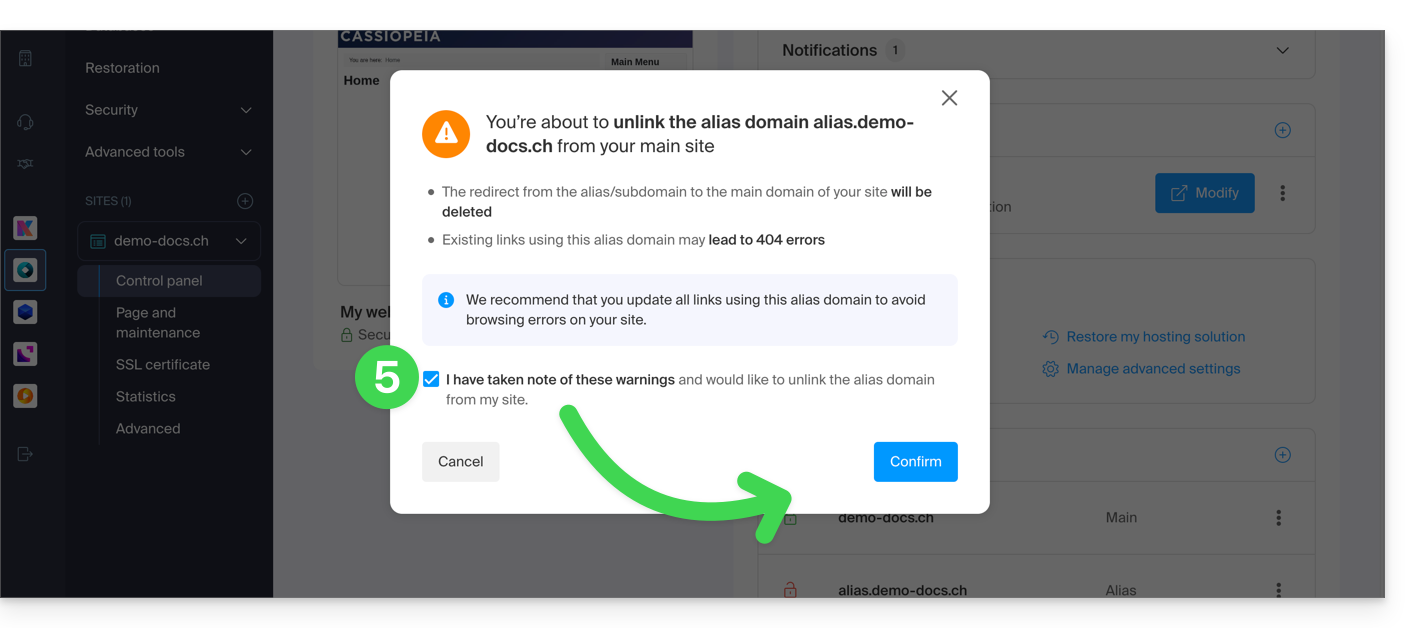
- Confirm the alias deletion:
Link to this FAQ: https://faq.infomaniak.com/1997
Has this FAQ been helpful?