Knowledge base
1000 FAQs, 500 tutorials and instructional videos. Here, there are only solutions!
Discover the Manager, Infomaniak's administration interface
This guide explains how the Infomaniak services administration interface, called Manager, works. https://manager.infomaniak.com.
Introduction
- The Manager is Infomaniak's interface that allows you to manage your various Infomaniak products, such as domain names and hosting, as well as the administrative and billing sections.
Ordering a product = creating an account
If you do not yet have any products with Infomaniak, you will be prompted to create an account with a login ID during the ordering process (❓: help), and an Organization is automatically created at this time.
For an individual, the name of the Organization will generally consist of their first and last name, while for a company, it will generally be its name or company name.
Once the Organization has been created by this first user, it is possible…
1. Other users will be able to…
- … all rights and therefore be an administrator of the Organization
- … limited rights (access to specific products)
- … with or without billing rights
2. Other Organizations can…
- … contain other products unrelated to the other Organizations
- … have their own users who will not have access to other Organizations
The concept of Organization is particularly interesting for people who need manage multiple products for different clientshelp
Navigating and accessing your products
Your products are organized in the Manager Infomaniak within the following main categories:
- Collaboration tools for Mail, kDrive, and the kSuite in general
- Web & Domains for your domain names and all public web hosting services
- Cloud Computing for more technical and specialized web services
- Events & Marketing for services related to event management
- Streaming for multimedia services / broadcasting
Can't find your products? Here are some solutions:
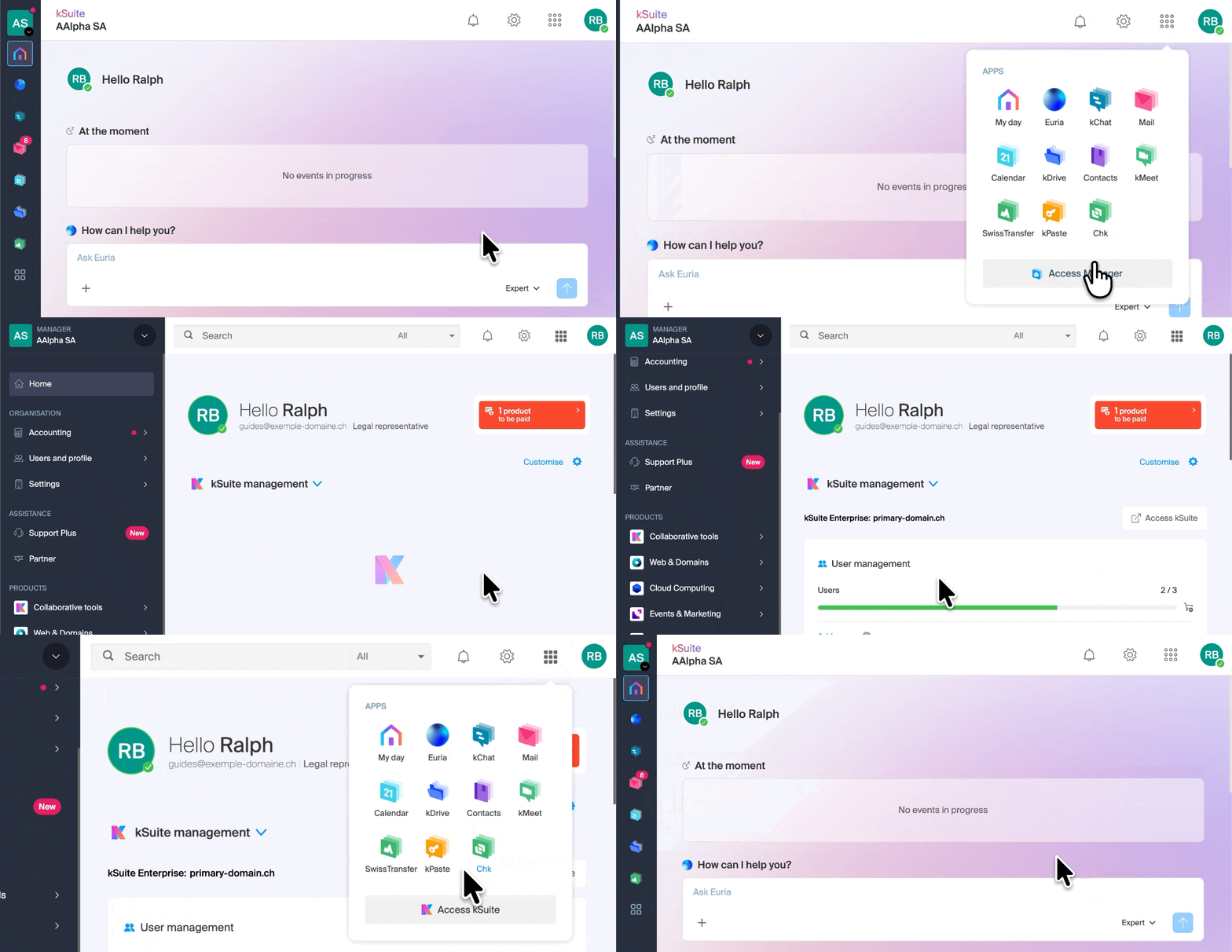
You are on the kSuite page, or on one of its apps like Mail, kDrive… when you wanted to access your products from the Manager? Or vice versa? Use the shortcut in the top right corner of the screen:
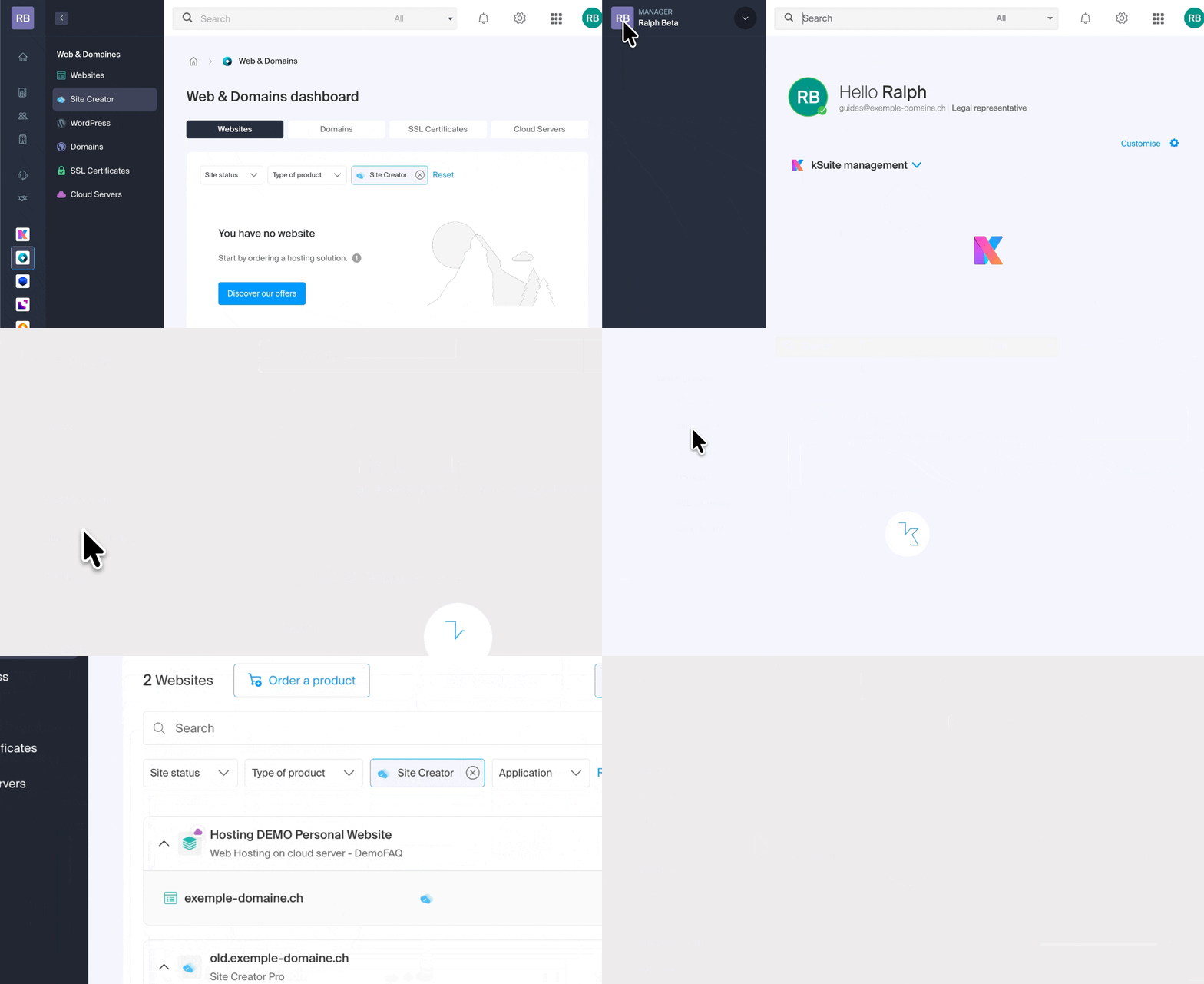
You are logged in with the correct login ID (❓: help) but can't find your products? You may not be in the correct Organization: switch between them:
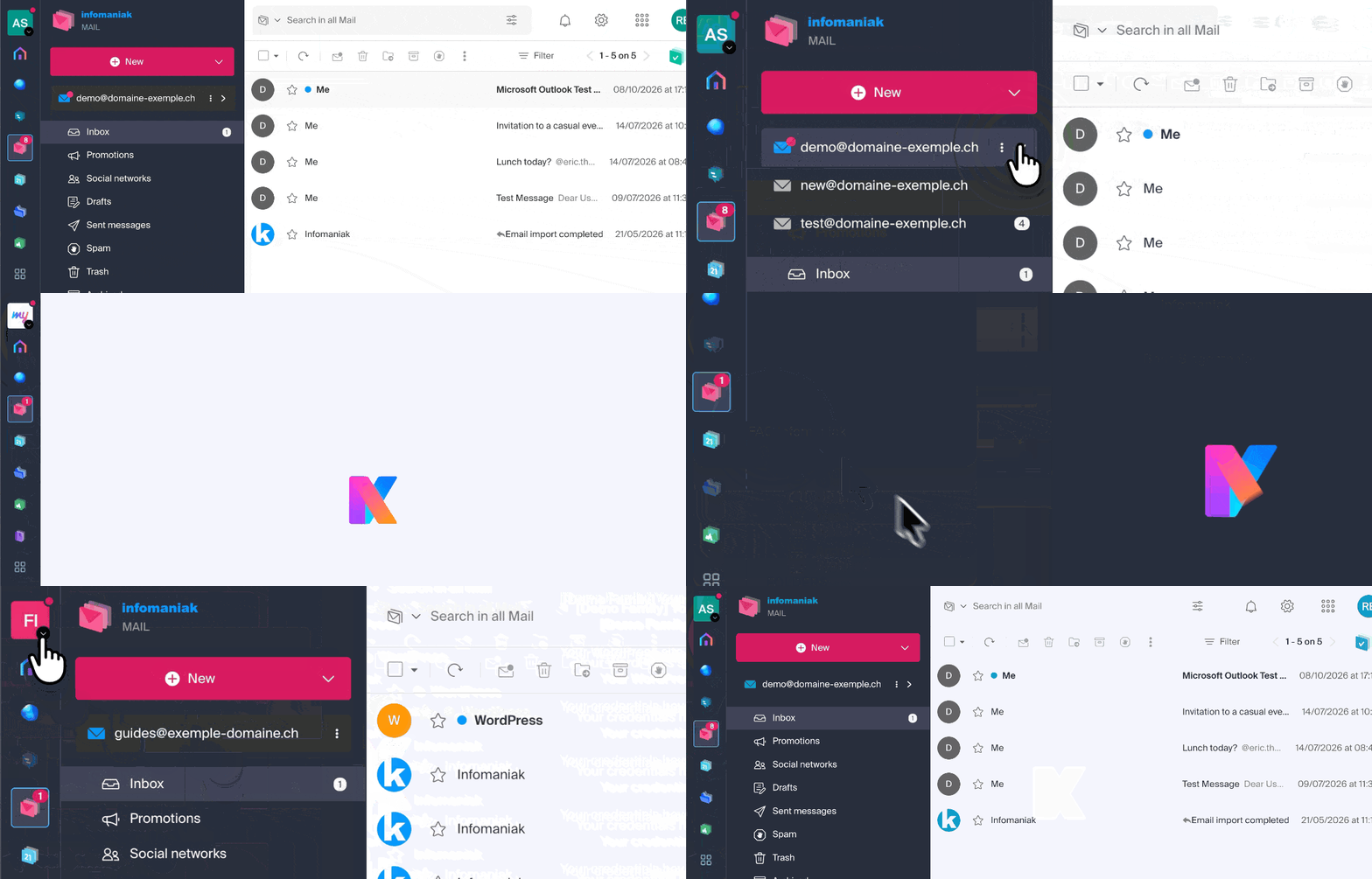
Can't find your address in the Web Mail app? Check the Organization currently in use in Mail (❓: help) because the addresses associated with it are displayed by Organization. You may need to switch to another Organization to find the email address you want to view:
Different ways to navigate within the Infomaniak Manager
You can navigate using the menu on the left:
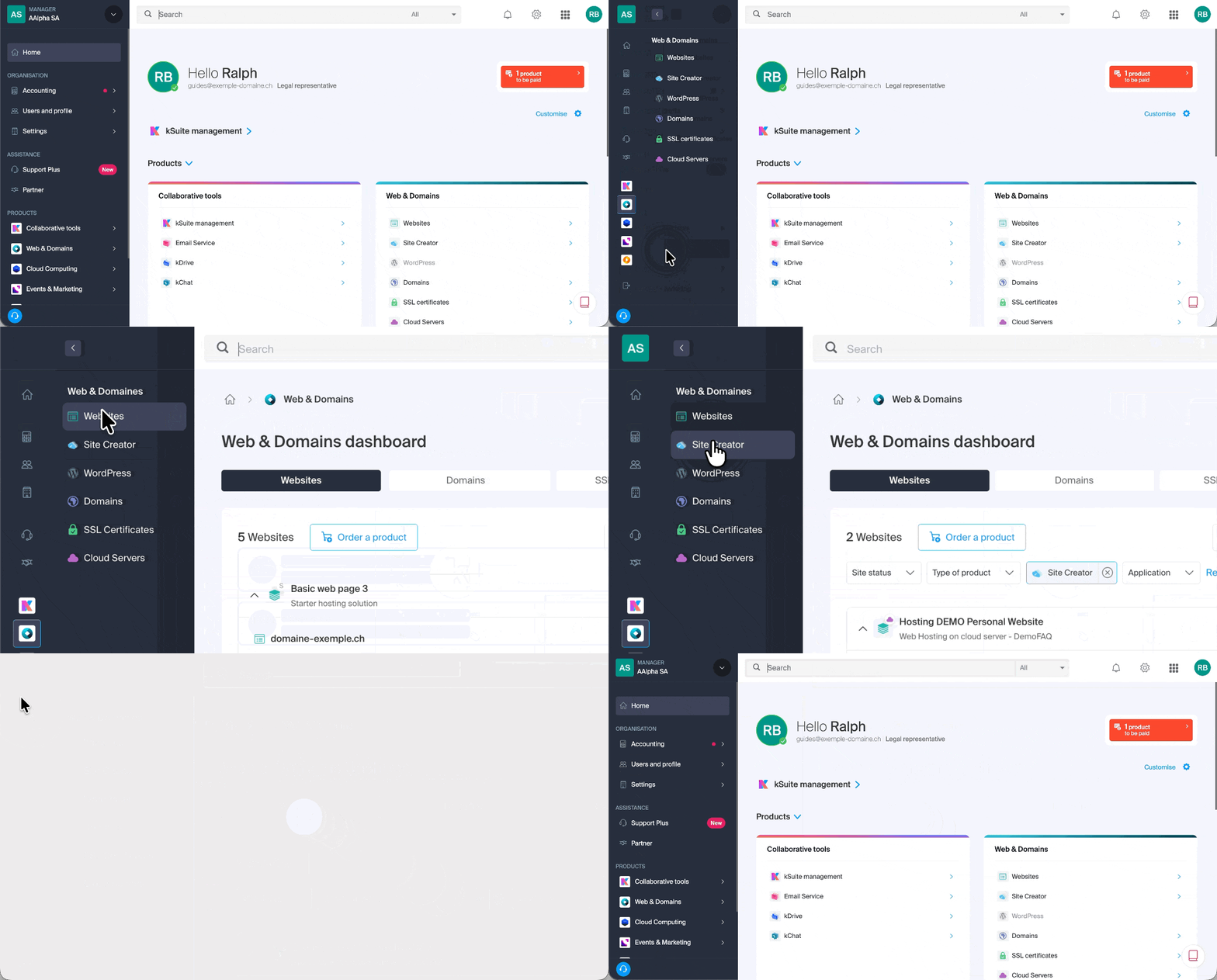
You can also click in the center of the home page:
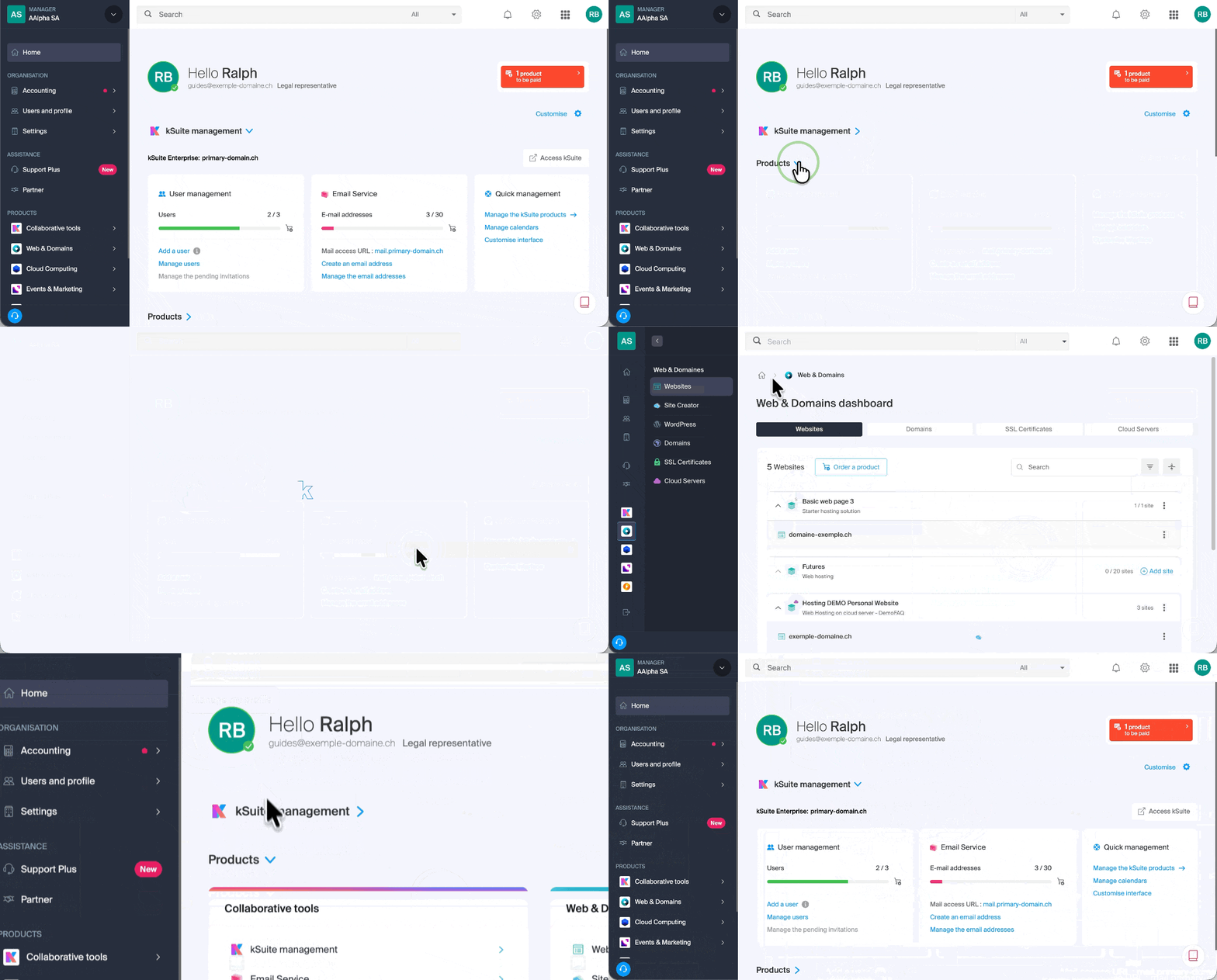
There is another way to do this in the FAQs: simply click on the link (example) provided in the guide to go directly to the relevant product type.
All you need to do is click on the name assigned to your product (for example, domain.xyz when you reach the page for managing your domain names).
Display the online tutorial
Click on the icon in the bottom right corner to view the visual guide that introduces you to the main sections of the Manager: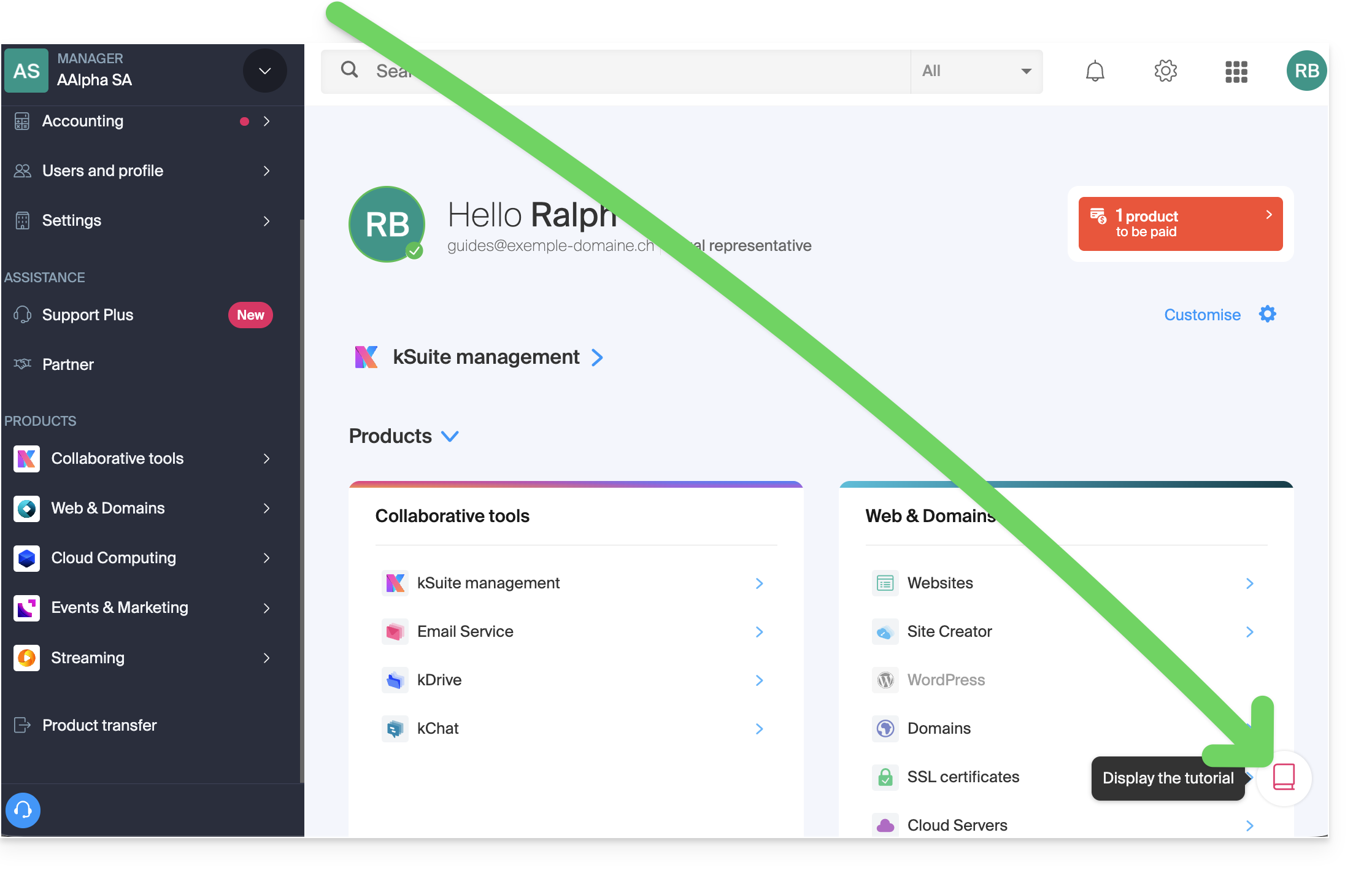
Troubleshooting issues in the Manager
Unable to log in?
Please refer to this other guide.
Is the product you are looking for grayed out or invisible?
You are probably not in the correct Organization or user account if your usual products are not visible. Check and change the Organization (❓: help) if your user account allows it, or log in again (❓: help) with a different user account.
Clicking doesn't load the desired page?
Do not click in the selection boxes for products, as nothing will happen (except for selecting them for a possible batch operation), but click directly on the name assigned to the product:
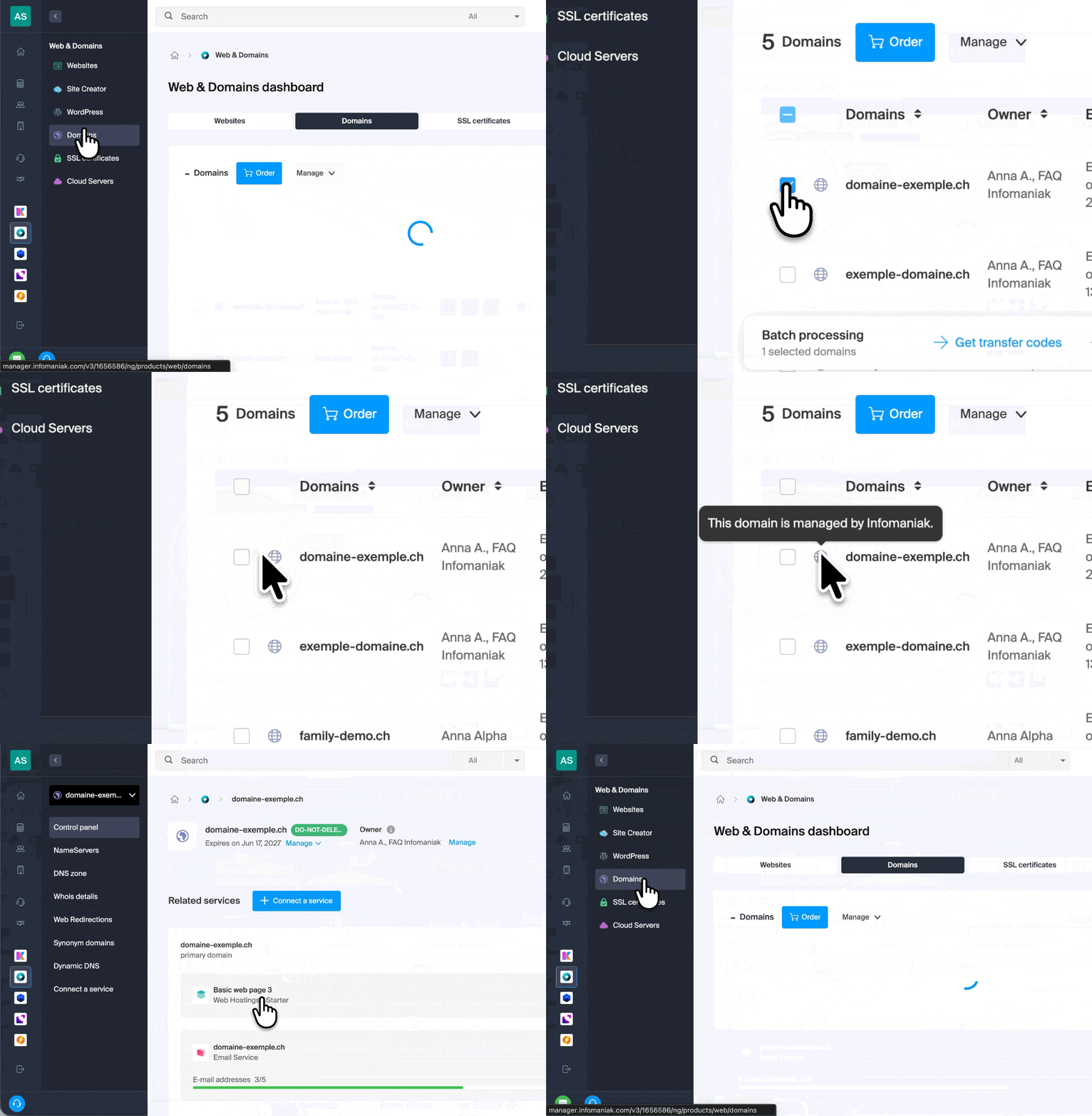
Is the desired operation not possible or displayed in gray?
Your user may not have sufficient rights within the Organization (❓: help) or at the level of action permissions within the email service (❓: help).
Link to this FAQ: https://faq.infomaniak.com/1990
Has this FAQ been helpful?