Knowledge base
1000 FAQs, 500 tutorials and instructional videos. Here, there are only solutions!
Show another Organization in the Manager
This guide explains how, when you belong to multiple Organizations, to switch from displaying one Organization to anotherfrom the Infomaniak Manager.
Introduction
- Since you opened your account with Infomaniak, you have been part of at least one Organization.
- If you were on your own and it wasn't an invitation, an Organization was created in your name, and you automatically become its Legal Representative.
- Otherwise, you belong to the Organization that invited you (to join its kSuite, to manage a product, etc.) with a defined role.
- You can leave Organizations.
- It is perfectly possible to access multiple Organizations using the same login credentials and to switch quickly between them.
- The principle is the same in the Infomaniak Mail interface (refer to this other guide).
Display one of the other Organizations for the same user account
To switch to another Organization among those you belong to:
- Click here to log in and access the management of your services & products on the Infomaniak Manager.
- Click on the chevron in the upper left corner of the Manager interface, to the right of the name of the Organization you are currently on:
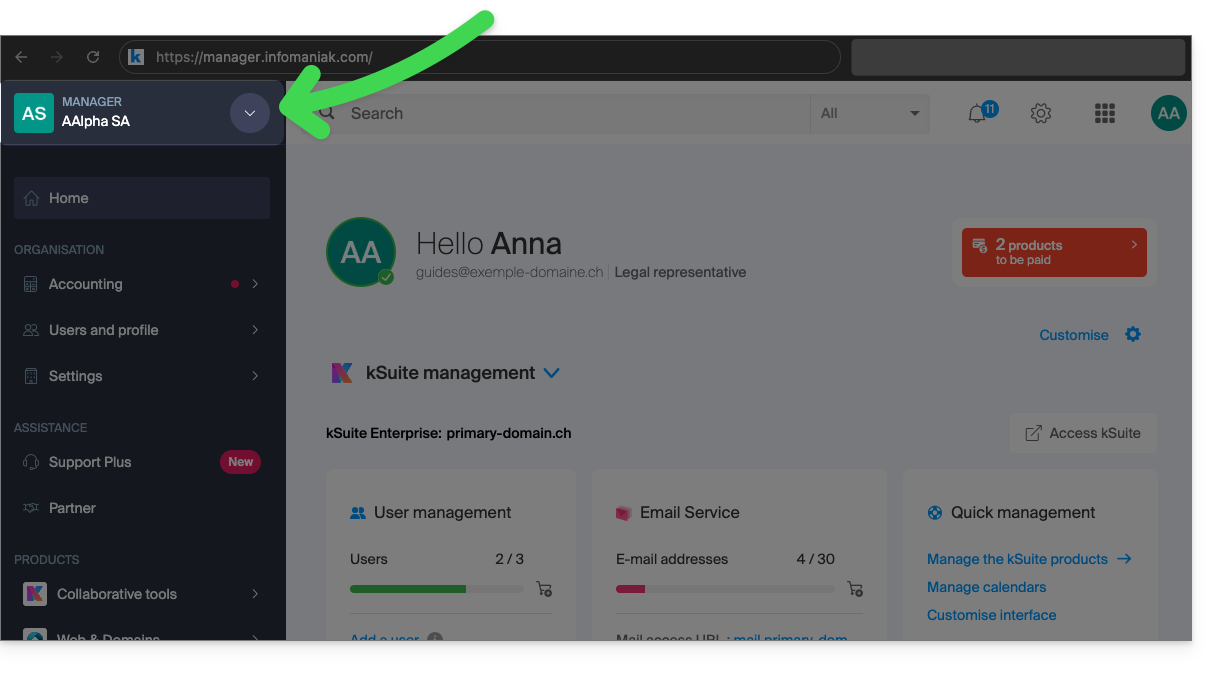
- In the menu that opens, click on the name of the Organization you want to access:
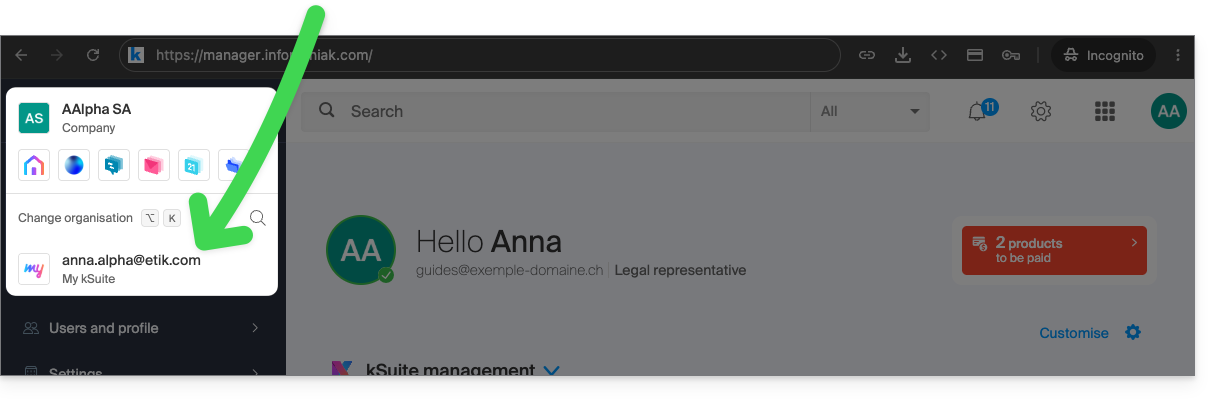
- If you belong to many Organizations, you can click on the magnifying glass to enter the name of the Organization you are looking for.
- The change of Organisation is immediate; you are automatically switched (here to a my kSuite account):
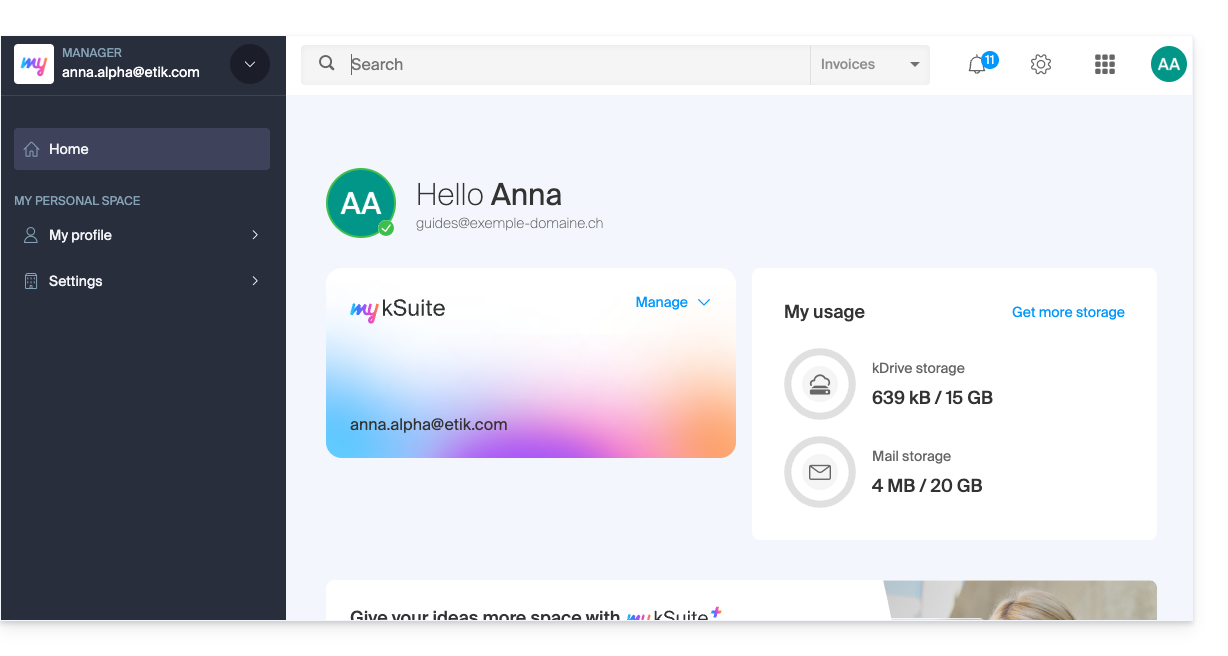
- Start again from step 2 to return to one of the other Organisations.
Link to this FAQ: https://faq.infomaniak.com/1989
Has this FAQ been helpful?