Knowledge base
1000 FAQs, 500 tutorials and instructional videos. Here, there are only solutions!
Manage FTP / SSH accounts
Update 10/13/2026
This guide explains how to manage the content of a web hosting account by accessing the server, in particular using the FTP protocol or via the command line (CLI), securely via SSH.
Introduction
- To easily and quickly manage the files on your web hosting without having to install an application or enter FTP credentials, use Web FTP from your Infomaniak Manager (it allows you to perform CHOWN and compress/decompress
zipfiles). - When creating a website via an Apache/PHP hosting, a An FTP/SSH/SFTP user is created automatically.You can create additional FTP accounts.
- However, in the case of a Node.js site, no SSH/SFTP user is created automatically; it is necessary to manually create a user with SSH/SFTP permissionsto access your Node.js environment.
- Regardingprotocols supported by Infomaniak (FTP, SFTP, etc.) depending on your hosting plan (Starter, Node.js, etc.), please refer to this other guide.
Create an FTP account
To manage the FTP settings:
- Click here to access the hosting & website management section in your Infomaniak Manager (❓: help).
- Click on the name of the relevant hosting.
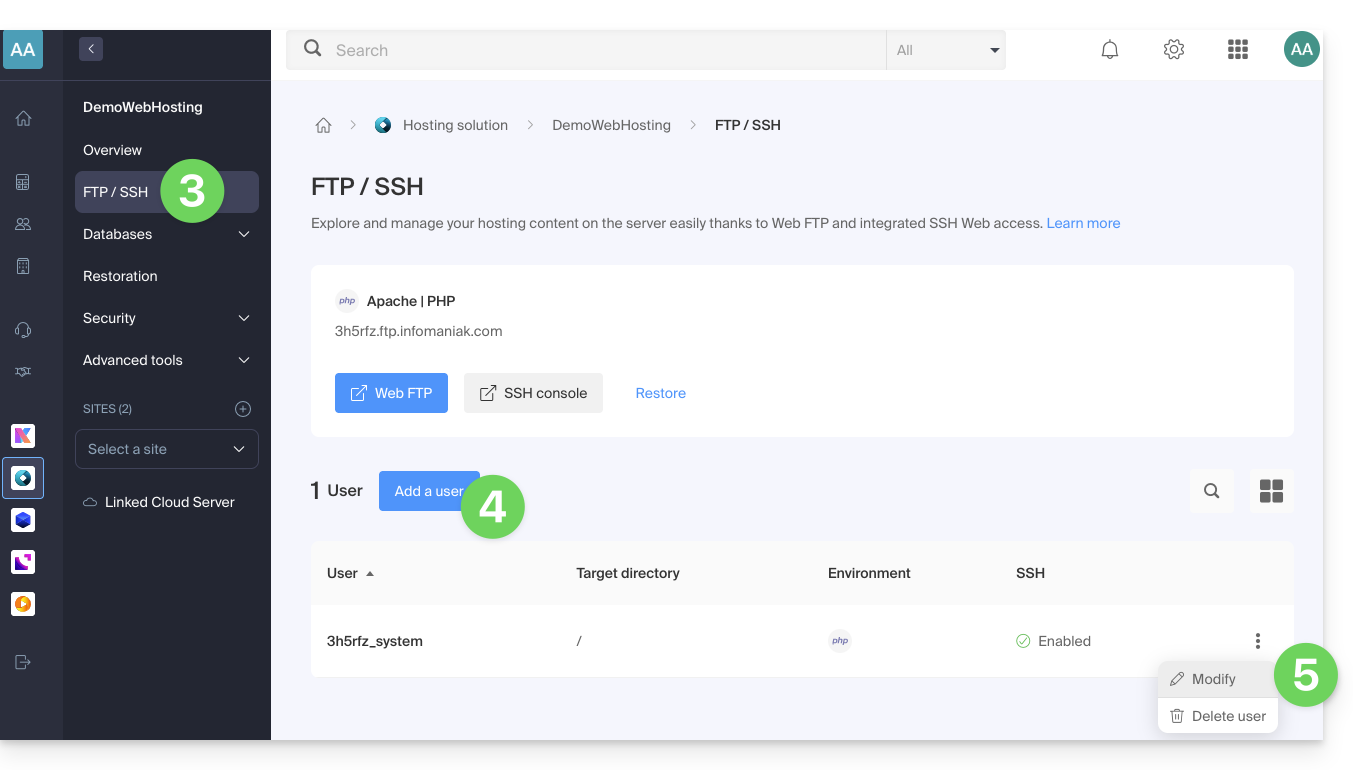
- Click on FTP / SSH in the left-hand menu.
- Then, either click on the Add button to create a new FTP / SSH account…
- either you click on the action menu ⋮ to the right of an existing account to change its password, or to delete it:
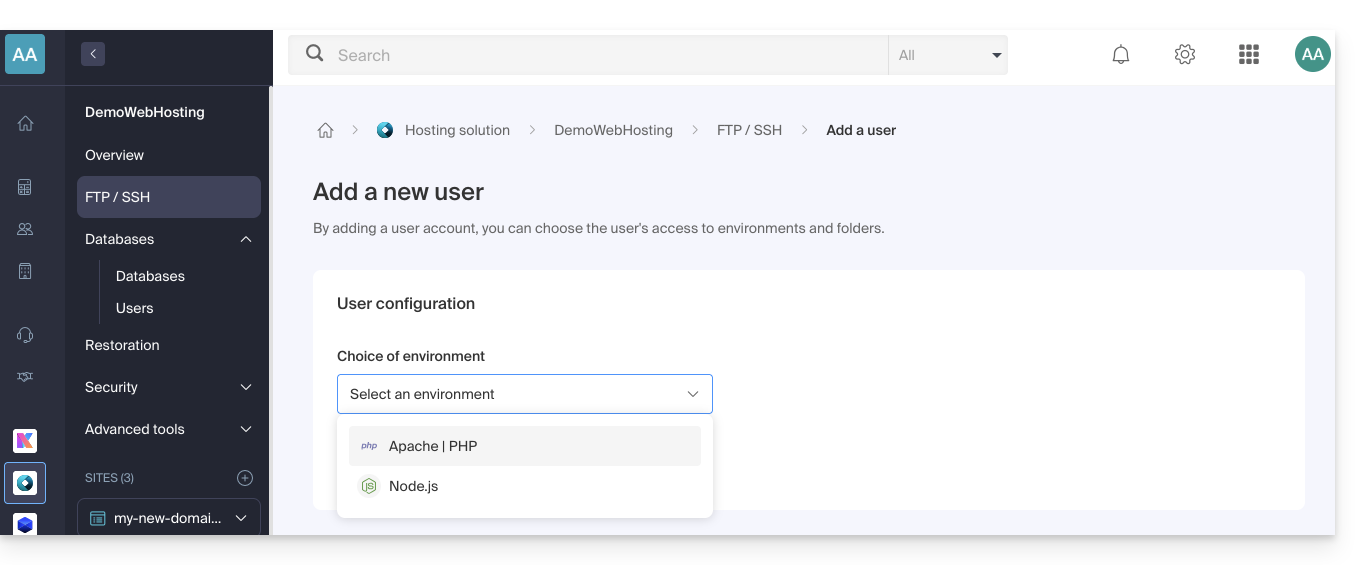
- If you have a node.js site on your hosting, you must choose the desired environment for creating a new FTP/SSH account:
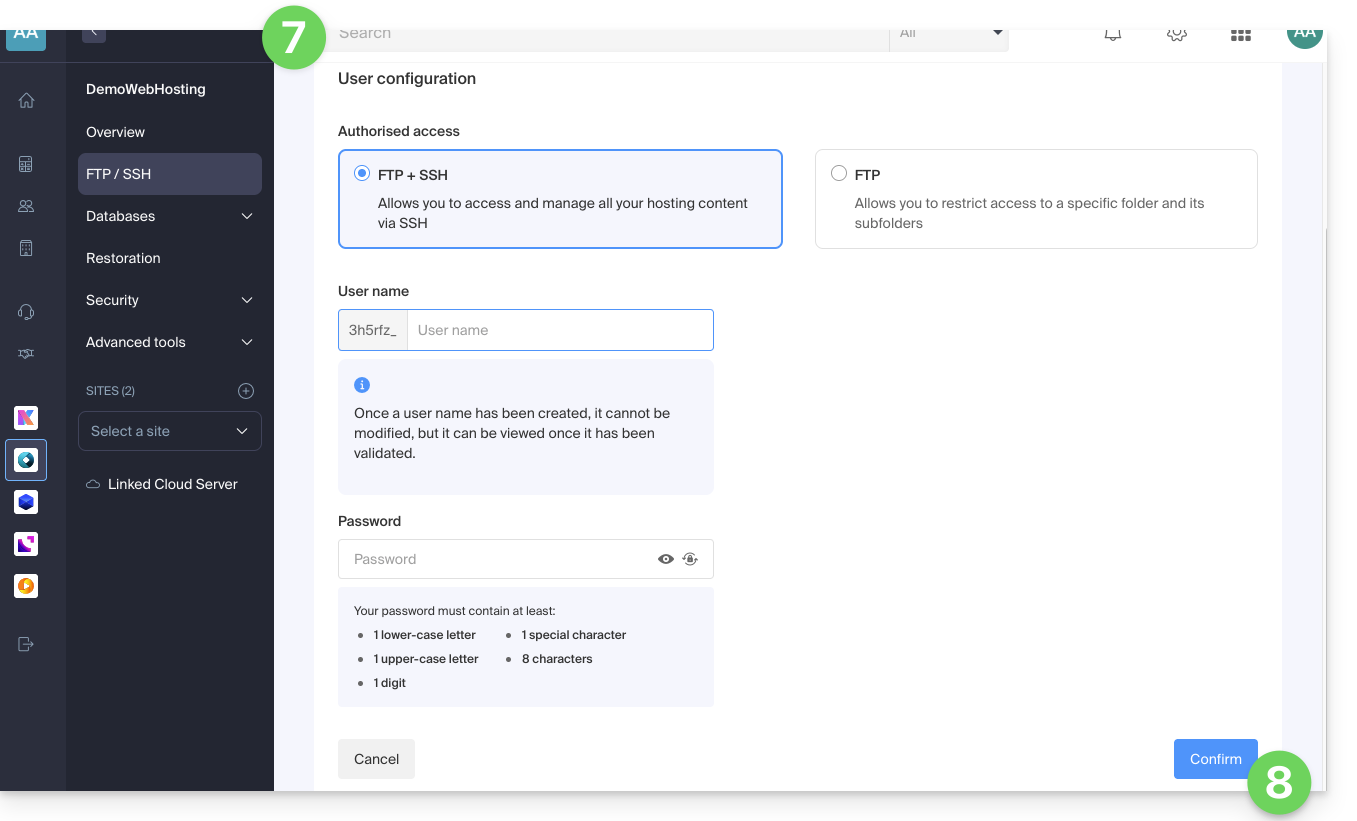
- Then enter the desired information:
- An FTP + SSH account gives the user in question access to all the content of a hosting account and allows them to manage it via FTP/SFTP and SSH.
- An FTP account allows you to restrict a user's access to a folder and its subfolders; if you manage multiple websites on the same hosting account, this allows you to distribute website management among several webmasters, for example.
- Click the button at the bottom of the page to Confirm the account creation:
Configure an FTP software/client
Using an FTP software/client such as FileZilla or Cyberduck, you can manage files via FTP without limitations (background operation, resuming transfers after disconnection, bandwidth limitation, etc.).
Refer to this other guide if you are looking for information on configuring FTP software/client.
Link to this FAQ: https://faq.infomaniak.com/1982
Has this FAQ been helpful?