Knowledge base
1000 FAQs, 500 tutorials and instructional videos. Here, there are only solutions!
Manage users and MySQL/MariaDB databases
Update 10/05/2026
This guide explains how to add a MySQL/MariaDB database, create or modify users, and how to find all the necessary settings to configure your scripts and CMS on a Web Hosting service.
Managing Databases
To access the database management page for your hosting:
- Click here to access your hosting management on the Infomaniak Manager (need help?).
- Click directly on the name assigned to the hosting in question.
- Click on Databases (or MariaDB if necessary) in the left-hand menu to access the Databases and Users menu:
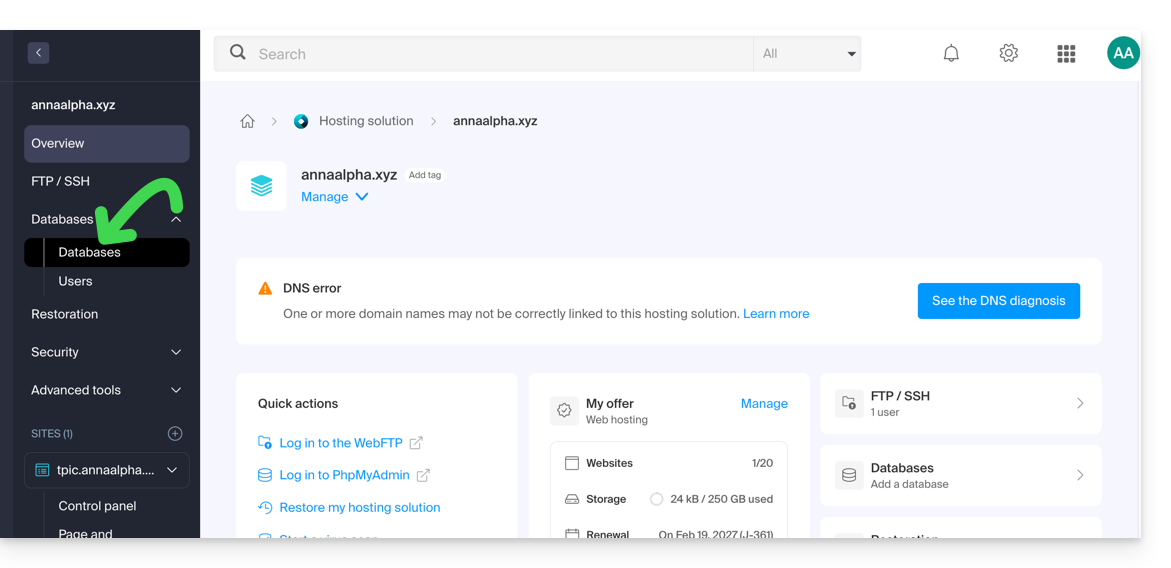
Databases
Under the Databases tab, you can:
- Create a MySQL/MariaDB database by clicking the Add a database button.
- Import, export, or restore a MySQL database by clicking the chevron to the right of the Add button.
Users
Under the Users tab, you can: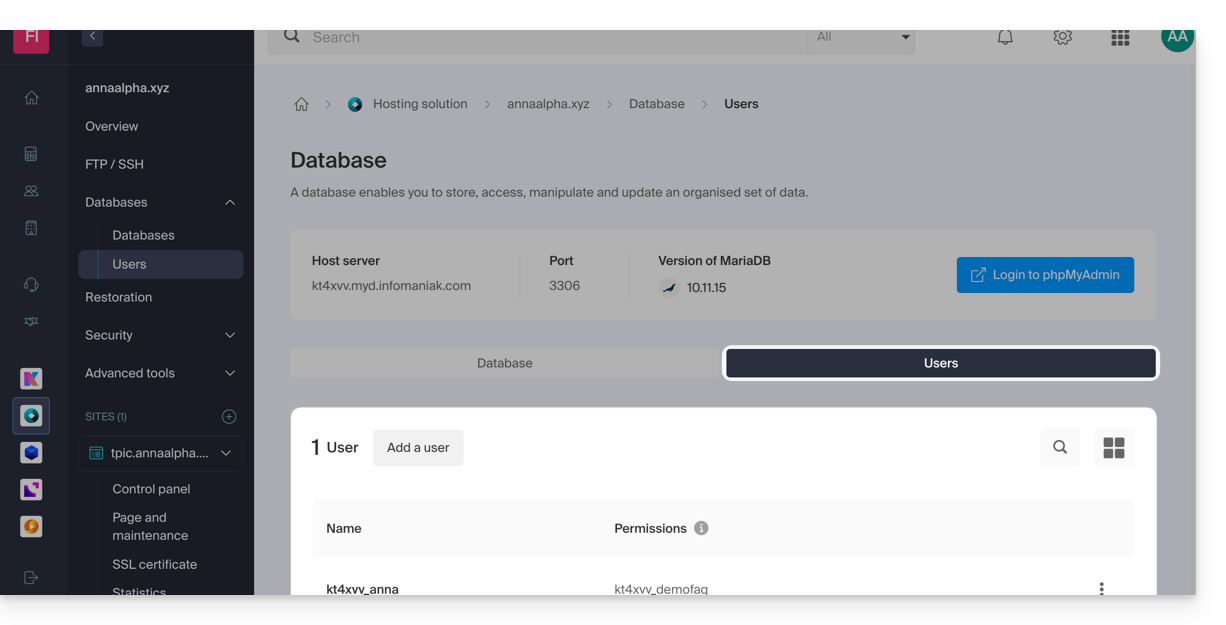
- Create a MySQL/MariaDB database user by clicking the Add User button.
Configuration information
You will also find the information required to configure CMS or web applications here:
- The name of a database (e.g.
XXXX_dbname) - The username of a database (e.g.
XXXX_username) - The password for the database username (the one you chose when creating the MySQL/MariaDB user reset it if you have forgotten it
- The MySQL/MariaDB server for the databases / the hostname (e.g.
XXXX.myd.infomaniak.com) with its version (e.g. 5.7)
User rights, shared servers & Cloud
- With read permissions: “SELECT”
- With write permissions: "INSERT, UPDATE, DELETE, CREATE TEMPORARY TABLES, LOCK TABLES"
- With admin rights: "CREATE, DROP, INDEX, ALTER, CREATE VIEW, SHOW VIEW, REFERENCES"
- + "CREATE ROUTINE, ALTER ROUTINE, EXECUTE, TRIGGER, EVENT" only on Cloud Server (please refer to this other guide for more information)
- With no rights: the database will not appear in phpMyAdmin for the user.
Databases for Web Applications
- Check out this other guide about WordPress.
- Read this other guide about Joomla.
Link to this FAQ: https://faq.infomaniak.com/1981
Has this FAQ been helpful?