Knowledge base
1000 FAQs, 500 tutorials and instructional videos. Here, there are only solutions!
Restore a specific database
Update 10/05/2026
This guide explains how to access MySQL/MariaDB backups and restore a specific database from an Infomaniak hosting account.
Restoring a specific database
To access web hosting:
- Click here to access the hosting & site management section in your Infomaniak Manager (❓: help).
- Click on the name of the hosting account in question.
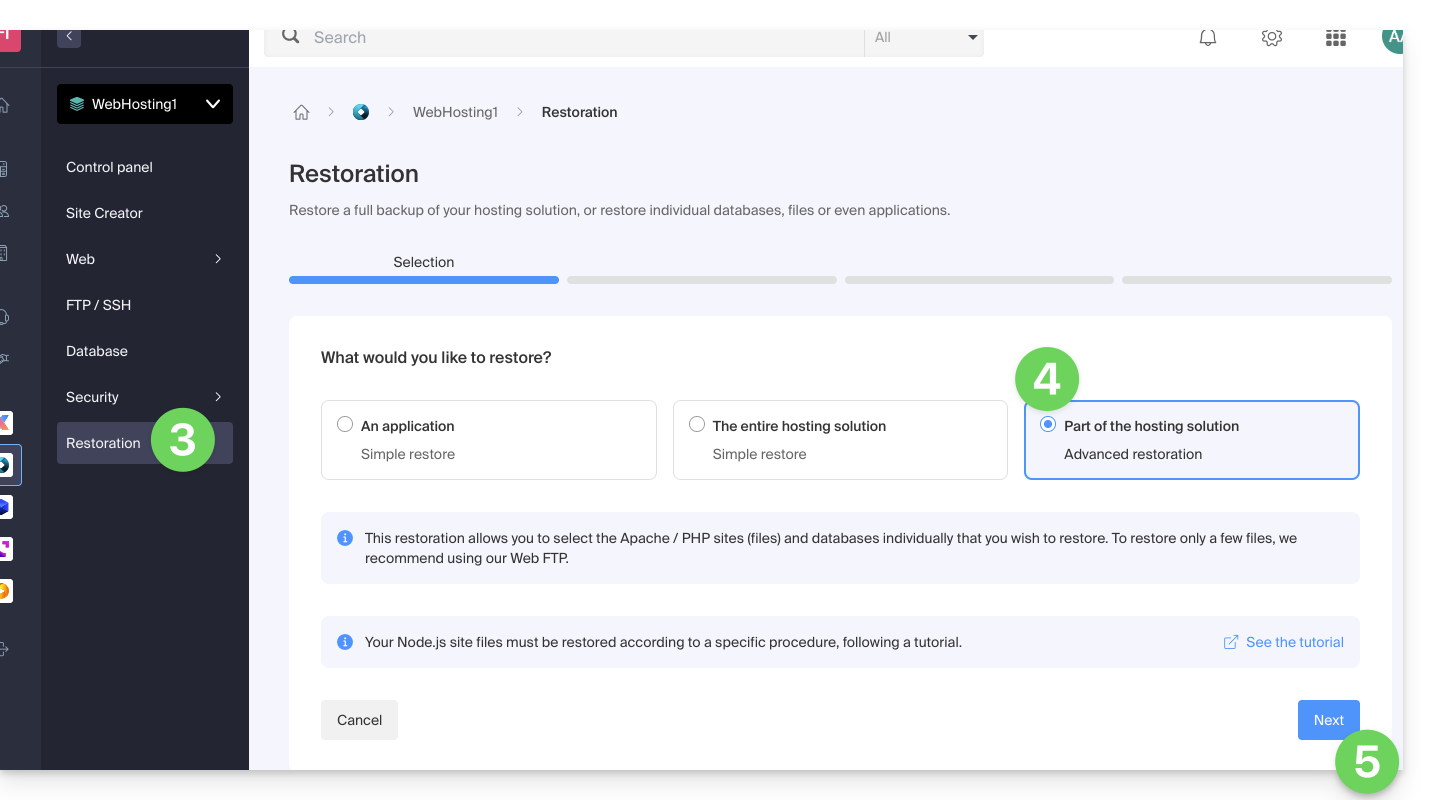
- Click on Restore in the left-hand menu.
- Choose the “Advanced Restore” type, which allows you to select the databases to restore.
- Click on the Next button:
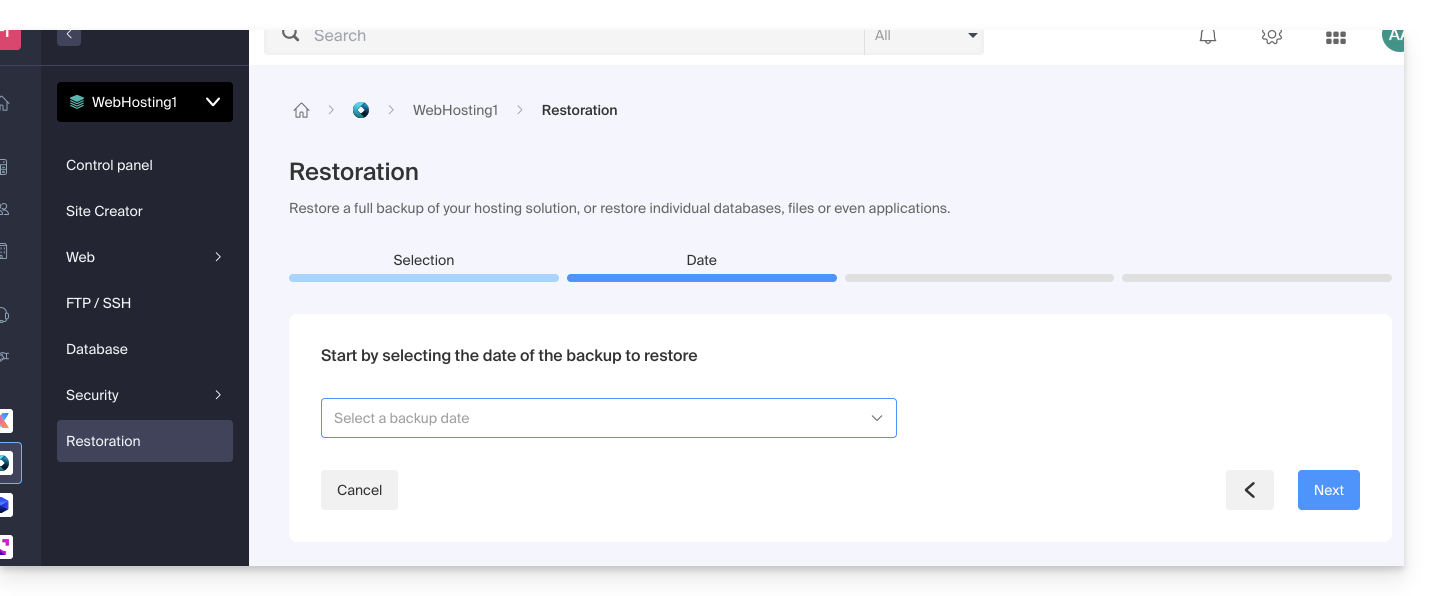
- Choose the desired restoration date and click the Next button:
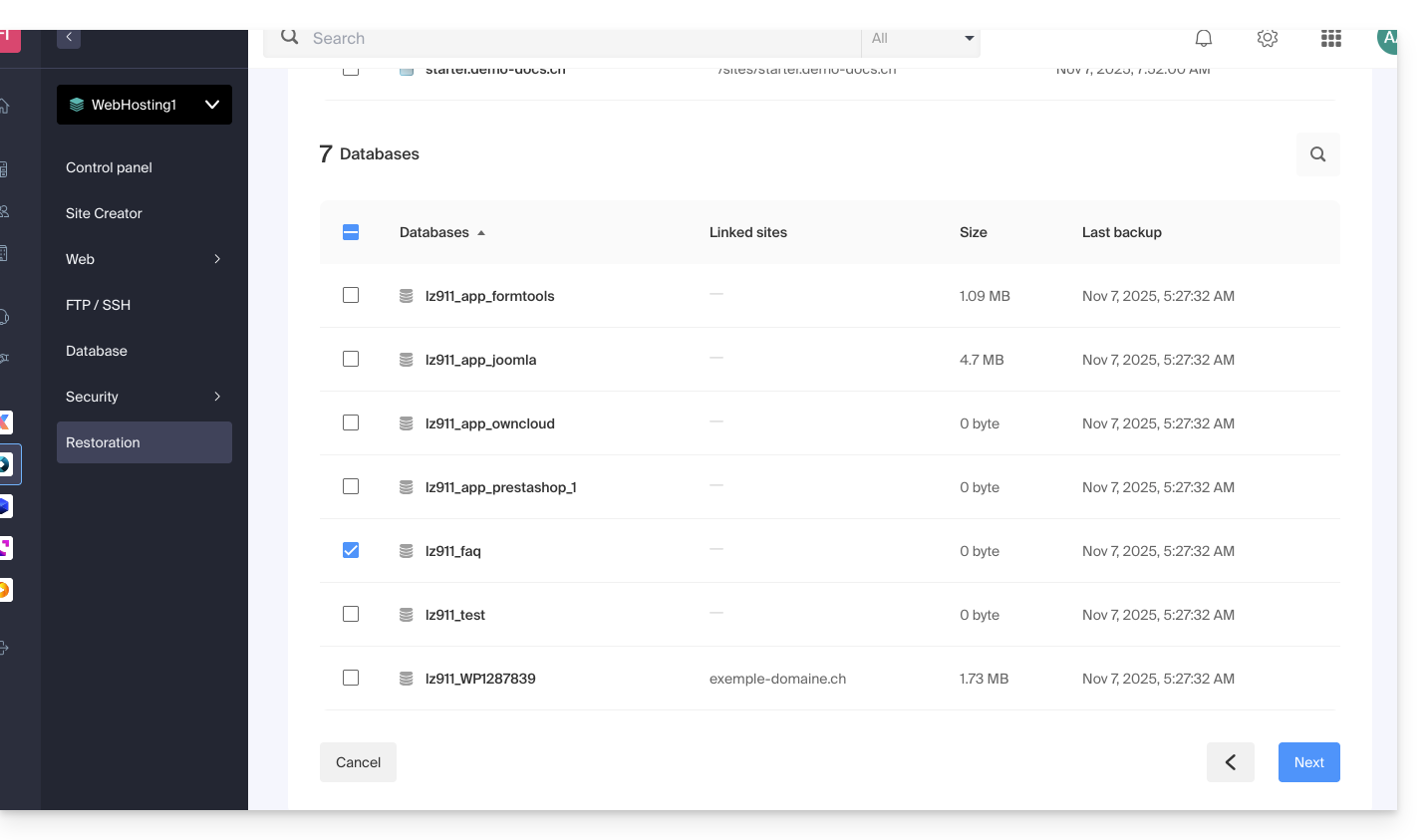
- In the Databases section, choose the database(s) to restore (the closest date is indicated on the right) and click the Next button:
- Choose (if available) the method for re-importing the content and click the Restore button:
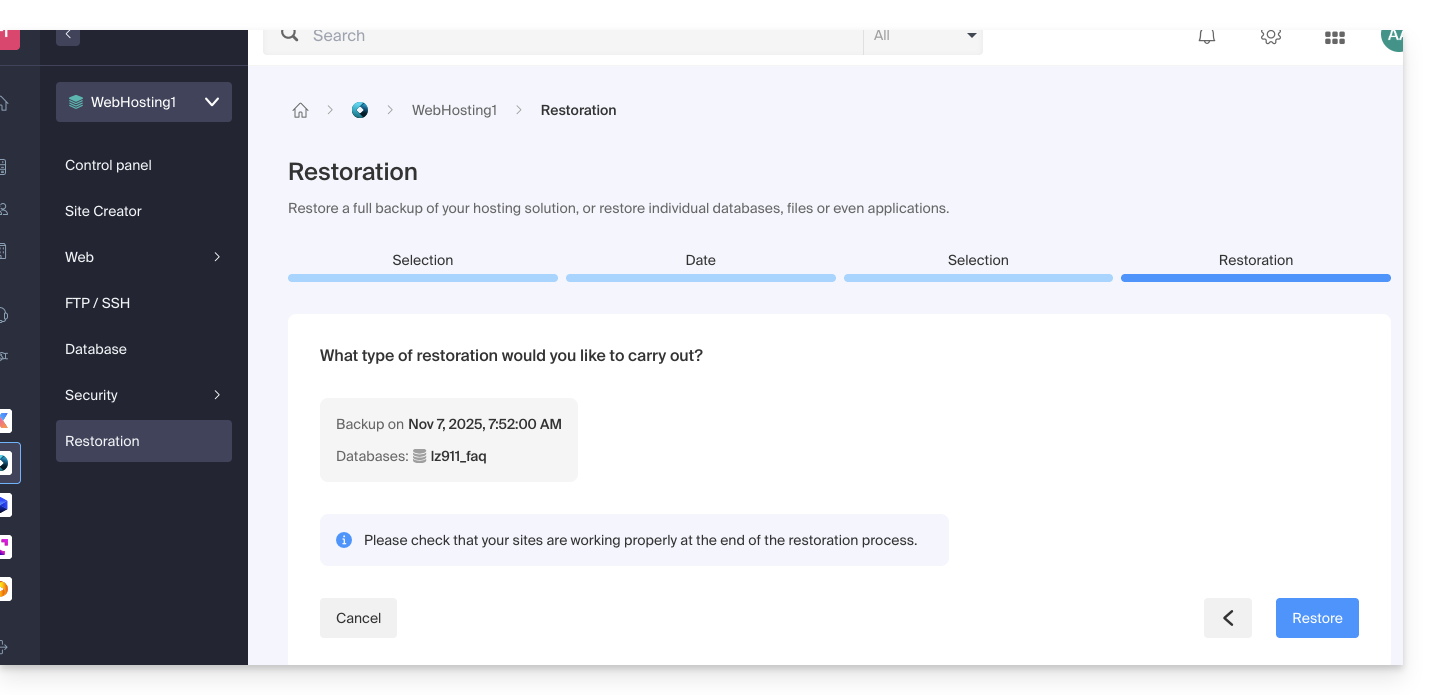
- Confirm the re-import method and its implications:
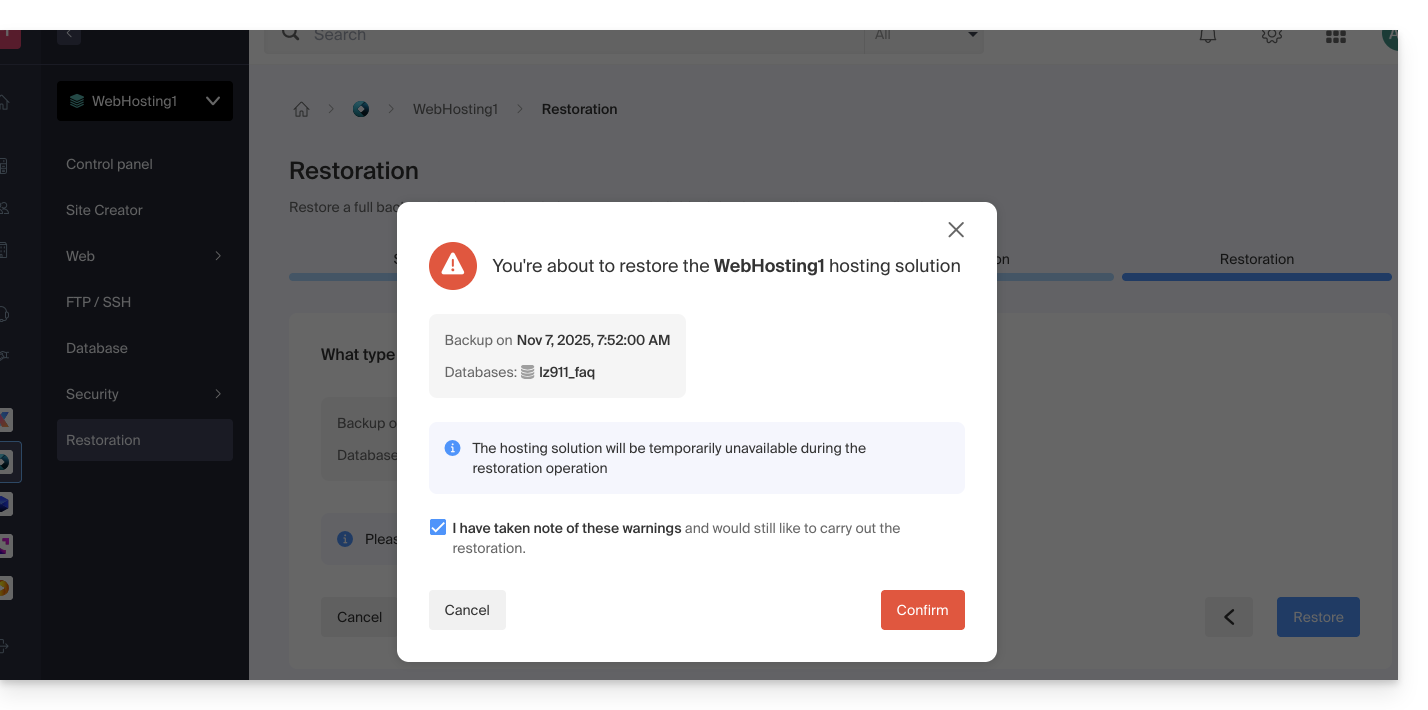
- You will receive an email when the operation is complete.
Link to this FAQ: https://faq.infomaniak.com/1960
Has this FAQ been helpful?