Knowledge base
1000 FAQs, 500 tutorials and instructional videos. Here, there are only solutions!
Restore a specific database
This guide explains how to access MySQL/MariaDB backups and restore a specific database from an Infomaniak hosting.
Restore a specific database
To access Web hosting:
- Click here to access the management of your product in the Infomaniak Manager (need help?).
- Click directly on the name assigned to the corresponding product.
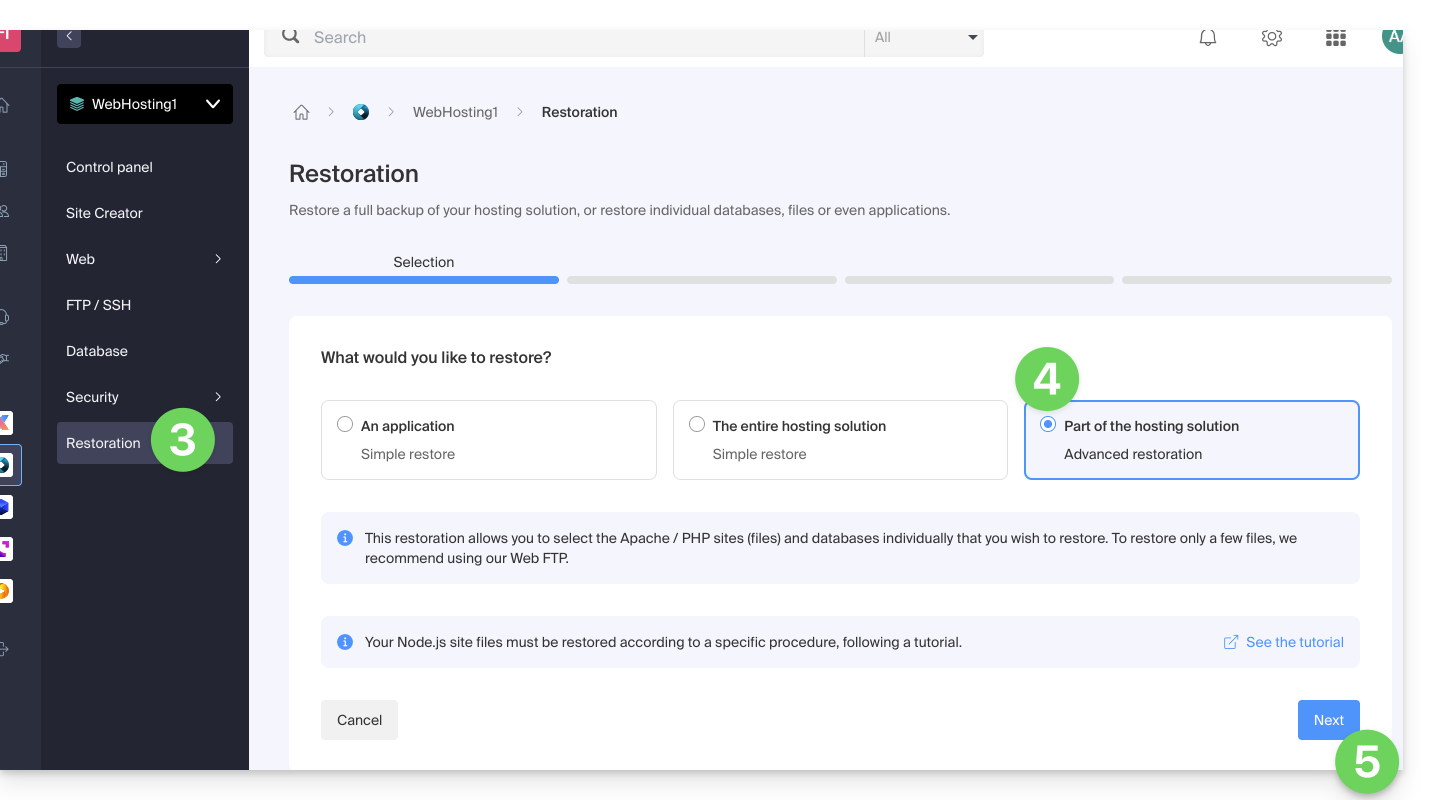
- Click on Restore in the left sidebar menu.
- Choose the type “Advanced Restore” which allows you to choose the databases to restore.
- Click the Next button:
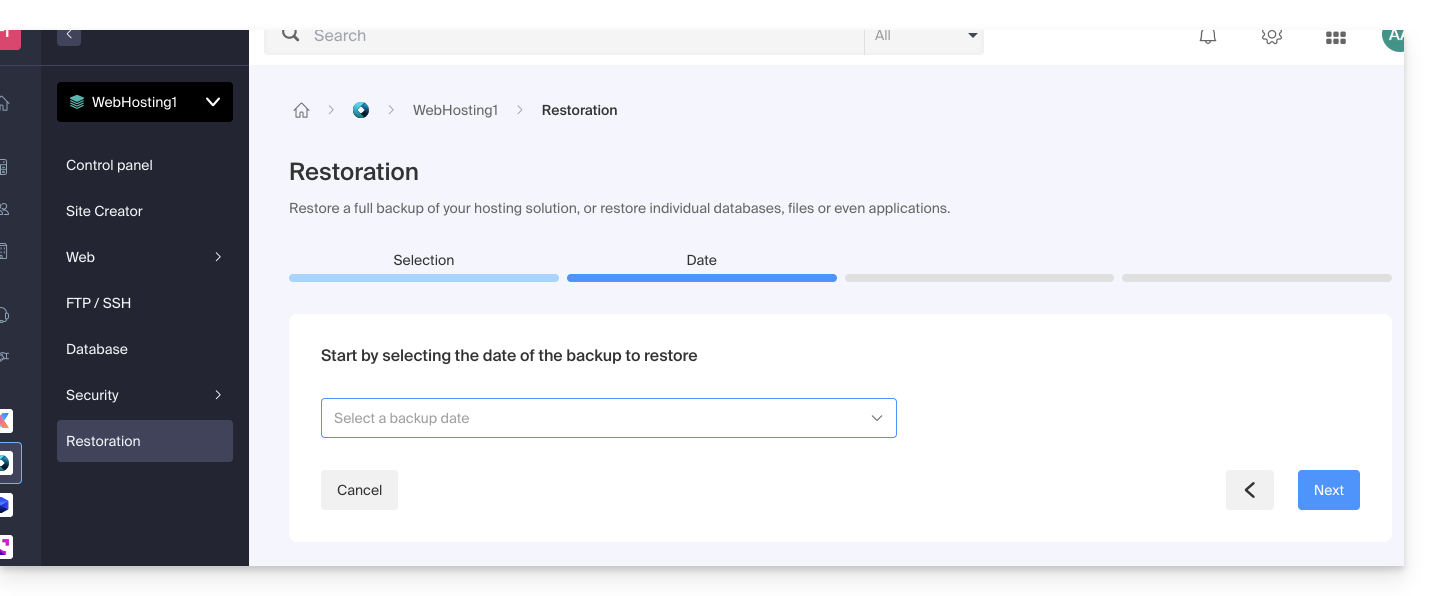
- Choose the desired restore date and click the Next button:
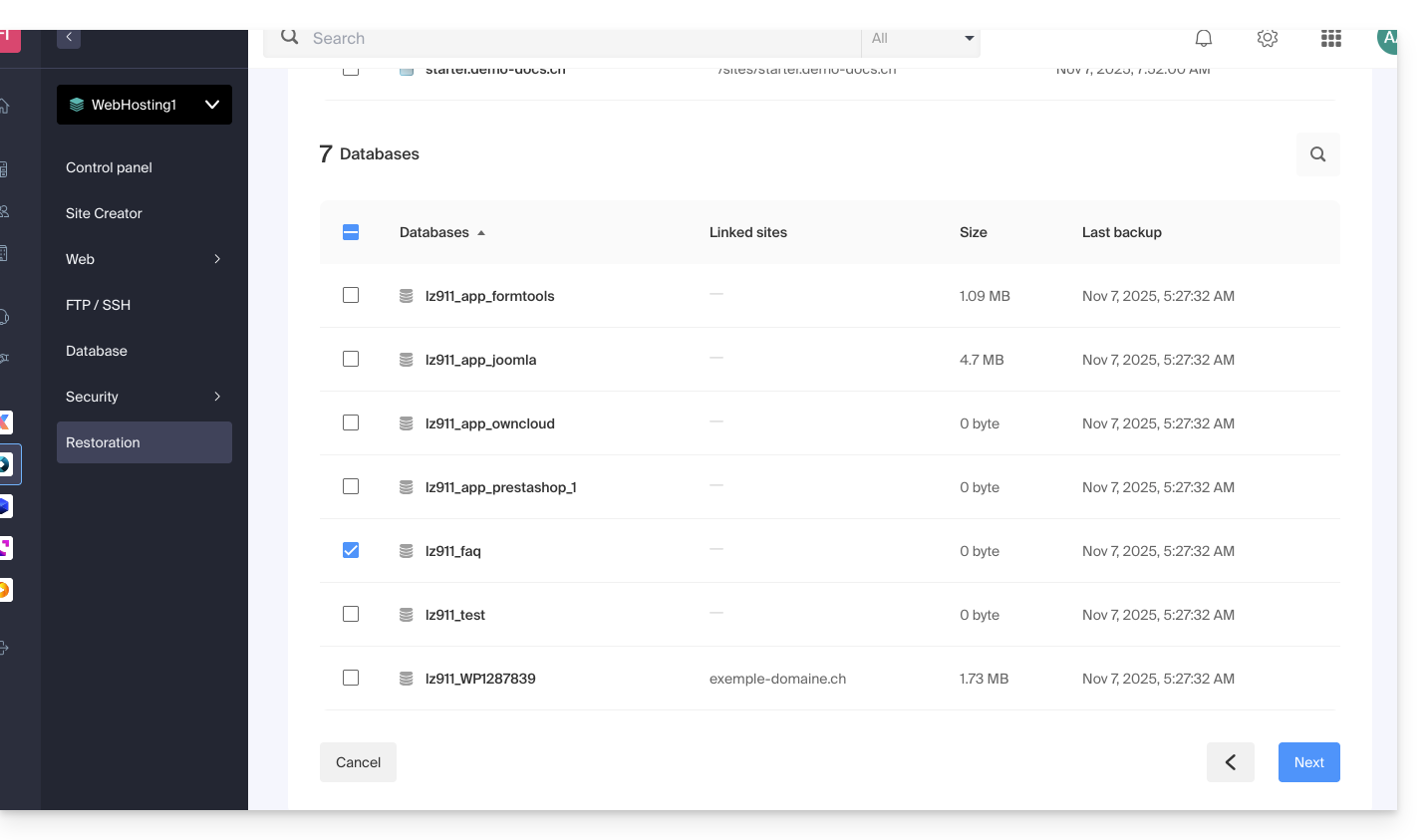
- In the Databases section, choose the database(s) to restore (closest date indicated on the right) and click the Next button:
- Choose (if offered) how to re-import the content and click the Restore button:
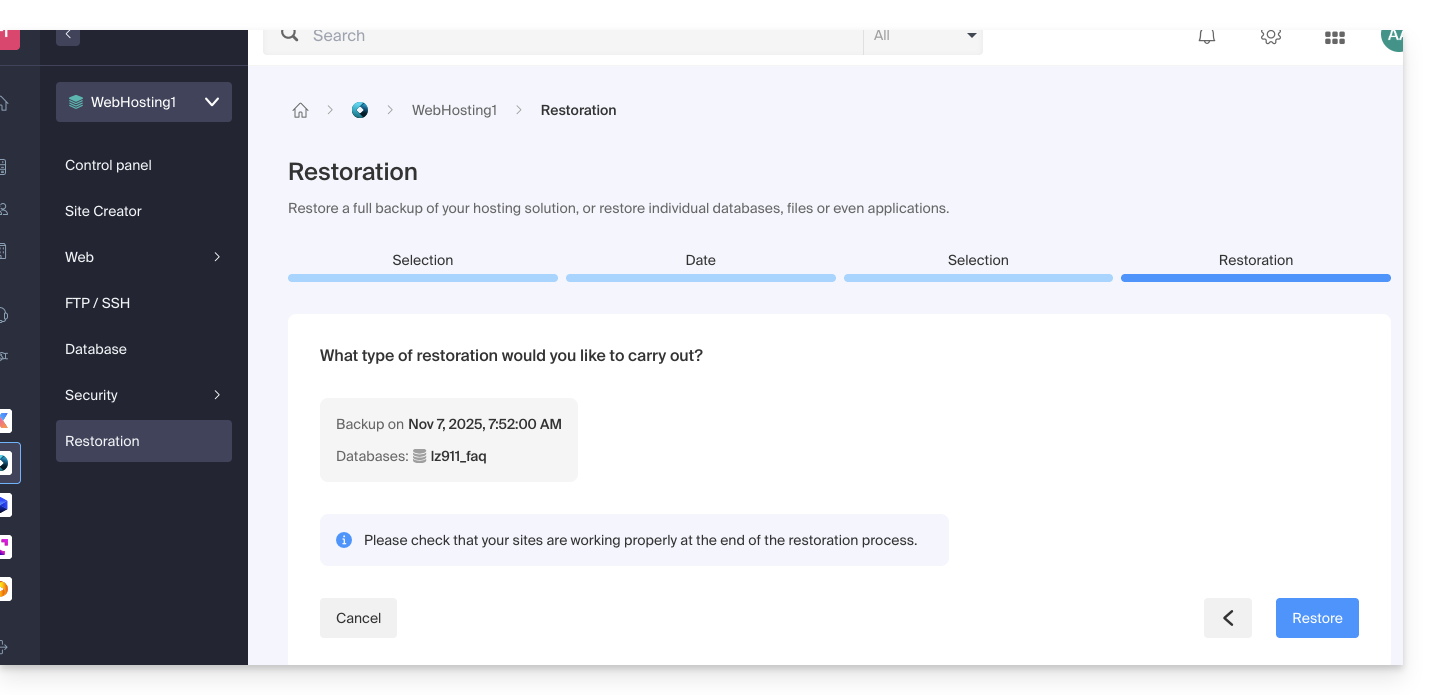
- Confirm the re-import method and its implications:
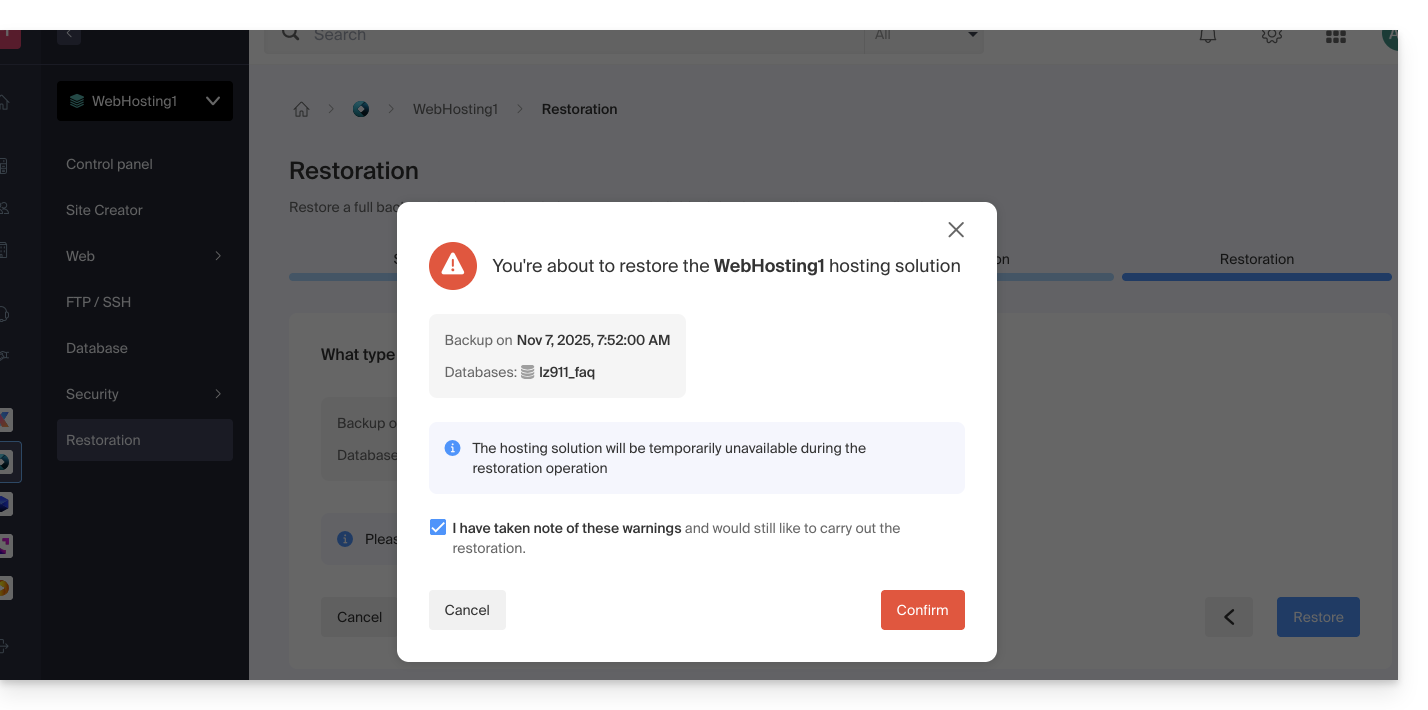
- You will receive an email when the operation is complete.
Link to this FAQ: https://faq.infomaniak.com/1960
Has this FAQ been helpful?