Knowledge base
1000 FAQs, 500 tutorials and instructional videos. Here, there are only solutions!
Create Glue records
Update 10/05/2026
This guide is intended for users who wish to manage Glue records with Infomaniak.
Introduction
- Glue records are crucial for linking a domain name to its associated name servers by directly providing the IP addresses of these servers.
- For example, for the domain
domain.xyz, the glue records specify the name servers (ns1.domain.xyzandns2.domain.xyz) as well as their IP addresses (192.0.2.10and192.0.2.11).
- For example, for the domain
- This speeds up DNS resolution, allowing browsers and online services to find your site more quickly and efficiently.
- Warning: Adding an NS does not automatically add it to the DNS zone: you need to manually update the DNS zone for your domain!
Create Glue records…
… via “A record”
This method involves creating an A (address) record for ns1.domain.xyz, pointing it to the IP address of the NS. This will register the IP address with the registry. You can then add ns1.domain.xyz, which will be recognized and redirected to the correct NS.
domain.xyz. 3600 IN NS ns1.domain.xyz.domain.xyz. 3600 IN NS ns2.domain.xyz.
ns1.domain.xyz. 3600 IN A 192.0.2.10ns2.domain.xyz. 3600 IN A 192.0.2.11
… via the “Glue records” button
This method allows you to create, but also modify, existing Glue records:
- Click here to access the domain management section in your Infomaniak Manager (❓: help).
- Click on the name of the domain in question.
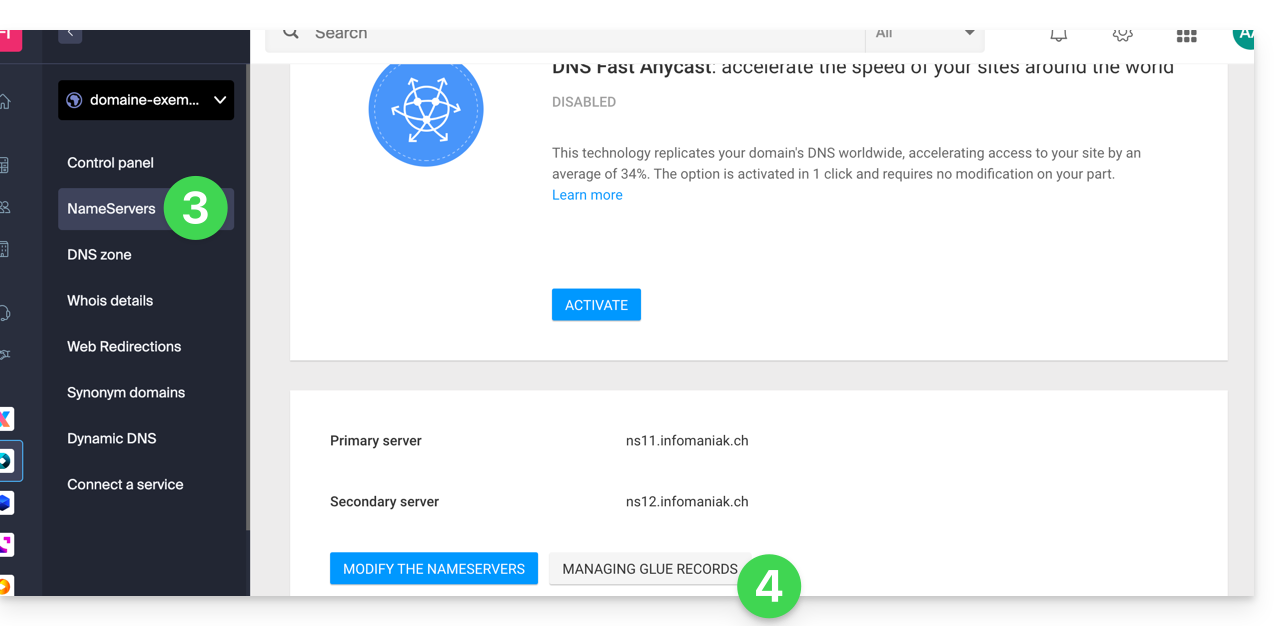
- Click on DNS Servers in the left-hand menu.
- Click on the Manage glue records button:
- Click on the Add a server button:
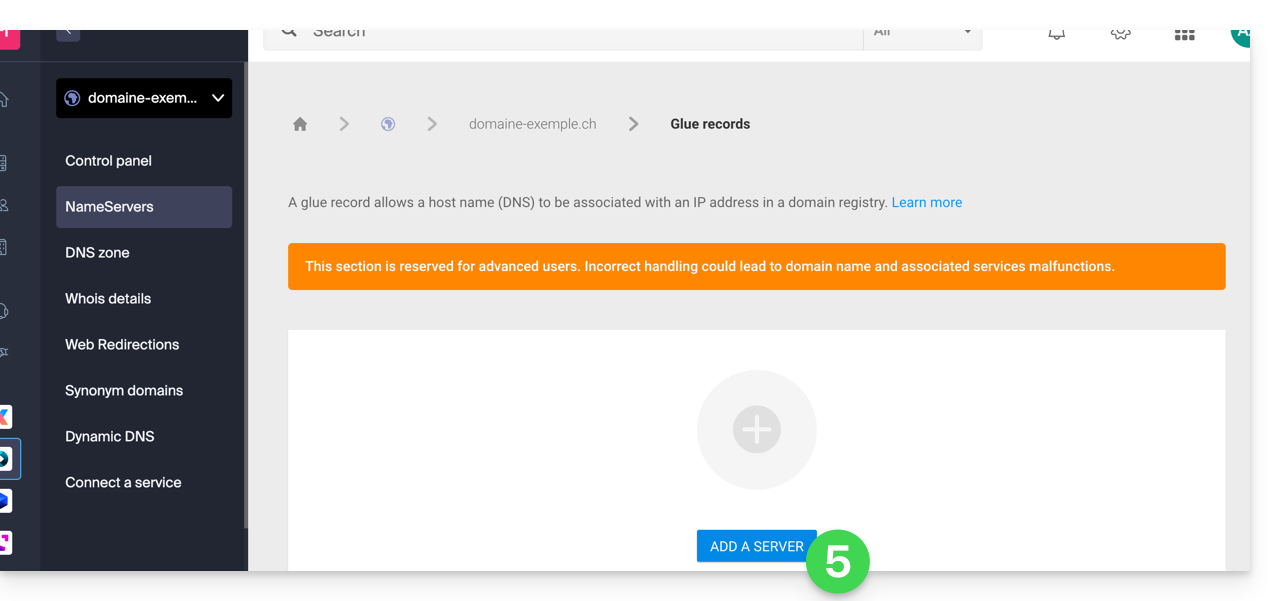
- Enter the name of the server to add, as well as its IP address.
- Click the Validate button.
Link to this FAQ: https://faq.infomaniak.com/1953
Has this FAQ been helpful?