Knowledge base
1000 FAQs, 500 tutorials and instructional videos. Here, there are only solutions!
Stream a video after a countdown
This guide explains how to display a countdown timer before the next live broadcast or during a scheduled interruption on Infomaniak's video streaming service.
Accessing the scheduling calendar
To do this:
- Click here to access the management of your product on the Infomaniak Manager (need help?).
- Click directly on the name assigned to the product in question:
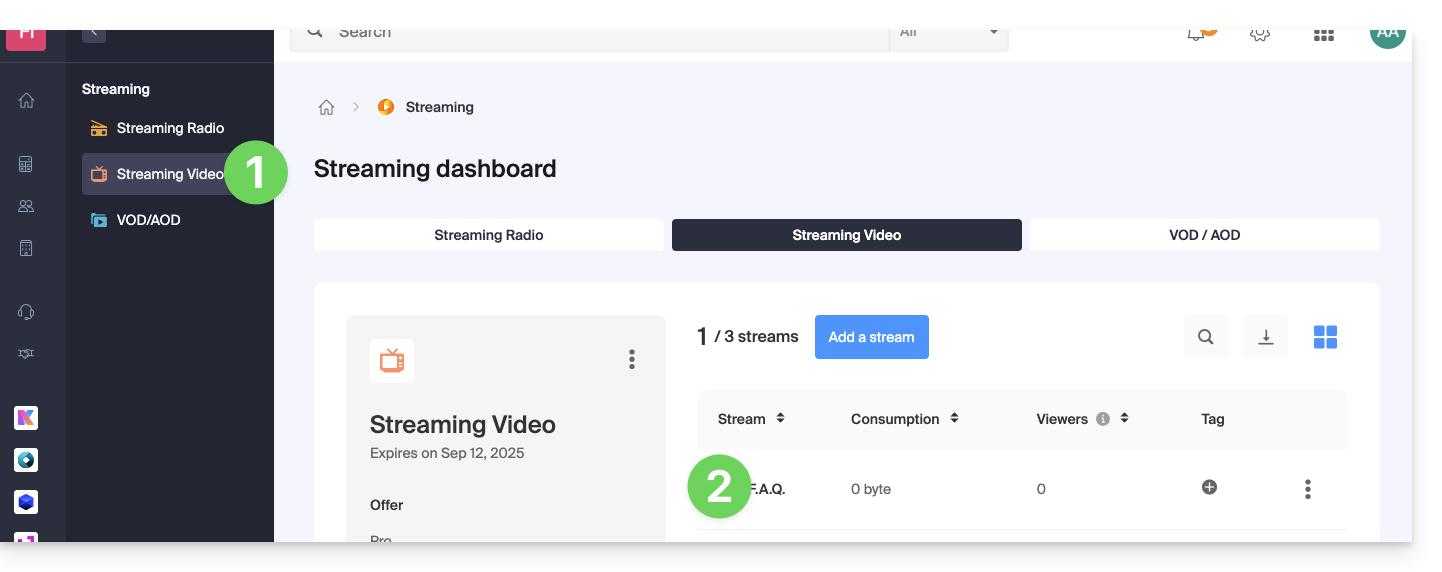
- Click on Programming in the left-hand menu.
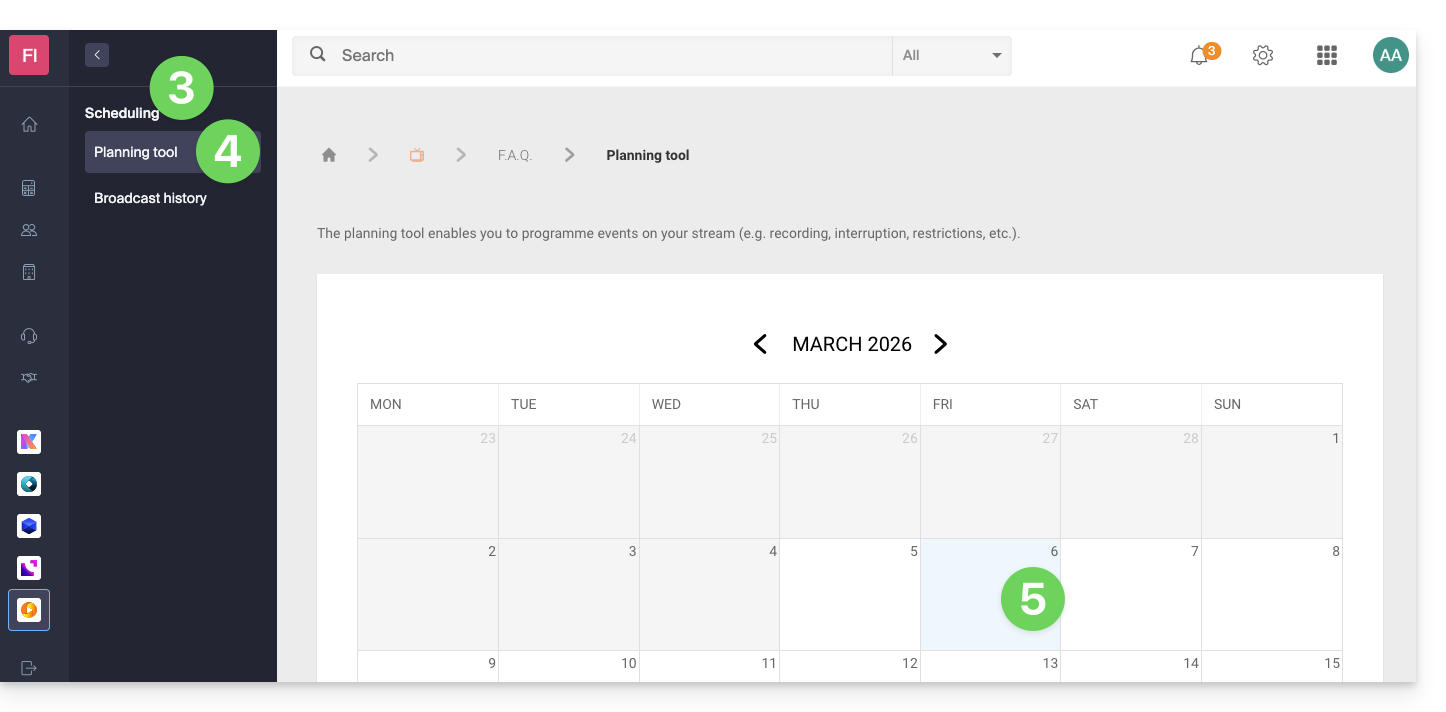
- Click on Scheduling Tool in the left-hand menu.
- Click on the desired date:
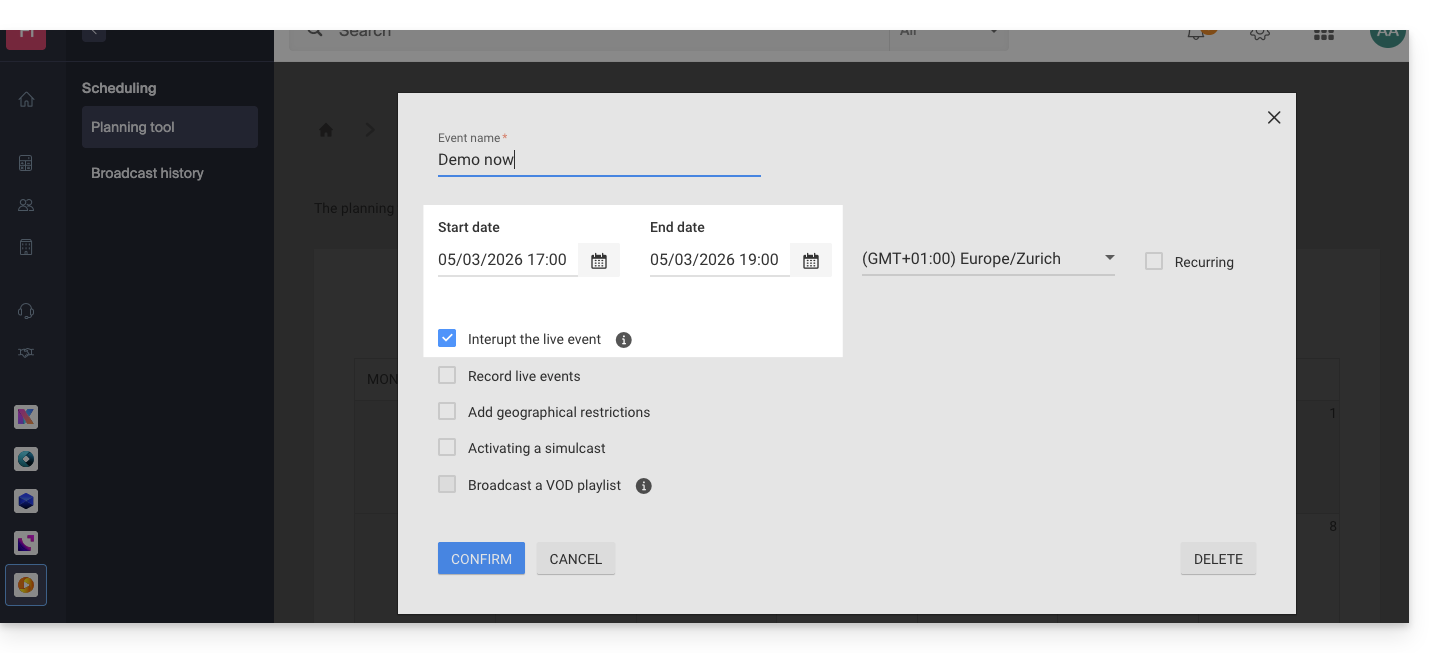
Interrupt function on the schedule
For example:
- This setting in the calendar allows you to interrupt a live broadcast…
- … and this setting allows you to choose the image (thumbnail) and text for the video player…
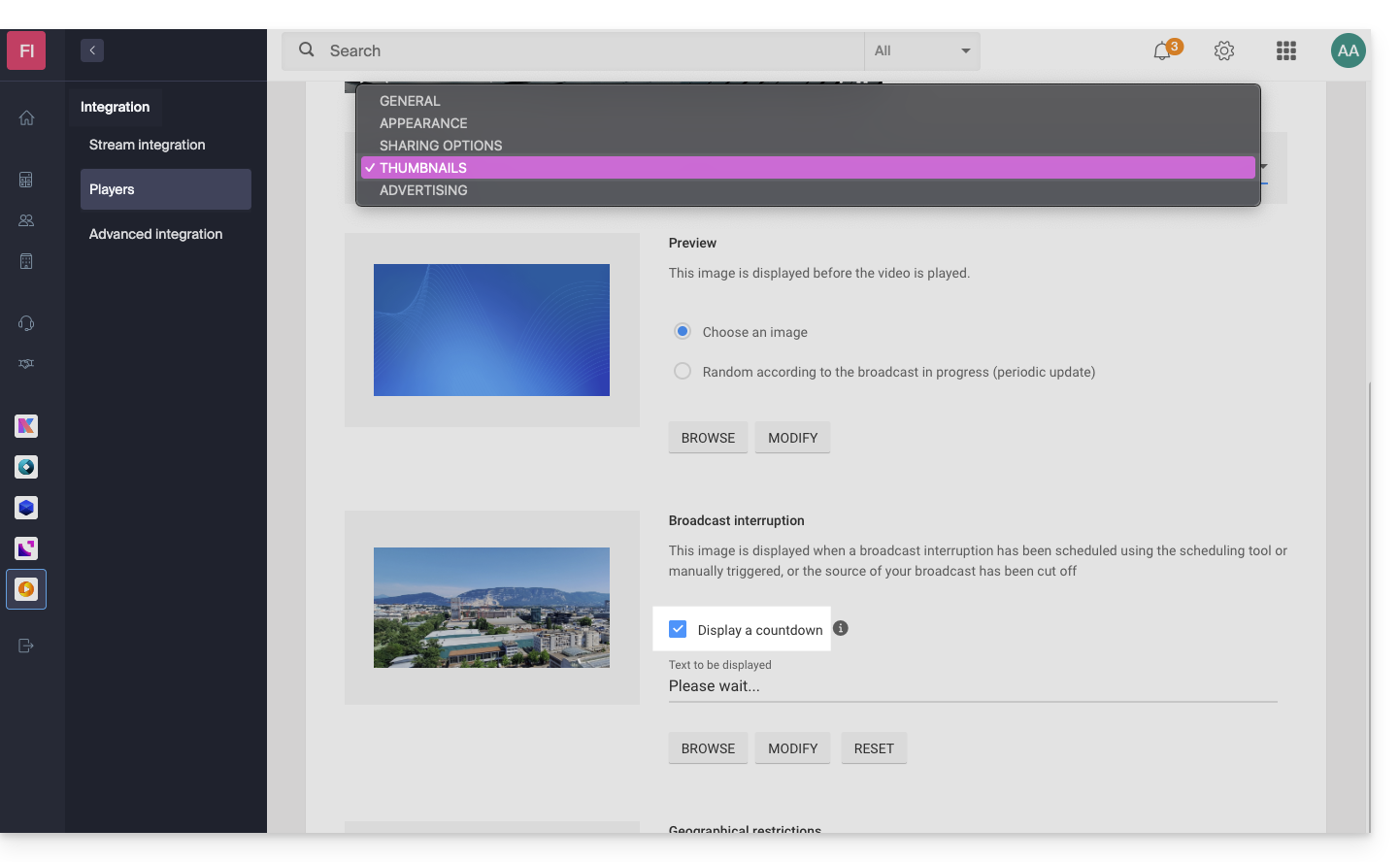
- … will display this result from 5 PM onwards, with a 2-hour countdown timer visible on the player for your TV stream:

Once programmed, the countdown timer works in conjunction with stream interruptions if you set any (or several in sequence, thus managing the overlap). Please note: it takes 2 minutes for a scheduled interruption to be reflected in the countdown.
Link to this FAQ: https://faq.infomaniak.com/1948
Has this FAQ been helpful?