Knowledge base
1000 FAQs, 500 tutorials and instructional videos. Here, there are only solutions!
Create a custom MX record (for a Synology NAS, for example)
Update 10/05/2026
This guide explains how to create a custom MX record (mx.domain.xyz, assuming that domain.xyz belongs to you) to be used in the MX configuration of your NAS.
An MX record cannot be declared directly as an IP address, for example 178.123.456.789.
Custom MX record
To access your domain names:
- Click here to access the domain management section in your Infomaniak Manager (❓: help).
- Click on the name of the domain in question.
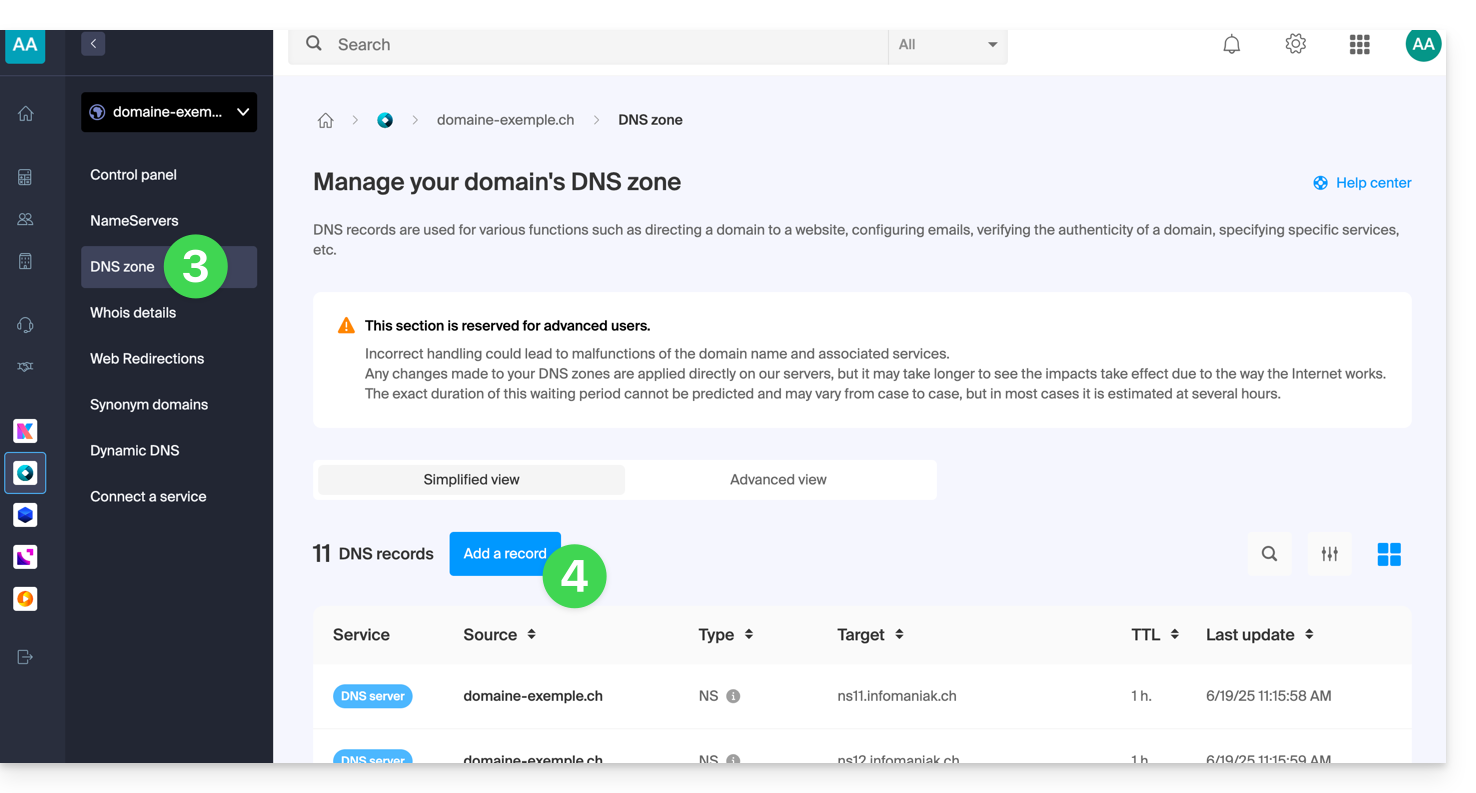
- Click on DNS Zone in the left-hand menu.
- Click on the blue Add record button:
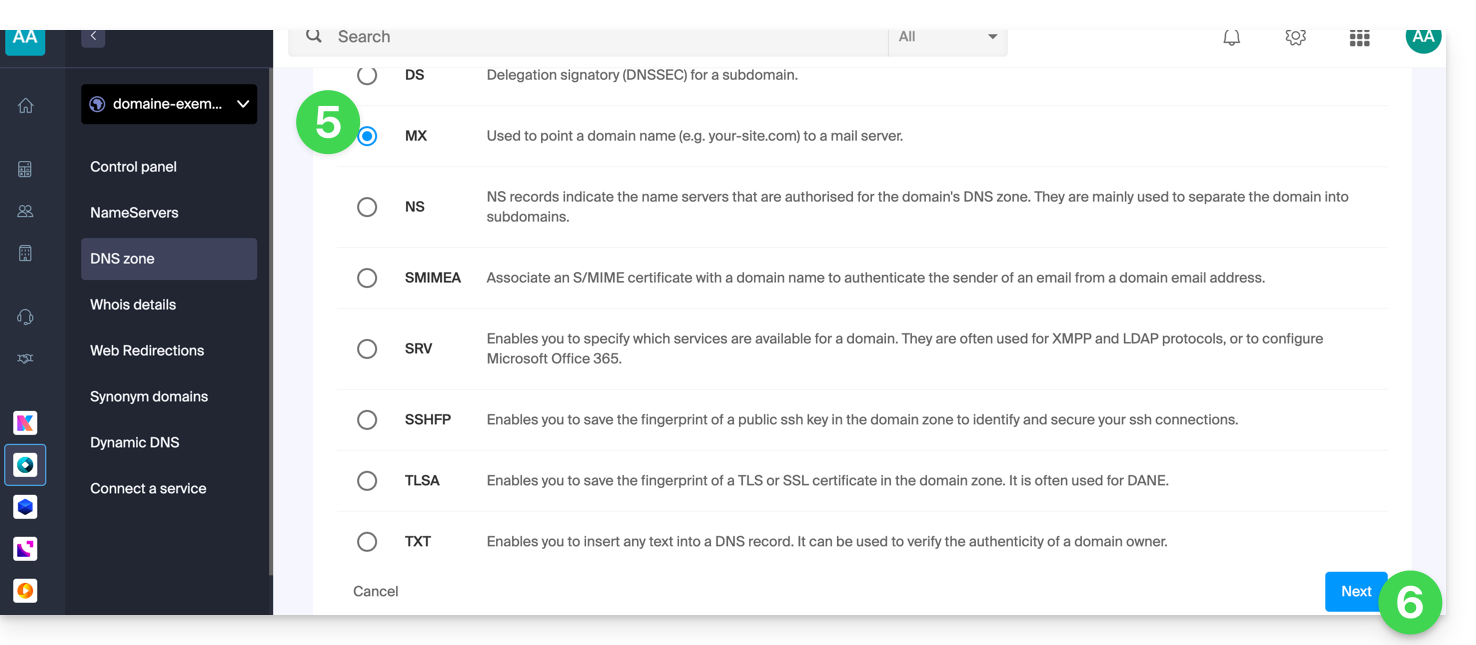
- Select MX as the type of record.
- Click on Next:
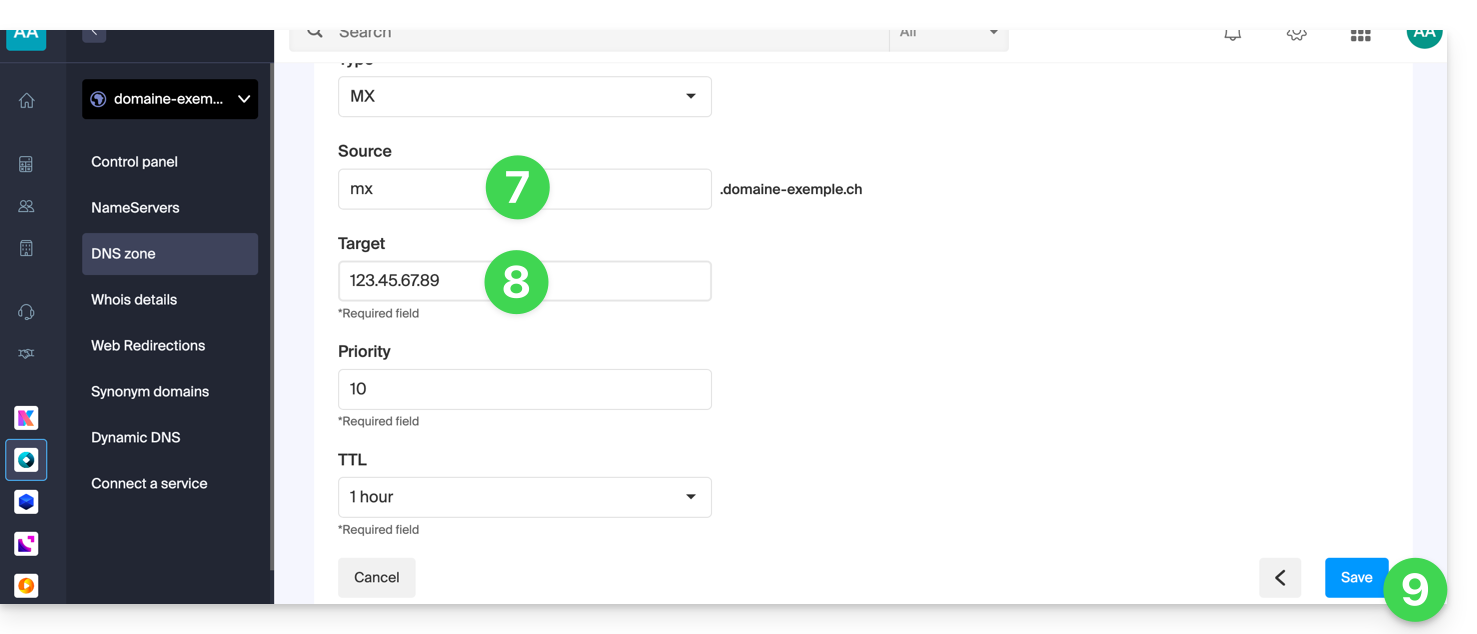
- Enter the desired MX record (e.g., "
mx.domain.xyz"). - Point the record to the desired IP address (target).
- Click on the Save button:
Link to this FAQ: https://faq.infomaniak.com/1896
Has this FAQ been helpful?