Knowledge base
1000 FAQs, 500 tutorials and instructional videos. Here, there are only solutions!
Move a VOD/AOD media
This guide explains how to move a media file that has been uploaded to a VOD/AOD space to another folder.
Preamble
- When moving, the media retains its different encodings.
- It is not re-encoded and therefore does not inherit the encodings of the destination folder.
Manage VOD/AOD media
To access the media:
- Click here to access the management of your product on the Infomaniak Manager (need help?).
- Click directly on the name assigned to the product concerned.
- Click on Media in the left sidebar.
- Click on Media Management in the left sidebar.
- Select one or more media files.
- Choose the desired option at the bottom of the page:
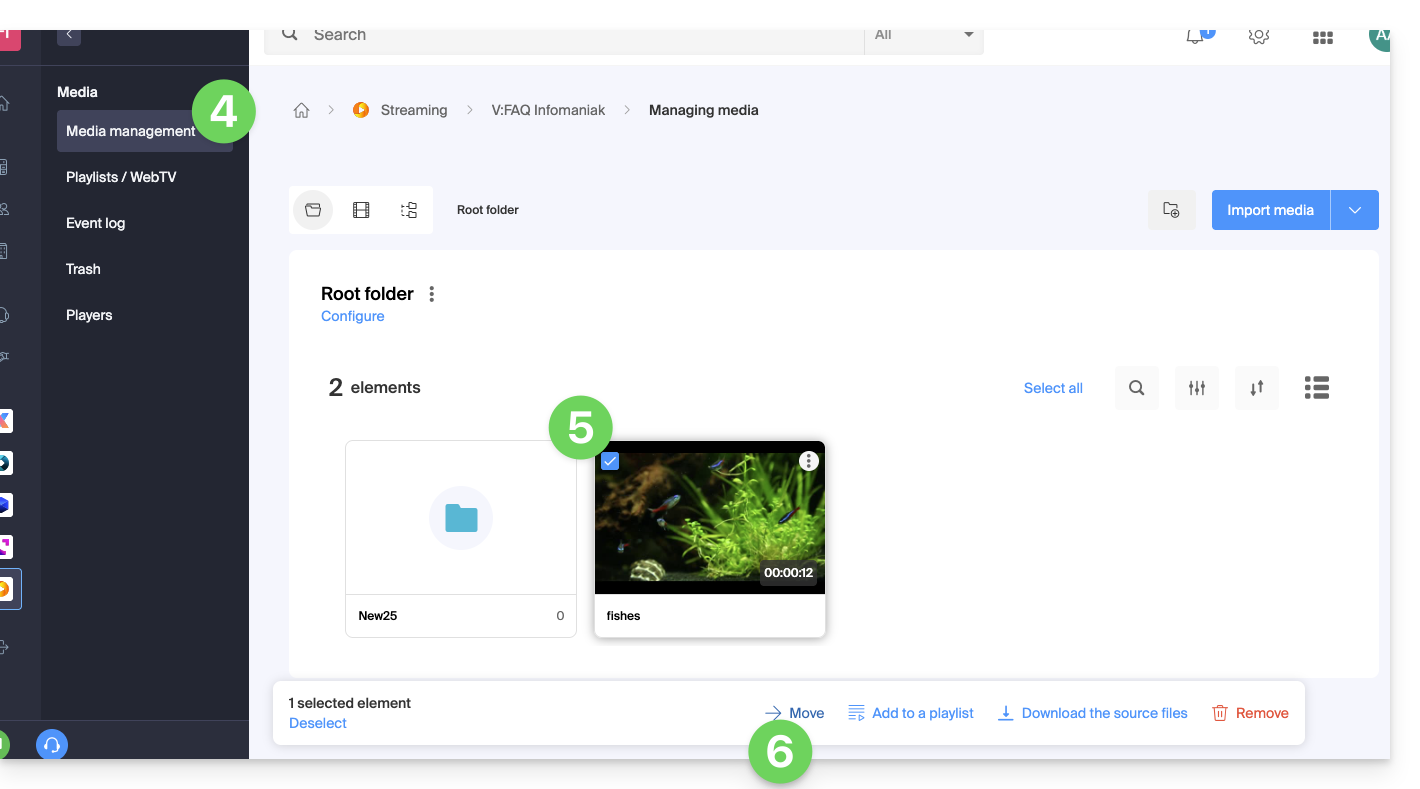
- … or click on a media file to open it and click on the action menu ⋮ on the right:
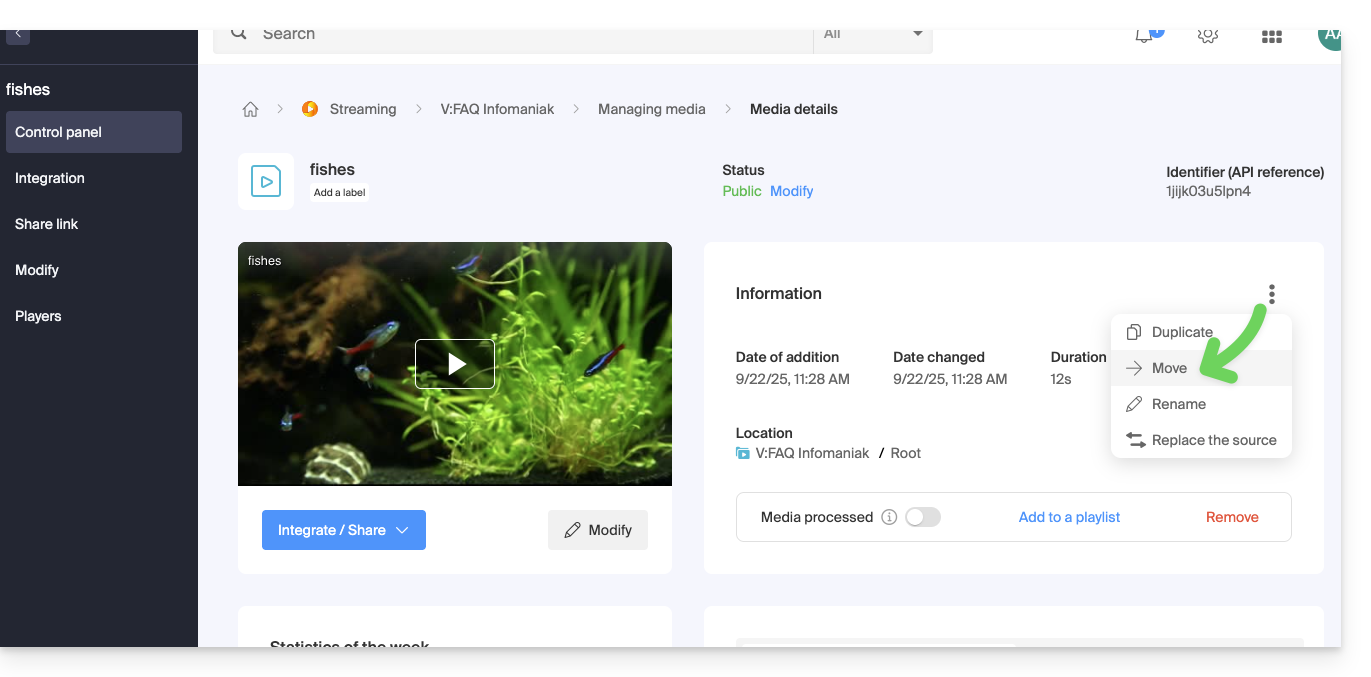
- … or click on a media file to open it and click on the action menu ⋮ on the right:
Link to this FAQ: https://faq.infomaniak.com/1876
Has this FAQ been helpful?