Knowledge base
1000 FAQs, 500 tutorials and instructional videos. Here, there are only solutions!
Share data via email from the kDrive web app
Update 10/13/2026
This guide explains how to quickly share content from the Infomaniak kDrive web app via email (online service ksuite.infomaniak.com/kdrive).
Share via email from kDrive
You can send a file (or rather, a link to a file, as the email will not contain an attachment) from your kDrive via email:
- Click here to access the kDrive web app (online service ksuite.infomaniak.com/kdrive).
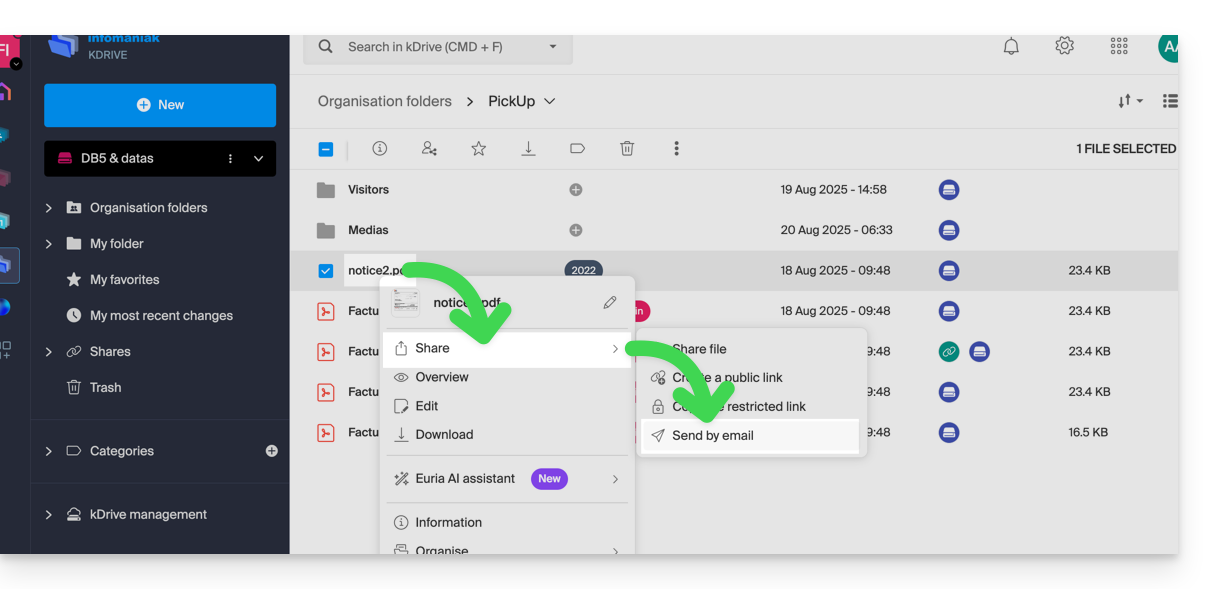
- Right-click on the file/folder in question or click on the action menu ⋮ to the right of the item in question.
- In the drop-down menu that appears, choose to share the item via email:
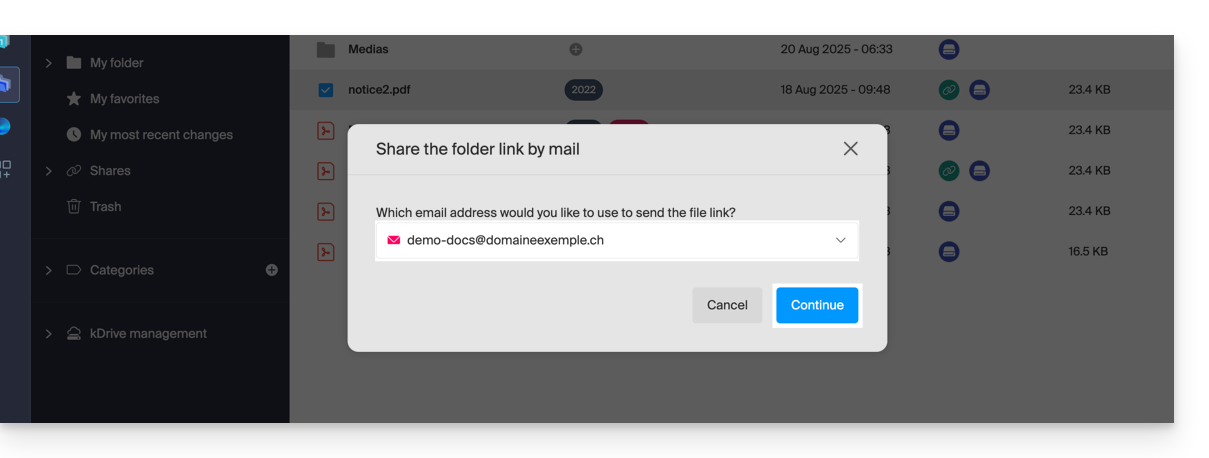
- Choose the email address (from those currently associated with your web app Mail) from which to send the file.
- Click on Continue:
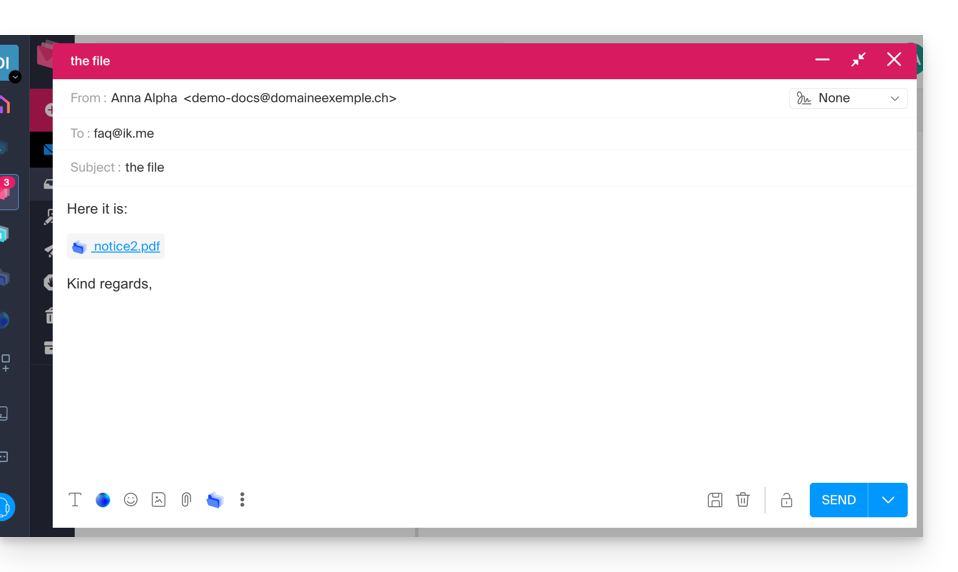
- The Web Mail app opens in the browser, and the message body automatically contains the links to the shared content:
- This is exactly the same method as if you select the file directly from the kDrive icon in the Mail Web app's compose window:
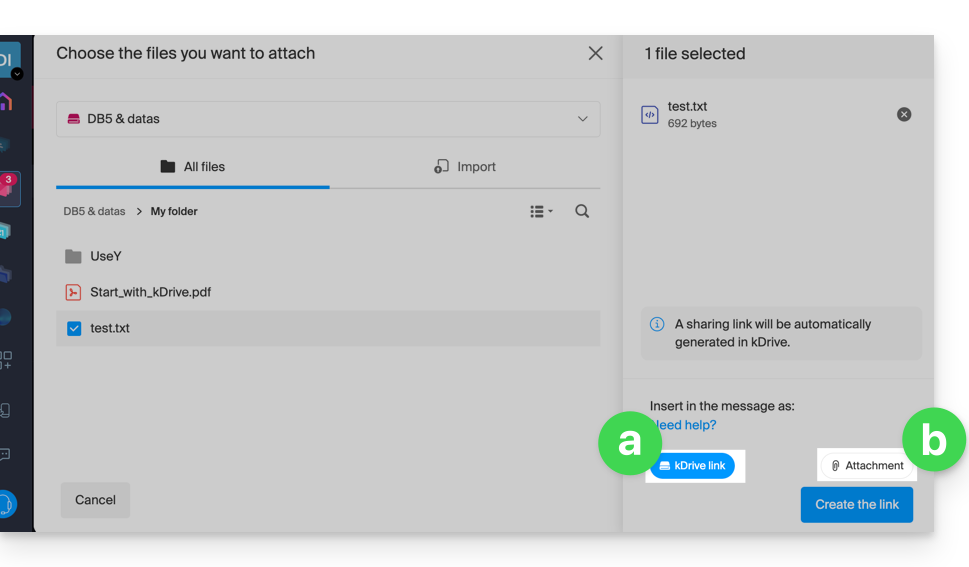
- However, by doing this (linking a kDrive file directly from Mail), an additional option allows you to attach the file itself as an attachment (the file will be sent in its current state at the time you select it; there is no longer the concept of collaboration / sharing as is the case with the method explained in this guide and in the choice of point “
a” above).
- This is exactly the same method as if you select the file directly from the kDrive icon in the Mail Web app's compose window:
Invite to collaborate on the file
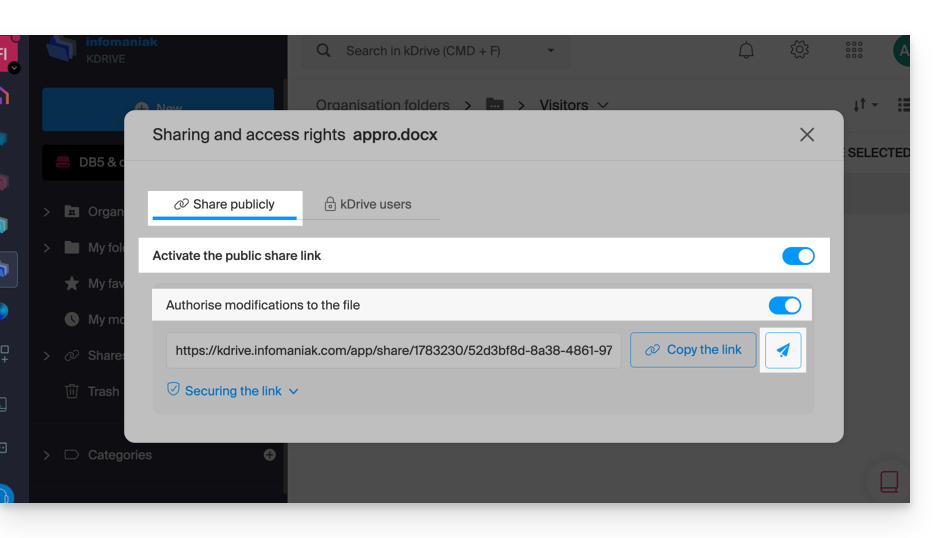
For documents with file extensions such as Office files .docx, .xls, etc., it is recommended to perform a standard document sharing (see the image below), which allows you to authorize document modification if you wish: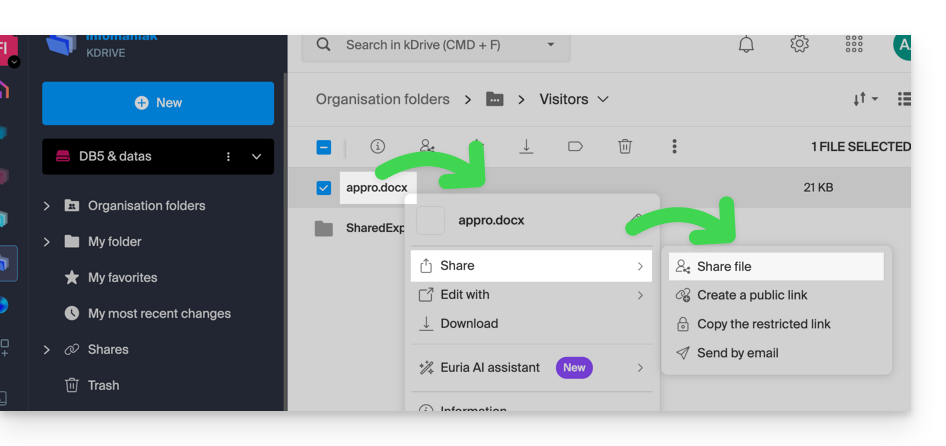
- If you authorize document modification from kDrive, the user will be able to collaborate (with or without prior registration), meaning they can edit in their browser and then save the document you shared:
Link to this FAQ: https://faq.infomaniak.com/1854
Has this FAQ been helpful?