Knowledge base
1000 FAQs, 500 tutorials and instructional videos. Here, there are only solutions!
Block/allow senders globally on a Mail service
This guide explains how to block (or allow) email senders globally on an entire Mail Service. Please refer to this other guide if you are looking for information on how the blocked and allowed sender lists work.
Manage Security in the Global Configuration
A Mail Service administrator can add email addresses or even entire domains to the lists of approved or rejected senders, and these lists will be applied to all email addresses of a Mail Service (without modifying existing settings already configured for each email address):
- Click here to access the management of your Mail Service in the Infomaniak Manager (need help?).
- Click directly on the name assigned to the Mail Service in question:
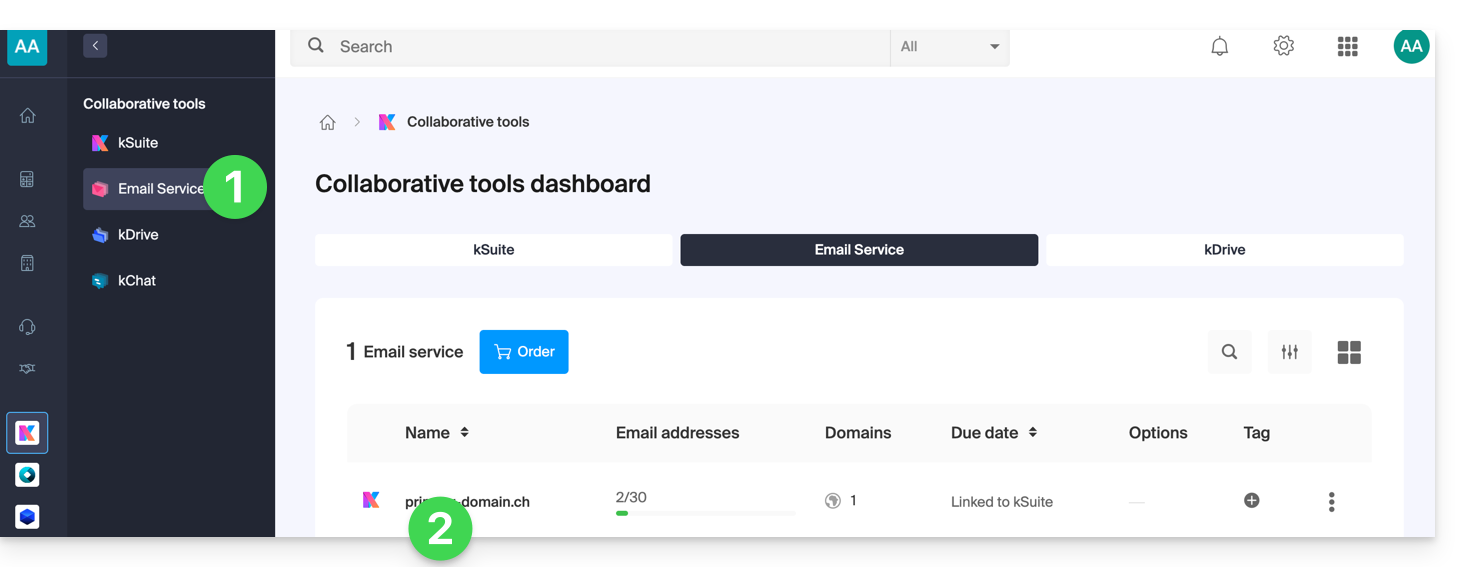
- Click on Global Configuration in the left-hand menu.
- Click on the Security tab.
- Click on the Add address button in the Blocked address box to block incoming emails from an unauthorized sender.
- Do the same for the senders that need to be approved in the other box:
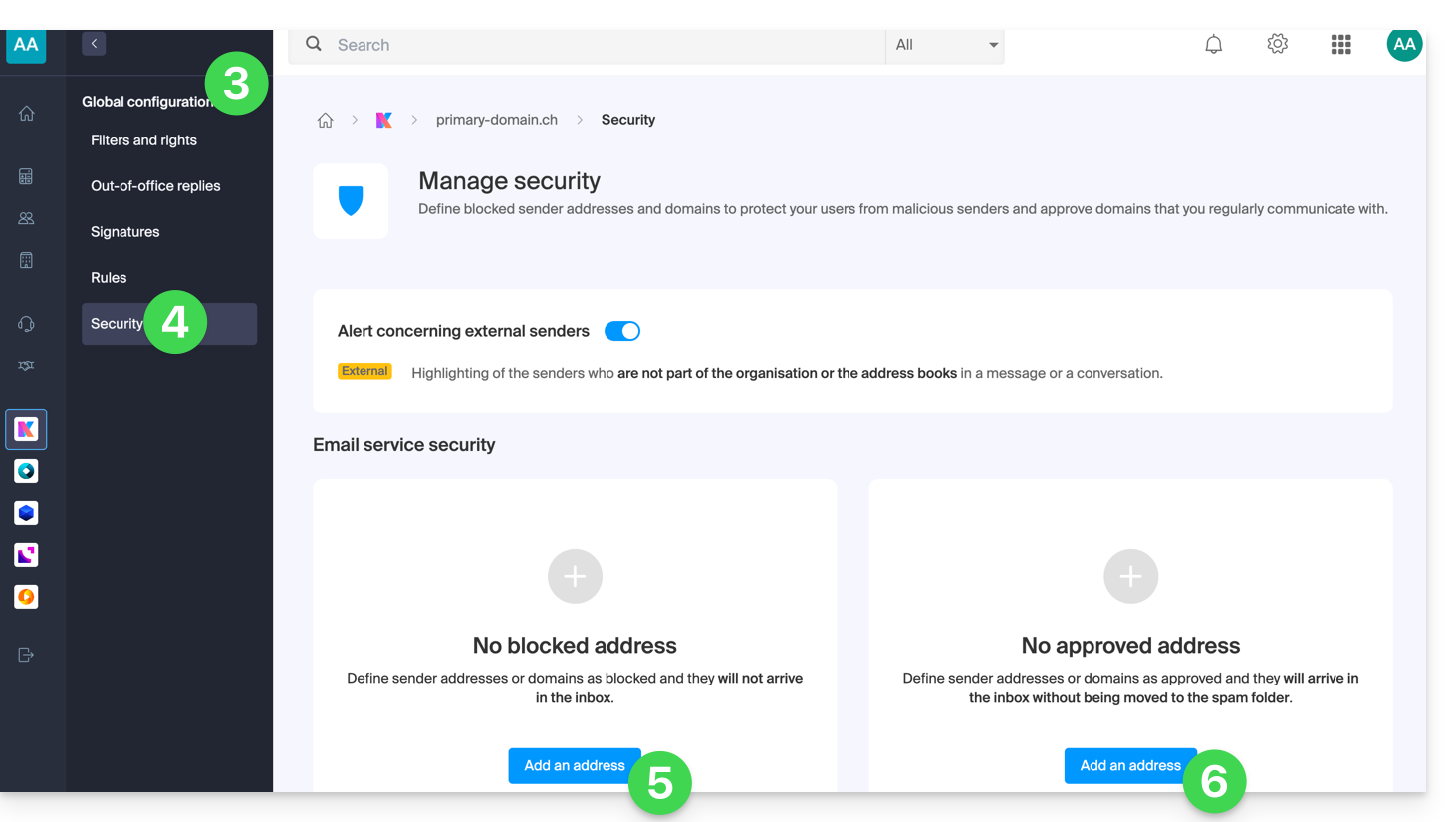
- Click on Validate to activate these lists for all email addresses in the domain.
Regarding the top part of the page, please refer to this other guide.
Link to this FAQ: https://faq.infomaniak.com/1837
Has this FAQ been helpful?