Knowledge base
1000 FAQs, 500 tutorials and instructional videos. Here, there are only solutions!
Print an Infomaniak email
This guide for the Infomaniak Mail web app (online service ksuite.infomaniak.com/mail) or the Infomaniak Mail mobile app (application for iOS/Android smartphones or tablets) explains how to print an email to obtain a paper print (or better: a PDF) of your message, and not of the interface itself.
Printing an email…
… from the Infomaniak Web Mail app
To do this:
- Click here to access the Infomaniak Mail web app (online service ksuite.infomaniak.com/mail).
- View the email you want to print.
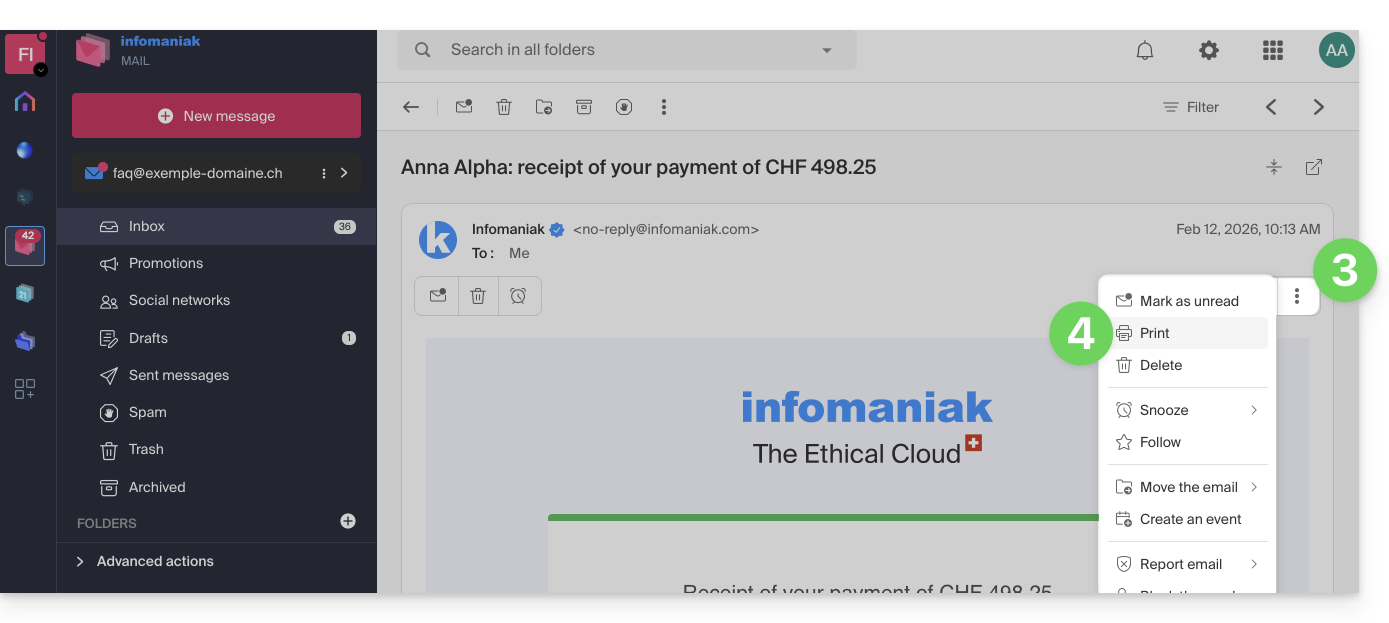
- Click the action menu ⋮ at the top of your message.
- Click Print:
… from the Infomaniak Mail mobile app
To do this:
- Open the Infomaniak Mail mobile app (application for iOS/Android smartphones or tablets).
- View the email you want to print.
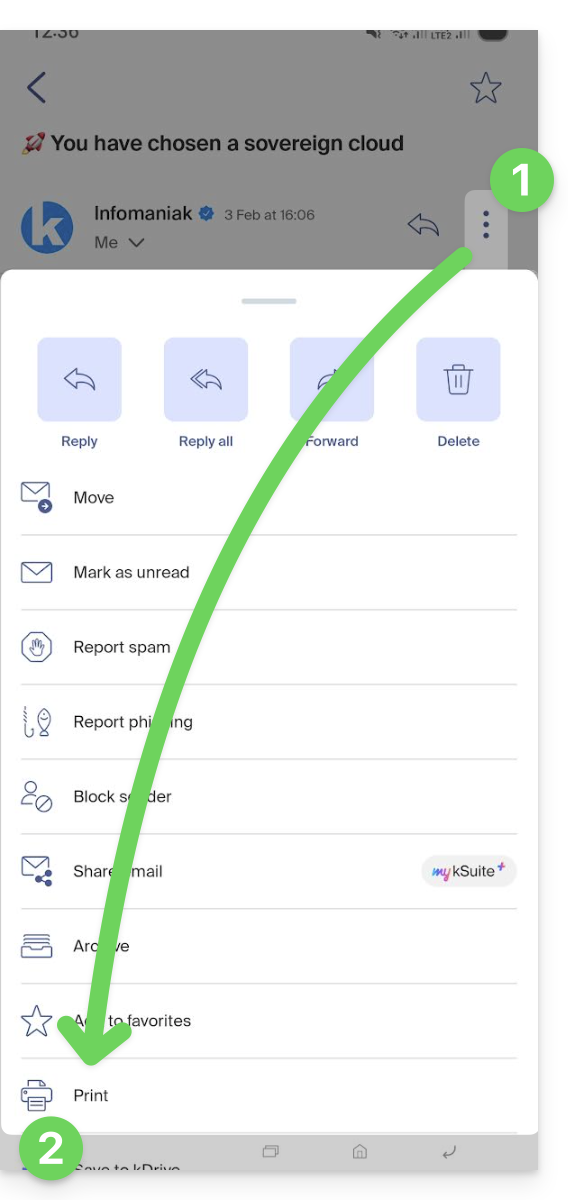
- Tap the action menu ⋮ in the top right corner of the message.
- Tap Print:
Link to this FAQ: https://faq.infomaniak.com/1786
Has this FAQ been helpful?