Knowledge base
1000 FAQs, 500 tutorials and instructional videos. Here, there are only solutions!
Use the "Questions and Answers" app in Site Creator
This guide presents the Questions & Answers module for Infomaniak's Site Creator, similar to the Knowledge Base module, which allows you to quickly format FAQ-style articles within your page.
Configuration and usage
Start by logging in to the Infomaniak Manager with your credentials (user account with the necessary permissions for the relevant product):
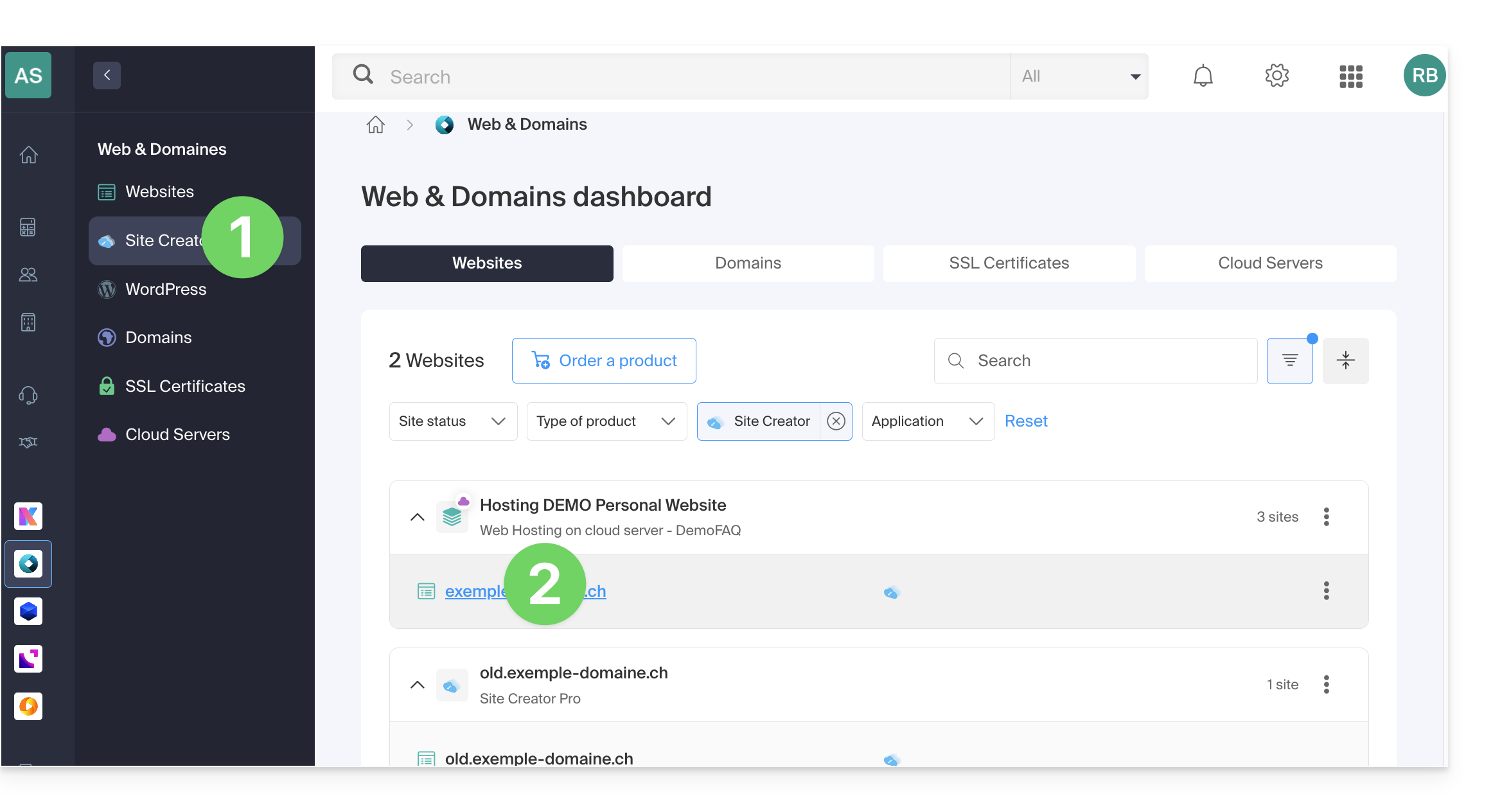
- Click here to access the hosting & site management interface (filtered to display only Site Creator).
- If nothing is displayed, you may not be in the Organization to which your site is linked (❓: help).
- Click on the name of the Site Creator in question:
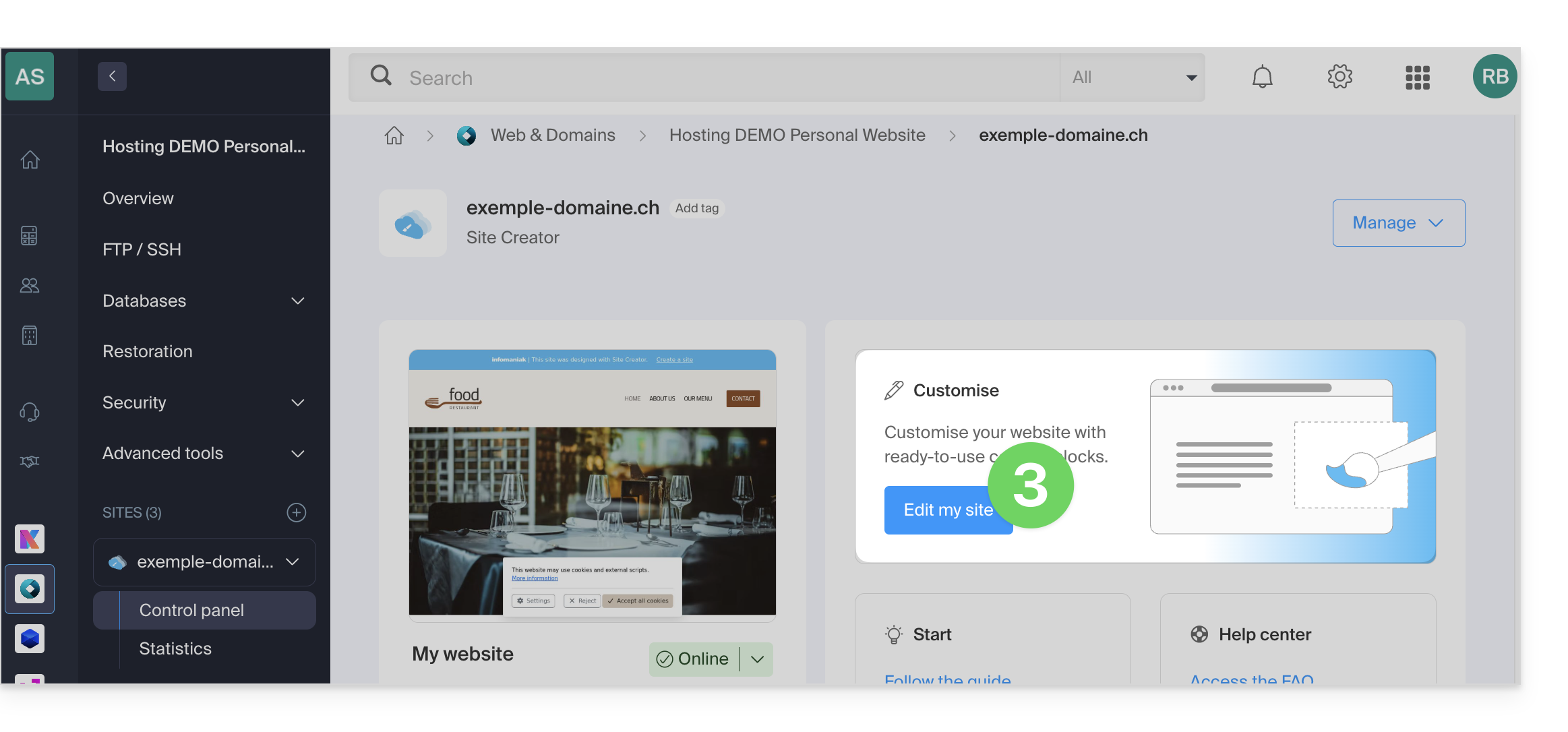
- Click on the button to edit your site:
Once in Site Creator, to insert the module in the desired location:
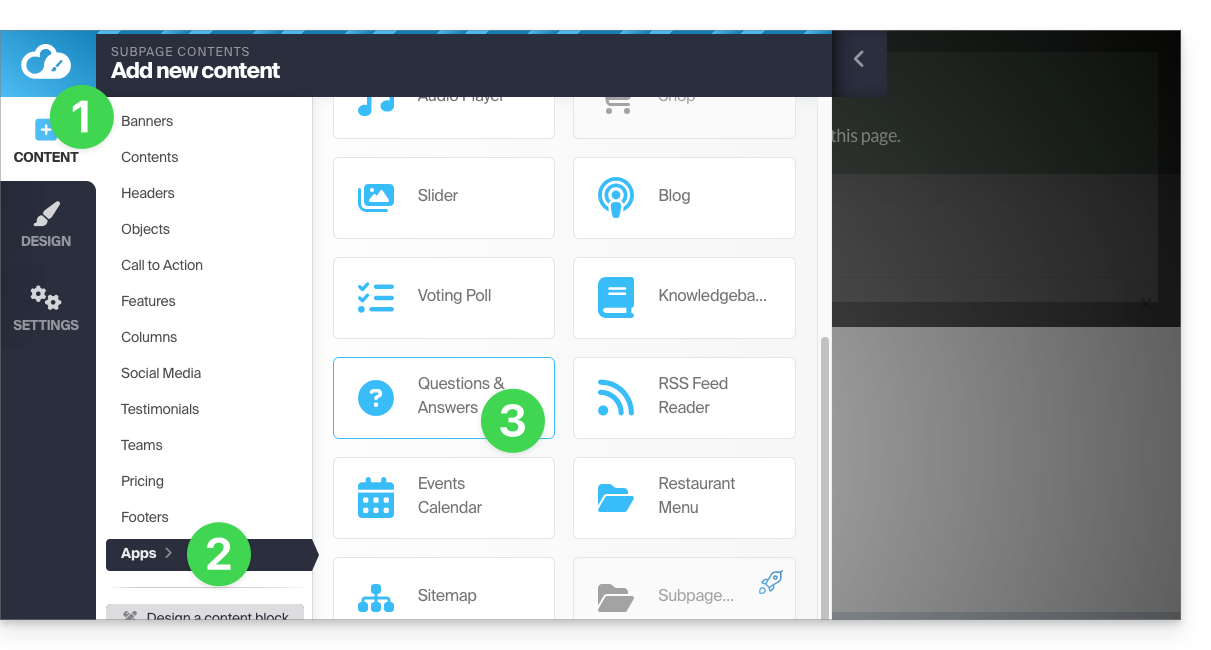
- Click on the Content button in the left-hand menu.
- Click on Applications at the bottom of the list.
- Click on Knowledge Base:
- Once the module has been added, hover over it to edit it:
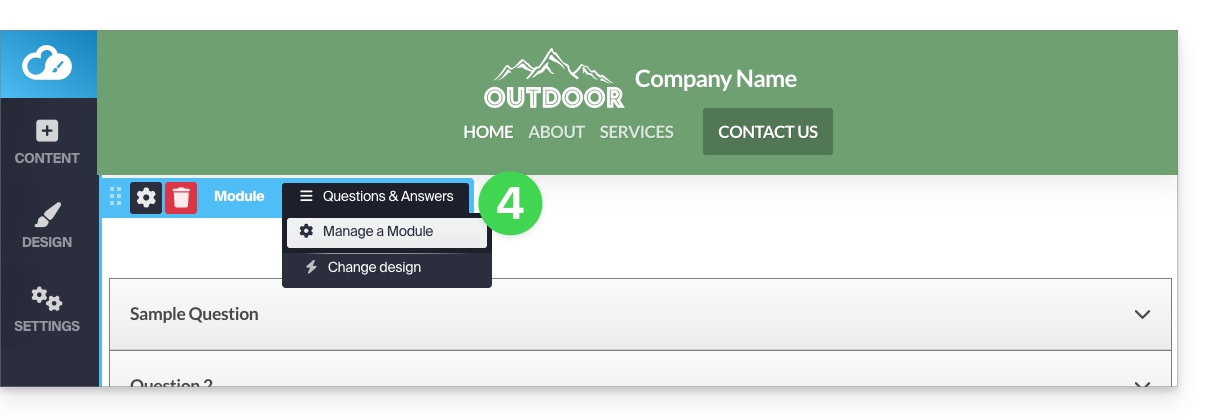
- The grey button allows you to add a new question/answer:
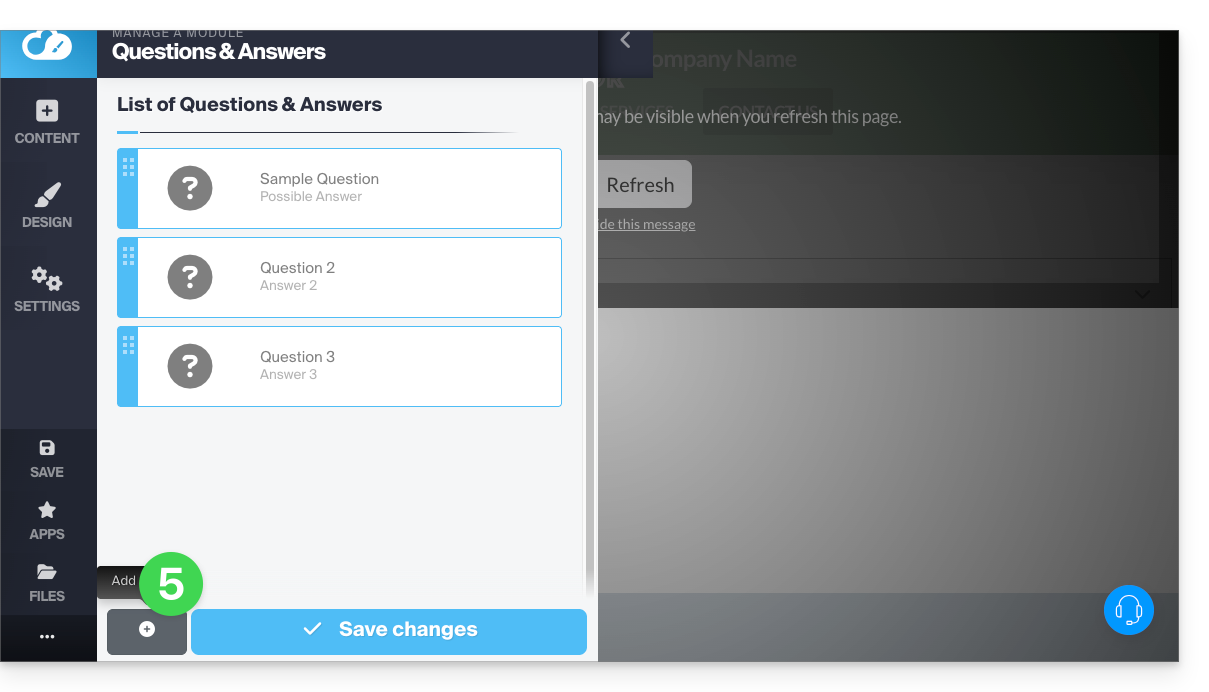
Save your changes at the bottom of the page.
These questions can be transformed into a heading (e.g., a small title block) if you want to format your entries within "categories," for example. To do this, hover over the card and click on the pencil, then on the gear icon to switch to the desired display system: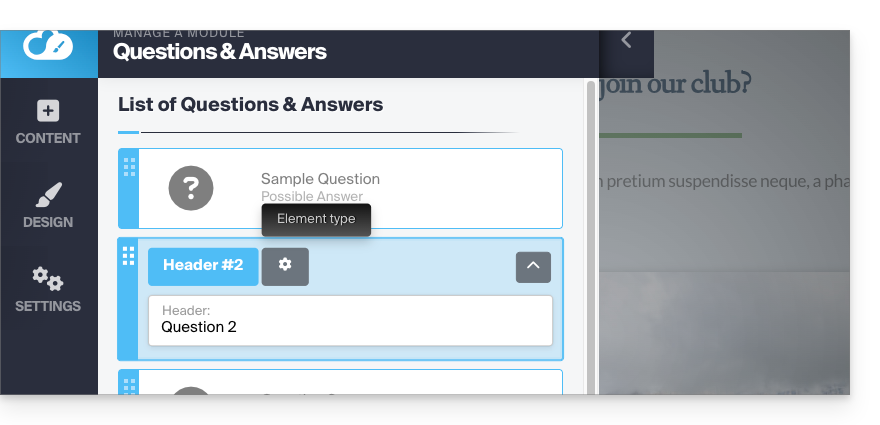
Reorganize the order of your questions/answers as needed by dragging the cards up or down: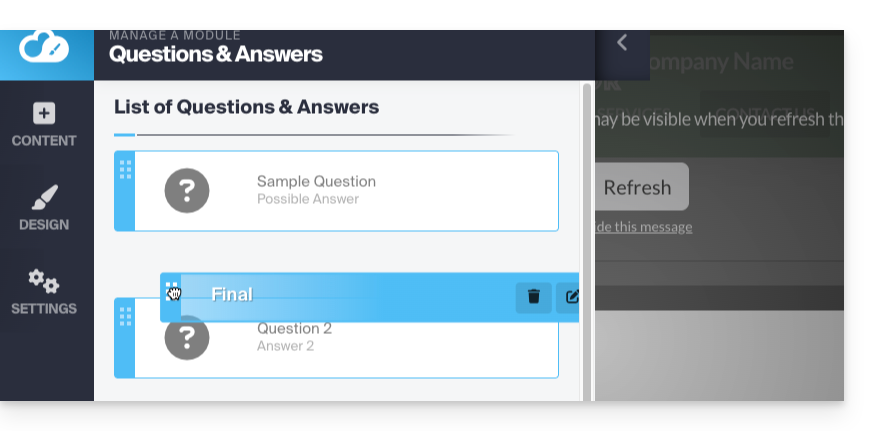
Browse questions / answers
Navigating through your entries will be presented as shown below. Clicking on the question (or ) will display the answer: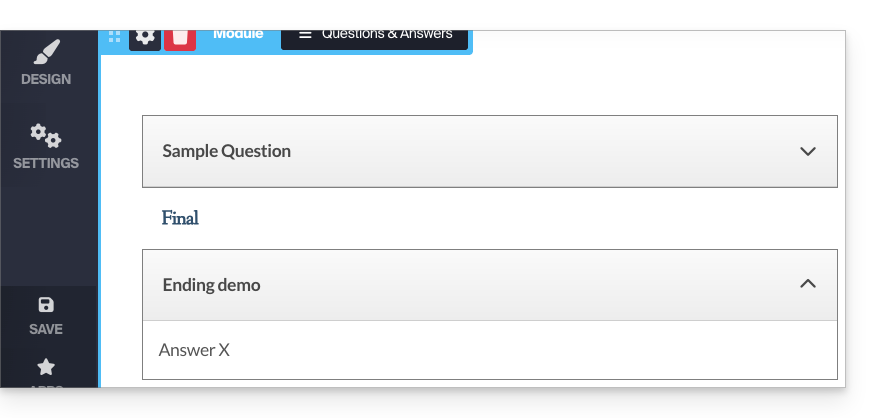
Customize the display
By reviewing your module again in edit mode, you can change the display and make your tree structure transparent.
You can also apply HTML code when writing your responses, in order to create a hyperlink, for example: 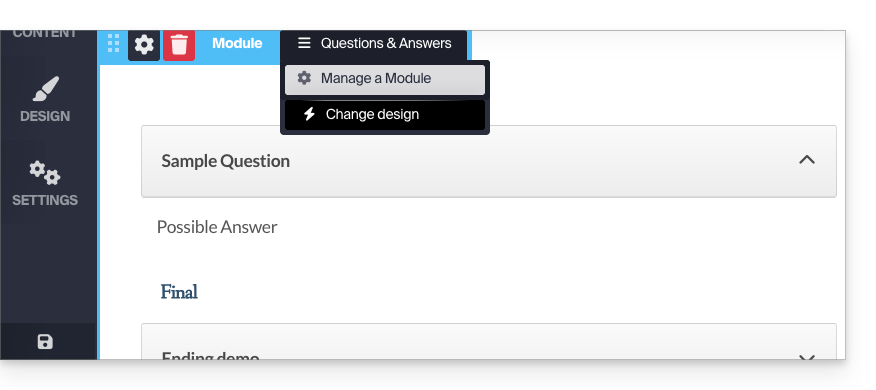
Display the module in multiple locations
The application can be added to different locations on your site, but it will be the same single module each time. It is not possible to differentiate the display or content depending on the pages where the module is inserted.
Link to this FAQ: https://faq.infomaniak.com/1784
Has this FAQ been helpful?