Knowledge base
1000 FAQs, 500 tutorials and instructional videos. Here, there are only solutions!
Link an Infomaniak Mail service to an external service
Update 10/13/2026
This guide explains how to associate your Infomaniak email with an external website (for example, a website hosted by a turnkey website creation service).
Introduction
- This configuration is necessary if the name servers (DNS) of your domain have been modified to point to your external web hosting provider, which is not Infomaniak, resulting in an interruption of your email services.
Adjust the DNS records with your provider
Prerequisites
- Ensure that your DNS zone management is properly configured with your external web hosting provider.
- Gather the following information:
- The Infomaniak MX record:
mta-gw.infomaniak.ch(some providers require a period at the end:mta-gw.infomaniak.ch.). - The Infomaniak SPF record:
v=spf1 include:spf.infomaniak.ch -all - The Infomaniak DKIM record: generate this from your Infomaniak Manager (❓ help).
- The Infomaniak MX record:
- Understand that any DNS addition/modification may take up to 48 hours to propagate (❓: help).
Your current web hosting provider is:
- Wix (❓: help).
- Wordpress.com (❓: help).
- Shopify (❓: help).
- Jimdo (❓: help - secondary help).
If your provider is not listed above, log in to its management interface and access its DNS zone editor or any equivalent interface:
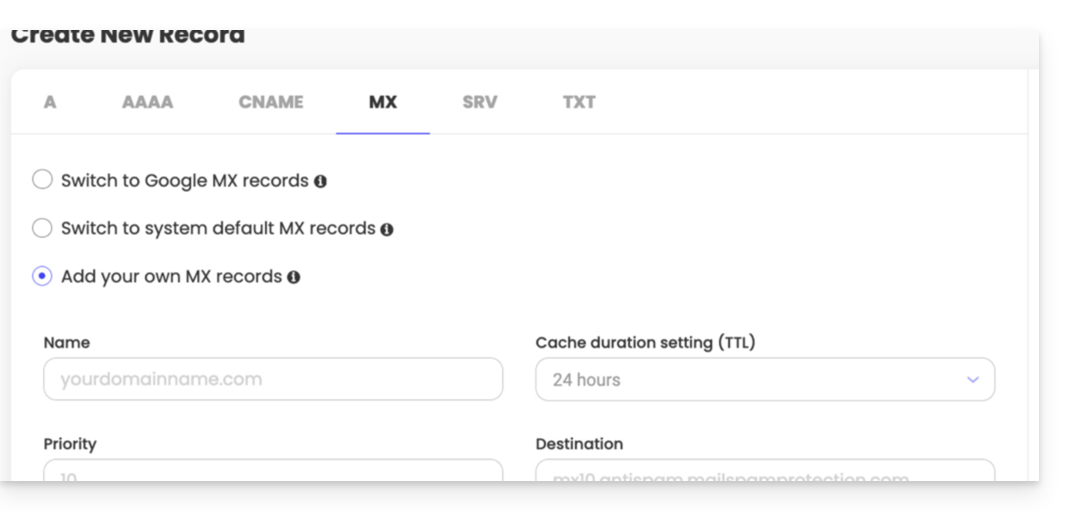
To (re)establish email traffic to Infomaniak, you must add the 3 records mentioned in the prerequisites:
- The MX record: indicates that your domain name should route incoming emails to Infomaniak's servers.
- SPF record (TXT type): authenticates the sending server to combat spam and identity theft, ensuring that the email actually comes from the legitimate sender.
- DKIM record (CNAME or TXT type): adds a cryptographic signature to your emails; configuring it is now essential to guarantee the deliverability and optimal functioning of your email service.
Link to this FAQ: https://faq.infomaniak.com/1775
Has this FAQ been helpful?