Knowledge base
1000 FAQs, 500 tutorials and instructional videos. Here, there are only solutions!
Troubleshooting Streaming Radio Issues
This guide will help you troubleshoot your Streaming Radio to identify the cause of any potential issues, such as disconnections, etc.
Introduction
- If you are broadcasting your FM radio, check that the capture card is working correctly.
- If you are broadcasting a web radio, make sure your broadcasting software is working correctly.
- Pay attention to the CPU load on your computer: make sure it is not overloaded, and ensure you have enough memory if you are performing operations in addition to encoding an AAC stream, which is very memory-intensive.
- It is possible that your Fiber/ADSL line is no longer able to handle the data being sent to the server.
- You must have an upload speed that is at least equal to the total amount of data being sent to the server (for example, a radio station sending a 128kbps stream + a 48kbps stream, which requires a minimum of 130 + 50 = 180kbps).
- Generally, radio stations dedicate a line exclusively to broadcasting audio streams in order to avoid any bandwidth saturation in the event of simultaneous sending, such as sending a large email with an attachment. This precaution ensures that the upload does not monopolize the bandwidth, which could lead to interruptions in the audio stream during listening.
- Your ISP may also cause a disruption on the line, even if it is minor, which will have the effect of cutting off the radio stream.
- If your encoder is configured to send metadata to the servers via a text file hosted by another provider, and that provider experiences disruptions, the stream may also be disrupted!
Analyze recent statistics
Statistics allow you to view any potential service interruptions. To access this information:
- Click here to access the management interface for your product in the Infomaniak Manager (need help?).
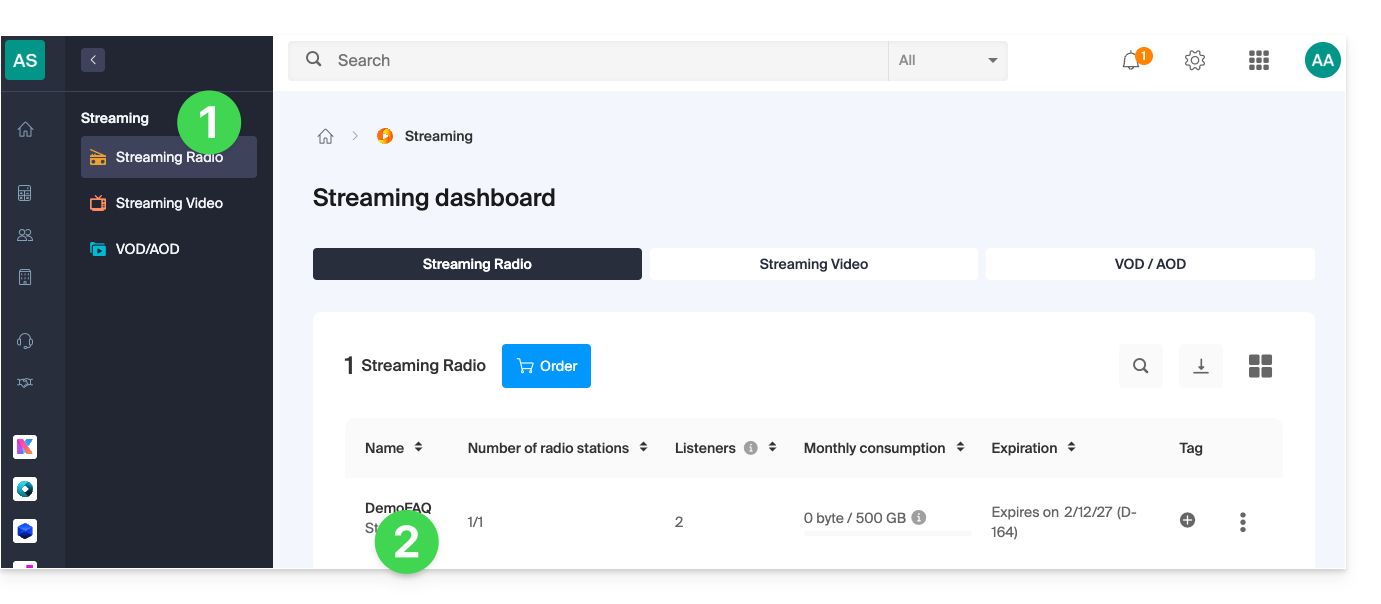
- Click directly on the name assigned to the product in question:
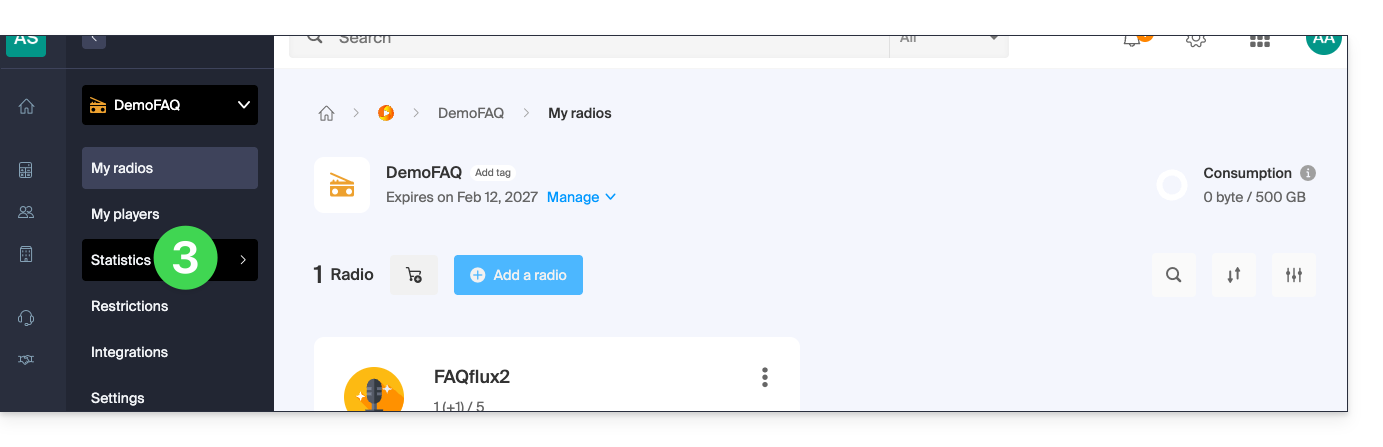
- Click on Statistics in the left-hand menu:
- The statistics are detailed in this other guide.
Check that the elements are working correctly
The radio diagnostics page allows you to access various information. To access these diagnostics:
- Click here to access the management of your product on the Infomaniak Manager (need help?).
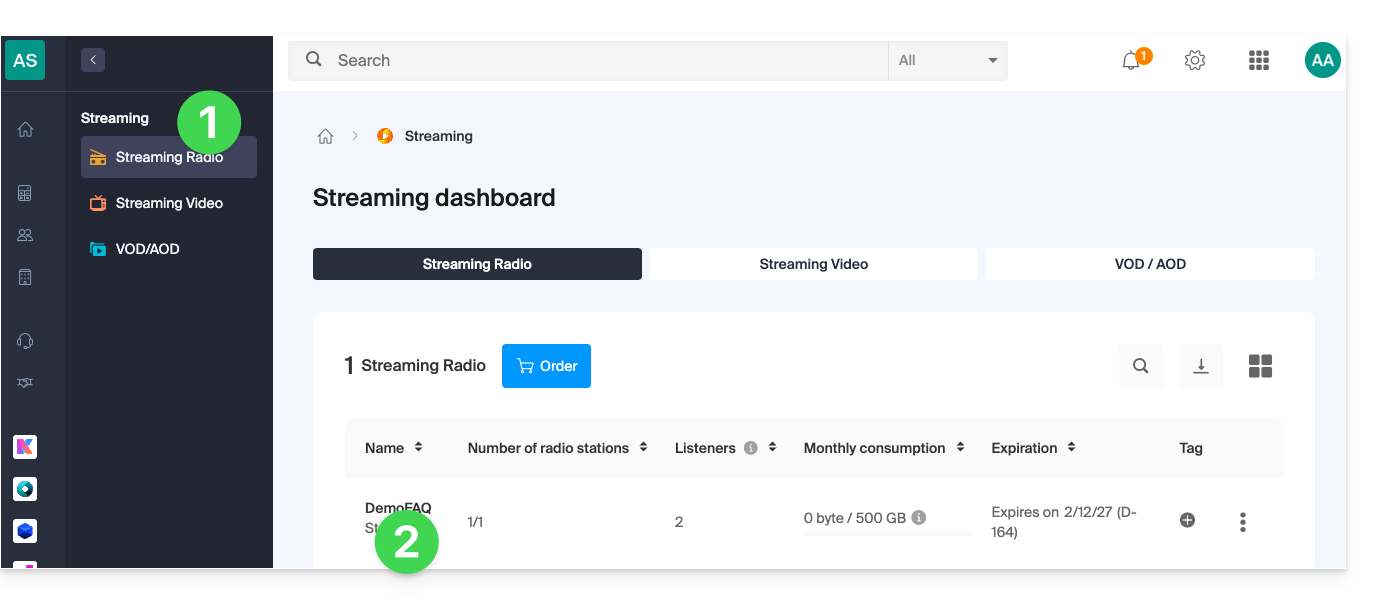
- Click directly on the name assigned to the product in question:
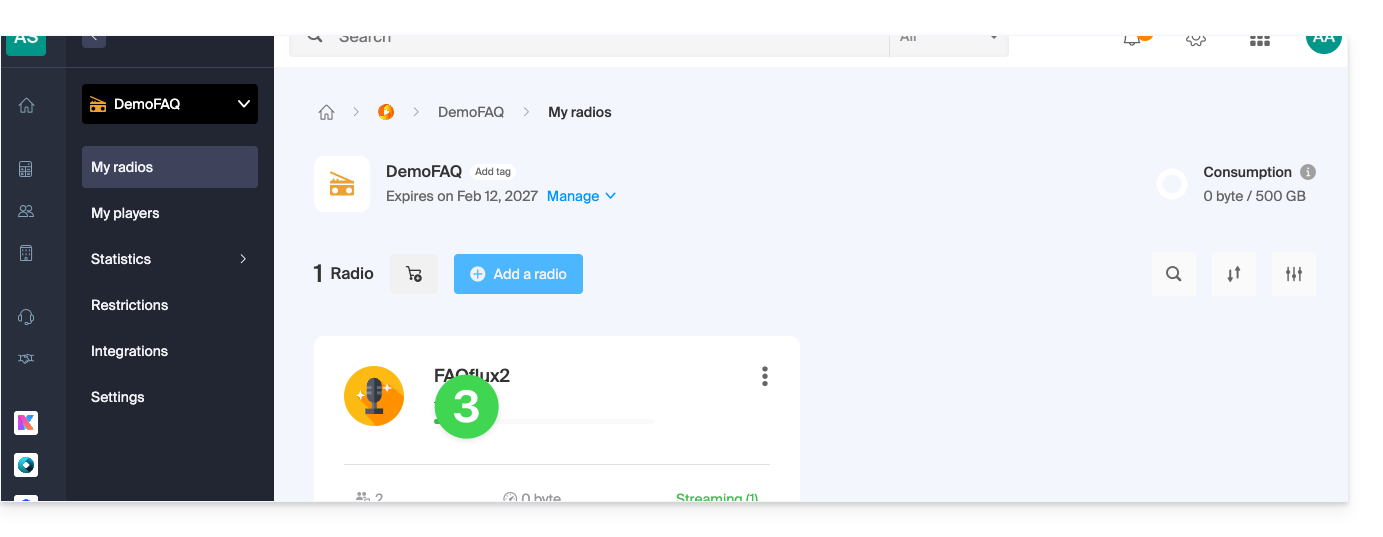
- Click on the name of the audio stream in question:
- Click on Diagnostics in the left-hand menu:
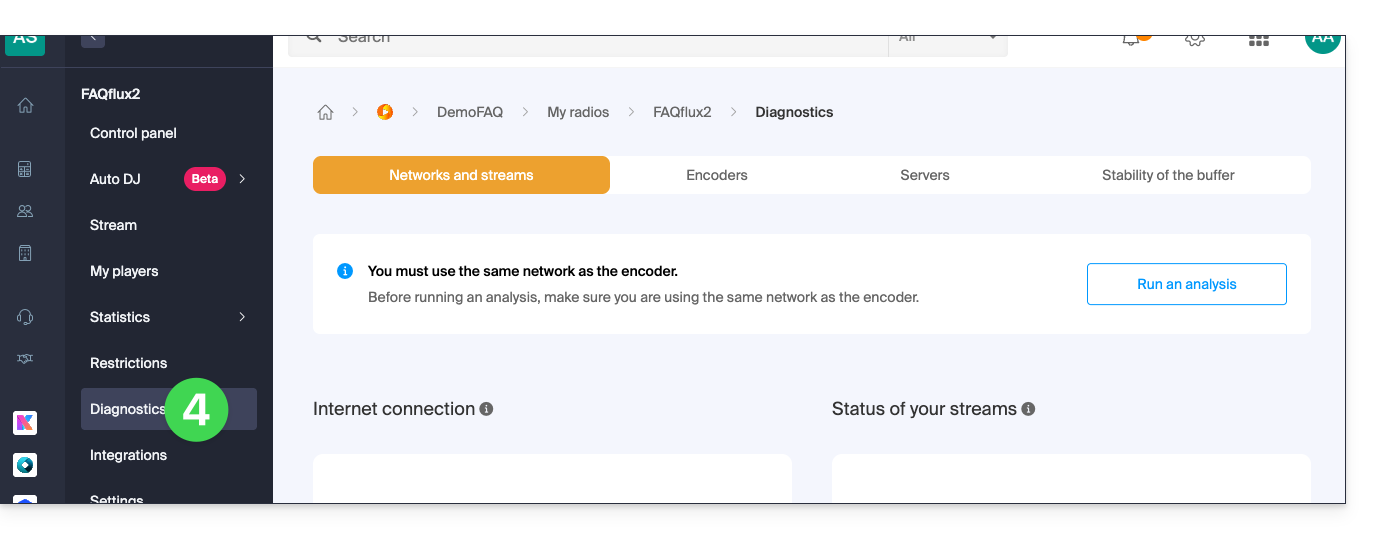
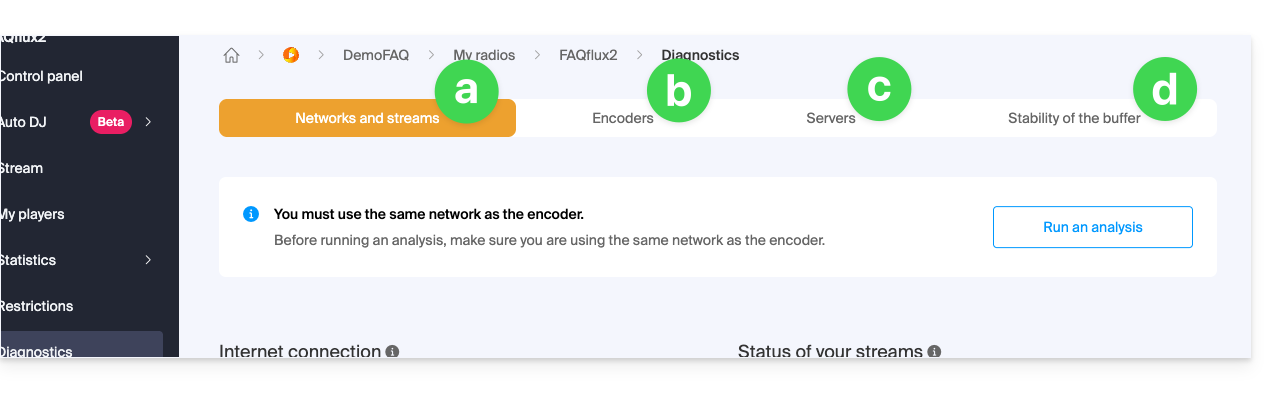
- The Network and Streams tab allows you to test the connection between your server and Infomaniak's infrastructure.
- The Encoders tab displays a history of encoder connections to analyze whether the streams were operational.
- The Servers tab provides information on the overall status of the network infrastructure to verify the proper functioning of the receiving and broadcasting servers.
- Please note that in the event of a general broadcast stream outage, Infomaniak is notified and intervenes immediately.
- The Buffer Stability tab is detailed in this other guide.
Link to this FAQ: https://faq.infomaniak.com/1691
Has this FAQ been helpful?