Knowledge base
1000 FAQs, 500 tutorials and instructional videos. Here, there are only solutions!
Resolve a Radio Streaming Issue
This guide allows you to perform a diagnosis of your Streaming Radio to find the source of potential issues, causes of disconnections, etc.
Preamble
- If you are broadcasting your FM radio, check the proper functioning of the acquisition card.
- If you are broadcasting a Webradio, make sure your broadcasting software is working properly.
- Be mindful of the CPU load on your computer: ensure that it is not saturated by making sure you have enough memory if you are performing operations in addition to AAC stream encoding, which is very memory-intensive.
- It is possible that your Fibre/ADSL line can no longer keep up with the data sent to the server.
- You must have an upload speed (i.e., upload) at least equivalent to the total of the streams sent to the server (for example, a radio that sends a stream at 128kbs + a stream at 48kbs, which gives 130 + 50 = 180kbit/s at minimum).
- Generally, radios dedicate a line exclusively to the broadcasting of audio streams to avoid any bandwidth saturation in case of simultaneous sending, such as sending a large email with an attachment. This precaution ensures that the upload does not monopolize the bandwidth, which could cause interruptions in the broadcasting of audio streams during listening.
- Your ISP can also cause a line cut, even if it is minimal, but this will have the effect of cutting the radio stream.
- If your encoder is configured to send metadata to the servers via a text file hosted by another provider, and the latter experiences disruptions, the stream can also be disrupted!
Analyze recent statistics
Statistics allow you to check for any stream interruptions. To access this information:
- Click here to access the management of your product on the Infomaniak Manager (need help?).
- Click directly on the name assigned to the product concerned.
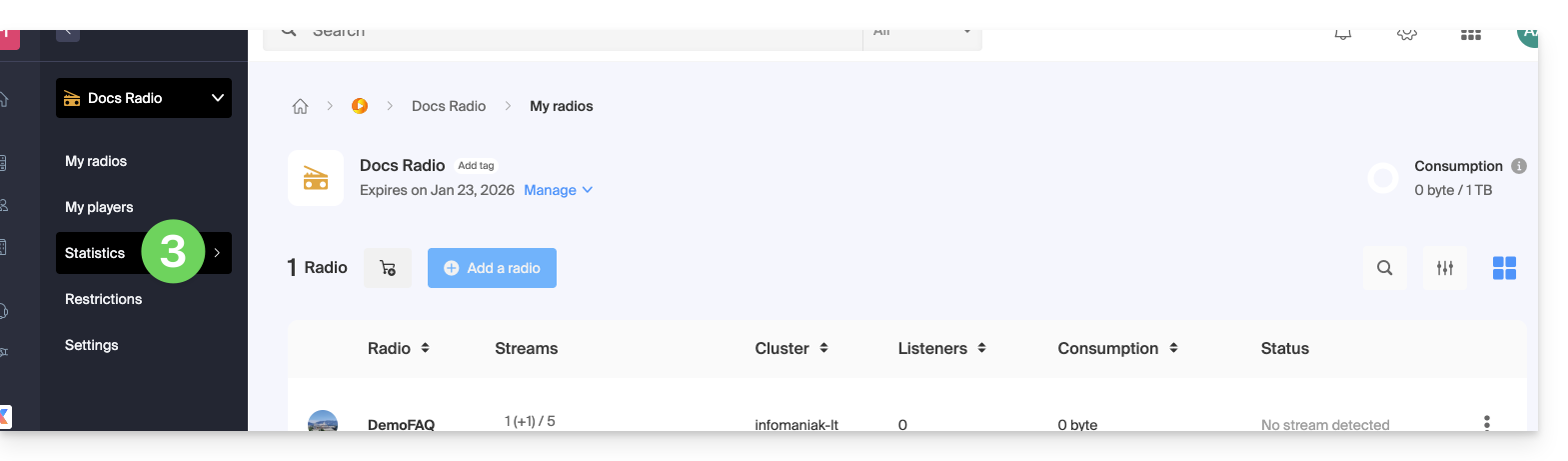
- Click on Statistics in the left sidebar:
- Statistics are detailed in this other guide.
Check the proper functioning of the elements
The radio diagnostic page allows you to access various information. To access these diagnostics:
- Click here to access the management of your product on the Infomaniak Manager (need help?).
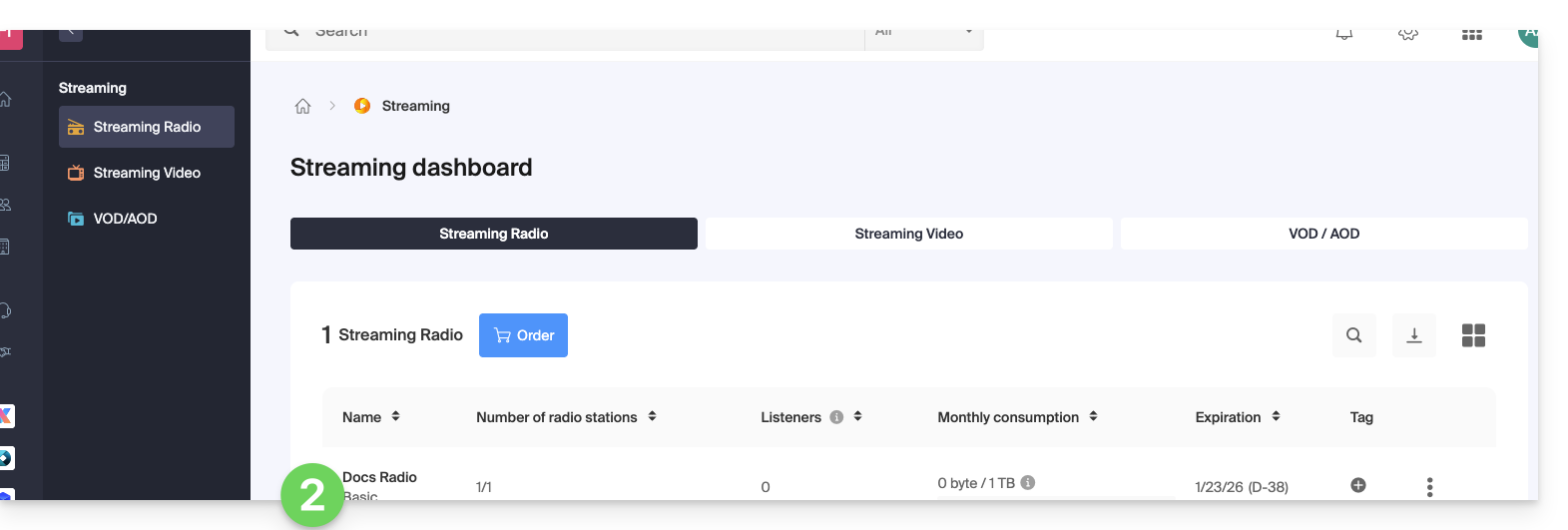
- Click directly on the name assigned to the product concerned:
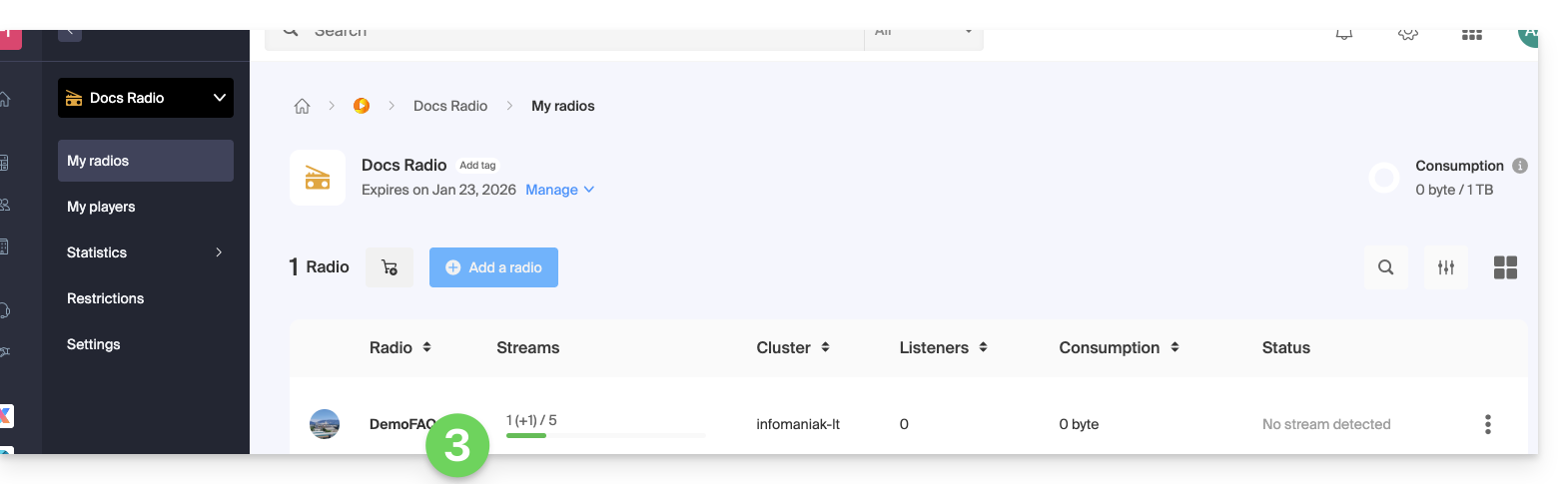
- Click on the name of the audio stream concerned:
- Click on Diagnostics in the left sidebar.
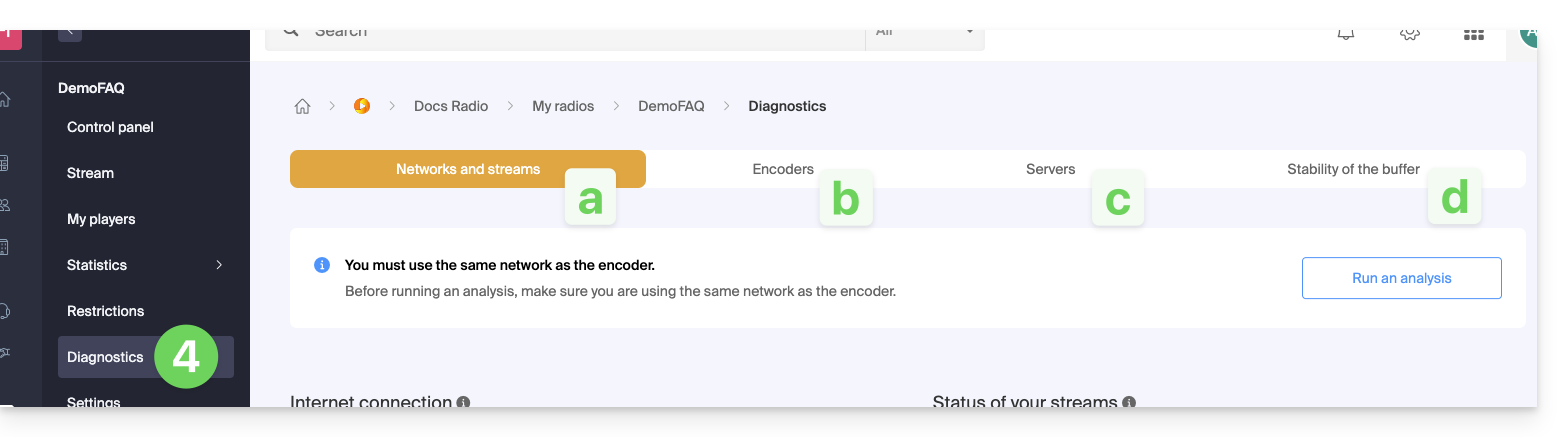
- The Network and Stream tab allows you to test the connection between your server and Infomaniak infrastructures.
- The Encoders tab displays a history of encoder connections to analyze whether the streams were operational.
- The Servers tab informs you about the general status of the network infrastructures to verify the proper functioning of the reception and broadcasting servers.
- Note that in the event of a general broadcast stream outage, Infomaniak is notified and intervenes immediately.
- The Buffer Stability tab is detailed in this other guide.
Link to this FAQ: https://faq.infomaniak.com/1691
Has this FAQ been helpful?