Knowledge base
1000 FAQs, 500 tutorials and instructional videos. Here, there are only solutions!
Troubleshooting folder access issues (kDrive Windows)
This guide explains how to regain control over a folder located on the Windows operating system in certain problematic cases involving kDrive. This scenario is common for system folders belonging to the TrustedInstaller group.
If you are experiencing a problem with viewing or accessing kDrive or one of its folders, please refer to this other guide.
Taking Ownership of a Folder
Here's how to regain ownership of such a folder:
- Right-click on the folder in question.
- Select Properties.
- Go to the Security tab.
- Click the Advanced button at the bottom of the window.
- Click Change next to the Owner field.
- Click Advanced.
- Click Find Now.
- Select your user account from the list and click OK.
- Click OK again; the folder's owner has been changed.
- Enable Replace owner on subcontainers and objects to take ownership of the files and subfolders within this folder:
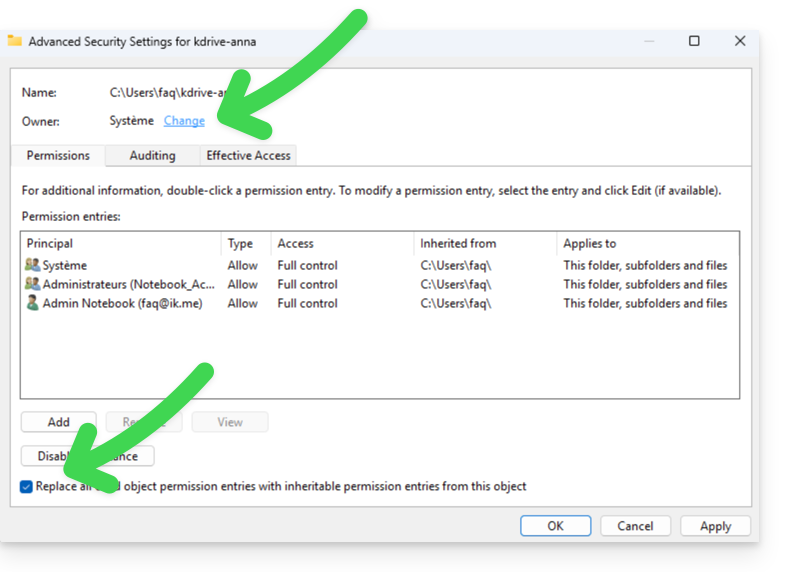
- Click OK to validate.
Link to this FAQ: https://faq.infomaniak.com/1686
Has this FAQ been helpful?