Knowledge base
1000 FAQs, 500 tutorials and instructional videos. Here, there are only solutions!
Share an address book on Infomaniak Contacts
This guide explains how to share contacts with other users from the address books in the Infomaniak Contacts web app (online service ksuite.infomaniak.com/contacts).
Introduction
- To manage contacts, please refer to this other guide.
- Please refer to this other guide to manage address books and also their sharing.
Share an address book
To share contacts:
- Click here to access the Infomaniak Web app Contacts (online service ksuite.infomaniak.com/contacts).
- Click on the action menu ⋮ to the right of an address book (before any groups, which cannot be shared specifically but will be visible when sharing is accepted).
- Click on Share:
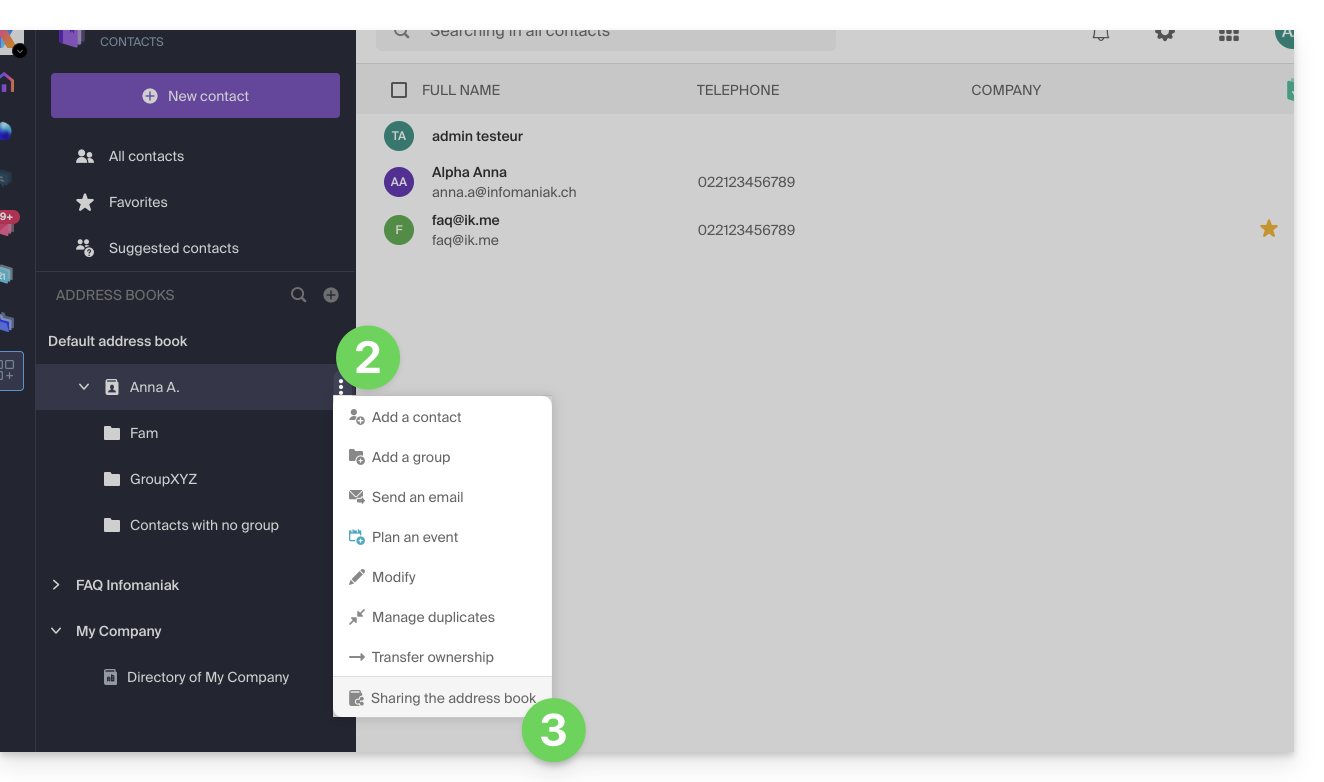
- If a share is already in progress and you want to start a new one, click on Share at the top; otherwise, click on the Share button further down.
- Enter the email address of the user who will access the address book:
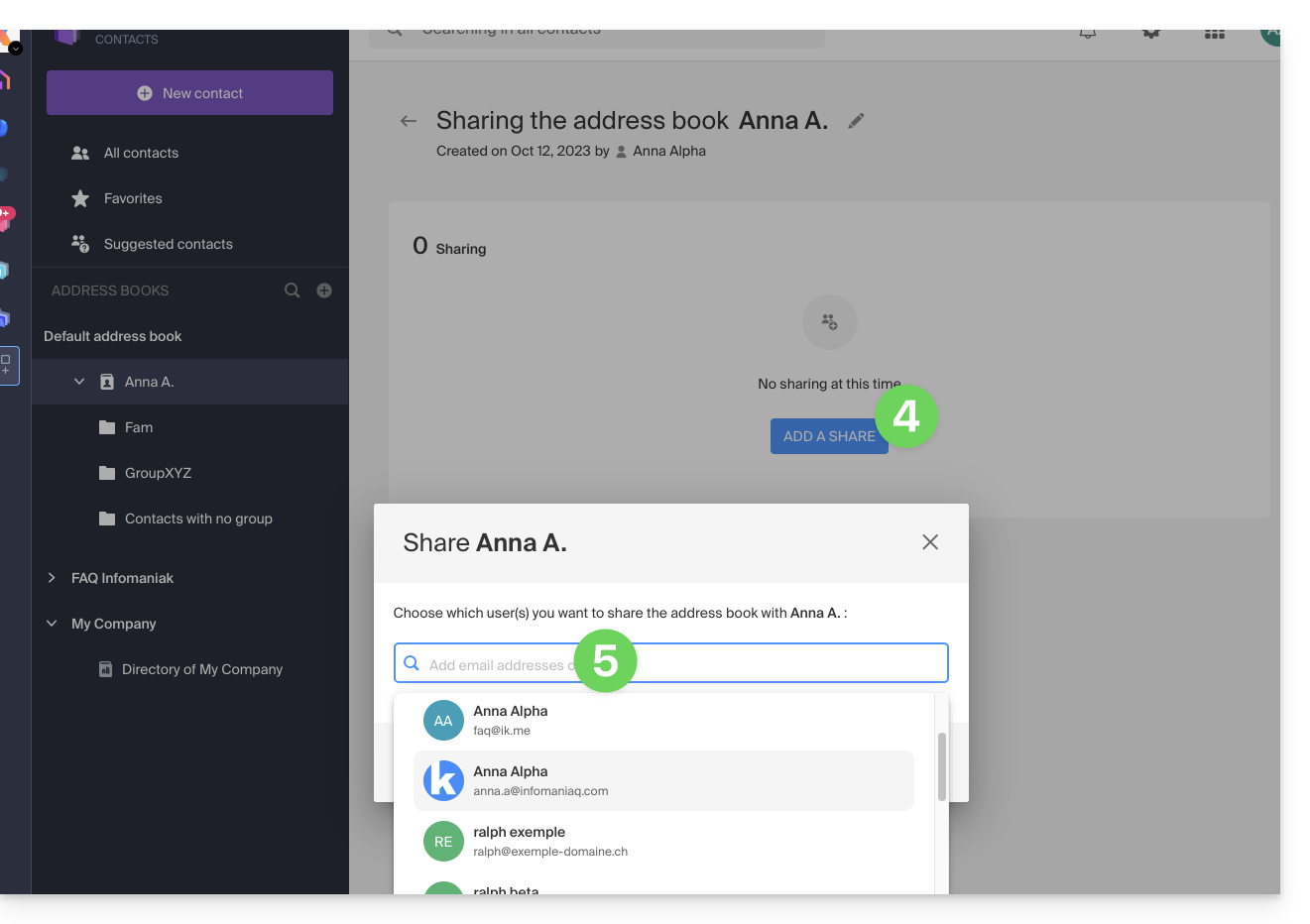
- If the user does not yet have one, they can create one for free.
- Specify the user's permissions for this address book (Administration, Read-only, Read and write).
- Finish by clicking the share button:
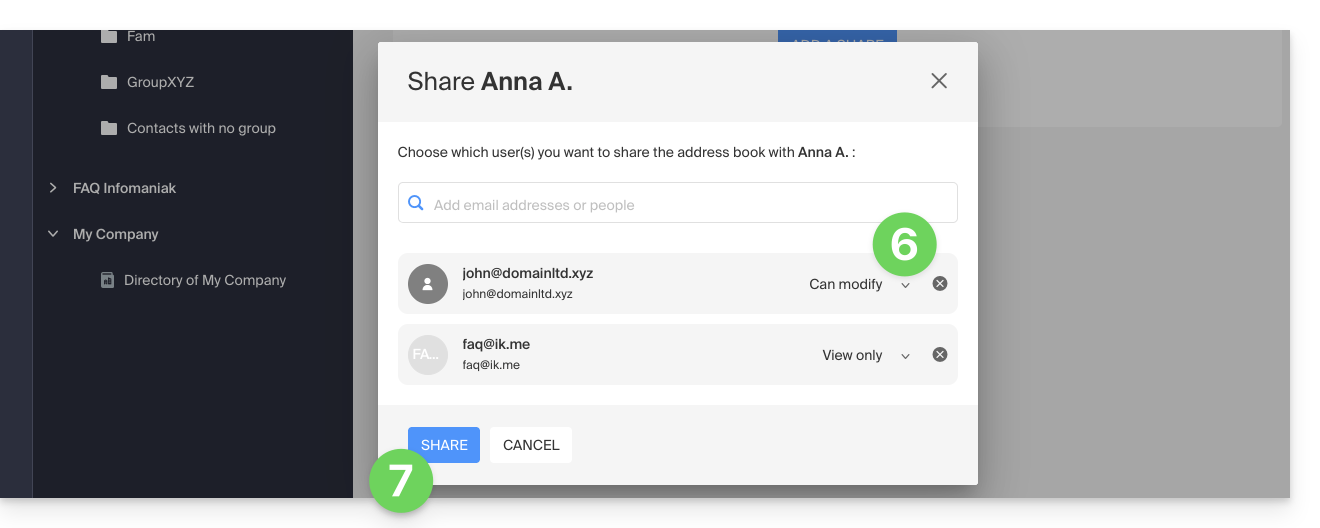
Contacts created or moved/copied to this address book in the future will be dynamically visible to all users with access to the share.
Accept the share
The invited user must accept the share to access the shared data (group names are already visible before acceptance), which will be located in an “Other address books” section: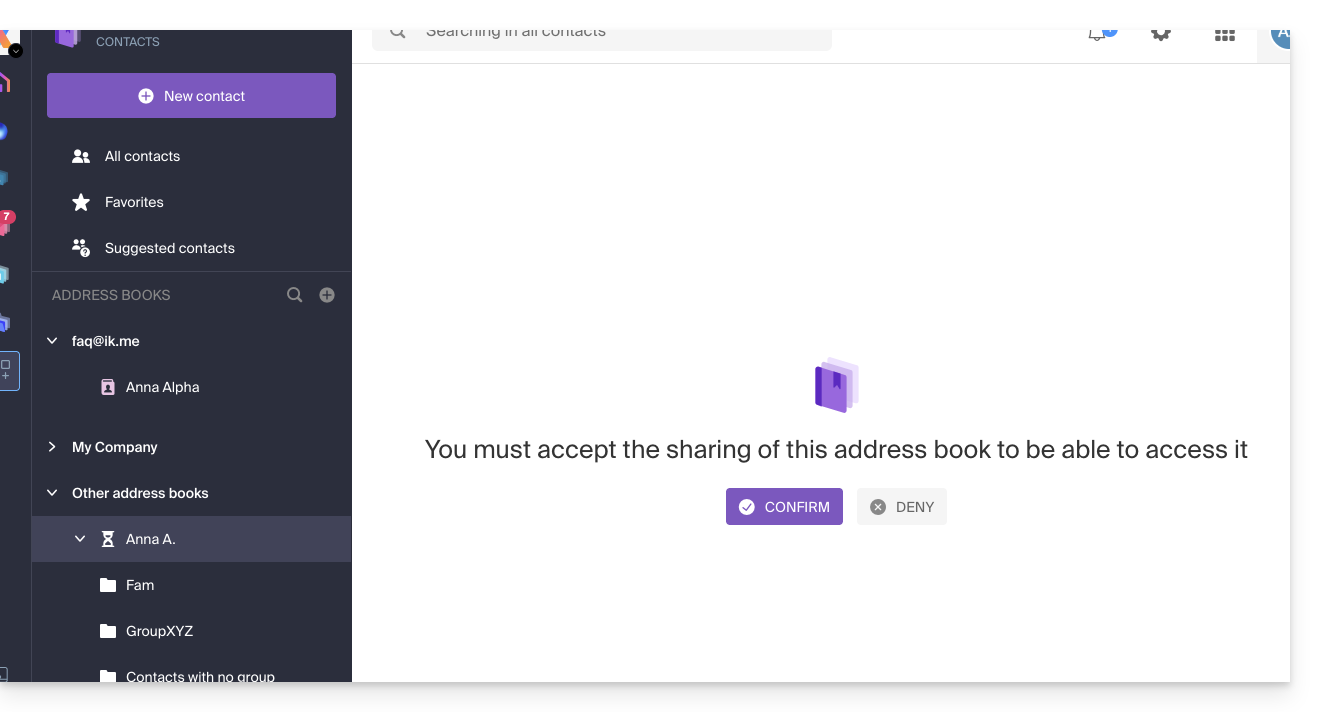
Depending on their permissions, they may be able to perform certain operations on contacts or simply view them, including when composing a new email: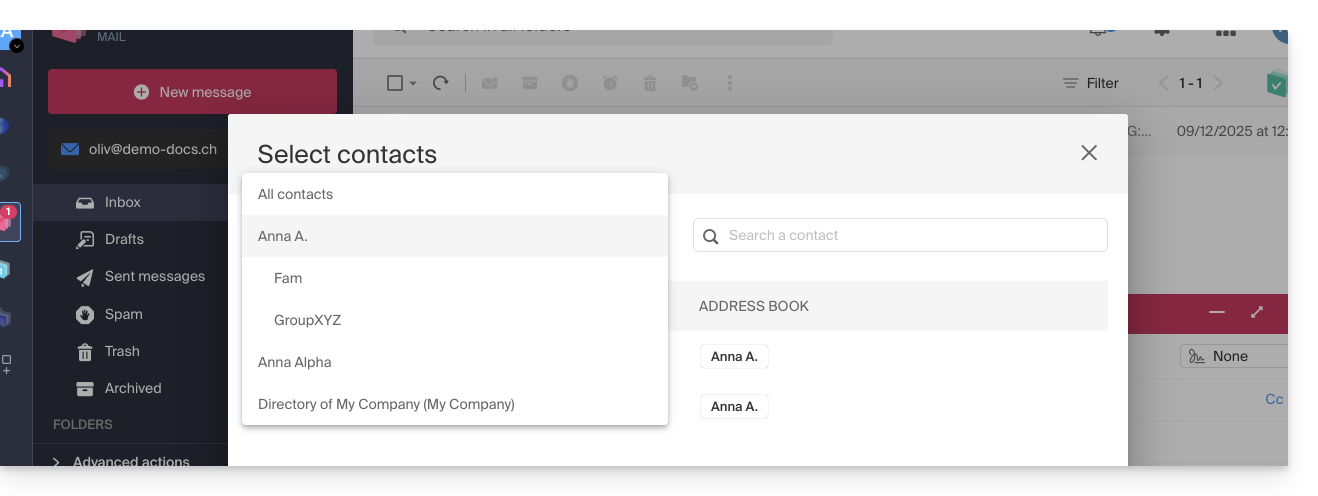
Withdraw from a previously accepted share
A user can withdraw from a shared address book from the action menu ⋮ on the right-hand side: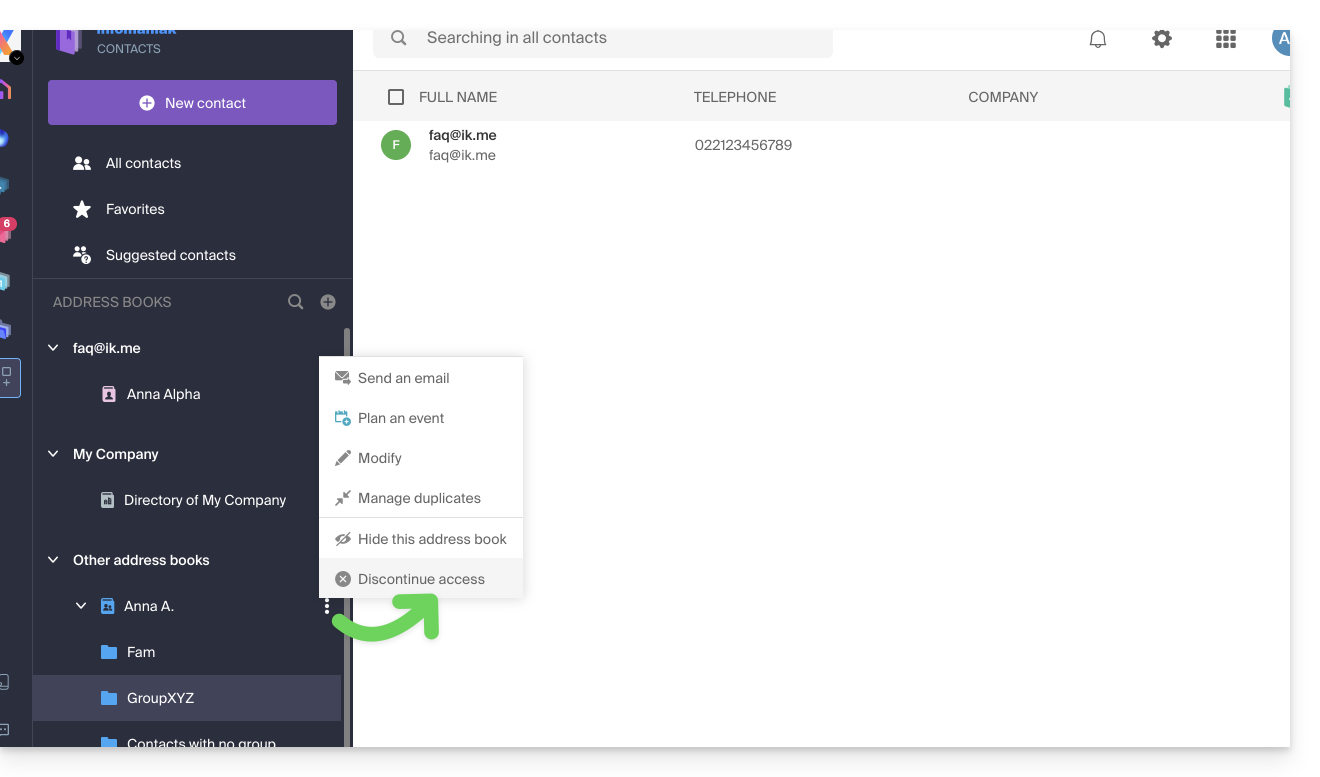
Link to this FAQ: https://faq.infomaniak.com/1678
Has this FAQ been helpful?