Knowledge base
1000 FAQs, 500 tutorials and instructional videos. Here, there are only solutions!
Add an attachment to an event in Infomaniak Calendar
This guide explains how to add an attachment from kDrive to an event in a calendar using the Infomaniak Calendar web app (online service ksuite.infomaniak.com/calendar).
Introduction
- Some software or applications also allow you to add an attachment, and in this case, if you synchronize the calendar with your solution, the attached file can be up to a maximum size of 64 KB.
Add a kDrive attachment
When you create a new event on the Infomaniak Calendar web app (online service ksuite.infomaniak.com/calendar), you can add one or more attachments (links to files in kDrive):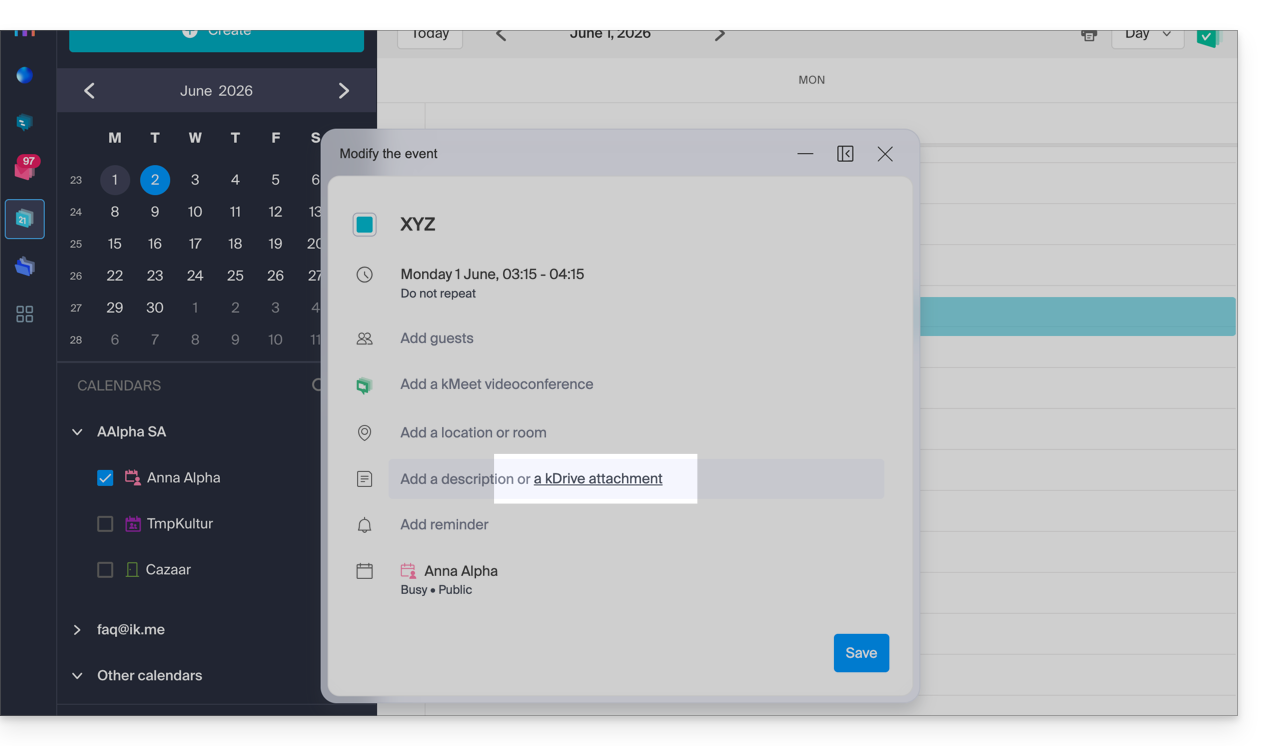
Then, click on the “Insert a kDrive link” link, and you will access kDrive directly from the Calendar event creation window: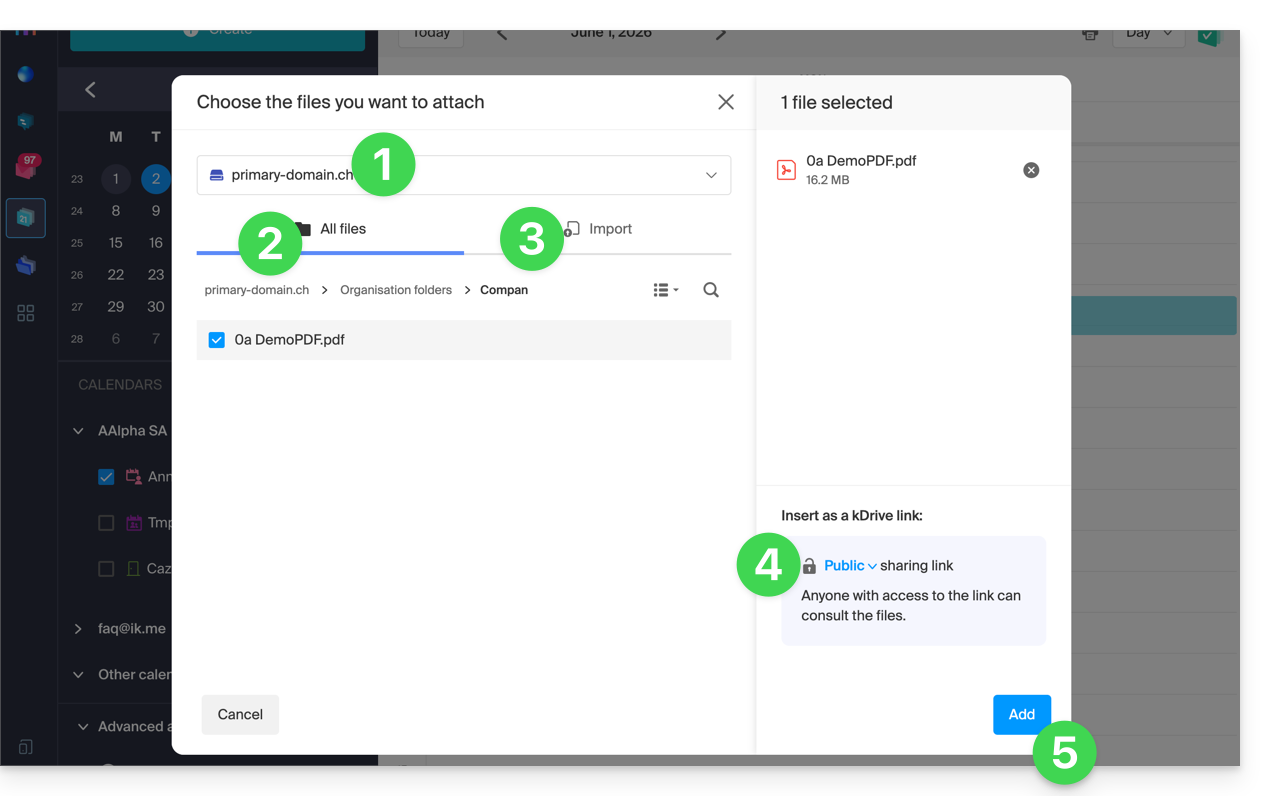
- Select kDrive if necessary.
- Browse and select the files to add to the event.
- Otherwise, import new documents that will be stored on kDrive.
- Once selected, choose whether their link should be:
- a public link (everyone can access it)
- a restricted link (only people with access can access it)
- Click on Add.
Whether the event is recurring or not, you can add files that will be shared with those who view the event in the calendar: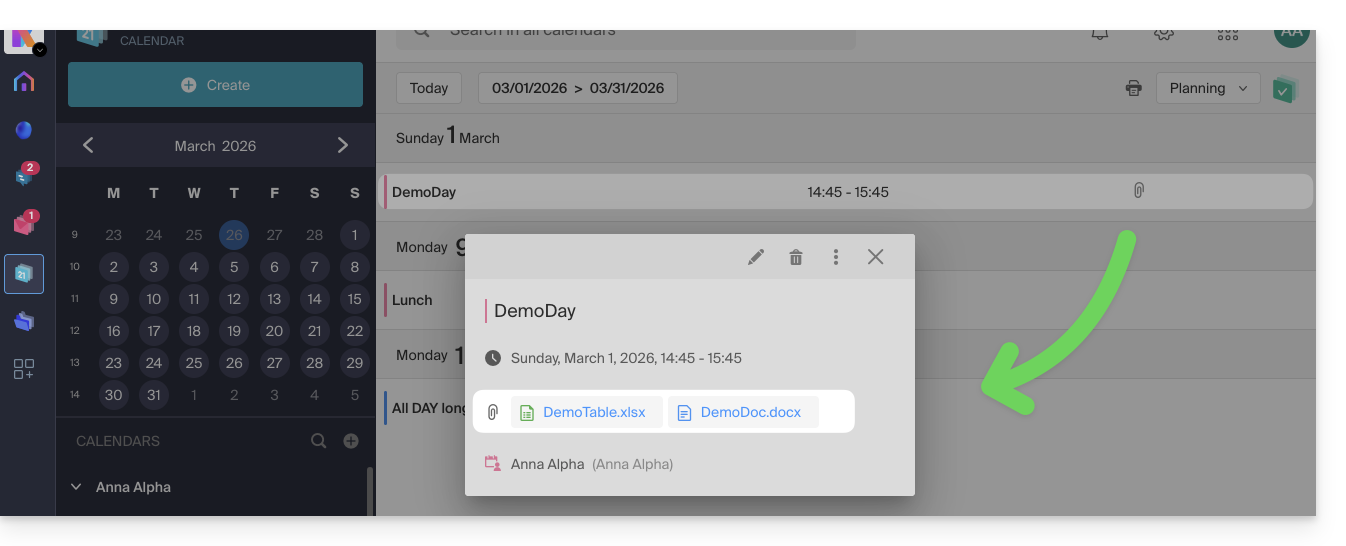
Guests who view the event details via a synchronized application, Outlook, Gmail, and others, will see the links in the description (as is the case for the possible kMeet link, for example, if a video conference is planned for the event).
Link to this FAQ: https://faq.infomaniak.com/1673
Has this FAQ been helpful?