Knowledge base
1000 FAQs, 500 tutorials and instructional videos. Here, there are only solutions!
Add an audio stream relay
This guide explains how to create a stream relay on Infomaniak's Streaming Radio.
Create a stream relay
Prerequisites
- First, to create a standard stream, you need a radio encoder.
- The configuration settings provided at the end of the stream creation process allow you to configure your encoder.
- Once this is done, the stream will be sent from your encoder to Infomaniak's servers.
- Next, you have the option to specify the relay of any stream (e.g., any web radio).
- In this case, Infomaniak no longer receives the radio via an encoder connected to the master server but relays the stream broadcast by another server.
- If you create this stream relay, your stream is already available and accessible via a host address (domain name or IP address).
- This address must be specified in the Manager so that Infomaniak's servers can retrieve your stream.
- In the same place, you can activate the backup stream option.
- Thus, if your main stream becomes unavailable, the backup stream will automatically take over.
To access the radio streaming service:
- Click here to access the management interface for your product in the Infomaniak Manager (need help?).
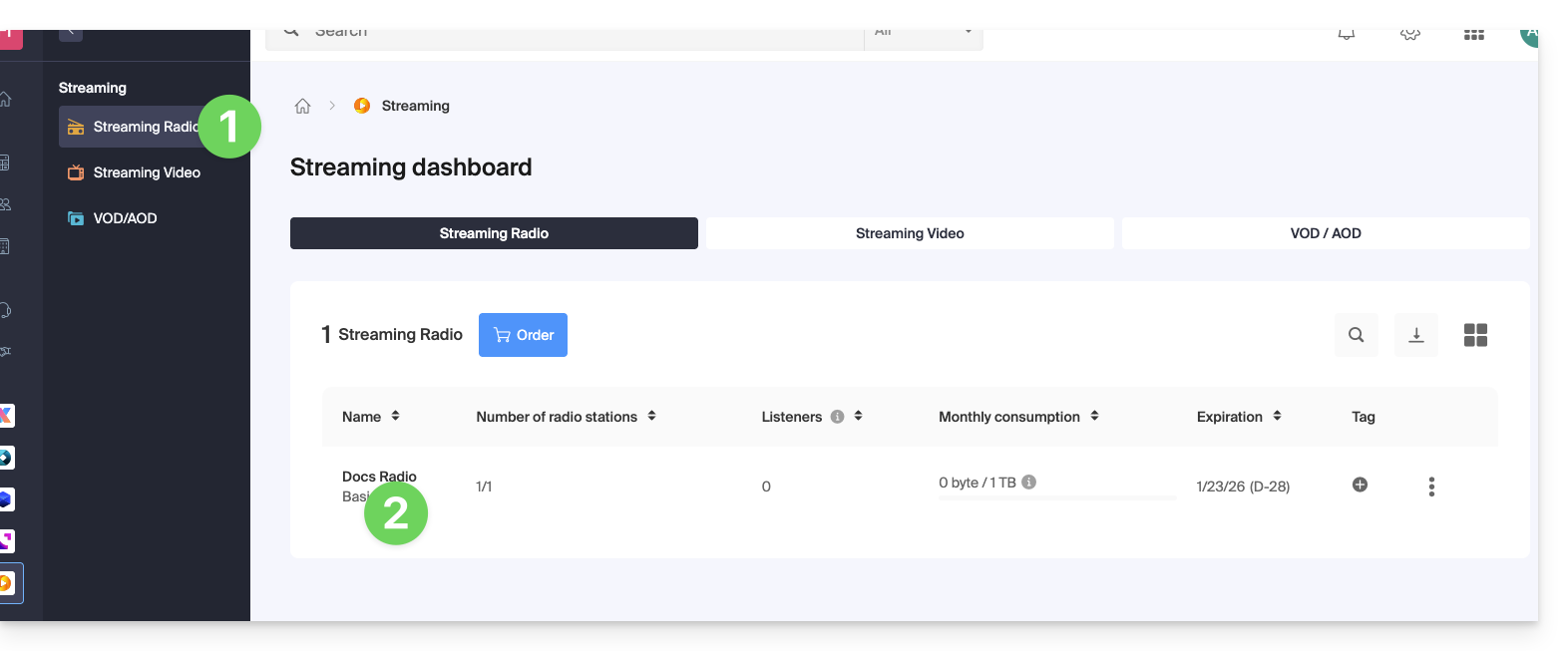
- Click directly on the name assigned to the product in question:
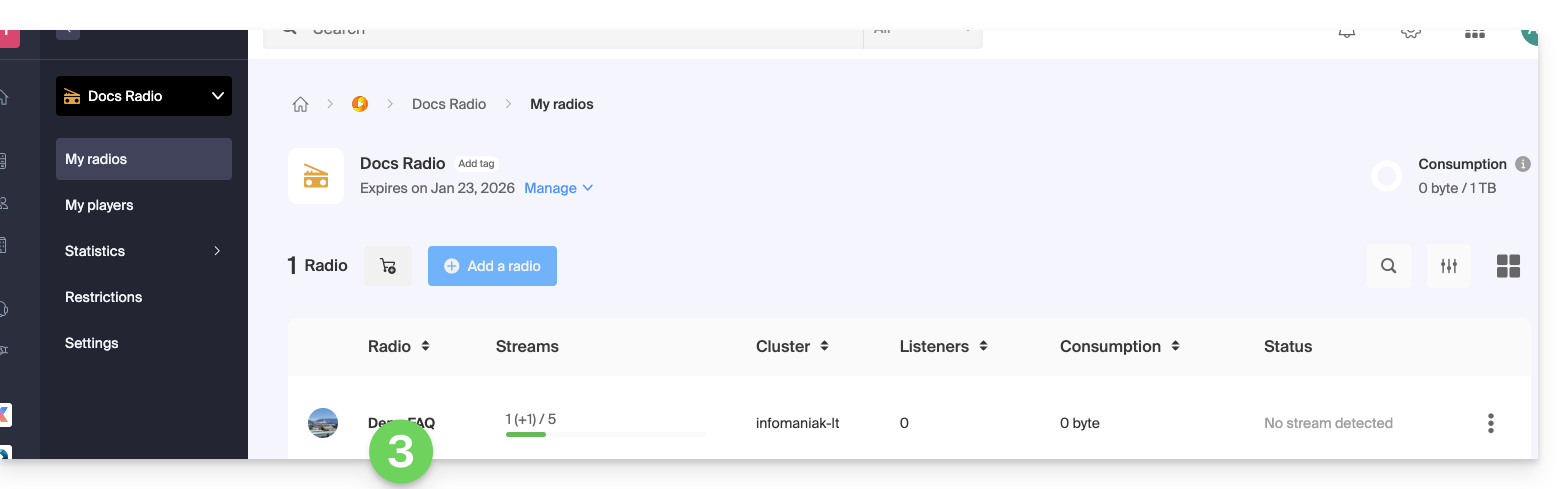
- Then, click on the name of the radio station:
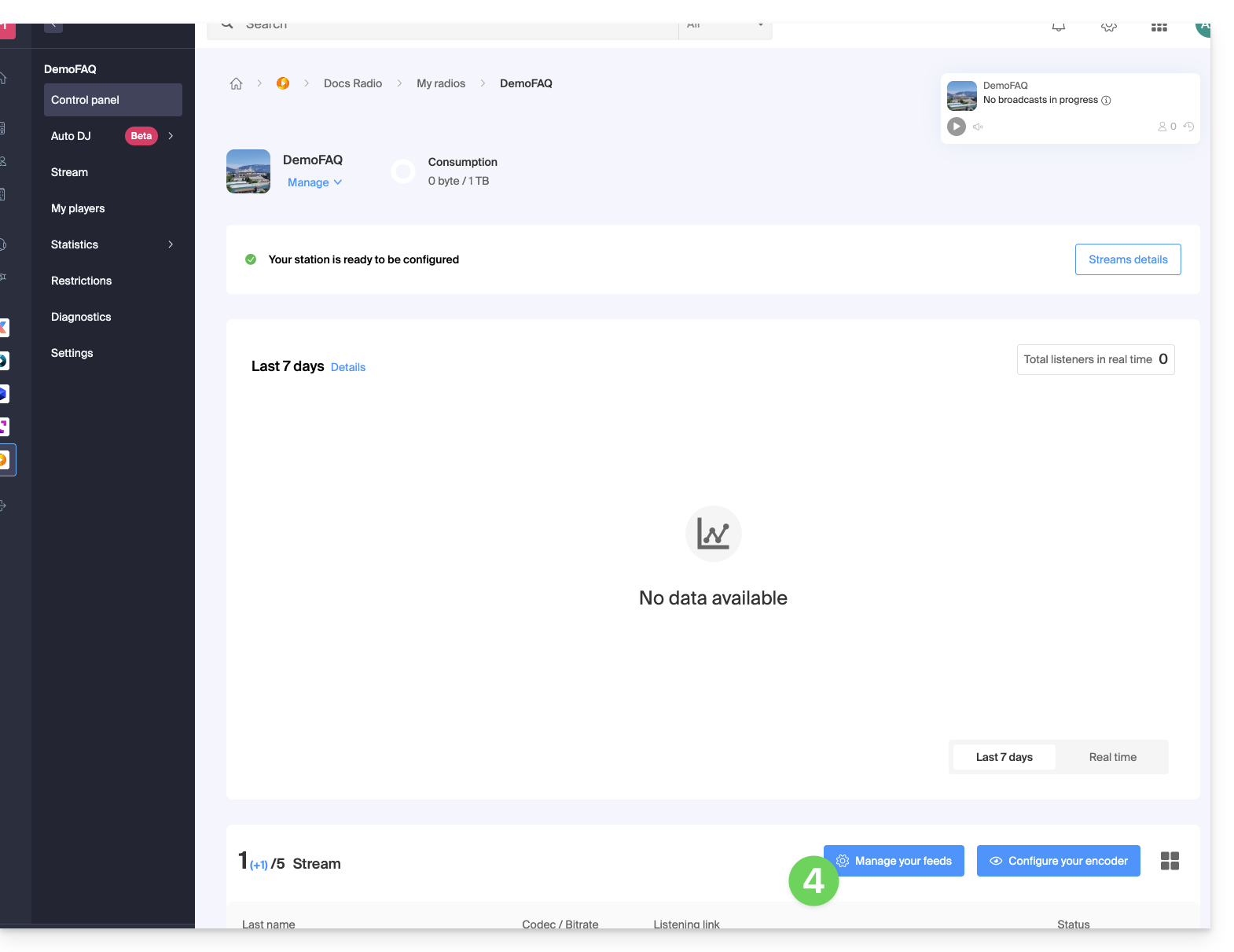
- Click on the Configure Feeds button:
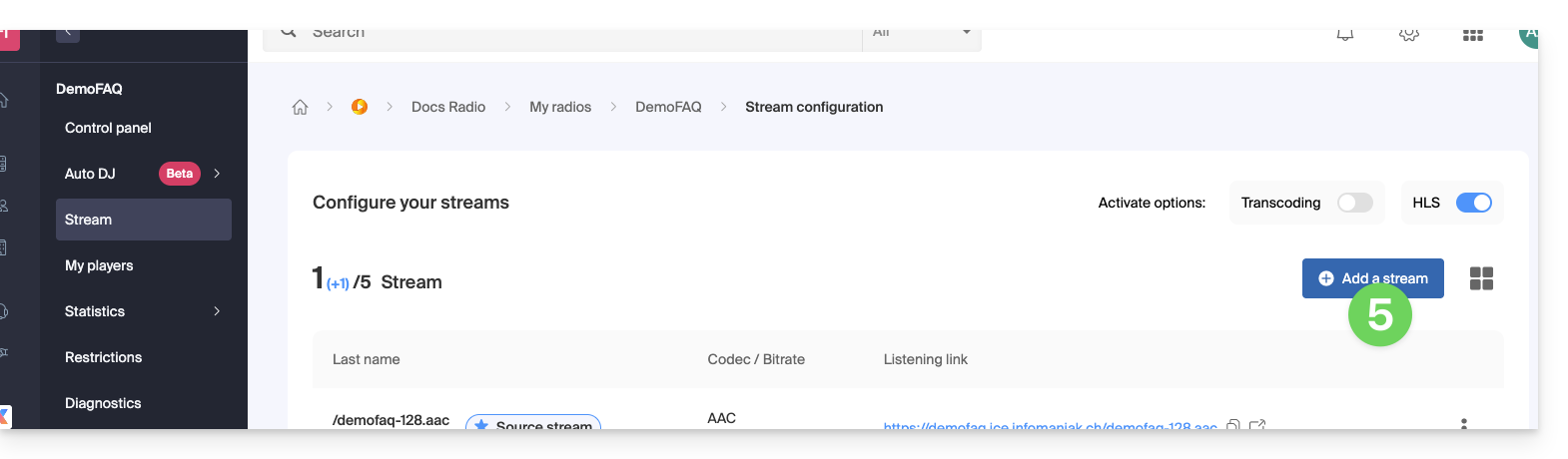
- Click on the Add Feed button:
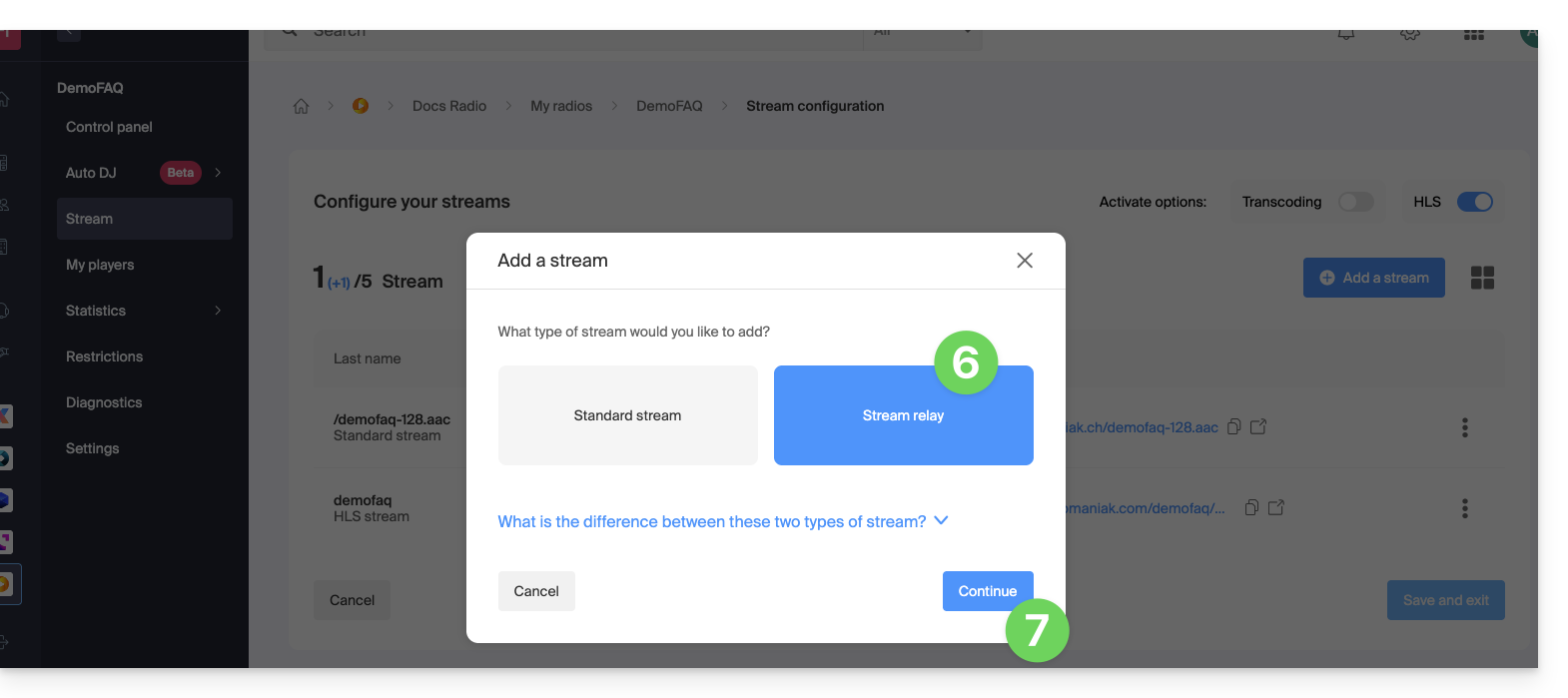
- Select Relay.
- Click the Continue button:
The configuration requires 3 fields:
- Server name
- port
- mount point
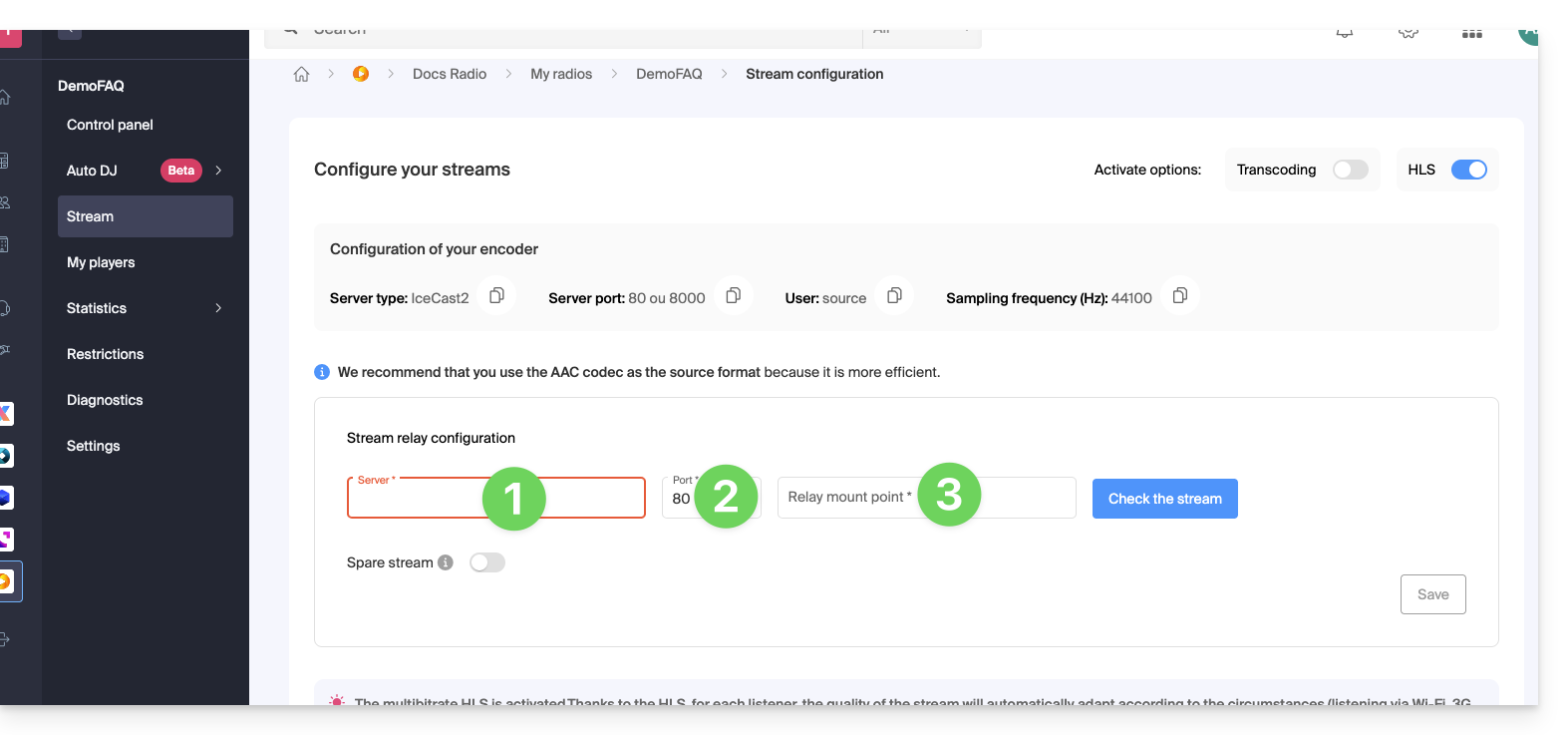
If the feed you need to relay is structured as follows: http://server.com:82/music.mp3, then indicate:
server.com82/music.mp3
That said, in some cases, the mount point field may be empty, and the extension may not be necessary. If there is no port in the URL with http, simply enter "80".
Click the blue button to validate the feed, then click Save in the bottom right corner.
You can also add a feed relay as a backup feed if you enable this option when adding a standard feed: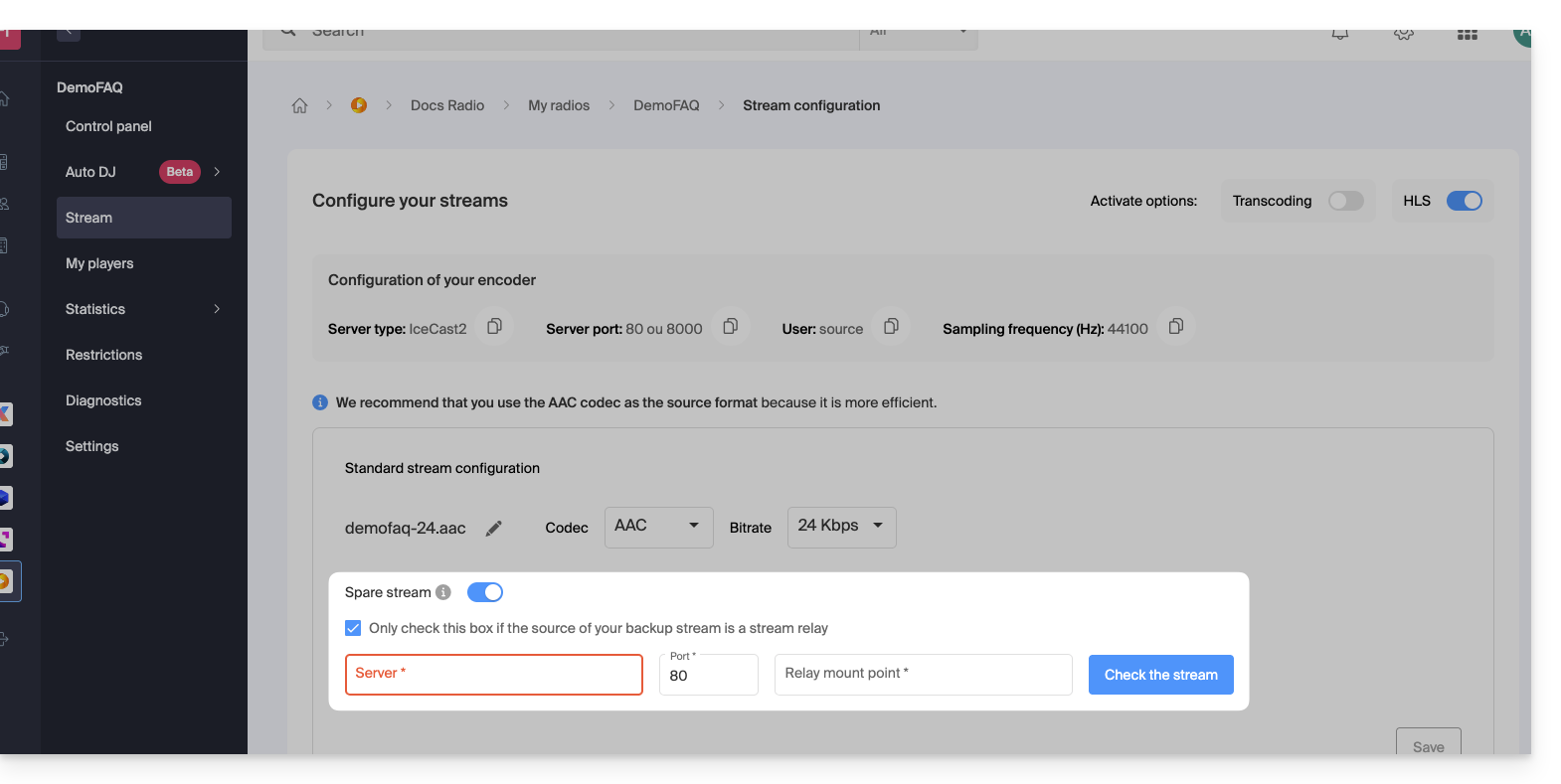
Link to this FAQ: https://faq.infomaniak.com/1658
Has this FAQ been helpful?