Knowledge base
1000 FAQs, 500 tutorials and instructional videos. Here, there are only solutions!
Restore a hosting (specific data)
This guide explains how to access automatic backups and restore a specific file from a website on an Infomaniak hosting.
Restore specific files or folders
To do this:
- Access the FTP server via Web FTP (need help?).
- Go to the
/backupsfolder. - Select the files and/or folders to restore.
- Click the Copy button:
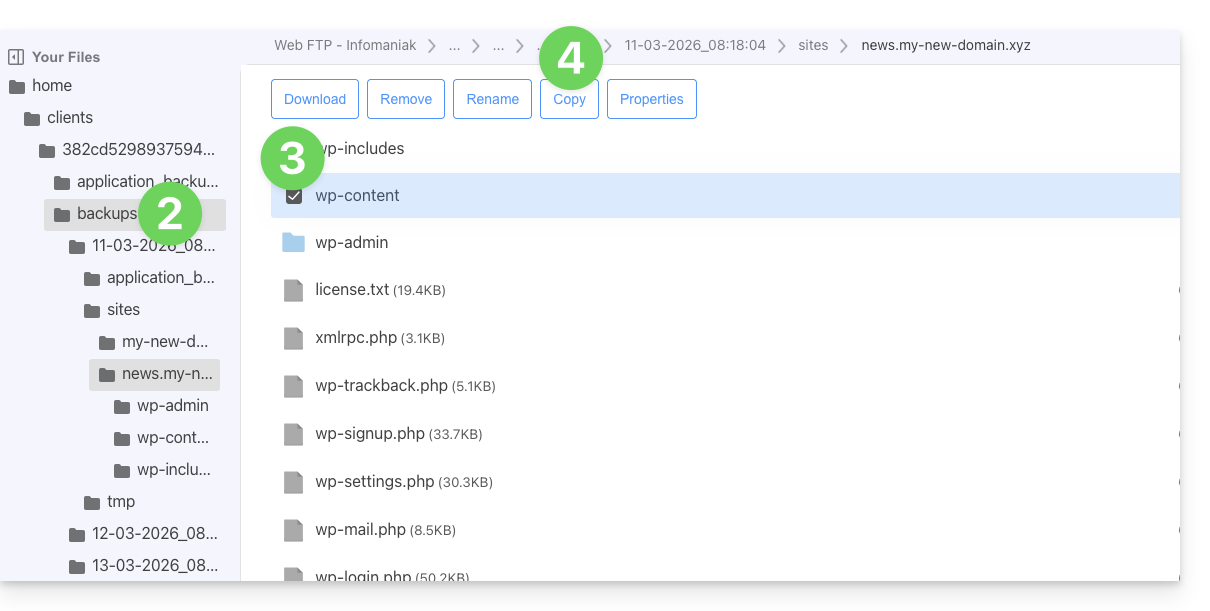
- Select the location to which to copy/restore the data (existing data will be replaced by the selected data).
Link to this FAQ: https://faq.infomaniak.com/1655
Has this FAQ been helpful?