Knowledge base
1000 FAQs, 500 tutorials and instructional videos. Here, there are only solutions!
Manage a user's permissions within an Organization
Update 10/12/2026
This guide explains how to modify the role and permissions of a user so that they only have a limited legal role or access to only certain features of your Organization within the Infomaniak Manager.
Introduction
- Since you opened your account with Infomaniak, you have been part of at least one Organization (❓: help).
- If you were the only user and it wasn't an invitation, an Organization was created in your name, and you automatically become its legal representative.
- Otherwise, you belong to the Organization that invited you (to join its kSuite, to manage a product, etc.).
- You can define whether a user…
- … belongs to your Organization and whether they should have the role of:
- Legal Representative
- Administrator
- Collaborator
- … is external to your Organization (limited rights):
- External users are not taken into account when sharing calendars and address books with the entire Organization.
- … belongs to your Organization and whether they should have the role of:
Modify a user's rights/permissions
Prerequisites
- First, switch to the desired Organization if you cannot find the expected list of users (❓: help).
- You must be at least an Administrator of the Organization (❓: help).
- Learn about the different permissions (e.g., access rights to products) and administrative contact preferencesfor a user within an Organization (❓: help).
- Please note that it is impossible to remove a legal representative if there is no other legal representative (❓: help).
To change a user's role:
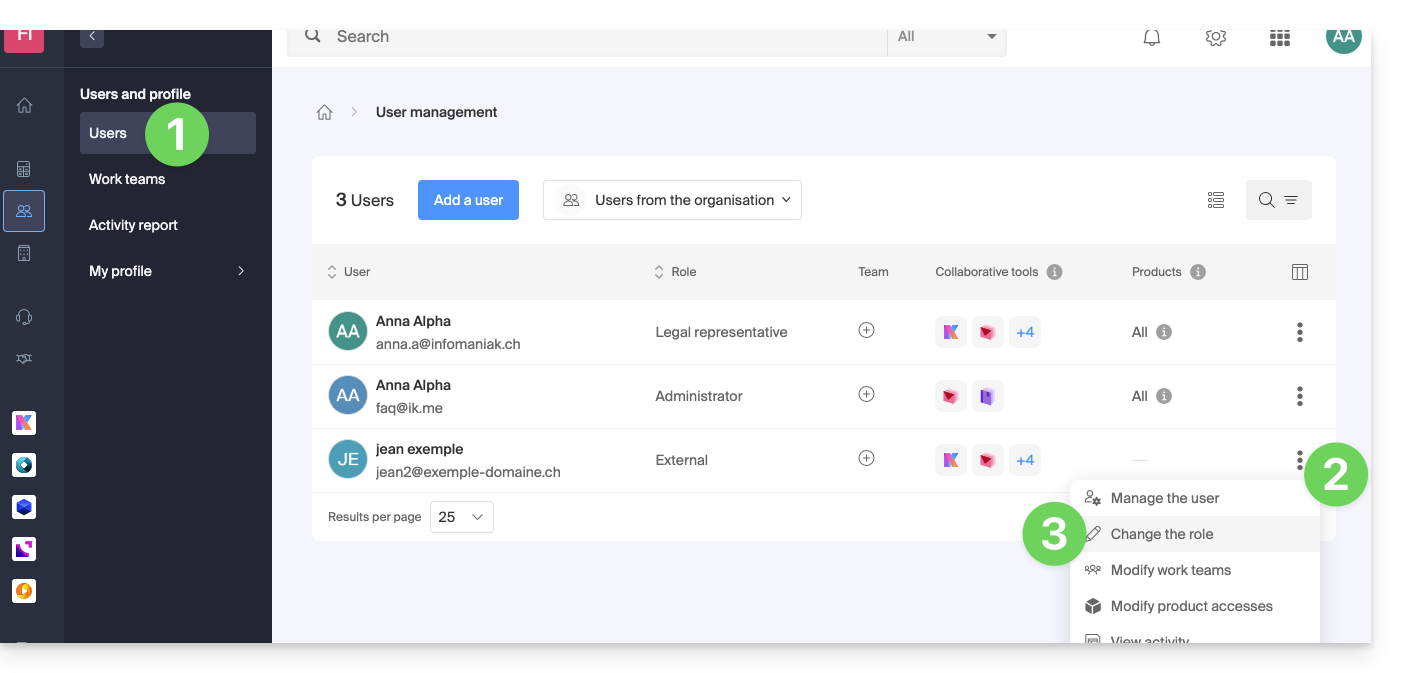
- Click here to access the user management section in the Infomaniak Manager (❓: help).
- Click on the action menu ⋮ located to the right of the user in question.
- Click on Edit role:
- Modify the desired role:
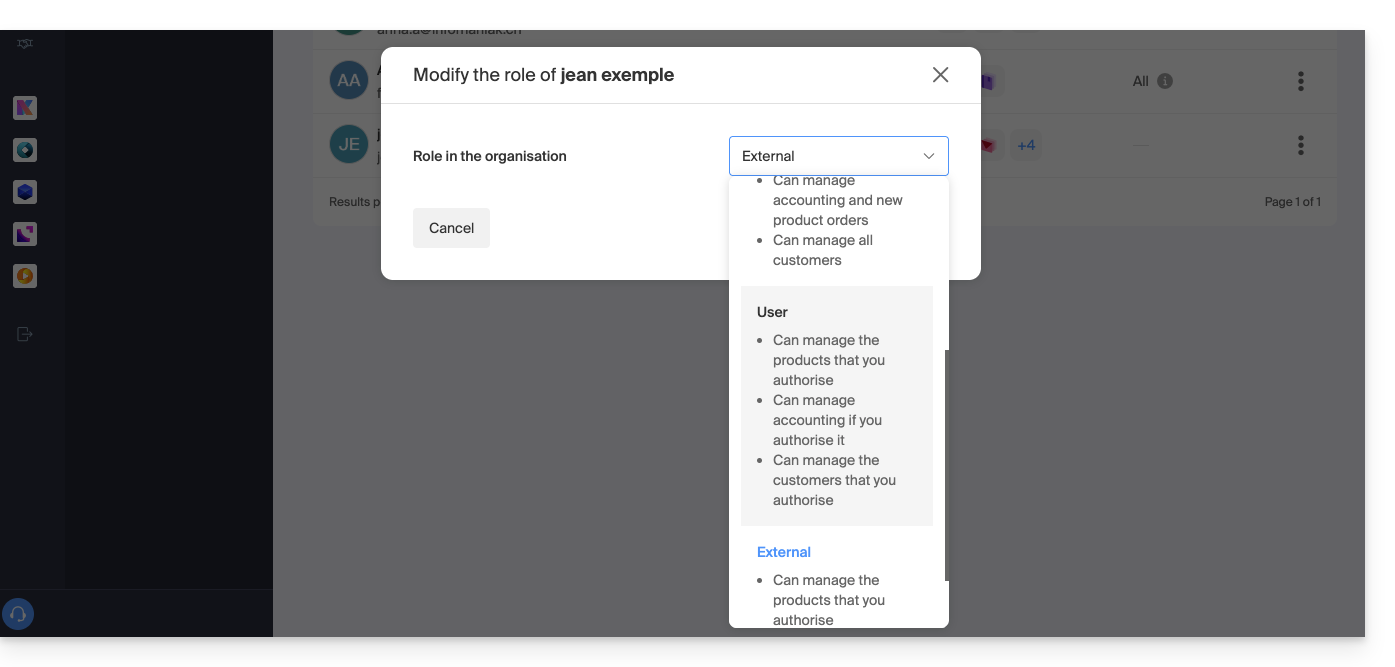
- Click the Save button.
A summary email is sent to the user whose role has been changed.
If you assign the user a simple collaborator role…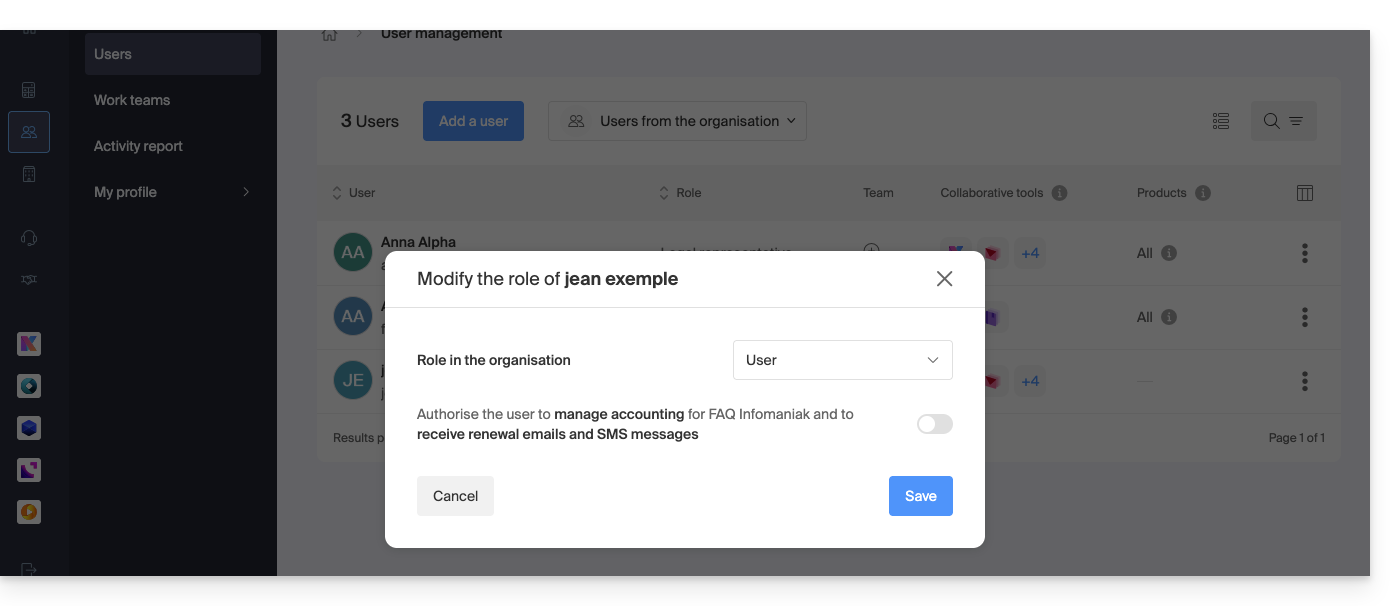
… you can modify the services they can access (❓: help):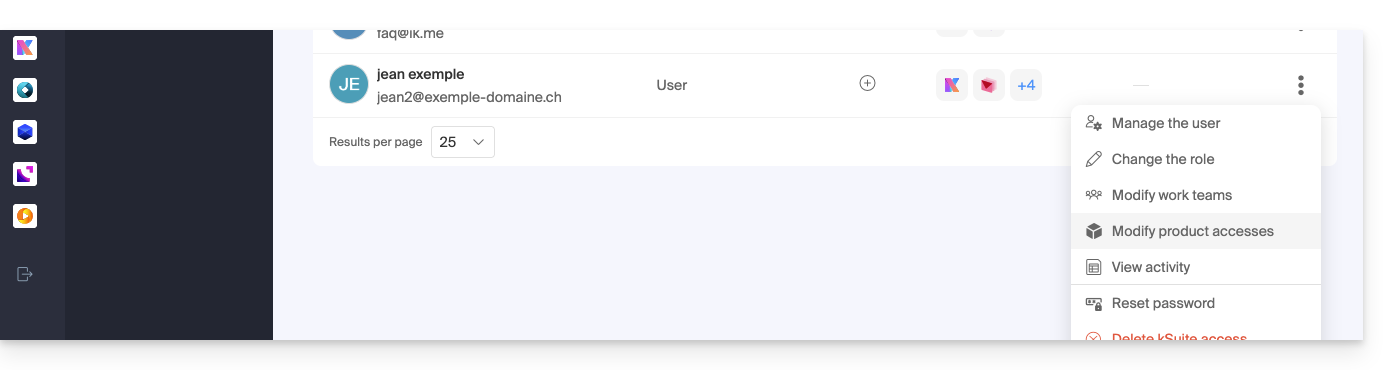
Link to this FAQ: https://faq.infomaniak.com/1633
Has this FAQ been helpful?