Knowledge base
1000 FAQs, 500 tutorials and instructional videos. Here, there are only solutions!
Secure an audio stream by restricting IP addresses / GeoIP
This guide explains how to maintain control over your radio streams by enabling IP protection or geolocation, allowing you to decide, for example, whether a specific listener can listen to your radio station or not.
Introduction
- You can protect MP3/AAC or HLS streams independently of each other (the same applies to protection by token).
- Activating the restriction involves changing the stream configuration, which may take a few minutes to replicate on the servers.
Protect an audio stream by GeoIP
To do this, simply go to the restriction settings and enable protection on the stream you want to secure:
- Click here to access the management of your product on the Infomaniak Manager (need help?).
- Click directly on the name assigned to the product in question:
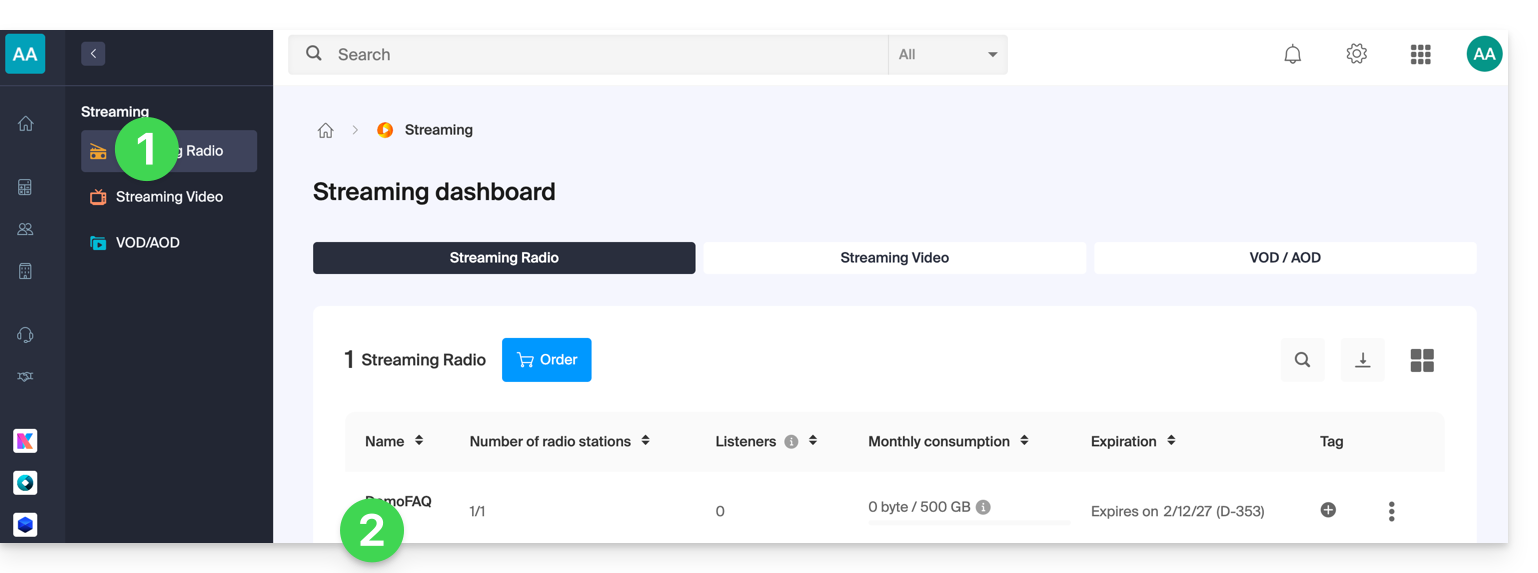
- Click:
- either on the name of the radio station:
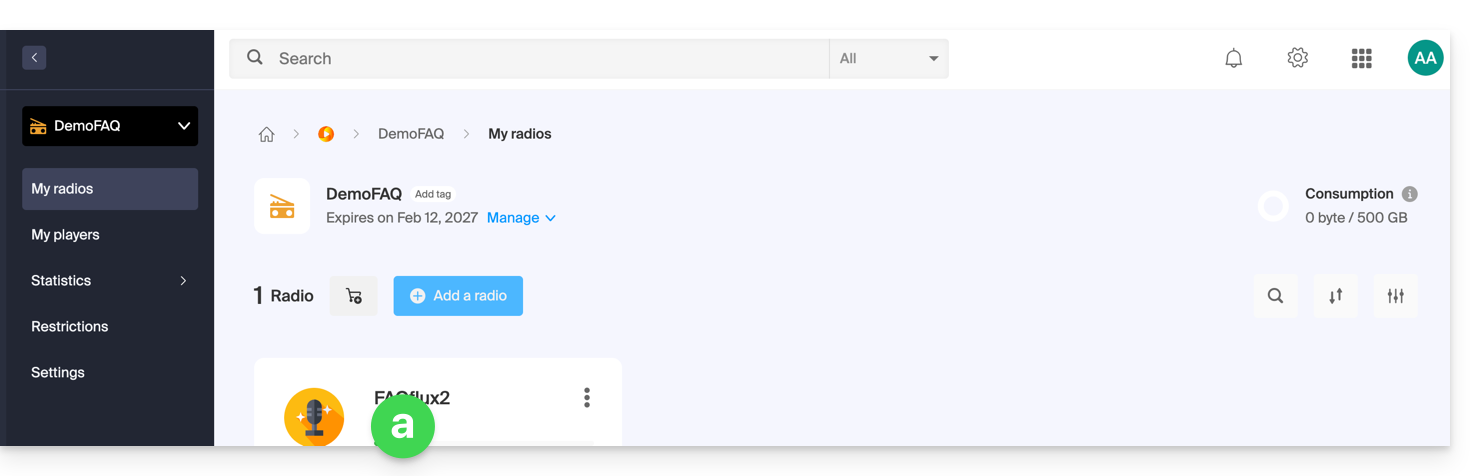
- or on Restrictions in the left-hand menu to apply restrictions to the entire product:
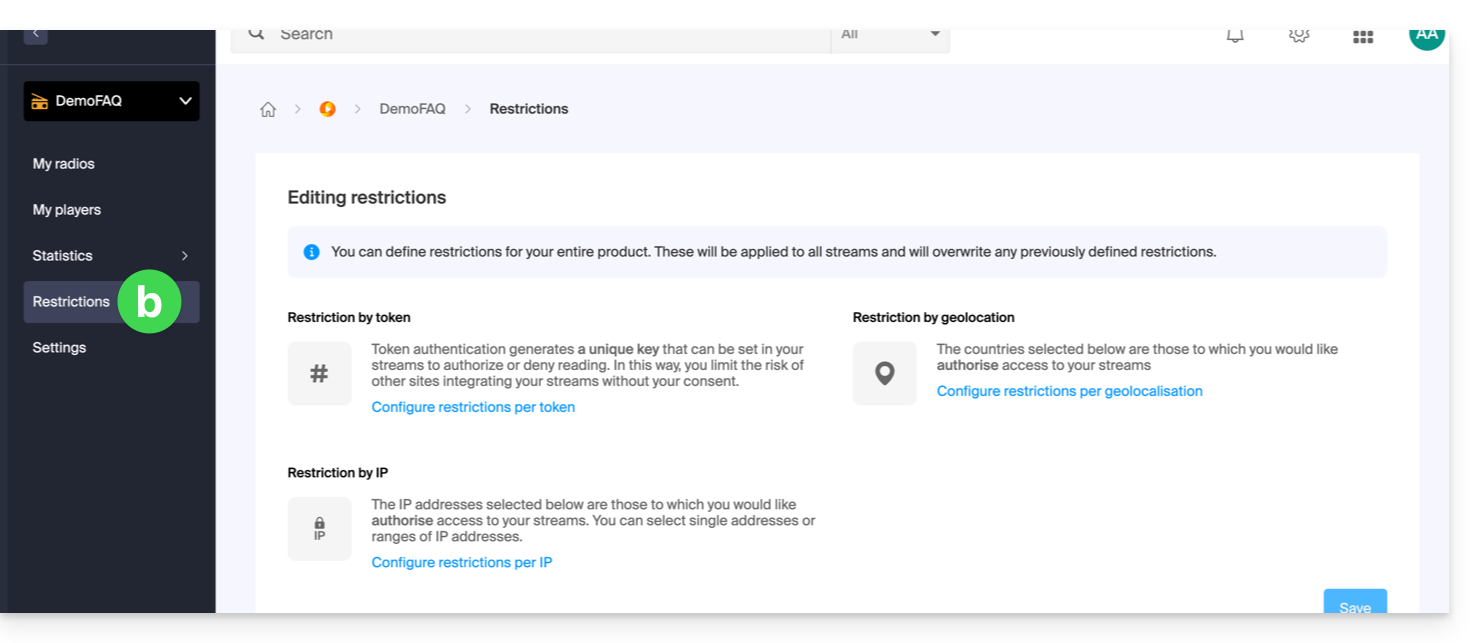
- either on the name of the radio station:
- When selecting
aabove, click on Restrictions in the left-hand menu. - Choose HLS if necessary.
- Click on the action menu ⋮ located to the right of the item in question.
- Click on Restriction by geolocation:
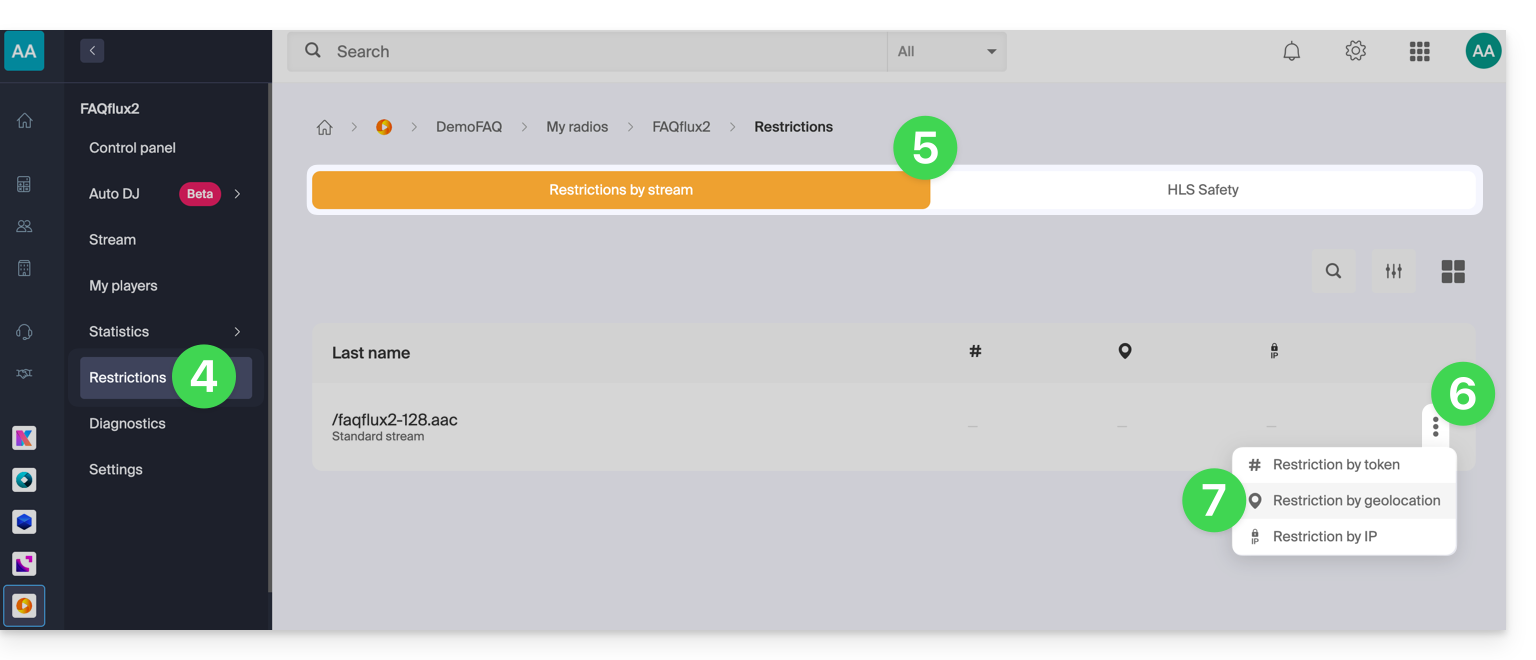
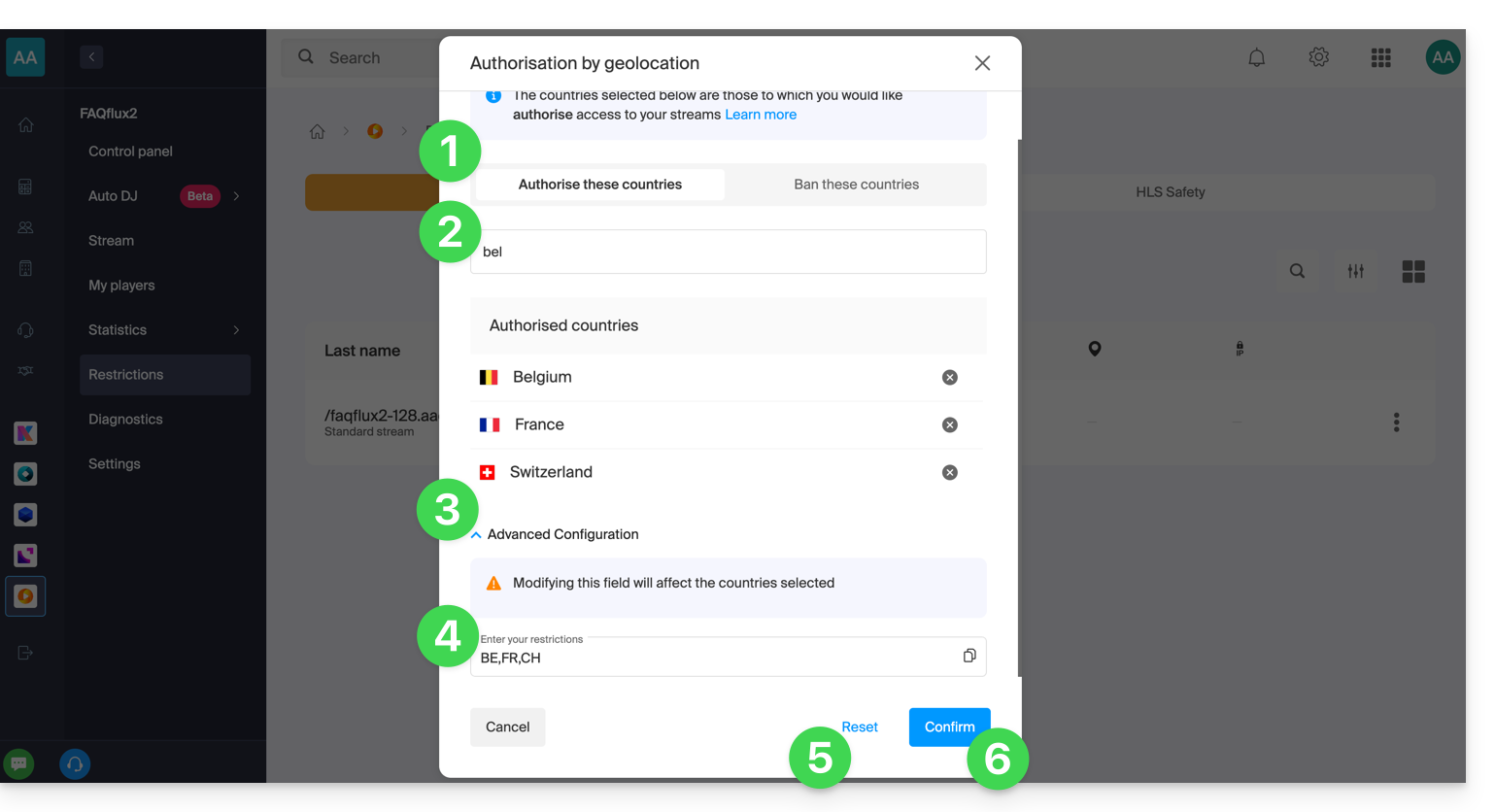
Then configure the restrictions:
- Choose whether the listed countries will be allowed or forbidden.
- Search for a country to add it to the list.
- Activate advanced configuration if necessary.
- Copy or paste a list of countries (useful for restricting other streams with a simple copy-paste).
- Click to remove all countries listed on the page.
- Click the blue button to save:
Protect an audio stream by IP
You can define an IP or a range of IPs as a list of allowed or forbidden IPs for accessing a stream.
If you only specify an allowed IP criterion, a geographical restriction must be in place. In this case, the goal is, for example, to forbid a country, but to allow a person from that country to access the stream: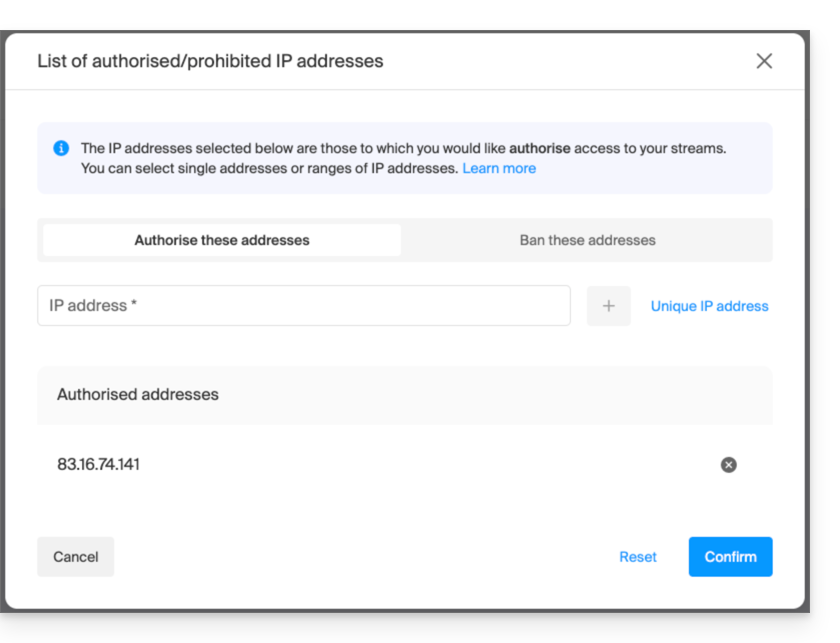
If you want to block access for everyone and only allow one or more specific IP addresses, you must explicitly block the range 0.0.0.0 → 255.255.255.255 (the global address range), and at the same time allow the IP address(es) for which you want to grant access: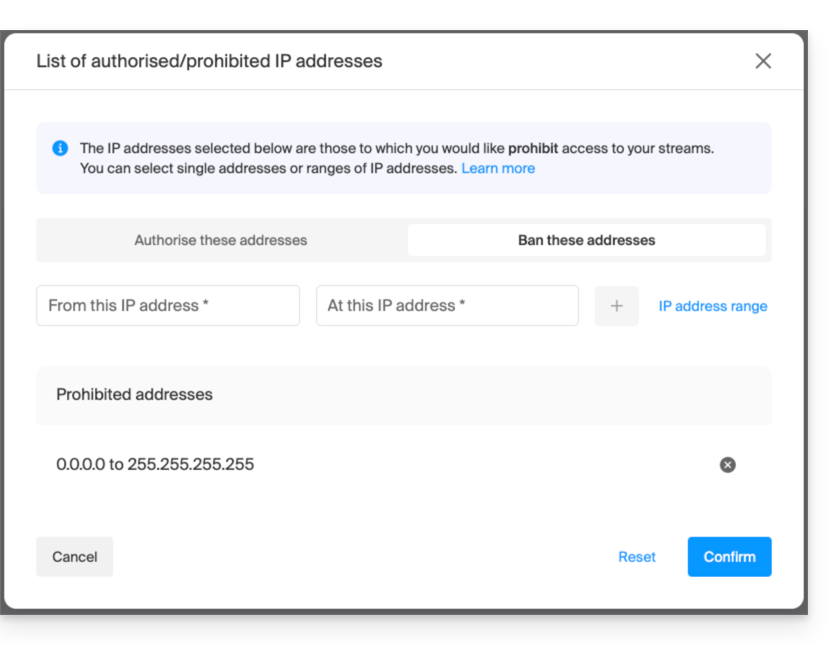
Link to this FAQ: https://faq.infomaniak.com/1588
Has this FAQ been helpful?