Knowledge base
1000 FAQs, 500 tutorials and instructional videos. Here, there are only solutions!
Ticketing: Add resellers for your online ticketing system
This guide explains how to add users as resellers so they can sell tickets for your events (as part of the Infomaniak ticketing system).
Introduction
- If you have points of sale, partners, or simply cash registers at the entrance to the event, you can give them reseller access.
- This will allow you to grant them sales rights from the ticket office.
Add a reseller
To do this:
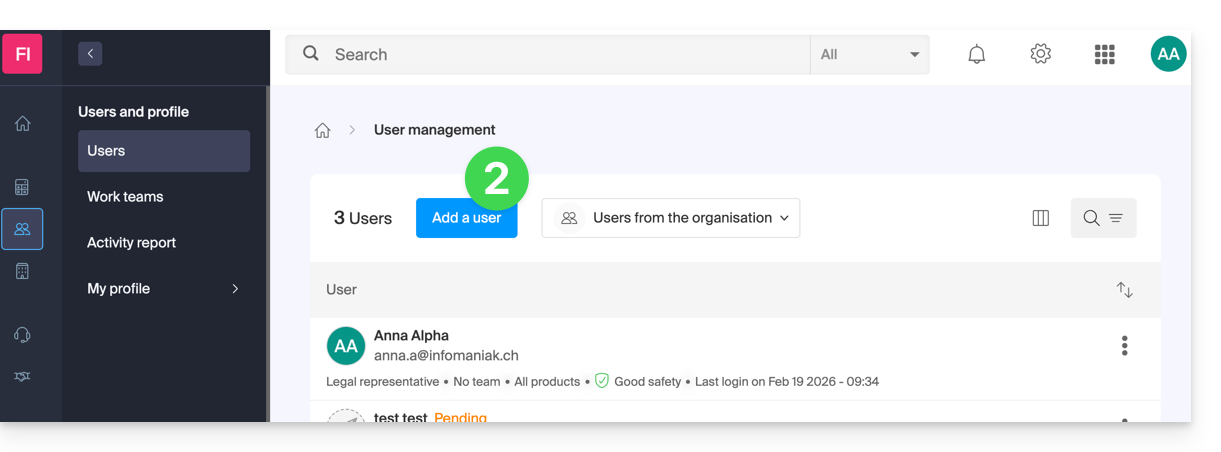
- Click here to access user management in the Infomaniak Manager (need help?).
- Click on the Add user button at the top:
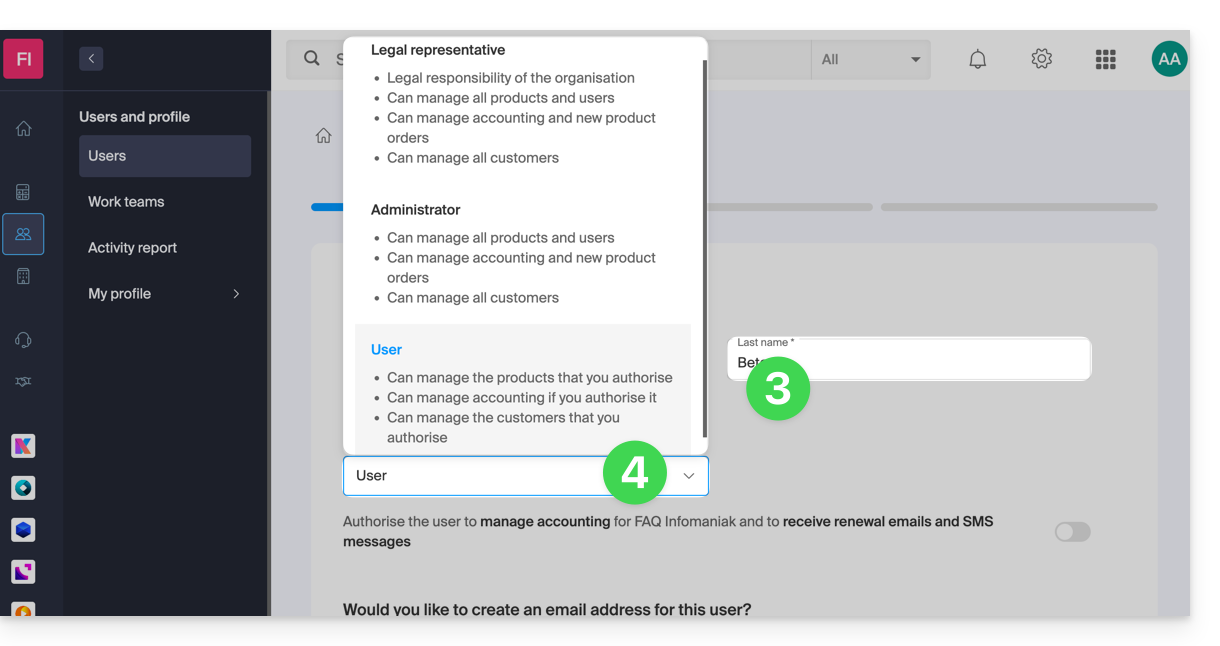
- Enter the user's details.
- Select User as the role:
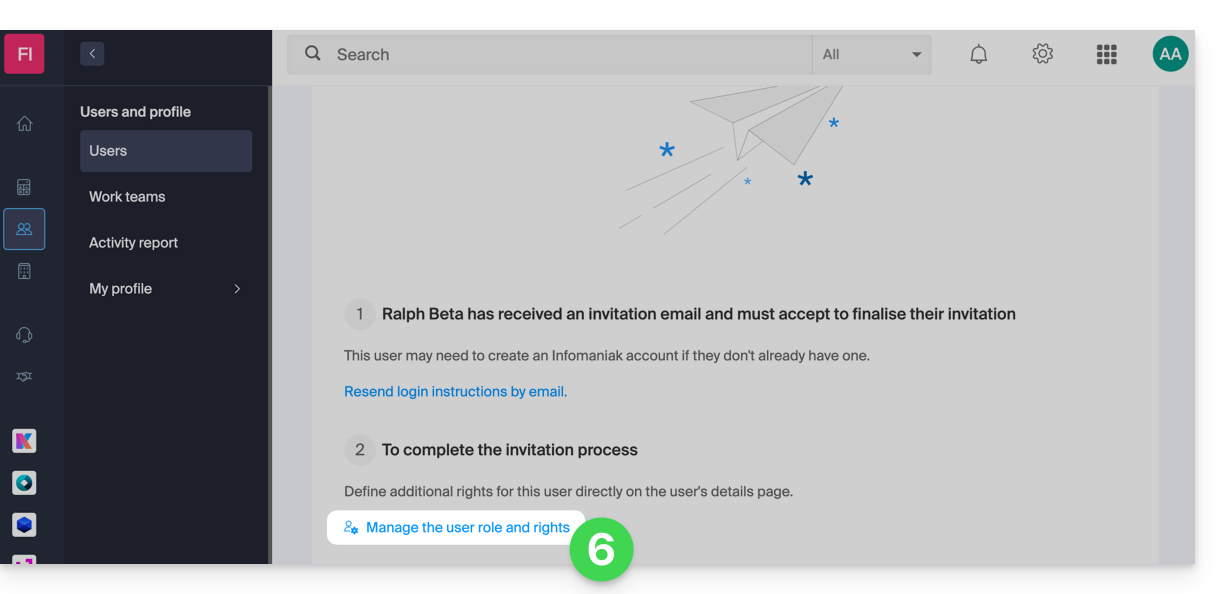
- Proceed to the next step (selecting a workgroup, if applicable) and complete the invitation.
- Click to choose the access permissions for the products:
- Expand the product administration section and click on Ticketing:
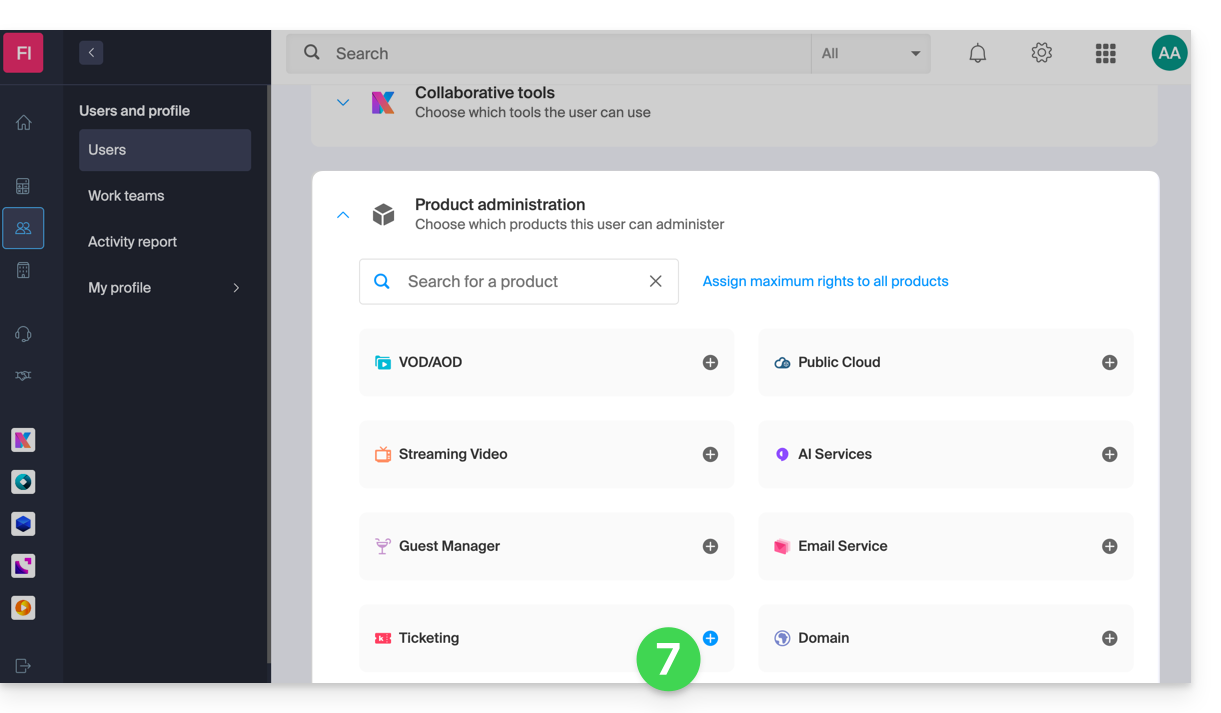
- A side panel will open – select the boxes to grant access to the relevant ticketing systems:
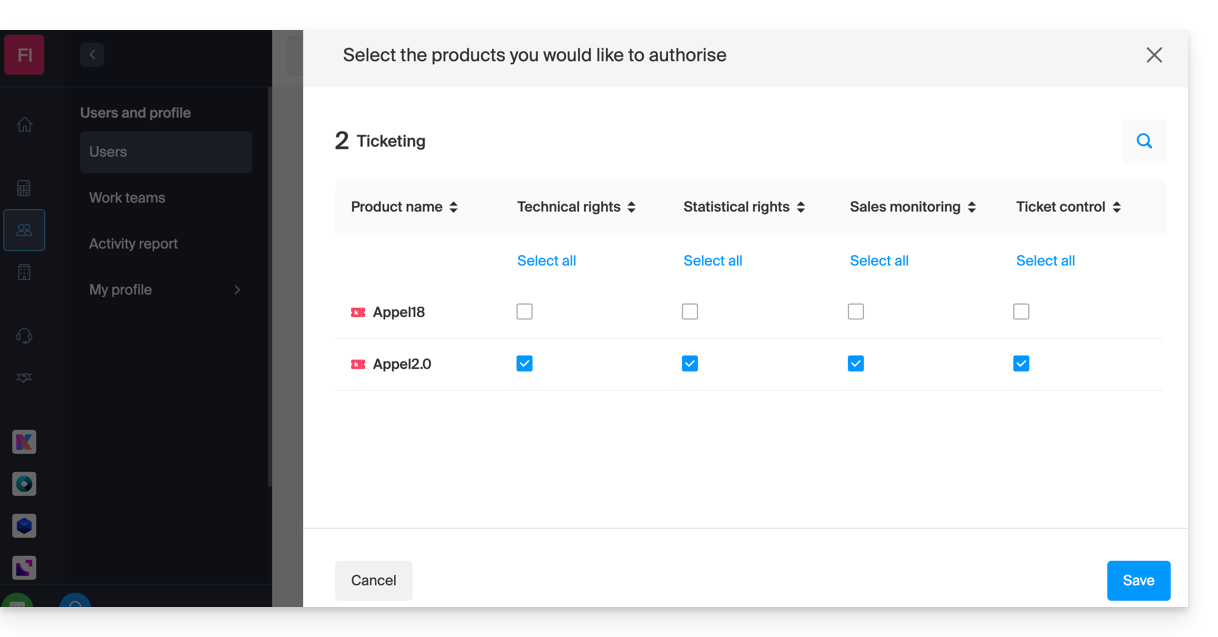
- Save your selection.
Details of user rights and access
1. Administrators
- Account owner (legally responsible for the account)
- Group administrator
- Billing administrator
- Accounting
2. Users
- Administrative — no rights assigned
3. Technical
- Programming Management
- Customers
- Mailing
- Customer export
- Promotional code (code generation)
- Shop/ticket design
- Ticketing integration
- Settings
4. Statistics
- Sales details
5. Ticket validation
- Ticket validation
6. Ticket sales
- Ticket sales
- Sales outlets
- Customers (excluding Mailing, export, and promo code management)
- Membership card management
7. Staff Management
- Staff
Next step
You can now create profiles to specify reseller access permissions…
Link to this FAQ: https://faq.infomaniak.com/1581
Has this FAQ been helpful?