Knowledge base
1000 FAQs, 500 tutorials and instructional videos. Here, there are only solutions!
Ticketing: handle direct and on-site sales
This guide explains how to process sales from an organizer account, as well as on-site sales (within the Infomaniak ticketing system). For example, if you want to print free tickets, invitations, VIP tickets, or paid tickets, you can place an order from the point of sale and generate these tickets.
Accessing the point of sale
To do this:
- Click here to access the management interface for your product on the Infomaniak Manager (need help?).
- Click directly on the name assigned to the ticket office for the event.
- Click on Ticket Office in the left-hand menu:
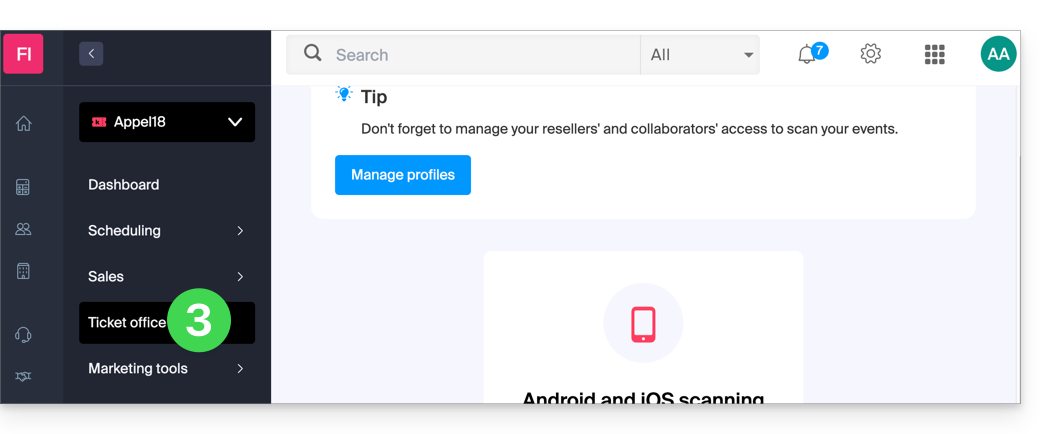
Create a new order from the control panel
To do this:
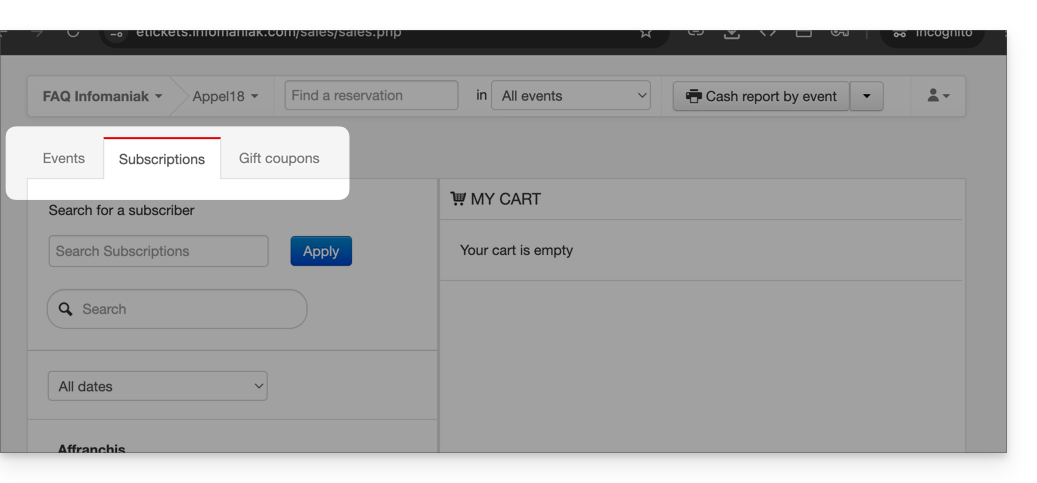
- Choose whether the sale concerns an event, a pass, or a gift voucher:
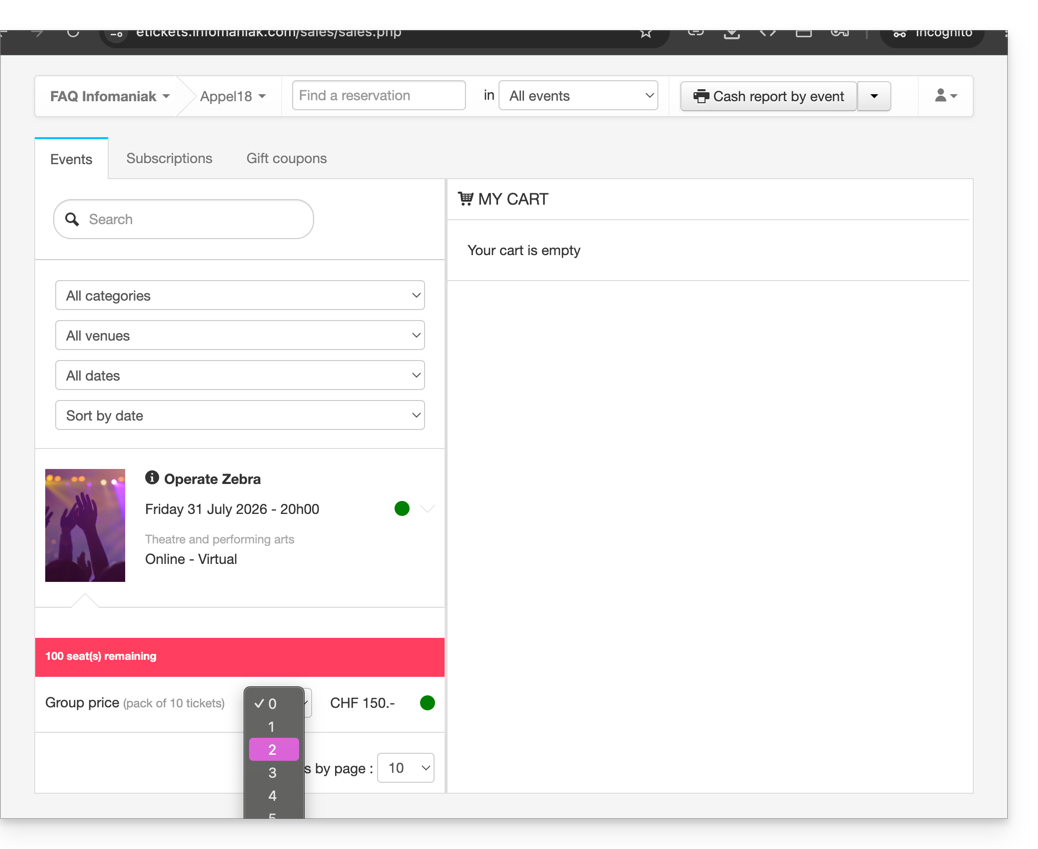
- Choose the desired event or item, as well as the number of tickets to add to the cart:
- Define the settings in the shopping cart, such as the seating arrangement, form information per price, and the use of a promotional code or gift voucher:
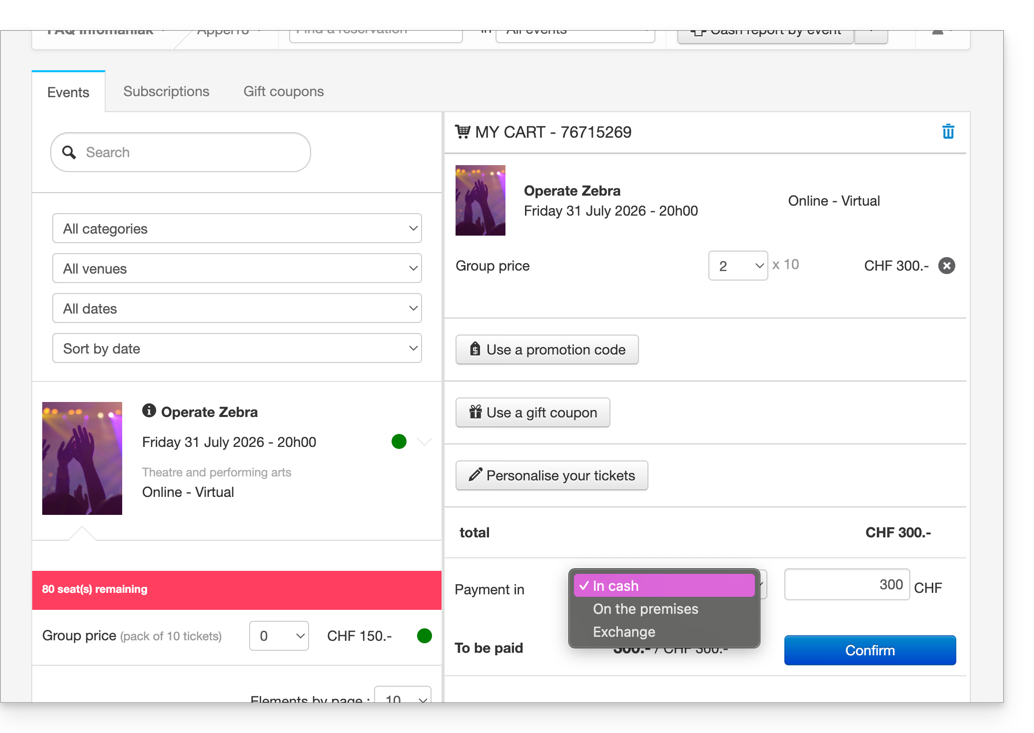
- It is possible to customize the information displayed on the tickets to be printed at this time.
- Define a payment method; for a free ticket, such as for an invitation, you must choose the Free/Invitation payment method.
- Once the information has been entered, Validate the order.
Associate the order with a customer
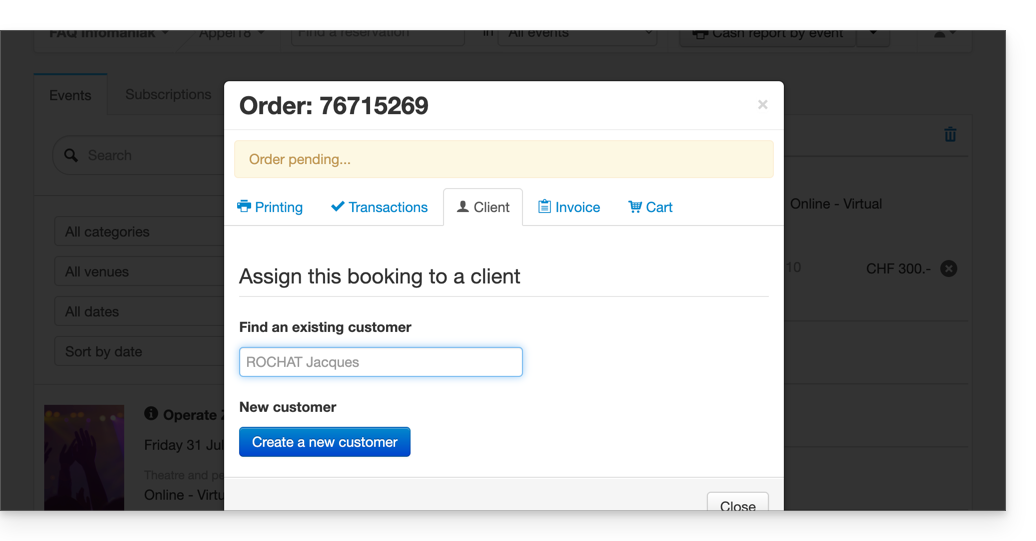
In the checkout, assigning an order to a customer is optional. It is therefore necessary to provide this information if you wish to be able to find an order using the customer's name or email address, send the tickets by email, or display the customer's first and last name on the ticket.
To do this, click on the Client tab and search for an existing client or create a new client record.
If the sale concerns a pass, and an email address is associated with the pass, the client will be suggested directly.
Print or send the tickets
You can print or send the tickets by email. To do this, go to the corresponding tab and choose the type of printing or email sending.
Other uses for the ticket office
The ticket office can also be used for other important operations, such as exchanging tickets or validating reservations; please refer to this other guide.
Link to this FAQ: https://faq.infomaniak.com/1574
Has this FAQ been helpful?